QuickBox2D 1.0 is ready. It contains a bunch of small bug fixes and a few new features that I’ll be demoing in the next few posts. The main new features relate to collision detection and simple event sequencing.
I also spent some time updating the docs…. everything is documented… I may add additional documentation text over the next few days…
A detailed tutorial for QuickBox2D is also in the works…
[EDIT]
Also, if you find any bugs send me an e-mail (see about page for e-mail)… if there are any bugs left I’d like to fix the asap…. You can also feel free to e-mail any API suggestions…
private function addCube(xp:Number, yp:Number, zp:Number, w:Number, h:Number, leng:Number):void{
			var hw:Number = w * 0.5;
			var hh:Number = h * 0.5;
			var hl:Number = leng * 0.5;
			var xA:Number = xp - hw;
			var xB:Number = hw + xp;
			var yA:Number = yp - hh;
			var yB:Number = hh + yp;
			var zA:Number = zp - hl;
			var zB:Number = hl + zp;
        	_verts.push(xA, yA, zA,
				        xB, yA, zA,
				        xA, yB, zA,
				        xB, yB, zA,
						xA, yA, zB,
				        xB, yA, zB,
				        xA, yB, zB,
				        xB, yB, zB);

			var index:int = _boxIndex * 8;
			var i0:int = index, i1:int = index + 1, i2:int = index + 2;
			var i3:int = index + 3,  i4:int = index + 4, i5:int = index + 5;
			var i6:int = index + 6, i7:int = index + 7;
	        _indices.push(i0, i1, i2,
				          i1, i3, i2,
						  i6, i7, i4,
				          i7, i5, i4,
						  i1, i5, i3,
						  i7, i3, i5,
						  i4, i5, i0,
						  i1, i0, i5,
						  i2, i6, i0,
						  i0, i6, i4,
						  i2, i3, i6,
						  i3, i7, i6);

			_faces.push(new Face(), new Face(), new Face(),
					    new Face(),  new Face(), new Face(),
						new Face(), new Face(), new Face(),
						new Face(), new Face(), new Face());
			_uvts.push(Math.random(), Math.random(), 0,
					   Math.random(), Math.random(), 0,
					   Math.random(), Math.random(), 0,
					   Math.random(), Math.random(), 0,
					   Math.random(), Math.random(), 0,
					   Math.random(), Math.random(), 0,
					   Math.random(), Math.random(), 0,
					   Math.random(), Math.random(), 0);
			_boxIndex++;
		}
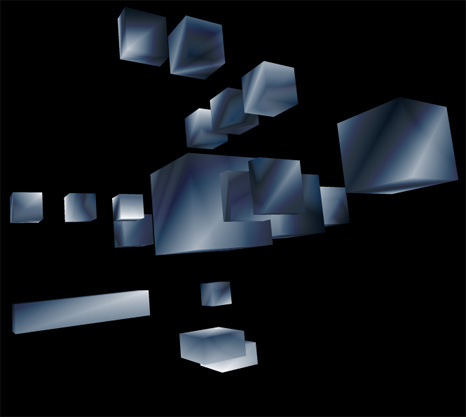
Lately I’ve been posting large code snippets… so today I’m highlighting part of a larger snippet – The above code is the heart of a small experiment I created this morning. It sets up a cube for use with drawTraingles().
var rad:Number = 1;

var surfaceArea:Number = sphereSurfaceArea(rad);
var volume:Number = sphereVolume(rad)
trace("surface area: ", surfaceArea);
trace("volume:", volume);
trace("volume / surface area:", volume / surfaceArea);

function sphereSurfaceArea(r:Number):Number{
	return 4 * Math.PI * r * r;
}

function sphereVolume(r:Number):Number{
	return r * r * r * (4.0/3.0) * Math.PI;
}

/*outputs:
surface area:  12.566370614359172
volume: 4.1887902047863905
volume / surface area: 0.3333333333333333
*/
Last night I was feeling curious about sphere volume and sphere surface area… I used WolframAlpha to find the neccessary equations and then wrote the above code snippet…
import com.actionsnippet.qbox.*;

[SWF(width = 800, height = 600, backgroundColor = 0xFFFFFF, frameRate=60)]

// hide everything for 300 ms
visible = false;
setTimeout(function():void{ visible = true}, 300);

var canvas:MovieClip = MovieClip(addChild(new MovieClip()));

var sim:QuickBox2D = new QuickBox2D(canvas, {debug:true});

sim.setDefault({fillColor:0x666666, lineAlpha:0})
sim.createStageWalls();

var boxA:QuickObject = makeLever(6 , 17.5, 9, "right", 0.7);
var circleA:QuickObject = sim.addCircle({x:2, y:3, radius:0.5, mass:4});
sim.addBox({x:15, y:12, width:2, height:0.5, density:0})
var circleB:QuickObject = sim.addCircle({x:16, y:11, radius:0.5, mass:4, friction:0.2, fillColor:0});
sim.addBox({x:20.5, y:12, width:2, height:0.3, angle:-0.6, restitution:4.6, density:0})
var boxB:QuickObject = makeLever(20 , 17.5, 8, "right", 1);
sim.addBox({x:9, y:9, width:2, height:0.5, density:0});
var circleC:QuickObject = sim.addCircle({x:9, y:9, radius:0.5, mass:4, friction:0.2, fillColor:0});
sim.addBox({x:7, y:12, width:2, height:0.5, angle:-0.3, density:0, restitution:2});
sim.addBox({x:3, y:7, width:2, height:0.5, angle:Math.PI/2 - 0.22, density:0, restitution:3});
sim.addBox({x:13, y:15, width:2, height:0.5, density:0, angle:0.3, restitution:1});
sim.addBox({x:25.5, y:7, width:2, height:0.3, angle:-0.2, restitution:0.5, density:0})
sim.addBox({x:26, y:10, width:1, height:1, density:0,restitution:0.3});
sim.addBox({x:25, y:19, width:2, height:0.5, density:0, restitution:3.5, angle:-0.99});
sim.addBox({x:1, y:17, width:0.3, height:2, density:0, angle:-0.15, restitution:0.999});
sim.addBox({x:0.7, y:11, width:0.3, height:2, density:0, angle:-0.19, restitution:20})
sim.addBox({x:0.4, y:11.5, width:1, height:0.3, density:0})

function makeLever(xp:Number, yp:Number, boxWidth:Number, dir:String, off:Number=0, hasBox:Boolean=true):QuickObject{
	var angle:Number, xpos:Number, weight:QuickObject
	if (dir == "right"){
		angle = 0.43;
		xpos = xp + boxWidth / 2 - off;
	}else{
		angle = -0.43;
		xpos = xp - boxWidth / 2 + off;
	}
	if (hasBox){
	  weight = sim.addBox({x:xpos , y:yp, width:0.5, height:0.5, angle:angle, fillColor:0});
	}
	var plank:QuickObject = sim.addBox({x:xp, y:yp, width:boxWidth, height:0.5, angle:angle});
	var fulcrum:QuickObject = sim.addPoly({x:xp, y:yp, verts:[[0,0, 1,2, -1,2]], density:0})
	sim.addJoint({type:"revolute", a:plank.body, b:fulcrum.body, collideConnected:false});
	return weight;
}

sim.start();

// new feature, calls a function after a specific number of box2D timeSteps
sim.addTimeStepSequence({time:70, callback:cam, args:[boxA]},
						{time:150, callback:cam, args:[circleB]},
						{time:200, callback:cam, args:[boxB, 1.3]},
						{time:580, callback:cam, args:[circleC]},
						{time:700, callback:cam, args:[circleC, 1.1]},
						{time:810, callback:cam, args:[boxB, 1.4]},
						{time:870, callback:cam, args:[boxB, 3]},
						{time:890, callback:cam, args:[boxB, 1.1]},
						{time:1200,callback:cam, args:[boxB, 1]});

// set values for matrix pan and zoom
function cam(quickObj:QuickObject, scale:Number=-1):void{
	currQuick = quickObj;
	if (scale != -1){
		scaleDest = scale;
	}
}

// matrix pan and zoom
var scale:Number = 1;
var scaleDest:Number = 1.2;
var down:Boolean = false;
var dx:Number = 0, dy:Number = 0, time:Number = 0;
var currQuick:QuickObject = circleA;
addEventListener(Event.ENTER_FRAME, onLoop);
function onLoop(evt:Event):void {
   scale += (scaleDest - scale) / 8;
   dx += (currQuick.x*30 - dx) / 8;
   dy += (currQuick.y*30 - dy) / 8;
   // matrix zoom/pan
    var m:Matrix = canvas.transform.matrix;
   m.identity();
   m.translate(-dx,-dy);
   m.scale(scale, scale);
   m.translate(dx,dy);
   canvas.transform.matrix = m;
}
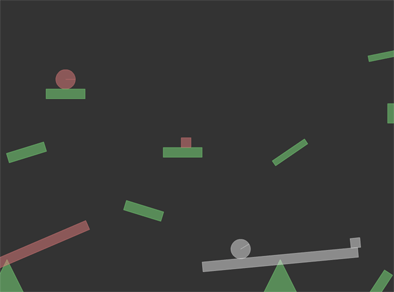
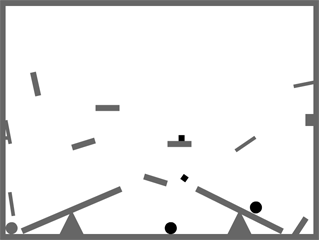
This is a preview of an upcoming feature for the QuickBox2D 1.0 release. It shows how addTimeStepSequence() is going to work. QuickBox2D 1.0 will have an internal timer counting the number of world steps that Box2D has taken. This is really useful for sequencing in conjunction with QuickBox2D’s default FRIM (framerate independent motion).
Just playing around with QuickBox2D and brainstorming about a few features for the first non-alpha release. If you have any feature suggestions, please feel free to leave them in the comments of this post (see the end of this post for a list features to come in QuickBox2D 1.0).
Have a look at the swf…
Upcoming Features for QuickBox2D
Simplified collision detection – will hopefully be something like hitTest for QuickObject instances.
QuickBox2D.totalTimeSteps – variable that keeps track of how many times b2World.Step() was called – useful for simple sequencing.
QuickBox2D.addTimeStepEvent(callAt:Number, callback:Function) – calls a function when QuickBox2D.totalTimeSteps is equal to the callAt value.
QuickBox2D.stepEvent – an event dispatched every time b2World.Step() is called.
New Renderer [probably not for 1.0 release]
I’ve been toying with the idea of creating a new renderer for QuickBox2D. Currently all rigid bodies are DisplayObjects… this is great if you plan on skinning all your rigid bodies, but if you just have flat colors it is slower than debug draw – also, debug draw mode could be optimized a good deal. So I may create a simpler, faster renderer that draws to one Graphics instance (like debug draw mode) – but abides by QuickBox2D’s simple rendering params like lineColor, fillColor, lineAlpha etc…
I also need to decide how to skin the rest of the joints, currently skins only work for distance joints…
import com.actionsnippet.qbox.*;
import Box2D.Common.Math.*;
import Box2D.Collision.Shapes.*;

[SWF(width = 600, height = 600, backgroundColor = 0x000000, frameRate=60)]

var sim:QuickBox2D = new QuickBox2D(this);

sim.setDefault({fillColor:0x990000, lineColor:0xFFCC00});
sim.createStageWalls();

var shapeTypes:Array = ["circle", "box", "poly"];
var pnts:Array = [-1, 0, -0.5, -1, 0.5, -1, 1, 0, 0,0.5, -1, 0];
var poly:Array=[];
for (var i:int = 0; i<20; i++){
	var xp:Number = 3 + Math.random()*15;
	var yp:Number = 3 + Math.random()*15;
	var w:Number = 0.2 + Math.random() * 2;
	var h:Number = 0.2 + Math.random() * 2;
	var r:Number = 0.2 + Math.random();
	var ang:Number = Math.random() * Math.PI * 2;
	var index:Number = int(Math.random()*shapeTypes.length);
	var s:Number = 0.3 + Math.random()*0.7;
	for (var j:int = 0; j<pnts.length; j++){
	     poly[j] = pnts[j] * s;
	}
	sim.setDefault({fillColor:int(Math.random()*255) << 16, lineColor:0xFFCC00});
	sim.create(shapeTypes[index], {x:xp, y:yp, width:w, height:h, angle:ang, radius:r, points:poly, wireframe:false})
}

sim.start();
sim.mouseDrag();
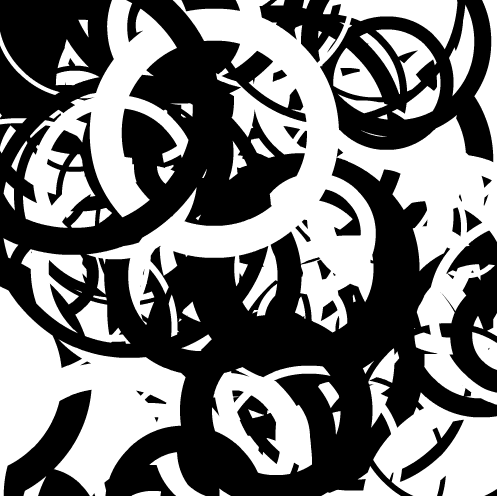
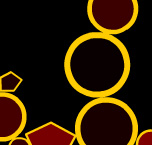
Was showing someone QuickBox2D today and created this demo after showing them a few other posts. After writing this, I realized I hadn’t posted about the QuickBox2D.create() method. Which is what addBox(), addRect(), addJoint() etc.. use internally. It takes a string for the type of QuickObject you’d like to create along with the standard params Object. Note that depending on the QuickObject type certain params will simply be ignored – for example radius is ignored when the type is “box” etc…
This snippet shows how to use groupIndex to create simple platforms for a character to jump on. A few people have asked me about this so I figured I’d post about it. It works by altering the groupIndex of each platform based on the characters position – if the character is below a platform, both the character and the platform have groupIndex -1 (meaning they will not collide). As soon as the character is above a platform, the platforms groupIndex is set to 1 (allowing the character to walk on the platform despite having just passed through it.
It’s also worth noting that I’m using b2World.GetContactCount() to make sure it’s ok to jump… if there were more going on in the demo you’d need to check a specific contact point(s), but since the only collision that could happen involves the character this works nicely…
[SWF(width = 500, height=500, backgroundColor = 0x000000)]
x = stage.stageWidth / 2;
y = stage.stageHeight / 2;
var quadNum:int = 2200;
// standard Vectors for using drawTriangles
var verts:Vector.<Number> = new Vector.<Number>();
var pVerts:Vector.<Number>;
var uvts:Vector.<Number> = new Vector.<Number>();
var indices:Vector.<int> = new Vector.<int>();
// needed for z-sorting
var sortedIndices:Vector.<int>;
var faces:Array = [];
// we'll use this for tranforming points
// and as the transformation matrix for our render
var m:Matrix3D = new Matrix3D();
// plot a quad
var quad:Vector.<Number>;
quad = Vector.<Number>([-10, -10, 0,
						10, -10, 0,
						-10, 10, 0,
						10, 10, 0]);
// temp vect for any transformed quads
var transQuad:Vector.<Number> = new Vector.<Number>();
var i:int;
var inc:int = 0;
for (i = 0; i<quadNum; i++){
	m.identity();
	var s:Number = (int(Math.random()*50) == 1) ? 2 + Math.random()*2 : .1 + Math.random() * 2;
	m.appendScale(s, s, 1);
	m.appendRotation(90, Vector3D.Y_AXIS);
	var mult:Number = 100 + Math.random()*200;
	m.appendTranslation(mult, 0, 0);
	m.appendRotation(Math.random()*360, Vector3D.X_AXIS);
	m.appendRotation(Math.random()*360, Vector3D.Y_AXIS);
	m.appendRotation(Math.random()*360, Vector3D.Z_AXIS);
	m.transformVectors(quad, transQuad);
	verts = verts.concat(transQuad);
	faces.push(new Vector3D());
	faces.push(new Vector3D());
	var i4:int = i * 4;
	indices.push(0 + i4, 1 + i4, 2 + i4,
				 1 + i4, 3 + i4, 2 + i4);
	mult /= 300;
	uvts.push(mult,mult,0,
			  mult+.1,mult,0,
			  mult,mult - .1,0,
			  mult + .1,mult + .1,0);
}
sortedIndices = new Vector.<int>(indices.length, true);
// create texture
var tex:BitmapData = new BitmapData(400,400,false, 0x000000);
var grad:Shape = new Shape();
var mat:Matrix = new Matrix();
mat.createGradientBox(400,400,0,0,0);
with (grad.graphics){
	beginGradientFill(GradientType.LINEAR, [0xFFFFFF,0x002244], [1, 1], [100, 255], mat);
	drawRect(0,0,400,400);
}
tex.draw(grad);
// create background
mat.createGradientBox(1600,1200,0,-550, 0);
with (grad.graphics){
	beginGradientFill(GradientType.RADIAL, [0x000000, 0x001133], [1, 1], [0, 255], mat);
	drawRect(0,0,500,500);
}
grad.x = -stage.stageWidth/2
grad.y = -stage.stageHeight/2;
addChild(grad);
// triangles will be drawn to this
var render:Shape = Shape(addChild(new Shape()));
// fix all vector lengths
verts.fixed = true, uvts.fixed = true, indices.fixed = true
pVerts = new Vector.<Number>(verts.length/3 * 2, true);
// we need these if we want perspective
var persp:PerspectiveProjection = new PerspectiveProjection();
persp.fieldOfView = 45;
// projection matrix
var proj:Matrix3D = persp.toMatrix3D();
var dx:Number = 0, dy:Number = 0;
addEventListener(Event.ENTER_FRAME, onLoop);
function onLoop(evt:Event):void {
	dx += (mouseX - dx) / 4;
	dy += (mouseY - dy) / 4;
	m.identity();
	m.appendRotation(dy, Vector3D.X_AXIS);
	m.appendRotation(dx, Vector3D.Y_AXIS);
	m.appendTranslation(0,0,800);
	m.append(proj);
	Utils3D.projectVectors(m, verts, pVerts, uvts);
	var face:Vector3D;
	inc = 0;
	for (var i:int = 0; i<indices.length; i+=3){
		face = faces[inc];
		face.x = indices[i];
		face.y = indices[int(i + 1)];
		face.z = indices[int(i + 2)];
		var i3:int = i * 3;
		face.w = (uvts[int(face.x*3 + 2)] + uvts[int(face.y*3 + 2)] + uvts[int(face.z*3 + 2)]) * 0.333333;
		inc++;
	}
	faces.sortOn("w", Array.NUMERIC);
	inc = 0;
	for each (face in faces){
		sortedIndices[inc++] = face.x;
		sortedIndices[inc++] = face.y;
		sortedIndices[inc++] = face.z;
	}
	render.graphics.clear();
	render.graphics.beginBitmapFill(tex, null, false, false);
	render.graphics.drawTriangles(pVerts, sortedIndices, uvts, TriangleCulling.NEGATIVE);
}
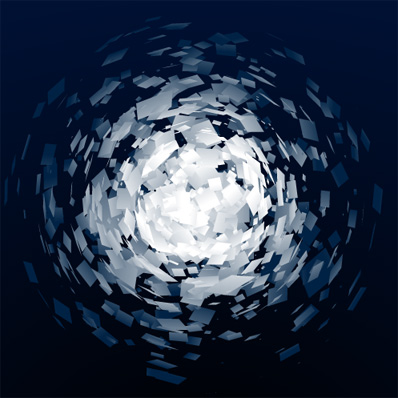
Expanding again on the z-sorting demos from the last few days – this snippet uses UV coords and a gradient to create something that vaguely resembles a light. Unlike the previous demos, the 3D cluster in this snippet is made up of quads – requiring a slight adjustment to the depth calculation.
[SWF(width = 500, height=500, backgroundColor = 0x333333)]
x = stage.stageWidth / 2;
y = stage.stageHeight / 2;


var polyNum:int = 3000;
// standard Vectors for using drawTriangles
var verts:Vector.<Number> = new Vector.<Number>();
var pVerts:Vector.<Number>;
var uvts:Vector.<Number> = new Vector.<Number>();
var indices:Vector.<int> = new Vector.<int>();
// needed for z-sorting
var sortedIndices:Vector.<int>;
var faces:Array = [];

// we'll use this for tranforming points
// and as the transormation matrix for our render
var m:Matrix3D = new Matrix3D();

// plot a poly
var poly:Vector.<Number>;
poly = Vector.<Number>([ 0, 0, 0,
					    10, 0, 0,
					    0,10, 0]);

// temp vect for any transformed polygons
var transPoly:Vector.<Number> = new Vector.<Number>();

var i:int;
var inc:int = 0;
for (i = 0; i<polyNum; i++){
	m.identity();
	var s:Number = (int(Math.random()*50) == 1) ? 4 + Math.random()*2 : 1 + Math.random() * 2;
	m.appendScale(s, s, 1);
	m.appendRotation(Math.random()*360, Vector3D.X_AXIS);
	m.appendRotation(Math.random()*360, Vector3D.Y_AXIS);
	m.appendRotation(Math.random()*360, Vector3D.Z_AXIS);
	m.appendTranslation(200,0,0);

	m.appendRotation(Math.random()*360, Vector3D.X_AXIS);
	m.appendRotation(Math.random()*360, Vector3D.Y_AXIS);
	m.appendRotation(Math.random()*360, Vector3D.Z_AXIS);

	m.transformVectors(poly, transPoly);

	verts = verts.concat(transPoly);
	faces.push(new Vector3D());
	indices.push(inc++, inc++, inc++);
	uvts.push(Math.random(), Math.random(), 0, Math.random(), Math.random(), 0, Math.random(), Math.random(), 0);
}

sortedIndices = new Vector.<int>(indices.length, true);

// create texture
var tex:BitmapData = new BitmapData(400,400,false, 0x000000);
var grad:Shape = new Shape();
var mat:Matrix = new Matrix();
mat.createGradientBox(400,400,0,0,0);
with (grad.graphics){
	beginGradientFill(GradientType.LINEAR, [0x000000, 0xAA0000, 0xFFFF00], [1, 1, 1], [20, 200, 255], mat);
	drawRect(0,0,400,400);
}
tex.draw(grad);

// create background
mat.createGradientBox(1600,1000,0,-550, -100);
with (grad.graphics){
	beginGradientFill(GradientType.RADIAL, [0x333333, 0xffffff], [1, 1], [0, 255], mat);
	drawRect(0,0,500,500);
}
grad.x = -stage.stageWidth/2
grad.y = -stage.stageHeight/2;
addChild(grad);

// triangles will be drawn to this
var render:Shape = Shape(addChild(new Shape()));

// fix all vector lengths
verts.fixed = true, uvts.fixed = true, indices.fixed = true
pVerts = new Vector.<Number>(verts.length/3 * 2, true);

// we need these if we want perspective
var persp:PerspectiveProjection = new PerspectiveProjection();
persp.fieldOfView = 45;
// projection matrix
var proj:Matrix3D = persp.toMatrix3D();

var dx:Number = 0, dy:Number = 0;
addEventListener(Event.ENTER_FRAME, onLoop);
function onLoop(evt:Event):void {
	dx += (mouseX - dx) / 4;
	dy += (mouseY - dy) / 4;
	m.identity();
	m.appendRotation(dy, Vector3D.X_AXIS);
	m.appendRotation(dx, Vector3D.Y_AXIS);
	// push everything back so its not to close
	m.appendTranslation(0,0,800);
	// append the projection matrix at the end
	m.append(proj);

	Utils3D.projectVectors(m, verts, pVerts, uvts);

	var face:Vector3D;
	inc = 0;
	for (var i:int = 0; i<indices.length; i+=3){
		face = faces[inc];
		face.x = indices[i];
		// it may look odd, but casting to an int
		// when doing operations inside array sytnax
		// adds a big speed boost
		face.y = indices[int(i + 1)];
		face.z = indices[int(i + 2)];
		var i3:int = i * 3;
		// get the average z position (t value) and store it in the Vector3D w property
		// depending on your model, you may not need to do an average of all 3 values
		face.w = (uvts[int(i3 + 2)] + uvts[int(i3 + 5)] + uvts[int(i3 + 8)]) * 0.333333;
		inc++;
	}

	// sort on w, so far this beats all other sorting methods for speed,
	// faster than Vector.sort(), faster than any custom sort method I could find
	faces.sortOn("w", Array.NUMERIC);

	// re-order indices so that faces are drawn in the correct order (back to front);
	inc = 0;
	for each (face in faces){
		sortedIndices[inc++] = face.x;
		sortedIndices[inc++] = face.y;
		sortedIndices[inc++] = face.z;
	}

	render.graphics.clear();
	render.graphics.beginBitmapFill(tex, null, false, false);
	render.graphics.drawTriangles(pVerts, sortedIndices, uvts, TriangleCulling.NONE);
}
This is a slightly more advanced version of the z-sorting demo from yesterday. Here 3000 polygons are randomly arranged in a sphere formation…