Actionscript:
-
import com.actionsnippet.qbox.*;
-
import Box2D.Common.Math.*;
-
-
[SWF (backgroundColor=0xaa0000, width=700, height=600)]
-
-
const TWO_PI:Number = Math.PI * 2;
-
-
var sim:QuickBox2D = new QuickBox2D(this,{gravityY:20, debug:false});
-
-
var i:int = 0;
-
-
// add some circles
-
var circles:Array = [];
-
var circleNum:int = 20;
-
for (i = 0; i<circleNum; i++){
-
circles[i] = sim.addCircle({x: 8, y:-2 - i, radius:0.1 + Math.random()*0.4, fillColor:0x000000});
-
}
-
-
// add some boxes
-
var boxes:Array = [];
-
var boxNum:int = 20;
-
for (i= 0; i<boxNum; i++){
-
var rx:Number = 4 + (i % 5) * 4;
-
var ry:Number = 4 + int(i / 5) * 4;
-
var ra:Number = Math.random() * TWO_PI;
-
boxes[i] = sim.addBox({x:rx, y:ry, width:3, height:0.4, angle:ra, density:0,fillColor:0xFF2200});
-
}
-
-
// vector(0,0) used to reset velocity
-
var resetVec:b2Vec2 = new b2Vec2();
-
-
sim.start();
-
sim.mouseDrag();
-
-
addEventListener(Event.ENTER_FRAME, onLoop);
-
function onLoop(evt:Event):void {
-
// rotate all boxes
-
for (i= 0; i<boxNum; i++){
-
boxes[i].angle += .05;
-
}
-
// move circles to top of sceen after they fall off bottom
-
for (i= 0; i<circleNum; i++){
-
if (circles[i].y> 20){
-
circles[i].y = -1;
-
circles[i].x = Math.random()*(stage.stageWidth / 30 - 9) + 4;
-
// access to Box2D b2Body methods
-
circles[i].body.SetLinearVelocity(resetVec);
-
}
-
}
-
}
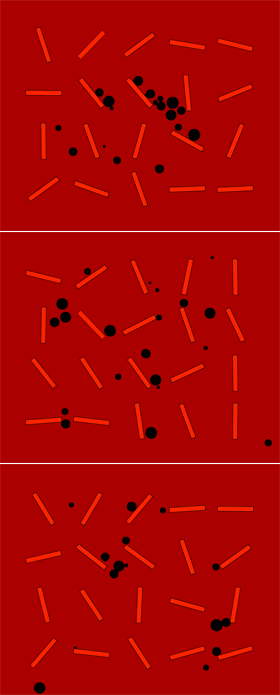
This is another QuickBox2D experiment. If you don't know what QuickBox2D is ... read about it here.
Take a look at the swf here
Actionscript:
-
var ui:QuickUI = new QuickUI();
-
ui.x = 20;
-
ui.y = 260;
-
ui.addEventListener(Event.CHANGE, onChange);
-
addChild(ui);
-
-
var spriteA:Sprite = makeSprite(150,150,0xFF0000);
-
spriteA.addEventListener(MouseEvent.CLICK, onShowAddProps);
-
-
var spriteB:Sprite = makeSprite(350,150, 0xCC6600);
-
spriteB.addEventListener(MouseEvent.CLICK, onShowExcludeProps);
-
-
var spriteC:Sprite = makeSprite(550,150, 0x550066);
-
spriteC.addEventListener(MouseEvent.CLICK, onShowExcludeProps);
-
-
function onChange(evt:Event):void{
-
// updates the property on the current target object
-
ui.updateObject(evt.target);
-
}
-
function onShowAddProps(evt:MouseEvent):void{
-
ui.rows = 3;
-
// onle show the following properties
-
// add(property, label)
-
ui.add("name", "name:");
-
ui.add("x", "x location:");
-
ui.add("y", "y location:");
-
ui.add("scaleX", "x scale:");
-
ui.add("buttonMode", "show hand cursor");
-
ui.create(evt.currentTarget);
-
ui.window({title:"Select Properties: "+ evt.currentTarget.name});
-
}
-
-
function onShowExcludeProps(evt:MouseEvent):void {
-
ui.rows = 5;
-
// don't show a few select properties - if add() is not called
-
// all properties will be shown
-
ui.exclude("doubleClickEnabled");
-
ui.exclude("useHandCursor");
-
// build the UI, give two custom labels to x and y properties
-
ui.create(evt.currentTarget, {x:"x loc:", y:"y loc:"});
-
// optionally render a window behind the UI elements
-
ui.window({title:"All Properties: " + evt.currentTarget.name});
-
}
-
-
-
function makeSprite(xp:Number, yp:Number, col:uint):Sprite{
-
var s:Sprite = Sprite(addChild(new Sprite()));
-
s.x = xp;
-
s.y = yp;
-
s.buttonMode = true;
-
with (s.graphics) beginFill(col), drawRect(-40, -40, 80, 80);
-
return s;
-
}
This snippet is my first stab at creating a library that makes certain types of UI creation very easy. It works by automatically creating input text fields and check boxes for all public properties that make sense with that type of UI. It has a long way to go, but this is a good start
Take a look at the swf to get an idea of what this snippet does.
Download the source for the library and the fla for the above demo.
I hope to get this library to the point that it will at least be useful for internal UI - that is, for level editors and mini-cms systems.
Posted in UI, dynamic | Also tagged actionscript |
Recently saw some great links making use of Global Illumination/Ambient Occlusion... these ones are from wonderfl posted by keim at Si :
This first example is based on something called AO bench.
one
two
three
and there is something called MiniLight which has been ported to Flex.
Actionscript:
-
const TWO_PI:Number = Math.PI * 2;
-
var boxNum:int = 3000;
-
var pointNum:int = boxNum * 10;
-
var rot:Vector.<Number> = new Vector.<Number>();
-
var posX:Vector.<Number> = new Vector.<Number>();
-
var posY:Vector.<Number> = new Vector.<Number>();
-
var velX:Vector.<Number> = new Vector.<Number>();
-
var velY:Vector.<Number> = new Vector.<Number>();
-
var scale:Vector.<Number> = new Vector.<Number>();
-
var rotSpeed:Vector.<Number> = new Vector.<Number>();
-
var geometry:Vector.<Number> = new Vector.<Number>();
-
var cmds:Vector.<int> = new Vector.<int>();
-
-
var stageWidth:Number = stage.stageWidth;
-
var stageHeight:Number = stage.stageHeight;
-
-
populateGeom();
-
function populateGeom():void{
-
for (var i:int = 0; i<pointNum; i+=10){
-
posX.push(Math.random() * stageWidth);
-
posY.push(Math.random() * stageHeight);
-
velX.push(Math.random()*4 - 2);
-
velY.push(Math.random()*4 - 2);
-
scale.push(Math.random() * 1 + .2);
-
rot.push(Math.random() * TWO_PI);
-
rotSpeed.push(Math.random() * 0.2 - 0.1);
-
geometry[i] = 0;
-
geometry[i + 1] = 0;
-
cmds.push(1);
-
geometry[i + 2] = 0;
-
geometry[i + 3] = 0;
-
cmds.push(2);
-
geometry[i + 4] = 0;
-
geometry[i + 5] = 0;
-
cmds.push(2);
-
geometry[i + 6] = 0;
-
geometry[i + 7] = 0;
-
cmds.push(2);
-
geometry[i + 8] = 0;
-
geometry[i + 9] = 0;
-
cmds.push(2);
-
}
-
}
-
-
function run():void{
-
var inc:int = 0;
-
var xt:Number, yt:Number, s:Number, r:Number, rs:Number;
-
var cos:Number, sin:Number;
-
var cosN:Number, cosP:Number, sinN:Number, sinP:Number;
-
for (var i:int = 0; i<pointNum; i+=10){
-
xt = posX[inc] += velX[inc];
-
yt = posY[inc] += velY[inc];
-
-
if (xt <0 || xt> stageWidth){
-
velX[inc] *= -1;
-
}
-
if (yt <0 || yt> stageHeight){
-
velY[inc] *= -1;
-
}
-
-
s = scale[inc];
-
r = rot[inc] += rotSpeed[inc];
-
inc++;
-
-
cos = Math.cos(r);
-
sin = Math.sin(r);
-
-
cosN = -10 * cos;
-
cosP = 10 * cos
-
sinN = -10 * sin;
-
sinP = 10 * sin;
-
geometry[i] = xt + (cosN - sinN) * s;
-
geometry[i + 1] = yt + (cosN + sinN) * s;
-
geometry[i + 2] = xt + (cosP - sinN) * s;
-
geometry[i + 3] = yt + (cosN + sinP) * s;
-
geometry[i + 4] = xt + (cosP - sinP) * s;
-
geometry[i + 5] = yt + (cosP + sinP) * s;
-
geometry[i + 6] = xt + (cosN - sinP) * s;
-
geometry[i + 7] = yt + (cosP + sinN) * s;
-
geometry[i + 8] = geometry[i];
-
geometry[i + 9] = geometry[i + 1];
-
}
-
}
-
-
addEventListener(Event.ENTER_FRAME, onLoop);
-
function onLoop(evt:Event):void {
-
run();
-
graphics.clear();
-
graphics.beginFill(0x000000);
-
graphics.drawPath(cmds, geometry,GraphicsPathWinding.NON_ZERO);
-
graphics.endFill();
-
}
I was messing with drawPath() today and did this snippet as a sort of performance test... the code isn't fully optimized but it's clear that drawPath() is rather fast. I wish that there were beginFill() and lineStyle() drawing commands that worked with it though... oh yeah, that's what IGraphicsData is for...
Posted in Graphics, motion | Also tagged actionscript |