Latest snippets

QuickBox2D Contact Filtering

import com.actionsnippet.qbox.*;
import Box2D.Dynamics.*;
import Box2D.Collision.Shapes.*;
 
[SWF(width = 800, height = 600, backgroundColor = 0x222222, frameRate=60)]

var sim:QuickBox2D = new QuickBox2D(this, {debug:false});

var box:QuickObject = sim.addBox({x:12, y:16, width:3, height:3, density:0 , groupIndex:-1});
var circle:QuickObject = sim.addCircle({x:5, y:3, radius:0.5, groupIndex:-1});

// add another box to show that Box2D is still working
var littleBox:QuickObject = sim.addBox({x:12, y:3, width:1, height:1});

sim.createStageWalls();

sim.start();
sim.mouseDrag();

var filter:b2ContactFilter = new QuickContactFilter();
QuickContactFilter(filter).addGroupIndexCallback(onGroupNeg1, -1);

function onGroupNeg1(a:b2Shape, b:b2Shape):void{
	//trace("group index -1 had a collision");
	box.userData.alpha = 0.5;
	setTimeout(function():void{ box.userData.alpha = 1 }, 200);
}

sim.w.SetContactFilter(filter);

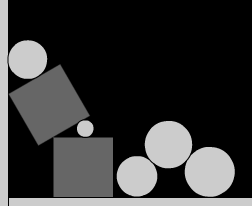
This snippet answers a question from a recent comment. The question was basically: “Can you detect a collision between two rigid bodies that have the same negative groupIndex?”. When you give QuickObjects a negative groupIndex it means that they will not collide with one another. So by default Box2D contacts will not be triggered when these two rigid bodies overlap. In order to determine if these rigid bodies overlap you need to implement a custom b2ContactFilter class. This may sound confusing but its actually very easy. You can take a look at the custom b2ContactFilter class used in this snippet here: QuickContactFilter.as – It’s important to note that QuickContactFilter.as is not yet part of QuickBox2D, so if you want to run this snippet you’ll need to download the .as file.
You can check out the swf here…

Seamless Vector Texture

[SWF(width = 800, height = 450, backgroundColor=0xFFFFFF)]

graphics.beginFill(0xDEDEDE);
graphics.drawRect(0,0,400,400);

var container:Sprite = Sprite(addChild(new Sprite()));
draggable(rx(), ry(), 0x112233, 20);
draggable(rx(), ry(), 0x2266FF, 15);
draggable(rx(), ry(), 0x003299, 50, "rect");
draggable(rx(), ry(), 0xFFFFFF, 30);
draggable(rx(), ry(), 0x00CCFF, 15);
draggable(rx(), ry(), 0x1188CC, 50, "rect");

function rx():Number{
	return Math.random() * 200 + 100;
}
function ry():Number{
	return Math.random() * 200 + 100;
}

var guides:Shape = Shape(addChild(new Shape()));
with(guides.graphics){
       lineStyle(0, 0x666666)
       moveTo(200,0);
       lineTo(200,400);
       moveTo(0, 200);
       lineTo(400, 200);
       moveTo(400,0);
	   lineTo(400,400);
	   moveTo(0,400);
	   lineTo(800,400);
}

var canvas:BitmapData = new BitmapData(200,200,true, 0x00000000);
var tex:BitmapData = new BitmapData(800,800,false, 0xFFFFFF);

var frame:Bitmap = Bitmap(addChild(new Bitmap(tex, "auto", true)));
frame.x = 401;
frame.scaleX = frame.scaleY = 0.5;

var pnt:Point = new Point();
var m:Matrix = new Matrix();

addEventListener(Event.ENTER_FRAME, onLoop);
function onLoop(evt:Event):void {
	canvas.fillRect(canvas.rect, 0x00000000);
	canvas.draw(container);
	drawQuadrant(-200,0)
	drawQuadrant(-400,0)
	drawQuadrant(0,-200)
	drawQuadrant(-200,-200);
	tex.fillRect(tex.rect, 0xFFFFFF);
	for (var i:int = 0; i<16; i++){
		var px:Number = i % 4;
		var py:Number = int(i / 4);
		pnt.x = px * 200;
		pnt.y = py * 200;
		tex.copyPixels(canvas, canvas.rect, pnt, null, null, true);
       }
}

function drawQuadrant(x:Number, y:Number):void{
	 m.tx = x;
	 m.ty = y;
	 canvas.draw(container, m);
}

// draggable Sprite
function draggable(xp:Number, yp:Number, col:uint = 0xFF0000,
size:Number=4, type:String="circle"):Sprite {
       var s:Sprite = Sprite(container.addChild(new Sprite()));
       s.x = xp;
       s.y = yp;
       with(s.graphics){
               beginFill(col)
               if(type == "circle"){
                 drawCircle(size,size,size);
               }else if(type == "rect"){
                 drawRect(0,0,size, size);
               }
       }
       s.buttonMode = true;
       s.addEventListener(MouseEvent.MOUSE_DOWN, onDrag);
       return s;
}
function onDrag(evt:MouseEvent):void {
	var w:Number = evt.currentTarget.width;
	var h:Number = evt.currentTarget.height;
	evt.currentTarget.startDrag(false, new Rectangle(0,0,400 - w, 400 - h));
}
stage.addEventListener(MouseEvent.MOUSE_UP, onUp);
function onUp(evt:MouseEvent):void{ stopDrag() }

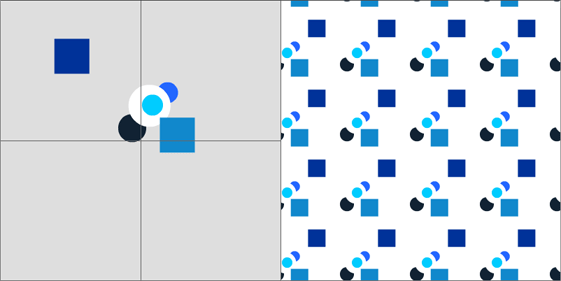
This snippet creates a seamless texture from a few draggable vector shapes. BitmapData is used to combine four quadrants into one seamless tile.


Have a look at the swf

I created this snippet as a sketch for a new feature for my command drawing project.

QuickBox2D 3D

import com.actionsnippet.qbox.*;
[SWF(width = 800, height=600, backgroundColor=0x000000, frameRate = 60)]

var main:MovieClip = MovieClip(addChild(new MovieClip()));
main.z = 500;
main.rotationX = -40;
 
var sim:QuickBox2D = new QuickBox2D(main);

sim.createStageWalls({fillColor:0x1133CC});
sim.setDefault({lineColor:0xFFFFFF, fillColor:0x113355});

for (var i:int = 0; i<30; i++){
	var b:QuickObject = sim.addBox({x:Math.random()*10 + 3, y:Math.random()*10 + 3, 
									width:0.25 + Math.random()*2, height:0.25 + Math.random()*2});
}

sim.start();
sim.mouseDrag();

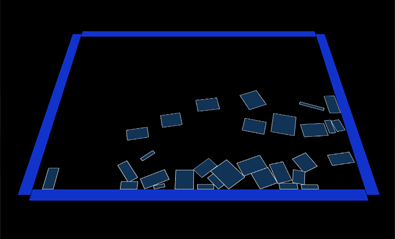
This demo shows how you can render your QuickBox2D simulation to somewhere other than the main timeline. In this case, I render to a MovieClip that has altered z and and rotationX properties.


Have a look at the swf…

QuickBox2D Contacts Part 3

import com.actionsnippet.qbox.*;
import Box2D.Common.Math.*;

[SWF(width = 800, height = 600, backgroundColor = 0x222222, frameRate=60)]

var sim:QuickBox2D = new QuickBox2D(this, {debug:false});

sim.createStageWalls();

var cup:QuickObject = sim.addPoly({x:3, y:13, wireframe:false, density:0, 
								   points:[0,0, .5, 0, .5,3,  2,3,  2,0,  2.5,0, 2.5, 3.5, 0, 3.5, 0,0]});
var deleter:QuickObject = sim.addBox({x:4.251, y: 15.9, width:1.5, height:0.25, fillColor:0xFF0000});

// use a distance joint instead of a group since isCurrentContact 
// uses the QuickObject.body property
sim.addJoint({a:cup.body, b:deleter.body, x1:deleter.x, y1:deleter.y+0.5});

var circles:Array = [];
for (var i:int = 0; i<10; i++){
	circles[i] = sim.addCircle({x:8 + i, y:5, radius:0.5});
}
var boxes:Array = [];
for (i = 0; i<10; i++){
	boxes[i] = sim.addBox({x:8.5 + i, y:10, width:0.5, height:0.5});
}

sim.start();
sim.mouseDrag();

var shootVec:b2Vec2 = new b2Vec2(4, -30);

// when circles are dropped in the cup they are destroyed
// when boxes are droppped in the cup their linear velocity is altered
var contacts:QuickContacts = sim.addContactListener();
contacts.addEventListener(QuickContacts.ADD, onAdd);
function onAdd(evt:Event):void{
	for (var i:int = 0; i<circles.length; i++){
		var circ:QuickObject = circles[i];
		if (contacts.isCurrentContact(circ, deleter)){
			// it's ok to destroy QuickObject here because they are only actually
			// destroyed after the timeStep has finished at the end of QuickBox2D's 
			// internal loop
			circ.destroy();
		}
	 } 
	 for (i = 0; i<boxes.length; i++){
		var box:QuickObject = boxes[i];
		if (contacts.isCurrentContact(box, deleter)){
			box.body.SetLinearVelocity(shootVec);
		}
	 }
}

Note: This snippet requires QuickBox2D 1.0 or greater

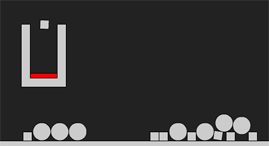
Here is another example of using QuickBox2D style contacts. In this example there is a cup with a small red box inside of it. When circles are placed inside the cup they are destroyed. When boxes are placed inside the cup they are shot upward.


Have a look at the swf…

A Note About Creation and Destruction

It’s worth noting that in Box2D your not supposed to destroy or create rigid bodies within the listener function for any contact events. QuickBox2D gets around this restriction by flagging the rigid body for destruction and destroying it at the end of QuickBox2D’s internal loop. This is not the case with creation of rigid bodies – if you attempt to create a rigid body within one of these listener functions you will get an error. See QuickBox2D Contacts Part 1 for an example of creating rigid bodies when there is a collision.

QuickBox2D 1.0 Features

Here is a quick list of the new features in QuickBox2D along with links to the docs.

1) The QuickBox2D.STEP event:
A few releases ago, frim (frame rate independent motion) was added to QuickBox2D. However, there was no way to execute calls to b2Body.ApplyImpulse() b2Body.SetLinearVelocity() etc… along with the b2World.Step() method. This meant that you couldn’t call these methods in a way that would truly maintain frim. As you’ll see in upcoming demos, rather than doing key controls or additional simulation logic in an enterframe event, I’ll be listening for the QuickBox2D.STEP event. This is executed every time a timeStep occurs. If frim is on, this the STEP event will be executed independently of frameRate.

2) Some features were added to help trigger events at specific times in the simulation. See:

QuickBox2D.totalTimeSteps
QuickBox2D.addTimeStepSequence

…for an example of addTimeStepSequence() check out this recent post.

3) Some additional control was added to mouse dragging for QuickBox2D. There is a new property in the QuickBox2D params object called customMouse. When set to true, this enables you to pass in mouse coordinates rather than having QuickBox2D automatically use the coordinates of the DisplayObject that all the rigid bodies are being drawn to. This feature is useful if you are rendering using a 3D engine. See:

QuickBox2D customMouse
QuickBox2D.setMouse()

4) A few features were added to make contact points easy to work with. See:

QuickBox2D.addContactListener()
QuickContacts

…I’ll be posting a few demos showing how to use QuickContacts – here are the first two (more to come in the next few days):
part 1
part 2

QuickBox2D Contacts Part 2

import com.actionsnippet.qbox.*;

[SWF(width = 800, height = 600, backgroundColor = 0x000000, frameRate=60)]

var sim:QuickBox2D = new QuickBox2D(this);

sim.createStageWalls();

var boxA:QuickObject = sim.addBox({x:3, y:3, width:2, height:2});
var boxB:QuickObject = sim.addBox({x:3, y:6, width:2, height:2});

// add a few extra circles to show that there are other contacts
// occuring
for (var i:int = 0; i<10; i++){
	sim.addCircle({x:5 + i, y:4, radius:0.1 + Math.random()});
}

sim.start();
sim.mouseDrag();

// when boxA touches boxB change their alpha values to 50%
var contacts:QuickContacts = sim.addContactListener();
contacts.addEventListener(QuickContacts.ADD, onAdd);
contacts.addEventListener(QuickContacts.PERSIST, onPersist);
contacts.addEventListener(QuickContacts.REMOVE, onRemove);
function onAdd(evt:Event):void{
	if(contacts.isCurrentContact(boxA, boxB)){
		boxA.userData.alpha = 0.5;
		boxB.userData.alpha = 0.5;
	}
}
function onPersist(evt:Event):void{
	if(contacts.isCurrentContact(boxA, boxB)){
		boxA.userData.alpha = 0.5;
		boxB.userData.alpha = 0.5;
	}
}
function onRemove(evt:Event):void{
	if(contacts.isCurrentContact(boxA, boxB)){
		boxA.userData.alpha = 1;
		boxB.userData.alpha = 1;
	}
}

Note: This snippet requires QuickBox2D 1.0 or greater

This is another example showing how to make use of QuickBox2D contacts. In this example three contact events are used ADD, PERSIST and REMOVE. When the two boxes are touching their alpha values are set to 50% – otherwise their alpha values are at 100%.


Have a look at the swf…

A Little Detail About the Events

The ADD event is dispatched when a new b2ContactPoint is generated. The PERSIST event is dispatched as long as the b2ContactPoint exists for more than one timeStep – and from what I can tell, is dispatched until the rigid bodies it is associated with go to sleep. The REMOVE event is called when the b2ContactPoint is removed, meaning the rigid bodies that caused the creating of the b2ContactPoint are no longer touching.

You need to be careful with the code that you place inside the listener functions for these events. The reason being that these events are called many many times for every contact point in the simulation.

QuickBox2D Contacts Part 1

import com.actionsnippet.qbox.*;
import Box2D.Common.Math.*;

[SWF(width = 800, height = 600, backgroundColor = 0x000000, frameRate=60)]

var sim:QuickBox2D = new QuickBox2D(this, {debug:false, frim:true});

sim.createStageWalls();

var boxA:QuickObject = sim.addBox({x:3, y:3, width:2, height:2, fillColor:0xFF0000});
var boxB:QuickObject = sim.addBox({x:3, y:6, width:2, height:2, fillColor:0xFF0000});

sim.start();
sim.mouseDrag();

// when boxA touches boxB a circle QuickObject is created
var contacts:QuickContacts = sim.addContactListener();
// listen for contact points being added
contacts.addEventListener(QuickContacts.ADD, onAdd);
function onAdd(evt:Event):void{
	// see if this contact event is associated with boxA and boxB
	if(contacts.isCurrentContact(boxA, boxB)){
		// get the location of the collision in world space
		var loc:b2Vec2 = contacts.currentPoint.position;
		// you cannot create new QuickObjects inside this listener function
		// so we just give a 5 ms delay
		setTimeout(sim.addCircle, 5, {x:loc.x, y:loc.y});
	}
}

Note: This snippet requires QuickBox2D 1.0 or greater

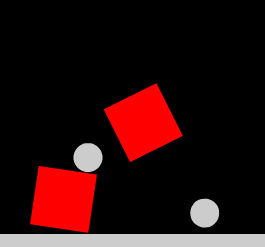
I’ve created a few simple examples to show how to use QuickBox2D contact listeners. This is the first one. When two boxes collide circles are added to the simulation at the point of collision.


Have a look at the swf…

QuickBox2D 1.0

QuickBox2D 1.0 is ready. It contains a bunch of small bug fixes and a few new features that I’ll be demoing in the next few posts. The main new features relate to collision detection and simple event sequencing.

Go download it from here…

I also spent some time updating the docs…. everything is documented… I may add additional documentation text over the next few days…

A detailed tutorial for QuickBox2D is also in the works…

[EDIT]

Also, if you find any bugs send me an e-mail (see about page for e-mail)… if there are any bugs left I’d like to fix the asap…. You can also feel free to e-mail any API suggestions…

drawTriangles() Cubes

private function addCube(xp:Number, yp:Number, zp:Number, w:Number, h:Number, leng:Number):void{
			var hw:Number = w * 0.5;
			var hh:Number = h * 0.5;
			var hl:Number = leng * 0.5;
			var xA:Number = xp - hw;
			var xB:Number = hw + xp;
			var yA:Number = yp - hh;
			var yB:Number = hh + yp;
			var zA:Number = zp - hl;
			var zB:Number = hl + zp;
        	_verts.push(xA, yA, zA,
				        xB, yA, zA,
				        xA, yB, zA,
				        xB, yB, zA,
						xA, yA, zB,
				        xB, yA, zB,
				        xA, yB, zB,
				        xB, yB, zB);
			
			var index:int = _boxIndex * 8;
			var i0:int = index, i1:int = index + 1, i2:int = index + 2;
			var i3:int = index + 3,  i4:int = index + 4, i5:int = index + 5;
			var i6:int = index + 6, i7:int = index + 7;
	        _indices.push(i0, i1, i2,
				          i1, i3, i2,
						  i6, i7, i4, 
				          i7, i5, i4, 
						  i1, i5, i3,
						  i7, i3, i5,
						  i4, i5, i0,
						  i1, i0, i5,
						  i2, i6, i0,
						  i0, i6, i4,
						  i2, i3, i6,
						  i3, i7, i6);
						  
			_faces.push(new Face(), new Face(), new Face(), 
					    new Face(),  new Face(), new Face(), 
						new Face(), new Face(), new Face(),
						new Face(), new Face(), new Face());
			_uvts.push(Math.random(), Math.random(), 0, 
					   Math.random(), Math.random(), 0, 
					   Math.random(), Math.random(), 0,
					   Math.random(), Math.random(), 0, 
					   Math.random(), Math.random(), 0, 
					   Math.random(), Math.random(), 0,
					   Math.random(), Math.random(), 0, 
					   Math.random(), Math.random(), 0);
			_boxIndex++;
		}

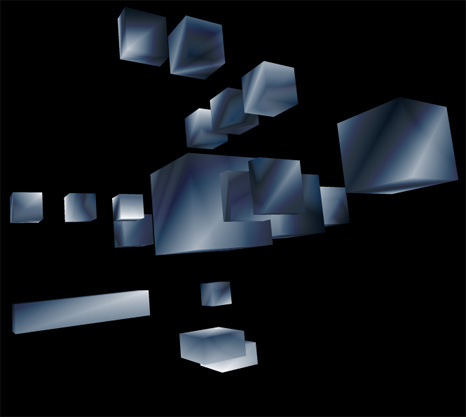
Lately I’ve been posting large code snippets… so today I’m highlighting part of a larger snippet – The above code is the heart of a small experiment I created this morning. It sets up a cube for use with drawTraingles().

The rest of the code can be read here:
Cubes3D.as

Have a look at the swf here…


I also put it on wonderfl…

Calculate Surface Area and Volume of a Sphere

 
var rad:Number = 1;

var surfaceArea:Number = sphereSurfaceArea(rad);
var volume:Number = sphereVolume(rad)
trace("surface area: ", surfaceArea);
trace("volume:", volume);
trace("volume / surface area:", volume / surfaceArea);

function sphereSurfaceArea(r:Number):Number{
	return 4 * Math.PI * r * r;
}

function sphereVolume(r:Number):Number{
	return r * r * r * (4.0/3.0) * Math.PI;
}

/*outputs:
surface area:  12.566370614359172
volume: 4.1887902047863905
volume / surface area: 0.3333333333333333
*/

Last night I was feeling curious about sphere volume and sphere surface area… I used WolframAlpha to find the neccessary equations and then wrote the above code snippet…

Check out how WolframAlpha does it:
surface area of a sphere
surface area of a sphere with radius 10
sphere volume
sphere volume with radius 10