private function addCube(xp:Number, yp:Number, zp:Number, w:Number, h:Number, leng:Number):void{
			var hw:Number = w * 0.5;
			var hh:Number = h * 0.5;
			var hl:Number = leng * 0.5;
			var xA:Number = xp - hw;
			var xB:Number = hw + xp;
			var yA:Number = yp - hh;
			var yB:Number = hh + yp;
			var zA:Number = zp - hl;
			var zB:Number = hl + zp;
        	_verts.push(xA, yA, zA,
				        xB, yA, zA,
				        xA, yB, zA,
				        xB, yB, zA,
						xA, yA, zB,
				        xB, yA, zB,
				        xA, yB, zB,
				        xB, yB, zB);

			var index:int = _boxIndex * 8;
			var i0:int = index, i1:int = index + 1, i2:int = index + 2;
			var i3:int = index + 3,  i4:int = index + 4, i5:int = index + 5;
			var i6:int = index + 6, i7:int = index + 7;
	        _indices.push(i0, i1, i2,
				          i1, i3, i2,
						  i6, i7, i4,
				          i7, i5, i4,
						  i1, i5, i3,
						  i7, i3, i5,
						  i4, i5, i0,
						  i1, i0, i5,
						  i2, i6, i0,
						  i0, i6, i4,
						  i2, i3, i6,
						  i3, i7, i6);

			_faces.push(new Face(), new Face(), new Face(),
					    new Face(),  new Face(), new Face(),
						new Face(), new Face(), new Face(),
						new Face(), new Face(), new Face());
			_uvts.push(Math.random(), Math.random(), 0,
					   Math.random(), Math.random(), 0,
					   Math.random(), Math.random(), 0,
					   Math.random(), Math.random(), 0,
					   Math.random(), Math.random(), 0,
					   Math.random(), Math.random(), 0,
					   Math.random(), Math.random(), 0,
					   Math.random(), Math.random(), 0);
			_boxIndex++;
		}
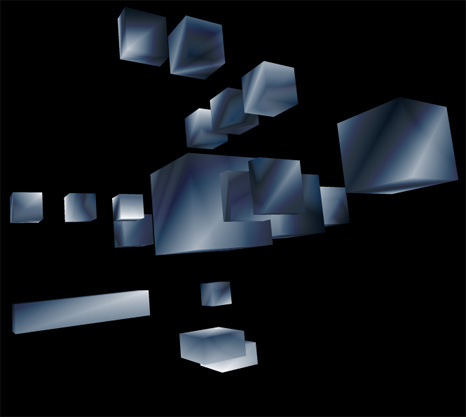
Lately I’ve been posting large code snippets… so today I’m highlighting part of a larger snippet – The above code is the heart of a small experiment I created this morning. It sets up a cube for use with drawTraingles().
The rest of the code can be read here:
Cubes3D.as
Have a look at the swf here…
This is really cool and a much more efficient way than the major Flash 3D engines if all you’re concerned about is cubes. Thanks for the nice writeup and demo app!
thanks jackson, glad you like it…
Really great examples, thank you!
I noticed just a problem: the object’s 3D positions are very different if you publish the swf in a html page or if you open the swf as a standalone. Maybe a relative coordinates problem?
I found sometimes the same problem even playing the swf in a browser. It’s not systematic, it can be happen in every browser/OS. Any ideas? 🙂
Very rare stuff! Congrats! With your permission I like to use it for a fancy menu in one of my personal web pages. Should be ok with u (new in As3 myself) how can I attach a label in to each side of each box? (textfield or movie clip). Your help will be greatly appreciated.
Thanks in advance, Chris
late response… of course feel free to use anything on this site however you like.