Still speed-coding shorts for youtube these last few months… – move your mouse over the codepen below – click and hold to zoom out 😀
Blobby WebGL
Read snippet: Blobby WebGL
Browse the notebook
Still speed-coding shorts for youtube these last few months… – move your mouse over the codepen below – click and hold to zoom out 😀
Been speed coding some new stuff and showcasing some old stuff as shorts on youtube – here is a recent one:
Check out the rest here: https://www.youtube.com/@shapevent/shorts
In 2015 I created QuickShader… which just takes the boilerplate out of showing a shader in the browser. Here are a few examples:
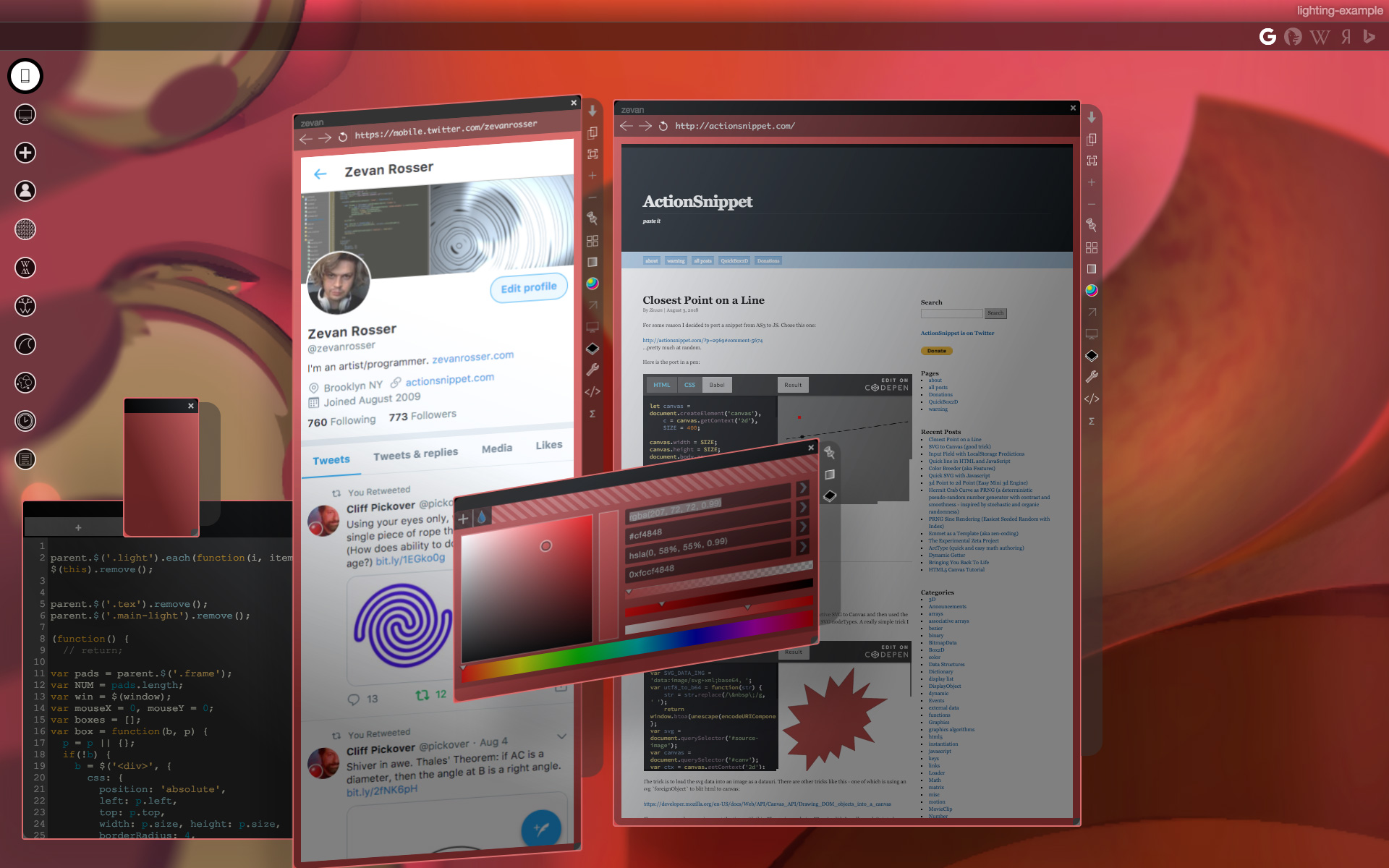
Awhile back I thought it would be interesting to add some quick fake lighting to a personal project of mine – that for lack of a better description is a windows management system.
Here is a screenshot of the windows management system with lighting turned on:
Here is a video of me using the system:
I whipped up this prototype (don’t mind the jQuery)
There are really two keys that make this work. Getting the shadow in place and adjusting the gradient. All we really need is the angle and distance from a given `div` in relation to the “light”:
let calcAng = function(x, y) {
  let lightPos = light.position()
  let dx = lightPos.left - x;
  let dy = lightPos.top - y;
  return -Math.atan2(dy, dx) / Math.PI  * 180;
};

let calcDist = function(x, y) {
  let lightPos = light.position()
  let dx = lightPos.left - x;
  let dy = lightPos.top - y;
  return Math.sqrt(dx * dx,  dy * dy);
};
Standard `atan2` and the pythagorean theorem get us this. Once we have those – we can use them to set our gradient and shadow values:
// warning (apparently this function is slightly speed coded)
let calcShade = function(x, y) {
  let angle = calcAng(x, y);
  let dist =  calcDist(x, y);
  let sx = dist * Math.cos(-angle * Math.PI / 180) * -1;
  let sy = dist * Math.sin(-angle * Math.PI / 180) * -1;

  sx = Math.min(20, Math.max(sx, -20));
  sy = Math.min(20, Math.max(sy, -20));
  let blur = Math.min(100, dist);
  let hBlur = Math.min(50, blur) * 0.5;
  // consider distance in the eq?
  return {
    bg: `-webkit-linear-gradient(${angle}deg, rgba(0, 0, 0, 0.2), rgba(255, 255, 255, 0.4) ${blur}%)`,
    shadow: `${sx}px ${sy}px ${hBlur}px rgba(0, 0, 0, 0.15)`
  };
};
There are more videos of the windows management system on my youtube channel. Here’s another from a much earlier version of the system.
Maybe I’ll post more about that in the future…
Usually if you want to draw lines in HTML you use canvas or SVG. Awhile back I wondered how I might do it without those. This is really just a proof of concept speed coded answer to that question:
This works by using a div with a border, rotating it and scaling it as needed so it fits between two arbitrary points.
This could be abstracted a bit more, but it works pretty well. I usually choose `setInterval` over `requestAnimationFrame` when prototyping – because I like to easily be able to change the speed of
framebased things like this. If I were to try and make this code more dynamic, I would probably switch out to `requestAnimationFrame`.
If you try and connect two lines together – you’ll notice some inaccuracy – a good argument for using SVG or canvas over something like this. That said, if you are connecting two elements using a single line, this inaccuracy would become irrelevant.
Around 2015 I had the idea for a PRNG that would clamp itself and have moments of “smoothness”. When I got around to trying to create such a thing, the result was something I jokingly called the “Hermit Crab Curve”. I also called it the “Shard Curve”.
The equation for the curve defines a radius in polar coordinates:
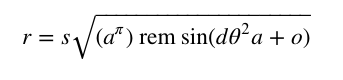
Where a and d are paramters that control the detail of the curve. o is a rotation and offset value for the angle and s is a scalar. Note the use of rem. The resulting curve is much less interesting if a standard modulo is used in place of a remainder:
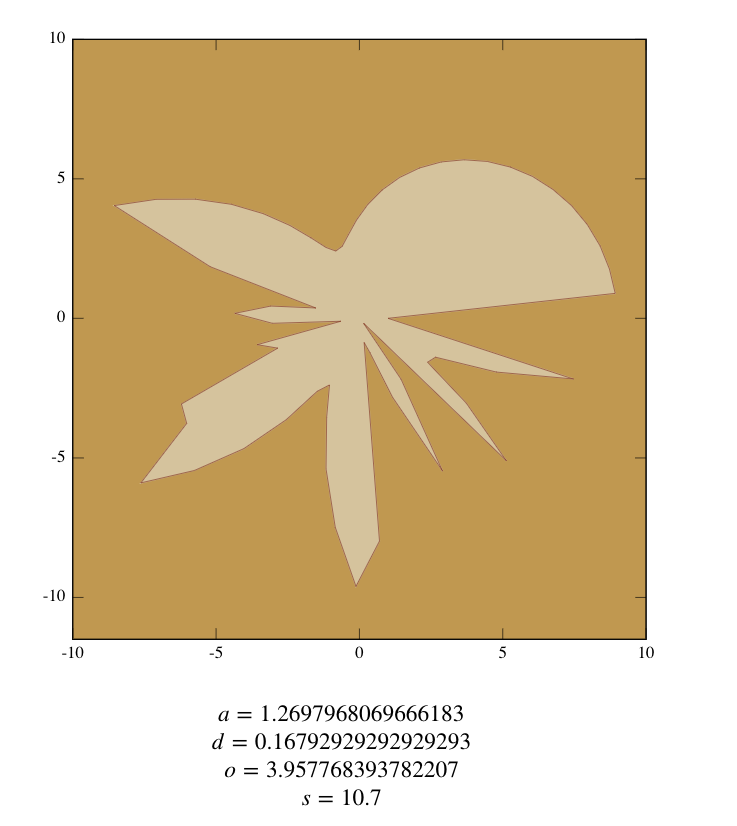
The above variable values were found using this interactive version of the equation:
To illustrate how you might use this as a PRNG I created this fork of the above pen:
That, in combination with the information from my other article from yesterday… Should be enough to see what I mean.
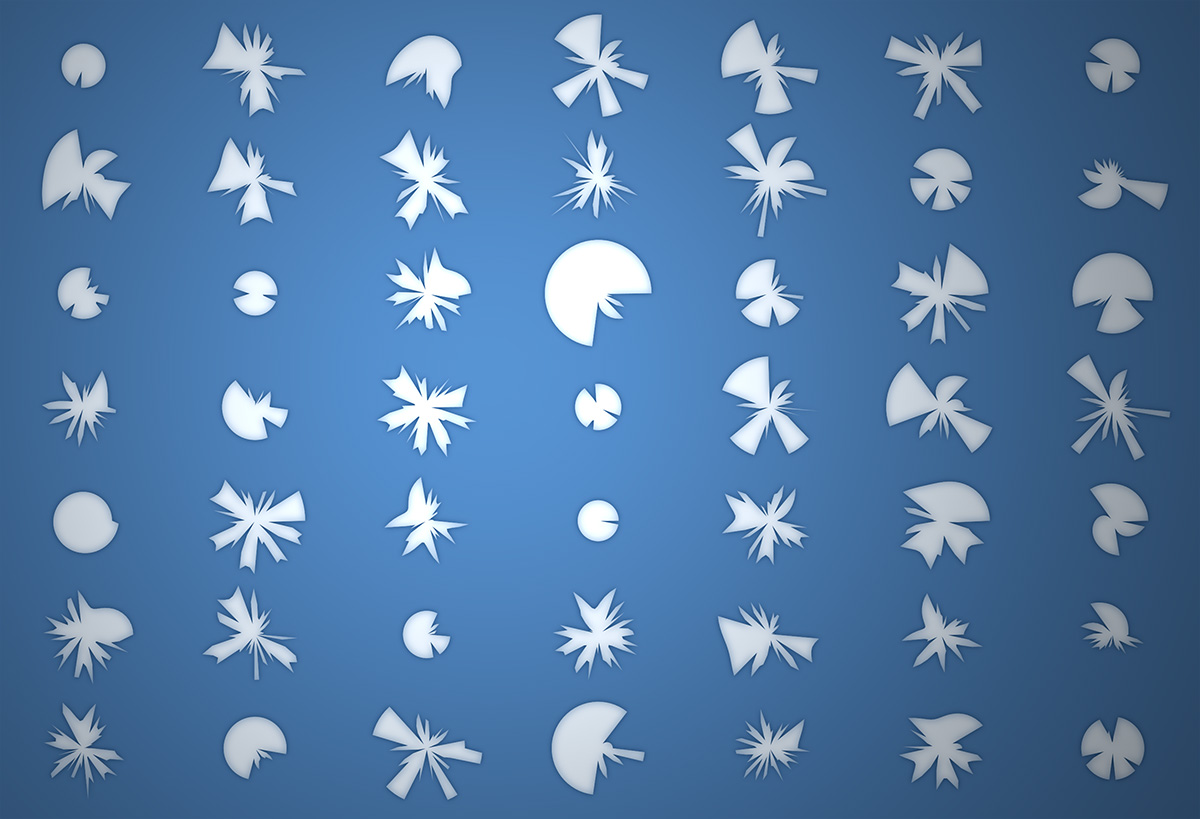
You can read the original description of the Hermit Crab Curve that I created using ArcType here:
http://zevanrosser.com/arctype-dev/hermit-crab-curve.html
If you end up using this for something interesting let me know. I’d love to see it 😀
var circs:Array = []
var circNum:int = 600;
addEventListener(Event.ENTER_FRAME, onAdd);
function onAdd(evt:Event):void {
	if (circs.length < circNum){
		makeGrowable();
	}
}

function makeGrowable(){

	var s:MovieClip = MovieClip(addChild(new MovieClip()));
	s.x = Math.random() * stage.stageWidth;
	s.y = Math.random() * stage.stageHeight;
	with(s.graphics){
		lineStyle(0,0);
		drawCircle(0,0,10);
	}
	s.scaleX = s.scaleY = 0;
	circs.push(s);
	s.addEventListener(Event.ENTER_FRAME, onScaleUp);
}

function onScaleUp(evt:Event):void {
	var c:MovieClip = MovieClip(evt.currentTarget);
	c.scaleX = c.scaleY += 0.05;
	for (var i:int = 0; i<circs.length; i++){
		var circ:MovieClip = circs[i];
		if (circ != c){
			var amt:Number = circ.width/2 + c.width/2;
			var dx:Number = circ.x - c.x;
			var dy:Number = circ.y - c.y;
			var dist:Number = Math.sqrt(dx * dx + dy * dy);
			if (amt > dist){
				c.removeEventListener(Event.ENTER_FRAME, onScaleUp);
				if (c.scaleX < 0.1){
					if (contains(c)){
					removeChild(c);
					}
				}
			}
		}

	}
}
Circle fitting is one of those things I’ve never bothered to do… today I figured I’d give it a try and this is what I came up with. I posted it on wonderfl:
[SWF(width = 500, height=500)]
var ring:MovieClip = createRing();
ring.x = stage.stageWidth / 2;
ring.y = stage.stageHeight / 2;
addChild(ring);

function createRing(sectionNum:int = 30):MovieClip{
	var container:MovieClip = new MovieClip();
	container.circles = [];
	container.theta = 0;
	container.thetaDest = 0;
	var step:Number = (Math.PI * 2) / sectionNum;
	for (var i:int = 0; i<sectionNum; i++){
		var c:MovieClip = new MovieClip();
		with (c.graphics){
			lineStyle(0,0x000000);
			beginFill(0xCCCCCC);
			drawCircle(0,0,20);
		}
		c.thetaOffset = step * i;
		container.addChild(c);
		container.circles.push(c);
	}
	container.addEventListener(Event.ENTER_FRAME, onRun);
	return container;
}
function onRun(evt:Event):void {
	var container:MovieClip = MovieClip(evt.currentTarget);
	var num:int = container.circles.length;
	for (var i:int = 0; i<num; i++){
		var c:MovieClip = container.circles[i];
		var angle:Number = container.theta + c.thetaOffset;
		c.x = 200 * Math.cos(angle);
		c.y = 100 * Math.sin(angle);
		c.scaleX = (100 + c.y) / 120 + 0.2;
		c.scaleY = c.scaleX;
	}
	container.circles.sortOn("y", Array.NUMERIC);
	for (i = 0; i<num; i++){
		container.addChild(container.circles[i]);
	}
	if (container.mouseX < -100){
		container.thetaDest -= 0.05;
	}
	if (container.mouseX > 100){
		container.thetaDest += 0.05;
	}
	container.theta += (container.thetaDest  - container.theta) / 12;

}
This snippet shows how to create a 3D ring navigation using sine and cosine. Have a look:
makeFlyer();

function makeFlyer():void{
	var thing:MovieClip = new MovieClip();
	thing.x = 200;
	thing.y = 200;

	addChild(thing);

	var prop:Shape = new Shape();
	with (prop.graphics){
		lineStyle(0,0x000000);
		beginFill(0x000000);
		moveTo(-100,0);
		curveTo(-100, -30, 0, 0);
		curveTo(100, 30, 100, 0);
		curveTo(100, -30, 0, 0);
		curveTo(-100, 30, -100, 0);
	}
	prop.scaleX = prop.scaleY = 0.5;
	var container:MovieClip = new MovieClip();
	//container.x = -50;
	container.addChild(prop);
	container.scaleY = 0.6;
	thing.addChild(container);

	var body:Shape = new Shape();
	with (body.graphics){
		lineStyle(0, 0x000000);
		beginFill(0x000000);
		lineTo(0,80);
		drawCircle(0,80,10);
	}
	thing.addChild(body);
	thing.velX = 0;
	thing.velY = 0;
	thing.posX = thing.x;
	thing.posY = thing.y;
	thing.theta = 0;
	thing.prop = prop;
	thing.addEventListener(Event.ENTER_FRAME, onRun);
}
function onRun(evt:Event):void{
	var t:MovieClip = MovieClip(evt.currentTarget);
	t.prop.rotation += 10
	t.velY = 3 * Math.cos(t.theta);
	t.velX = 3 * Math.sin(t.theta / 2);
	t.theta += 0.05
	t.posX += t.velX;
	t.posY += t.velY;

	t.x = t.posX;
	t.y = t.posY;
}
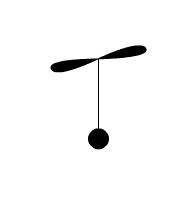
This snippet creates a small flying object that moves with sine and cosine.
var circles:Array = [];
for (var i:int = 0; i<30; i++){
	var c:Sprite = makeCircle();
	c.x = stage.stageWidth / 2;
	c.y = stage.stageHeight / 2;
	c.scaleX = 1 + i/2;
	c.scaleY = 0.5 + i/4;
	addChild(c);
	circles.push(c);
}
addEventListener(Event.ENTER_FRAME, onLoop);
function onLoop(evt:Event):void {
	circles[0].y += (mouseY - circles[0].y) / 4;
	for (var i:int = 1; i<circles.length; i++){
		var pre:Sprite = circles[i - 1];
		circles[i].y += (pre.y - circles[i].y) / 4;
	}
}
function makeCircle():Sprite{
	var s:Sprite = new Sprite();
	with(s.graphics){
		lineStyle(0,0x000000);
		drawCircle(0,0,10);
	}
	return s;
}
This morning I woke up with a vision of this simple mouse toy in my head. I decided I might as well code it up… I may do more simple things like this in the next few days, it’s relaxing.