Browse the notebook

Category: motion

QuickBox2D addTimeStepSequence() Preview

import com.actionsnippet.qbox.*;

[SWF(width = 800, height = 600, backgroundColor = 0xFFFFFF, frameRate=60)]

// hide everything for 300 ms
visible = false;
setTimeout(function():void{ visible = true}, 300);

var canvas:MovieClip = MovieClip(addChild(new MovieClip()));

var sim:QuickBox2D = new QuickBox2D(canvas, {debug:true});

sim.setDefault({fillColor:0x666666, lineAlpha:0})
sim.createStageWalls();

var boxA:QuickObject = makeLever(6 , 17.5, 9, "right", 0.7);
var circleA:QuickObject = sim.addCircle({x:2, y:3, radius:0.5, mass:4});
sim.addBox({x:15, y:12, width:2, height:0.5, density:0})
var circleB:QuickObject = sim.addCircle({x:16, y:11, radius:0.5, mass:4, friction:0.2, fillColor:0});
sim.addBox({x:20.5, y:12, width:2, height:0.3, angle:-0.6, restitution:4.6, density:0})
var boxB:QuickObject = makeLever(20 , 17.5, 8, "right", 1);
sim.addBox({x:9, y:9, width:2, height:0.5, density:0});
var circleC:QuickObject = sim.addCircle({x:9, y:9, radius:0.5, mass:4, friction:0.2, fillColor:0});
sim.addBox({x:7, y:12, width:2, height:0.5, angle:-0.3, density:0, restitution:2});
sim.addBox({x:3, y:7, width:2, height:0.5, angle:Math.PI/2 - 0.22, density:0, restitution:3});
sim.addBox({x:13, y:15, width:2, height:0.5, density:0, angle:0.3, restitution:1});
sim.addBox({x:25.5, y:7, width:2, height:0.3, angle:-0.2, restitution:0.5, density:0})
sim.addBox({x:26, y:10, width:1, height:1, density:0,restitution:0.3});
sim.addBox({x:25, y:19, width:2, height:0.5, density:0, restitution:3.5, angle:-0.99});
sim.addBox({x:1, y:17, width:0.3, height:2, density:0, angle:-0.15, restitution:0.999});
sim.addBox({x:0.7, y:11, width:0.3, height:2, density:0, angle:-0.19, restitution:20})
sim.addBox({x:0.4, y:11.5, width:1, height:0.3, density:0})

function makeLever(xp:Number, yp:Number, boxWidth:Number, dir:String, off:Number=0, hasBox:Boolean=true):QuickObject{
	var angle:Number, xpos:Number, weight:QuickObject
	if (dir == "right"){
		angle = 0.43;
		xpos = xp + boxWidth / 2 - off;
	}else{
		angle = -0.43;
		xpos = xp - boxWidth / 2 + off;
	}
	if (hasBox){
	  weight = sim.addBox({x:xpos , y:yp, width:0.5, height:0.5, angle:angle, fillColor:0});
	}
	var plank:QuickObject = sim.addBox({x:xp, y:yp, width:boxWidth, height:0.5, angle:angle});
	var fulcrum:QuickObject = sim.addPoly({x:xp, y:yp, verts:[[0,0, 1,2, -1,2]], density:0})
	sim.addJoint({type:"revolute", a:plank.body, b:fulcrum.body, collideConnected:false});
	return weight;
}

sim.start();

// new feature, calls a function after a specific number of box2D timeSteps
sim.addTimeStepSequence({time:70, callback:cam, args:[boxA]}, 
						{time:150, callback:cam, args:[circleB]},
						{time:200, callback:cam, args:[boxB, 1.3]},
						{time:580, callback:cam, args:[circleC]},
						{time:700, callback:cam, args:[circleC, 1.1]},
						{time:810, callback:cam, args:[boxB, 1.4]},
						{time:870, callback:cam, args:[boxB, 3]},
						{time:890, callback:cam, args:[boxB, 1.1]},
						{time:1200,callback:cam, args:[boxB, 1]});

// set values for matrix pan and zoom
function cam(quickObj:QuickObject, scale:Number=-1):void{
	currQuick = quickObj;
	if (scale != -1){
		scaleDest = scale;
	}
}								  
				
// matrix pan and zoom
var scale:Number = 1;
var scaleDest:Number = 1.2;
var down:Boolean = false;
var dx:Number = 0, dy:Number = 0, time:Number = 0;
var currQuick:QuickObject = circleA;
addEventListener(Event.ENTER_FRAME, onLoop);
function onLoop(evt:Event):void {
   scale += (scaleDest - scale) / 8; 
   dx += (currQuick.x*30 - dx) / 8;
   dy += (currQuick.y*30 - dy) / 8;
   // matrix zoom/pan
    var m:Matrix = canvas.transform.matrix;
   m.identity();
   m.translate(-dx,-dy);
   m.scale(scale, scale);
   m.translate(dx,dy);
   canvas.transform.matrix = m;
}

This is a preview of an upcoming feature for the QuickBox2D 1.0 release. It shows how addTimeStepSequence() is going to work. QuickBox2D 1.0 will have an internal timer counting the number of world steps that Box2D has taken. This is really useful for sequencing in conjunction with QuickBox2D’s default FRIM (framerate independent motion).

This snippet uses addTimeStepSequence() to move a 2D camera around the simulation (from yesterdays post) – the camera pans and zooms… If you’d like to use addTimeStepSequence() simply replace your QuickBox2D.as file with this updated one:

I plan to release QuickBox2D 1.0 on monday – so I didn’t think it made sense to do alpha 110 just for this one change…
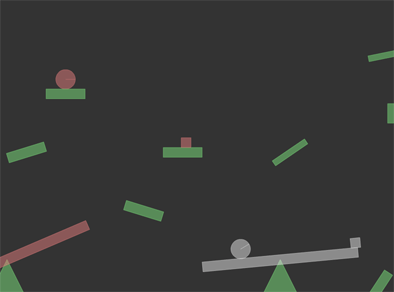
Have a look at the swf….

Read snippet: QuickBox2D addTimeStepSequence() Preview

QuickBox2D Vaguely Goldberg-esque

import com.actionsnippet.qbox.*;
import Box2D.Common.Math.*;
import Box2D.Collision.Shapes.*;

[SWF(width = 800, height = 600, backgroundColor = 0xFFFFFF, frameRate=60)]

// hide everything for 300 ms
visible = false;
setTimeout(function():void{ visible = true}, 300);

var sim:QuickBox2D = new QuickBox2D(this, {debug:false});

sim.setDefault({fillColor:0x666666, lineAlpha:0})
sim.createStageWalls();

makeLever(6 , 17.5, 9, "right", 0.7);

var circleA:QuickObject = sim.addCircle({x:2, y:3, radius:0.5, mass:4});

sim.addBox({x:15, y:12, width:2, height:0.5, density:0})

sim.addCircle({x:16, y:11, radius:0.5, mass:4, friction:0.2, fillColor:0});

sim.addBox({x:20.5, y:12, width:2, height:0.3, angle:-0.6, restitution:4.6, density:0})
 
makeLever(20 , 17.5, 8, "right", 1);
 
sim.addBox({x:9, y:9, width:2, height:0.5, density:0});

sim.addCircle({x:9, y:9, radius:0.5, mass:4, friction:0.2, fillColor:0});

sim.addBox({x:7, y:12, width:2, height:0.5, angle:-0.3, density:0, restitution:2});

sim.addBox({x:3, y:7, width:2, height:0.5, angle:Math.PI/2 - 0.22, density:0, restitution:3});

sim.addBox({x:13, y:15, width:2, height:0.5, density:0, angle:0.3, restitution:1});

sim.addBox({x:25.5, y:7, width:2, height:0.3, angle:-0.2, restitution:0.5, density:0})

sim.addBox({x:26, y:10, width:1, height:1, density:0,restitution:0.3});

sim.addBox({x:25, y:19, width:2, height:0.5, density:0, restitution:3.5, angle:-0.99});

sim.addBox({x:1, y:17, width:0.3, height:2, density:0, angle:-0.15, restitution:0.999});

sim.addBox({x:0.7, y:11, width:0.3, height:2, density:0, angle:-0.19, restitution:20})

sim.addBox({x:0.4, y:11.5, width:1, height:0.3, density:0})

function makeLever(xp:Number, yp:Number, boxWidth:Number, dir:String, off:Number=0, hasBox:Boolean=true):QuickObject{
	var angle:Number, xpos:Number, weight:QuickObject
	if (dir == "right"){
		angle = 0.43;
		xpos = xp + boxWidth / 2 - off;
	}else{
		angle = -0.43;
		xpos = xp - boxWidth / 2 + off;
	}
	
	if (hasBox){
	  weight = sim.addBox({x:xpos , y:yp, width:0.5, height:0.5, angle:angle, fillColor:0});
	}

	var plank:QuickObject = sim.addBox({x:xp, y:yp, width:boxWidth, height:0.5, angle:angle});
	var fulcrum:QuickObject = sim.addPoly({x:xp, y:yp, verts:[[0,0, 1,2, -1,2]], density:0})
	sim.addJoint({type:"revolute", a:plank.body, b:fulcrum.body, collideConnected:false});
	return weight;
}

sim.start();

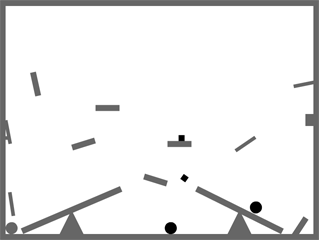
Just playing around with QuickBox2D and brainstorming about a few features for the first non-alpha release. If you have any feature suggestions, please feel free to leave them in the comments of this post (see the end of this post for a list features to come in QuickBox2D 1.0).


Have a look at the swf…

Upcoming Features for QuickBox2D
Simplified collision detection – will hopefully be something like hitTest for QuickObject instances.

QuickBox2D.totalTimeSteps – variable that keeps track of how many times b2World.Step() was called – useful for simple sequencing.

QuickBox2D.addTimeStepEvent(callAt:Number, callback:Function) – calls a function when QuickBox2D.totalTimeSteps is equal to the callAt value.

QuickBox2D.stepEvent – an event dispatched every time b2World.Step() is called.

New Renderer [probably not for 1.0 release]
I’ve been toying with the idea of creating a new renderer for QuickBox2D. Currently all rigid bodies are DisplayObjects… this is great if you plan on skinning all your rigid bodies, but if you just have flat colors it is slower than debug draw – also, debug draw mode could be optimized a good deal. So I may create a simpler, faster renderer that draws to one Graphics instance (like debug draw mode) – but abides by QuickBox2D’s simple rendering params like lineColor, fillColor, lineAlpha etc…

I also need to decide how to skin the rest of the joints, currently skins only work for distance joints…

Read snippet: QuickBox2D Vaguely Goldberg-esque

Matrix Zoom and Pan

[SWF(width=600, height=600, frameRate=30)]
var sw:Number = stage.stageWidth;
var sh:Number = stage.stageHeight;

var s:Shape = Shape(addChild(new Shape()));

var scale:Number = 1;
var scaleDest:Number = 1;
var down:Boolean = false;
var dx:Number = 0, dy:Number = 0, time:Number = 0;

buttonMode = true;

addInstructions();
vectorTexture();

stage.addEventListener(MouseEvent.MOUSE_DOWN, onDown);
stage.addEventListener(MouseEvent.MOUSE_UP, onUp);
addEventListener(Event.ENTER_FRAME, onLoop);

function addInstructions():void{
	var instruct:Sprite = Sprite(addChild(new Sprite()));
	with (instruct.graphics) beginFill(0x666666), drawRect(0,0,270, 30);
	instruct.x = instruct.y = 20;
	var txt:TextField = TextField(instruct.addChild(new TextField()));
	txt.defaultTextFormat = new TextFormat("Verdana", 11);
	txt.x = txt.y = 5;
	txt.selectable = false;
	with (txt) textColor = 0xFFFFFF, autoSize = "left", text = "Click and hold to zoom, move mouse to pan";
}

function vectorTexture():void{
	var cols:Vector.<uint> = Vector.<uint>([0xFFFFFF, 0x000000]);
	var rnd:Vector.<Number> = new Vector.<Number>(6, true);
	
	for(var i:int = 0 ; i<50; i++){
		with(s.graphics){
			lineStyle(Math.random() * 50 + 2, cols[int(Math.random()*cols.length)]);
			drawCircle(Math.random() * sw, Math.random() * sh, 10 + Math.random() * Math.random() * 400);
		}
	}
	s.graphics.lineStyle(20, 0xCCCCCC);
	s.graphics.drawRect(0, 0,sw, sh);
}

function onDown(evt:MouseEvent):void{ down = true; }
function onUp(evt:MouseEvent):void{ down = false; }
function onLoop(evt:Event):void {
   if (down){
	 scaleDest *= 1.05;  
	 time = 0;
   }else{
	 time++;
	 // zoom out after 30 iterations
	 if (time == 30){
		 scaleDest = 1;  
	 }
   }
   scale += (scaleDest - scale) / 4;
   if (scale > 10) scale = scaleDest = 10;
   
   dx += (mouseX - dx) / 4;
   dy += (mouseY - dy) / 4;
   if (dx < 0) dx = 0;
   if (dy < 0) dy = 0;
   if (dx > sw) dx = sw;
   if (dy > sh) dy = sh;
   
   // matrix zoom/pan
   var m:Matrix = s.transform.matrix;
   m.identity();
   m.translate(-dx,-dy);
   m.scale(scale, scale);
   m.translate(dx,dy);
   s.transform.matrix = m;
}

I haven’t been by the computer much these last two weeks – been traveling. Going back to nyc tomorrow so I’ll go back to posting once a day.

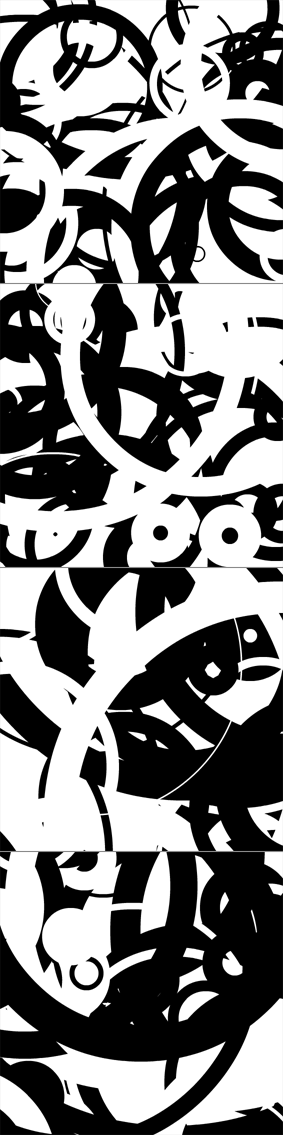
This snippet uses a transformation matrix to zoom in and pan a Sprite instance. For demo purposes I filled the sprite with a few circles – but you’d likely be using this with a vector image of a map, a floor plan or some other graphic that warrants zooming and panning.

Back around flash 7 (I think) before the Matrix class was introduced we used to have to use MovieClip nesting to achieve this effect.


Have a look at the swf…


Read snippet: Matrix Zoom and Pan

globalToLocal() in 3D

[SWF(frameRate=60, backgroundColor=0x000000, width=500, height=500)]
stage.quality = "medium";
var frame:Sprite = Sprite(addChild(new Sprite()));
with (frame.graphics) beginFill(0xCCCCCC), drawRect(-200, -200, 400, 400), endFill();
frame.x = stage.stageWidth / 2;
frame.y = stage.stageHeight / 2;
frame.z = 100;

var canvas:Shape = Shape(frame.addChild(new Shape()));
var msk:Shape = Shape(frame.addChild(new Shape()));
with (msk.graphics) beginFill(0x00FF00), drawRect(-200, -200, 400, 400), endFill();
canvas.mask = msk

var txt:TextField = TextField(addChild(new TextField()));
txt.defaultTextFormat = new TextFormat("_sans", 12);
txt.x = txt.y = 10;
txt.textColor = 0xFFFFFF, txt.autoSize="left", txt.text = "Draw on the 3D plane...";

stage.addEventListener(MouseEvent.MOUSE_DOWN, onDown);
stage.addEventListener(MouseEvent.MOUSE_UP, onUp);
function onDown(evt:MouseEvent):void{
	canvas.graphics.lineStyle(4, 0x000000);
	var pnt:Point = frame.globalToLocal(new Point(mouseX, mouseY));
	canvas.graphics.moveTo(pnt.x, pnt.y);
	addEventListener(Event.ENTER_FRAME, onDraw);
}
function onUp(evt:MouseEvent):void{
	removeEventListener(Event.ENTER_FRAME, onDraw);
}

var t:Number = 0;
addEventListener(Event.ENTER_FRAME, onLoop);
function onLoop(evt:Event):void {
    frame.rotationY = 35 * Math.sin(t);
	frame.rotationX = 35 * Math.cos(t);
	t+=0.02;
}

function onDraw(evt:Event):void {
        var pnt:Point = frame.globalToLocal(new Point(mouseX, mouseY));
	canvas.graphics.lineTo(pnt.x, pnt.y);
}

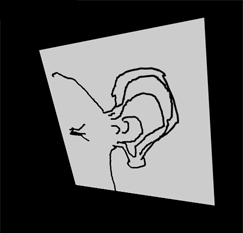
This demo shows that globalToLocal() works with 3D – saving us the trouble of doing some extra math if we want to draw on 3D display objects…

Have a look at the swf….


Was made aware of this trick by watching a video that kevinSuttle sent me via twitter. The video is an interview with Chris Nuuja (one of the flash player engineers).

Read snippet: globalToLocal() in 3D

QuickBox2D Unicycler

import com.actionsnippet.qbox.*;
import Box2D.Common.Math.*;
import Box2D.Dynamics.Joints.*;
[SWF (backgroundColor=0x000000, width=700, height=600, frameRate=60)]
var sim:QuickBox2D = new QuickBox2D(this, {debug:false,gravityY:10, renderJoints:false});
sim.setDefault({fillColor:0xCC0000,lineAlpha:0});
sim.createStageWalls();

for (var i:int = 0; i<20; i++){
	sim.addCircle({x:1+i * 0.8, y:1, radius:0.1+Math.random()*0.1, restitution:0.3});
}

sim.setDefault({fillColor:0xEFEFEF, fillAlpha:0.5, lineColor:0xFFFFFF, groupIndex:-2});
var ancA:QuickObject = sim.addCircle({x:20, y:12, radius:0.5, density:0, skin:"none"});
var ancB:QuickObject = sim.addCircle({x:20, y:2, radius:0.5, density:0, skin:"none"});
var head:QuickObject = sim.addCircle({x:0, y:-0.6, radius:0.5});
var neck:QuickObject = sim.addBox({x:0, y:1, width:0.5, height:2});
var spindle:QuickObject = sim.addBox({x:0, y:3, width:0.1, height:2})
spindle.userData.visible = false;
var top:QuickObject = sim.addGroup({objects:[head, neck, spindle], x:10, y:5, fixedRotation:true});
var upperLegA:QuickObject = sim.addBox({x:10, y:7.5, width:0.25, height:1.5});
var lowerLegA:QuickObject = sim.addBox({x:10, y:9, width:0.25, height:1.5});
var wheel:QuickObject = sim.addCircle({x:10, y:9, radius:1});
var upperLegB:QuickObject = sim.addBox({x:10, y:7.5, width:0.25, height:1.5});
var lowerLegB:QuickObject = sim.addBox({x:10, y:9, width:0.25, height:1.5});
var upperArmA:QuickObject = sim.addBox({x:10.7, y:5.25, width:1.5, height:0.25});
var lowerArmA:QuickObject = sim.addBox({x:11.8, y:5.25, width:1.2, height:0.25});
var upperArmB:QuickObject = sim.addBox({x:9.5, y:5.25, width:1.5, height:0.25});
var lowerArmB:QuickObject = sim.addBox({x:8.4, y:5.25, width:1.2, height:0.25});
var anchor:b2Vec2 = new b2Vec2();
function connect(a:QuickObject, b:QuickObject, lower:Number, upper:Number, offX:Number=0, offY:Number = 0):QuickObject{
	 var min:Number = Math.min(a.y, b.y);
     var max:Number = Math.max(a.y, b.y);
     anchor.y = min + (max - min) * 0.5 + offY;
     min = Math.min(a.x, b.x);
     max = Math.max(a.x, b.x);
     anchor.x = min + (max - min) * 0.5 + offX;
	 return sim.addJoint({type:"revolute", a:a.body, b:b.body, x1:anchor.x, y1:anchor.y, lowerAngle:lower, upperAngle:upper});
}
sim.addJoint({type:"revolute", a:wheel.body, b:top.body, x1:wheel.x, y1:wheel.y});
sim.addJoint({type:"revolute", a:lowerLegA.body, b:wheel.body, x1:lowerLegA.x, y1:lowerLegA.y + 0.7});
sim.setDefault({enableLimit:true});
connect(top, upperArmA, 0, 3, -.3, .1);
connect(upperArmA, lowerArmA, -2.5, -1, 0, 0);
connect(top, upperArmB, -3, 0, .3, .1);
connect(upperArmB, lowerArmB, -2.5, -1, 0, 0);
sim.addJoint({type:"distance", a:lowerArmA.body, b:ancA.body, frequencyHz:0.3});
sim.addJoint({type:"distance", a:lowerArmB.body, b:ancB.body, frequencyHz:0.3});
sim.setDefault({enableLimit:true});
connect(top, upperLegA, -6.28, 6, 0, 0.8);
connect(upperLegA, lowerLegA, .1, 6);
wheel.angle = Math.PI;
connect(top, upperLegB, -6.28, 6, 0, 0.8);
connect(upperLegB, lowerLegB, .1, 6);
sim.setDefault({enableLimit:false, type:"revolute"});
sim.addJoint({a:lowerLegB.body, b:wheel.body, x1:lowerLegB.x, y1:lowerLegB.y + 0.7});

sim.start();
sim.mouseDrag();

var sd:Number = 5, s:Number = 0, t:Number = 0;
addEventListener(Event.ENTER_FRAME, function():void{
	top.angle = Math.cos(t += 0.05) * 0.2;
    if (top.x > 19) sd = -5
	if (top.x < 5) sd = 5;
	s += (sd - s) / 8;
	wheel.body.SetAngularVelocity(s);
});

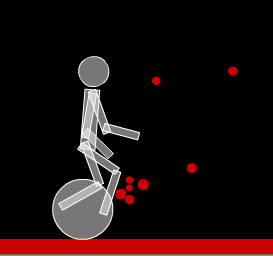
This chunk of code uses QuickBox2D to create a simple looking character riding a unicycle…

Have a look at the swf…

Read snippet: QuickBox2D Unicycler

QuickBox2D Floating Walker

import com.actionsnippet.qbox.*;
import Box2D.Common.Math.*;
import Box2D.Dynamics.Joints.*;

[SWF (backgroundColor=0x000000, width=700, height=600, frameRate=60)]

var sim:QuickBox2D = new QuickBox2D(this, {gravityY:.2});

sim.setDefault({fillColor:0xEFEFEF, fillAlpha:0.5, lineColor:0xFFFFFF});

sim.createStageWalls();

for (var i:int = 0; i<20; i++){
	sim.addCircle({x:1+i, y:1, radius:0.2, restitution:1});
}

var head:QuickObject = sim.addCircle({x:0, y:0, radius:0.5});
var neck:QuickObject = sim.addBox({x:0, y:1, width:0.5, height:2});
var top:QuickObject = sim.addGroup({objects:[head, neck], x:10, y:5, fixedRotation:true});

var upperLegA:QuickObject = sim.addBox({x:10, y:7.5, width:0.25, height:1.5,groupIndex:-2});
var lowerLegA:QuickObject = sim.addBox({x:10, y:9, width:0.25, height:1.5,groupIndex:-2});

var upperLegB:QuickObject = sim.addBox({x:10, y:7.5, width:0.25, height:1.5,groupIndex:-2});
var lowerLegB:QuickObject = sim.addBox({x:10, y:9, width:0.25, height:1.5,groupIndex:-2});

var anchor:b2Vec2 = new b2Vec2();
function connect(a:QuickObject, b:QuickObject, lower:Number, upper:Number, offX:Number=0, offY:Number = 0):QuickObject{
	 var min:Number = Math.min(a.y, b.y);
     var max:Number = Math.max(a.y, b.y);
     anchor.y = min + (max - min) * 0.5 + offY;
     min = Math.min(a.x, b.x);
     max = Math.max(a.x, b.x);
     anchor.x = min + (max - min) * 0.5 + offX;
	 return sim.addJoint({a:a.body, b:b.body, x1:anchor.x, y1:anchor.y, lowerAngle:lower, upperAngle:upper});
}

sim.setDefault({type:"revolute", collideConnected:false, enableLimit:true, enableMotor:true, maxMotorTorque:250, lineColor:0xFFFFFF});

var upperLegAJoint:QuickObject = connect(top, upperLegA, -1, 1, 0, 0.8);
var upperLegBJoint:QuickObject = connect(top, upperLegB, -1, 1, 0, 0.8);

var lowerLegAJoint:QuickObject = connect(upperLegA, lowerLegA, -1, 1);
var lowerLegBJoint:QuickObject = connect(upperLegB, lowerLegB, -1, 1);

sim.start();
sim.mouseDrag();
 

var j:b2RevoluteJoint;
var t:Number = -Math.PI * 0.5;
addEventListener(Event.ENTER_FRAME, onLoop);
function onLoop(evt:Event):void {
	
	var s1:Number = 1*Math.sin(t);
	var s2:Number = 1*Math.sin(t+Math.PI);
	t+= 0.05;
	
	top.body.SetAngularVelocity(s1 * 0.25);
	
	j =  upperLegAJoint.joint as b2RevoluteJoint;
    j.SetMotorSpeed(s1);
	
	j =  upperLegBJoint.joint as b2RevoluteJoint;
    j.SetMotorSpeed(s2);
	 
	j = lowerLegAJoint.joint as b2RevoluteJoint;
	j.SetMotorSpeed(-s2);
	
	j = lowerLegBJoint.joint as b2RevoluteJoint;
	j.SetMotorSpeed(-s1);
}

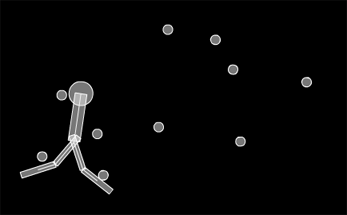
Experimenting with primitive robot designs… this was just an improvised design – it looks like it may make sense to break out a pencil and some paper – or my wacom… to get something interesting…


Have a look at the swf…


Read snippet: QuickBox2D Floating Walker

QuickBox2D Prismatic Joint

import com.actionsnippet.qbox.*;
import Box2D.Common.Math.*;

[SWF (backgroundColor=0x000000, width=700, height=600, frameRate=60)]

var sim:QuickBox2D = new QuickBox2D(this);

sim.setDefault({fillColor:0xCCCCCC, lineColor:0x3355AA});

sim.createStageWalls();

var box:QuickObject = sim.addBox({x:10, y:10, density:0});
var circle:QuickObject = sim.addCircle({x:10, y:13});

sim.addJoint({type:"prismatic", a:box.body, b:circle.body, axis:new b2Vec2(1, 0), upperTranslation:3, lowerTranslation:-3, enableLimit:true, motorSpeed:10, maxMotorForce:10, enableMotor:true});

sim.start();
sim.mouseDrag();

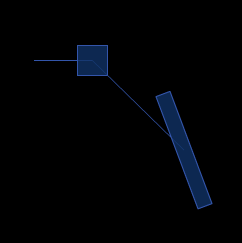
Simple prismatic joint demo. Prismatic joints are odd, it took me awhile to realize how to use them and what they can be used for… Plan on using them in the creation of some Box2D machines in the near futrure…

Check out the swf

Read snippet: QuickBox2D Prismatic Joint

QuickBox2D Gear Joint

import com.actionsnippet.qbox.*;
import Box2D.Common.Math.*;

[SWF (backgroundColor=0x000000, width=700, height=600)]

var sim:QuickBox2D = new QuickBox2D(this,{gravityY:10});

sim.setDefault({fillColor:0x113366, fillAlpha:0.8, lineColor:0x3355AA});
sim.createStageWalls();

var boxA:QuickObject = sim.addBox({x:10, y:8, width:4, height:0.5, density:10});
var boxB:QuickObject = sim.addBox({x:5, y:5, density:10});
boxB.body.SetLinearVelocity(new b2Vec2(5, 0));
 
var rev1:QuickObject = sim.addJoint({type:"revolute", a:sim.w.GetGroundBody(), b:boxA.body, anchor:boxA.body.GetWorldCenter()})
			
var rev2:QuickObject = sim.addJoint({type:"prismatic", a:sim.w.GetGroundBody(), axis:new b2Vec2(1, 0), b:boxB.body, anchor:boxB.body.GetWorldCenter()})
																					 
sim.addJoint({type:"gear", a:boxA.body, b:boxB.body, joint1:rev1.joint, joint2:rev2.joint});
			 
sim.start();
sim.mouseDrag();

Simple gear joint demo – meant to serve as a reference for QuickBox2D…


Have a look at the swf…

Read snippet: QuickBox2D Gear Joint

QuickBox2D Connect to GroundBody

import com.actionsnippet.qbox.*;

[SWF (backgroundColor=0x000000, width=700, height=600)]

var sim:QuickBox2D = new QuickBox2D(this);

sim.setDefault({fillColor:0x113366, fillAlpha:0.8, lineColor:0x3355AA});

sim.createStageWalls();

var boxA:QuickObject = sim.addBox({x:10, y:8, width:4, height:0.5, angularDamping:1});
var boxB:QuickObject = sim.addBox({x:7, y:8, width:3, height:0.25, angle:-.5, angularDamping:1});
var boxC:QuickObject = sim.addBox({x:12, y:2, width:2, height:1});

var rev:QuickObject = sim.addJoint({type:"revolute", a:boxA.body, b:sim.w.GetGroundBody()});
// add a red dot to boxA
with (boxA.userData.graphics) lineStyle(), beginFill(0xFF0000), drawCircle(0,0,2);

var rev2:QuickObject = sim.addJoint({type:"revolute", a:boxB.body, b:sim.w.GetGroundBody()});
with (boxB.userData.graphics) lineStyle(), beginFill(0xFF0000), drawCircle(0,0,2);

sim.start();
sim.mouseDrag();

In order to use gear joints (covered in tomorrows post) you’ll need to know how to connect to the ground body…

Check out the swf…

Read snippet: QuickBox2D Connect to GroundBody

QuickBox2D Revolute Walker

import com.actionsnippet.qbox.*;
import Box2D.Dynamics.Joints.*;

[SWF (backgroundColor=0x222222, width=700, height=600)]

var sim:QuickBox2D = new QuickBox2D(this);
 
sim.setDefault({fillColor:0x000000, lineColor:0xCCCCCC});
sim.createStageWalls();

var legA:QuickObject = sim.addBox({x:5, y:11, width:2, height:0.2,groupIndex:-2});
var three:QuickObject = sim.addBox({x:6.8 + 1.8, y:11, width:2, height:0.2,groupIndex:-2});
var legB:QuickObject = sim.addBox({x:6.8, y:11, width:2, height:0.5,groupIndex:-2});
sim.setDefault({type:"revolute"});

var anchorX:Number = legA.x + (legB.x - legA.x) / 2;
var anchorY:Number = legA.y;
var revJointA:QuickObject = sim.addJoint({a:legA.body, b:legB.body, x1:anchorX, y1:anchorY,enableMotor:true, maxMotorTorque:80});

anchorX = legB.x + (three.x - legB.x) / 2;

var revJointB:QuickObject = sim.addJoint({a:legB.body, b:three.body, x1:anchorX, y1:anchorY, enableMotor:true, maxMotorTorque:80});

setWalkDir(6);
addEventListener(Event.ENTER_FRAME, onLoop);
function onLoop(evt:Event):void {
  if (legB.x < 4){
	setWalkDir(6);  
  }else if (legB.x > 19){
	setWalkDir(-6);  
  }
}
function setWalkDir(dir:Number):void{
	var j:b2RevoluteJoint;
	j = revJointA.joint as b2RevoluteJoint
	j.SetMotorSpeed(dir);
	j = revJointB.joint as b2RevoluteJoint
	j.SetMotorSpeed(dir * -1);
}

sim.start();
sim.mouseDrag();

This demo is a bit more complex than the last two – mostly because it makes use of motors…


Have a look at the swf…

Read snippet: QuickBox2D Revolute Walker