import com.actionsnippet.qbox.*;
import Box2D.Common.Math.*;

[SWF (backgroundColor=0x000000, width=700, height=600)]

var sim:QuickBox2D = new QuickBox2D(this,{gravityY:10});

sim.setDefault({fillColor:0x113366, fillAlpha:0.8, lineColor:0x3355AA});
sim.createStageWalls();

var boxA:QuickObject = sim.addBox({x:10, y:8, width:4, height:0.5, density:10});
var boxB:QuickObject = sim.addBox({x:5, y:5, density:10});
boxB.body.SetLinearVelocity(new b2Vec2(5, 0));

var rev1:QuickObject = sim.addJoint({type:"revolute", a:sim.w.GetGroundBody(), b:boxA.body, anchor:boxA.body.GetWorldCenter()})

var rev2:QuickObject = sim.addJoint({type:"prismatic", a:sim.w.GetGroundBody(), axis:new b2Vec2(1, 0), b:boxB.body, anchor:boxB.body.GetWorldCenter()})

sim.addJoint({type:"gear", a:boxA.body, b:boxB.body, joint1:rev1.joint, joint2:rev2.joint});

sim.start();
sim.mouseDrag();
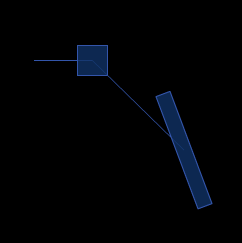
Simple gear joint demo – meant to serve as a reference for QuickBox2D…
new great function and demo !!
do you think to manage contact events too in your library soon ?
thx
I like the way you wrap up Box2DAS3 with QuickBox2D. to be more practical use of this engine, can you demo how you can switch on/off the filter(groupIndex) dynamically? I believe in the real world projects(like game) you’d like to need this sort of flexibility!
I have a simple idea for making contact events a bit easier – will try it in the next release I think. I have a demo somewhere that switches the groupIndex on and off based on position – I’ll dig it up and post it in the next day or two.
I am creating truck using Quickbox 2d. What type of joint, i need to use to connect front and back part of truck?