Latest snippets

Kusner-Schmitt (Tetrahedral Implicit Surface)

var matrix:Matrix3D = new Matrix3D();
var verts:Vector.<Number> = new Vector.<Number>();
var pVerts:Vector.<Number> = new Vector.<Number>();
var uvts:Vector.<Number> = new Vector.<Number>();
for (var i:Number = -2; i<2; i+=.02) {
	for (var j:Number = -2; j<2; j+=.02) {
		for (var k:Number = -2; k<2; k+=.02) {
            var s:Number = (i * i + 3) * (j * j + 3) * (k * k + 3) - 32 * (i *j *k + 1);
			if (s<0&&s>-.2) {
				verts.push(i * 100);
				verts.push(j * 100);
				verts.push(k * 100);
				pVerts.push(0),pVerts.push(0);
				uvts.push(0),uvts.push(0),uvts.push(0);
			}
		}
	}
}
var brush:BitmapData=new BitmapData(3,2,true,0x41FFFFFF);
var canvas:BitmapData=new BitmapData(400,400,false,0x000000);
addChild(new Bitmap(canvas));
var dx:Number=0;
var dy:Number=0;
addEventListener(Event.ENTER_FRAME, onLoop);
function onLoop(evt:Event):void {
	dx += (mouseX - dx)/4;
	dy += (mouseY - dy)/4;
	matrix.identity();
	matrix.appendRotation(dy,Vector3D.X_AXIS);
	matrix.appendRotation(dx,Vector3D.Y_AXIS);
	matrix.appendTranslation(200, 200, 0);
	Utils3D.projectVectors(matrix, verts, pVerts, uvts);
	canvas.lock();
	canvas.fillRect(canvas.rect, 0x000000);
	var p = new Point();
	for (var i:int = 0; i<pVerts.length; i+=2) {
		p.x = pVerts[i];
		p.y = pVerts[i+1];
		canvas.copyPixels(brush, brush.rect, p, null, null, true);
	}
	canvas.unlock();
}

The same as yesterdays with a different plot from Paul Bourke’s website.
Implicit 3D Plot

var matrix:Matrix3D = new Matrix3D();
var verts:Vector.<Number> = new Vector.<Number>();
var pVerts:Vector.<Number> = new Vector.<Number>();
var uvts:Vector.<Number> = new Vector.<Number>();
for (var i:Number = -2; i<2; i+=.04) {
	for (var j:Number = -2; j<2; j+=.04) {
		for (var k:Number = -2; k<2; k+=.04) {
			// blobby, from here www.iiit.net/techreports/ImplicitTR.pdf
var s:Number=i*i+j*j+k*k+Math.sin(4*i)-Math.cos(4*j)+Math.sin(4*k)-1;
			if (s<0&&s>-.2) {
				verts.push(i * 60);
				verts.push(j * 60);
				verts.push(k * 60);
				pVerts.push(0),pVerts.push(0);
				uvts.push(0),uvts.push(0),uvts.push(0);
			}
		}
	}
}
var brush:BitmapData=new BitmapData(3,2,true,0x41FFFFFF);
var canvas:BitmapData=new BitmapData(400,400,false,0x000000);
addChild(new Bitmap(canvas));
var dx:Number=0;
var dy:Number=0;
addEventListener(Event.ENTER_FRAME, onLoop);
function onLoop(evt:Event):void {
	dx += (mouseX - dx)/4;
	dy += (mouseY - dy)/4;
	matrix.identity();
	matrix.appendRotation(dy,Vector3D.X_AXIS);
	matrix.appendRotation(dx,Vector3D.Y_AXIS);
	matrix.appendTranslation(200, 200, 0);
	Utils3D.projectVectors(matrix, verts, pVerts, uvts);
	canvas.lock();
	canvas.fillRect(canvas.rect, 0x000000);
	var p = new Point();
	for (var i:int = 0; i<pVerts.length; i+=2) {
		p.x = pVerts[i];
		p.y = pVerts[i+1];
		canvas.copyPixels(brush, brush.rect, p, null, null, true);
	}
	canvas.unlock();
}

I was looking at some equations for implicit 3D surfaces in this pdf about raytracing… anyway, I realized I could just modify the Utils3D.projectVectors() code (that I wrote a little while ago) to easily render any of the implicit equations mentioned in the pdf. I also did some experimentation with fake lighting and distance rendering which I may post in the future.

(check out the swf on wonderfl.net)

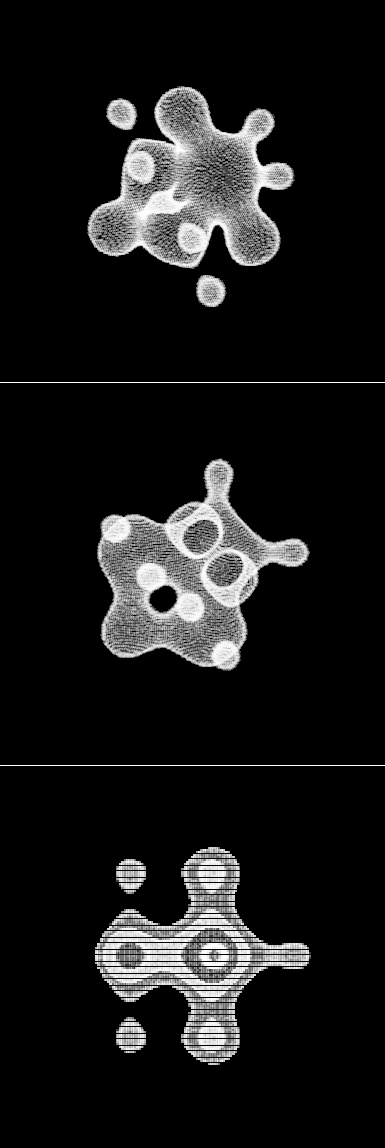
Here are some stills of the above snippet:

static BitmapData References

package{
	
	import flash.display.*;
	import flash.events.*;
	import flash.geom.*;
	
	public class QuickCheckBox extends Sprite{
		
		private var _checked:Boolean;
		private var _bitmap:Bitmap;
		private var _canvas:BitmapData;
		
		private static var checked:BitmapData;
		private static var unchecked:BitmapData;
		private static var bg:Shape;
		private static var ex:Shape;
		private static var pnt:Point;
		
		// static init for BitmapData and drawing
		{
			trace("only render your graphics once");
			pnt = new Point(0,0);
			checked = new BitmapData(10,10, true, 0x00000000);
			unchecked = new BitmapData(10, 10, true, 0x00000000);
			bg = new Shape();
			with(bg.graphics) lineStyle(0,0x000000), beginFill(0xEFEFEF), drawRect(0,0,9,9);
			unchecked.draw(bg);
			ex = new Shape();
			with(ex.graphics) {
				lineStyle(2,0x333333), moveTo(3, 3), 
			    lineTo(7, 7), moveTo(7, 3), lineTo(3, 7);
			}
			checked.draw(bg);
			checked.draw(ex);
		}
		
		public function QuickCheckBox(value:Boolean = false):void{
			_checked = value;
			_canvas =  new BitmapData(10,10, true, 0x00000000);
			_bitmap = new Bitmap(_canvas);
			addChild(_bitmap);
			buttonMode = true;
			render();
			addEventListener(MouseEvent.CLICK, onClick);
		}
		
		public function render():void{
			 if (_checked){
				 _canvas.copyPixels(QuickCheckBox.checked, _canvas.rect, pnt);
			 }else{
				 _canvas.copyPixels(unchecked, _canvas.rect, pnt);
			}
		}
		
		private function onClick(evt:Event):void{
			_checked = !_checked;
			render();
			this.dispatchEvent(new Event(Event.CHANGE, true));
		}
		
		public function get checked():Boolean{
			return _checked;
		}
		
		public function set checked(val:Boolean):void{
			_checked = val;
			render();
		}
	}
}

This checkbox class uses a static initializer. Static initializers can come in handy to initialize some static variables for all class instances to make use of. In this case I’m using the static initializer to create checked and unchecked BitmapData objects – all instances of QuickCheckBox use these two static BitmapData objects rather than create their own unique ones.

Here is some client code if you want to test this class out:

for (var i:int = 0; i<100; i++){
 var checkBox:QuickCheckBox = new QuickCheckBox(true);
 checkBox.x =100 +  i % 10 * 12;
 checkBox.y = 100 + int(i / 10) * 12;
 // uncheck a few checkboxes
 if (checkBox.x == checkBox.y){
     checkBox.checked = false;
 }
 addChild( checkBox);
 // checkBox dispatches a change event
 checkBox.addEventListener(Event.CHANGE, onChange);
}
function onChange(evt:Event):void{
	trace(evt.currentTarget.checked);
}
/*outputs 
only render your graphics once
*/

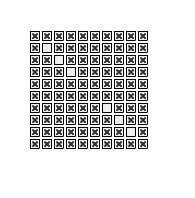
This draws 100 checkboxes, – you’ll also notice in the output window that the trace statement from QuickCheckBox only runs once.

Here are 100 instances of QuickCheckBox:

Loop Through All Properties of a Class

package {
	
	import flash.display.Sprite;
	import flash.utils.describeType;
	
	public class Main extends Sprite {
		
		public function Main(){
		    var test:Test = new Test();
			var desc:XML= describeType(test);
			// public vars
			for each (var v:XML in desc.variable){
				trace(v.@name, test[v.@name]);
			}
			// getters
			for each (v in desc.accessor){
				trace(v.@name, test[v.@name]);
			}
		}
		
	}
}

class Test{
	public var a:Number = 123;
	public var b:Number = 100;	 
	private var _getterVal:Boolean = false;
	public function get getter():Boolean{
		return _getterVal;
	}
}
/*
outputs:
b 100
a 123
getter false
*/

I’m working on a few libraries, QuickBox2D and a library for auto-generated UI stuff… this technique just came in handy. It shows how to use describeType() to loop through public vars and getters of a given class.

The title of this post should really be Loop Through All PUBLIC properties of a class…. but it was long enough as it is….
Note: this should be run as document class

Point in Polygon

// function found here:
// http://www.alienryderflex.com/polygon/
function pointInPolygon(x:Number, y:Number, polyX:Array, polyY:Array):Boolean{
	var j:int = polyX.length - 1;
	var oddNodes:Boolean = false;
	for (var i:int=0; i < polyX.length; i++) {
    if (polyY[i] < y && polyY[j] >= y ||  polyY[j] < y && polyY[i] >= y) {

      if (polyX[i] + (y - polyY[i]) / (polyY[j] - polyY[i]) * (polyX[j] - polyX[i]) < x) {
        oddNodes = !oddNodes; 
      }
    }
    j = i; 
  }
  return  oddNodes;
}

// draw an overly complex poly and store all  x y coords
var pX:Array= new Array();
var pY:Array = new Array();
graphics.beginFill(0xCC0000);
for (var i:int = 0; i<60; i++){
	pX[i] = Math.random()*stage.stageWidth;
	pY[i] =Math.random()*stage.stageHeight;
	if (i == 0){
		graphics.moveTo(pX[i], pY[i]);
	}else{
		graphics.lineTo(pX[i], pY[i]);
	}
}
addEventListener(Event.ENTER_FRAME, onLoop);
function onLoop(evt:Event):void {
	   alpha = 1;
       if (pointInPolygon(mouseX, mouseY, pX, pY)){
		    alpha = .5;
	   }
}

This snippet shows how to test to see if a point is inside a polygon. This may not really be useful as hitTestPoint() is likely faster – however this could be modified for other purposes such as polygon to polygon collision. This algorithm works nicely on all kinds of polygons … convex, concave etc…

I found this algorithm in an article by Darel Rex Finley … here.

I’ve used this function in Processing a few times…

Multiton

package {

	public class Multiton {
		
		public var test:String = "";
		
		private static  var _okToCreate:Boolean;
		private static  var _instances:Object = new Object();
		private static var _instanceNum:int = 0;

		public function Multiton() {
			if (_okToCreate) {
				_instanceNum++;
				trace("created instance: " +_instanceNum);
			} else {
				throw new Error(this + " is a Multiton... you must use the getInstance() method to instantiate it.");
			}
		}
		public static function getInstance(key:String="default"):Multiton {
			if (!_instances[key]) {
				_okToCreate = true;
				_instances[key] = new Multiton();
				_okToCreate = false;
			}
			return _instances[key];
		}
	}
}

Holding off on the follow up to yesterdays post because I haven’t finished it…. instead, here’s a Multiton – Just like a Singleton but with multiple instances. You use it like this:

var m0:Multiton = Multiton.getInstance("one");
m0.test = "i am instance one";

var m1:Multiton = Multiton.getInstance("two");
m1.test = "i am instance two";

// elsewhere in the app

var multiton:Multiton = Multiton.getInstance("one");
trace(multiton.test);

trace(Multiton.getInstance("two").test);

I’ve used this a few times and I seem to recall the Pure MVC makes use of this pattern (could be wrong about that though).

Private Square Bracket Syntax

package {
	
	import flash.display.Sprite
	
	public class Test extends Sprite {
		
		private var _test:String = "private square brace syntax";
		public function Test(){
			trace(this["_test"]);
		}
	}
}

It’s important to note that square bracket syntax works with private vars… tomorrow I’ll post a class I wrote that makes use of this technique to preserve encapsulation in an interesting way…

(auto-post didn’t post this one yesterday for some reason… weird wordpress bug maybe?)

Hill Climbing

var target:Array = ("actionsnippet").split("");
var leng:int=target.length;
var iterations:int = 0;

var alphabet:Array = ("abcdefghijklmnopqrstuvwxyz").split("");
var search:Array = randomString();
var indices:Array = new Array();
for (var i:int = 0; i<leng; i++) indices.push(i);

addEventListener(Event.ENTER_FRAME, onLoop);
function onLoop(evt:Event):void {
	for (var i:int = 0; i<10; i++){
		if (indices.length > 0){
		   var ii:int = int(Math.random()*indices.length);
		   var index:int = indices[ii];
		 
		   search[index] = randomChar();
		   
		   if (search[index] == target[index]){
			   indices.splice(ii,1);   
		   }
		   trace(search);
		   iterations++;
		}else{
			trace("found after "+iterations+" iterations");
			removeEventListener(Event.ENTER_FRAME, onLoop);
			break;
		}
	}
}
function randomChar():String { return alphabet[int(Math.random()*alphabet.length)]; };
function randomString():Array {
	var str:Array = new Array();
	for (var i:int = 0; i<leng; i++) {
		str.push(randomChar());
	}
	return str;
}

A little random hill climbing…

Here are the last few iterations… lowest number of iterations I noticed was round 250…

....
j,c,t,i,o,n,s,n,i,p,p,e,t
y,c,t,i,o,n,s,n,i,p,p,e,t
s,c,t,i,o,n,s,n,i,p,p,e,t
w,c,t,i,o,n,s,n,i,p,p,e,t
e,c,t,i,o,n,s,n,i,p,p,e,t
j,c,t,i,o,n,s,n,i,p,p,e,t
z,c,t,i,o,n,s,n,i,p,p,e,t
l,c,t,i,o,n,s,n,i,p,p,e,t
f,c,t,i,o,n,s,n,i,p,p,e,t
a,c,t,i,o,n,s,n,i,p,p,e,t
found after 361 iterations

Previous and Next Buttons

var prevBtn:Sprite = makeArrow(100, 100);
prevBtn.rotation = 180;
var nextBtn:Sprite = makeArrow(130, 100);

var index:int = 0;
var vals:Array = [1,2,3,4,5,6,7,8,9,10,11];
var leng:int = vals.length;

trace(vals[index]);

prevBtn.addEventListener(MouseEvent.CLICK, onPrev);
function onPrev(evt:MouseEvent):void {
	index--;
	if (index < 0){
		index = leng - 1;
	}
	trace(vals[index%leng]);
}
nextBtn.addEventListener(MouseEvent.CLICK, onNext);
function onNext(evt:MouseEvent):void {
	index++;
	trace(vals[index%leng]);
}

function makeArrow(xp:Number, yp:Number):Sprite {
	var s:Sprite = Sprite(addChild(new Sprite()));
	s.buttonMode = true;
	with(s.graphics) beginFill(0x666666), moveTo(0,-10), lineTo(20, 0), lineTo(0,10);
	s.x = xp;
	s.y = yp;
	return s;
}

Previous and next buttons….

Command Draw Source

[SWF(width = 600, height = 500, frameRate=30, background = 0xFFFFFF)]

var cmd:String = "1000 small orange circles, 9000 black lines,3 large white circles"
// try some of these commands:
//"300 small red triangles and 2 big orange circle 3 big black lines";
//"100 big black triangles, ten small white rectangles 1 big white circle and 1 big gray poly";
// "300 small red triangles and 2 big orange circle 3 big black lines";
//"10 big black circles 1000 big white lines 100 small white rects 1 big red circle and 1 green poly"
stage.align = "TL"
var msk:Shape = new Shape();
with(msk.graphics) beginFill(0x00FF00), drawRect(0,0,600, 400);
this.mask = msk;
var amount:Number;
var color:uint = 0;
var shape:String;

var hexLookup:Object = {red:0xFF0000, green:0x00FF00, blue:0x0000FF, yellow:0xFFFF00, orange:0xFFCC00, white:0xFFFFFF, gray:0xCCCCCC, grey:0xCCCCCC, black:0x000001};
var sizeLookup:Object = {large:true, big:true, small:true, tiny:true};
var defaultSize:Number = 50;
var size:Number = defaultSize;
var halfSize:Number = size / 2;
var circles:Function = circle;
var ovals:Function = oval, ellipse:Function = oval;
var rects:Function = rect, rectangle:Function = rect, rectangles:Function = rect;
var lines:Function = line;
var triangles:Function = triangle;
var polygon:Function = poly, polygons:Function = poly;
var large:Function = big;
var tiny:Function = small;

parse();
function parse():void {
	amount = 1;
	color = 0x000000;
	shape = "circle";
	var words:Array = cmd.split(/[W]+/g)
	for (var i:int = 0; i<words.length; i++){
		var w:* = words[i];
		if (isNaN(Number(w))){
			if (hexLookup[w]){
				color = hexLookup[w];
				trace(w, "color");
			}else
			if (sizeLookup[w]){
				this[w]();
			}else
			if (this[w]){
				for (var j:int = 0; j<amount; j++){
				   this[w]();
				}
				color = 0x000000;
				size = defaultSize;
				trace(w, "command");
			}
		}else{
			trace(w, "number");
			amount = w;
		}
	}
}
function makeShape(p:Array):void{
		var s:Shape = Shape(addChild(new Shape()));
		 for (var i:int = 0; i<p.length; i++) {
		    s.graphics[p[i][0]].apply(graphics,p[i].splice(1));
	     }
		s.rotation = Math.random() * 360;
		s.x = Math.random() * stage.stageWidth;
		s.y = Math.random() * stage.stageHeight;
}

function circle():void{
	  makeShape([["beginFill",color], ["drawCircle",0,0,Math.random() * halfSize + halfSize]]);
}
function oval():void{
	  makeShape([["beginFill",color],["drawEllipse", 0,0,Math.random() * size + halfSize]]);  
}
function square():void{
		var s:Number = Math.random() * halfSize + halfSize;
		var p:Number = -s/2;
		makeShape([["beginFill",color],["drawRect", p, p, s, s]]);  
}
function rect():void{
		var w:Number = Math.random() * halfSize + halfSize;
		var h:Number = Math.random() * halfSize + halfSize;
		makeShape([["beginFill",color],["drawRect", -w/2, -h/2, w, h]]);
}
function line():void{
	var s:Number = size * 2;
	makeShape([["lineStyle",Math.random()*3, color],["lineTo", Math.random()*s - size, Math.random()*s - size]])
}
function triangle():void {
	 var s:Number = size * 2;
	 makeShape([["beginFill",color],["lineTo", Math.random()*s - size, Math.random()*s - size], ["lineTo", Math.random()*s - size, Math.random()*s - size]]);
}
function poly():void {
	 var s:Number = size * 2;
	 var cmds:Array = [["beginFill",color]]
	 var num:Number = int(Math.random()*8) + 2;
	 for (var i:int = 0; i<num; i++){
		  cmds.push(["lineTo", Math.random()*s - size, Math.random()*s - size]);
	 }
	 makeShape(cmds);
}
function big():void{
	size = 100 + Math.random() * 40;
	halfSize = size / 2;
}
function small():void {
	size = 3 + Math.random() * 20;
	halfSize = size / 2;
}

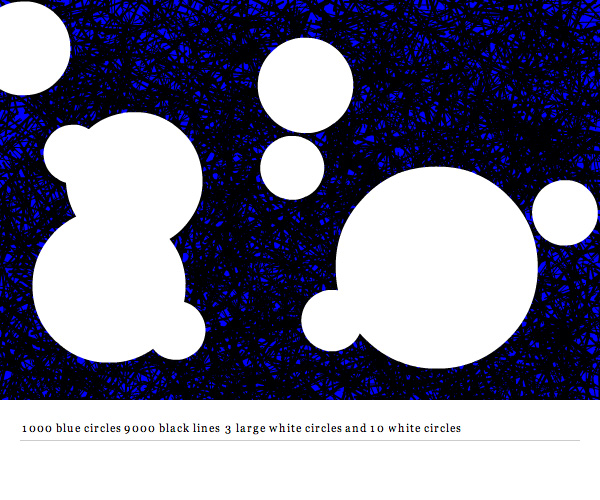
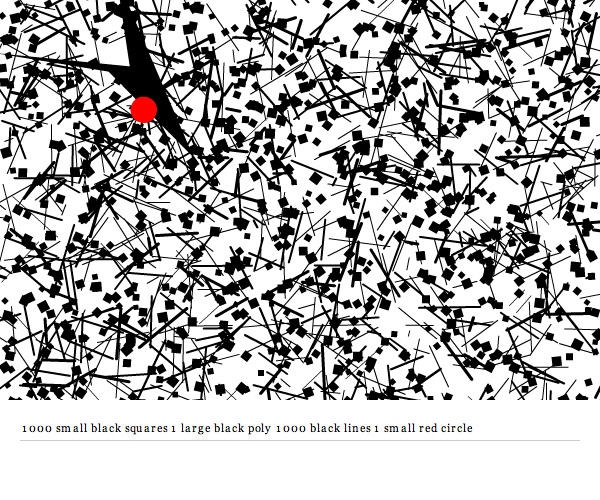
I’ve been meaning to post this source for a long time. It’s a project I created for shapevent called Command Draw. It allows you to use simple sentence structure to create textures and patterns.

See it in action here (this one has some minimal UI and uses flashvars for the command string).


As a side note, this is the 200th post on ActionSnippet.com