Latest snippets

QuickBox2D Chain

import com.actionsnippet.qbox.*;

var sim:QuickBox2D = new QuickBox2D(this, {debug:true});
// use the box2D default renderer (debug : true)

sim.createStageWalls();

// anchor
var pre:QuickObject = sim.addCircle({x:9, y:3, radius:.5, density:0});

// create a chain of boxes
for (var i:int = 0; i<12; i++){
  var curr:QuickObject = sim.addBox({x:10 + i, y:3, width:.9, height:.9, angularDamping:1});
									                             
  // currently always adds a b2DistanceJoint
  sim.addJoint({a:pre.body, b:curr.body, 
			               x1:9 + i, y1: 3, x2: 10 + i, y2:3, collideConnected:false});
  pre = curr;
}

// add a circle, use CCD (isBullet)
sim.addCircle({x:20, y:10, radius:1, isBullet:true});

// start simulation
sim.start();
sim.mouseDrag();

This snippet uses my QuickBox2D library to create a chain. QuickBox2D is a wrapper for Box2DFlashAS3 that greatly simplifies world setup, instantiation and graphical skinning of rigid bodies (more info on yesterdays post)…

See the swf here .

Download Box2DFlashAS3 here

Download QuickBox2D Alpha 104 here

See yesterdays post for additional information. I’m still in the process of writing some docs and possibly a tutorial for QuickBox2D… hopefully I’ll finish with that soon…

If your somewhat familiar with Box2D and just want to just dig right in, the following scrap of information may help:


// Methods of the QuickBox2D class, used for creating rigid bodies and joints
addCircle();
addBox();
addPoly();
// currently only creates b2DistanceJoints
addJoint();

these function all take one parameter Object as their argument. The common parameter properties for rigid bodies are:

// QuickBox2D simpleRender settings:
lineColor:0x000000
lineAlpha:1
lineThickness:0
fillColor:0xCCCCCC
fillAlpha:1
// wrapped Box2D properties
x:3
y:3
density:1
friction:0.5
restitution:0.2
angle: 0
linearDamping:0
angularDamping:0
isBullet:false,
fixedRotation:false
allowSleep: true
isSleeping:false
// advanced use
maskBits:0xFFFF
categoryBits:1
groupIndex:0

//and the specific param properties are:
addCircle() : radius
addBox() : width, height
addPoly() : verts

//Joints have the following properties... not going to bother explaining these until I write the docs:
addJoint() : a, b, x1, x2, y1, y2
Quick Box2D

[SWF(backgroundColor = 0x333333)]

import com.actionsnippet.qbox.*;

// setting debug = true, will use the Box2D debug rendering
var sim:QuickBox2D=new QuickBox2D(this, {debug:false, gravityY:10});

// creates static boxes on all sides of the screen
sim.createStageWalls({lineAlpha:0, fillColor:0xFF9900});

// add 25 boxes
for (var i:int = 0; i<25; i++){
	var xp:Number = 3 + (i % 5);
	var yp:Number = 1 + int( i / 5);
	sim.addBox({x:xp, y:yp, width:1, height:1, fillColor: i * 10 << 16, lineAlpha:0, angularDamping:5});
}

sim.addBox({x:7, y:10, width:3, height:.2, angle:-.3, density:0,lineAlpha:0, fillColor:0xFF9900});

sim.addCircle({x:3, y:14, radius:2, fillColor:0xCC0000, lineColor:0x333333});

sim.addPoly({x:13, y:5, verts:[[1,0,2,2,1,1.33],[1,0,1,1.33,0,2]], angle: .4, density:1});

// begins the simulation
sim.start();

// all non-static objects can be dragged
sim.mouseDrag();

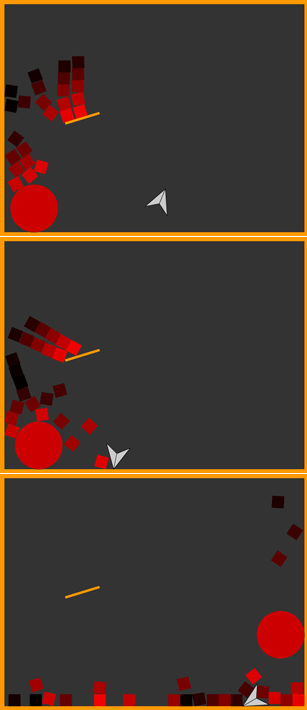
I’ve been messing with Box2D for the past few weeks – I decided to create a library (QuickBox2D) for quick prototyping. This snippet makes use of this library, so in order to run it you’ll need to download the zip included at the end of this post…

If you don’t already know, Box2D is a great physics library created by Erin Catto. It was ported to AS3 by Matthew Bush and John Nesky. You can download the AS3 version of the library here.

Today’s snippet creates this swf (click any image to view demo):

QuickBox2D

QuickBox2D simplifies Box2D instantiation and makes it easy to skin rigid bodies with Library assets… normally you need to do something like this to create a box in Box2D:

var bodyDef:b2BodyDef = new b2BodyDef();
bodyDef.position.Set(3, 3);
var boxDef:b2PolygonDef = new b2PolygonDef();
boxDef.SetAsBox(1, 1);
boxDef.density = 1;
var body:b2Body = w.CreateBody(bodyDef);
body.CreateShape(boxDef);
body.SetMassFromShapes();

and this doesn’t include setting up the physics world and the main loop to run the simulation… after writing a good deal of repetitive code I decided to make QuickBox2D. After writing lots of QuickBox2D style instantiation I decided to create an editor so that I could just draw circles, boxes, polygons and joints and then test and save them in real time (will be posting this editor in the near future). The next few posts will be about this mini-library and I’ll be writing up some real documentation for it… as of now, it doesn’t have any…

You can download Box2D here

You can download QuickBox2D here

and you can view some AS3 Box2D demos here

Random Equation Attractor

[SWF(width = 800, height = 800)]
var a:Number = 0.19;
var b:Number = .9;
var c:Number = 1.3
var xn1:Number = 5;
var yn1:Number = 0;
var xn:Number, yn:Number;

var scale:Number =40;
var iterations:Number = 20000;

function f(x:Number):Number{
	// too lazy to simplify this at the moment
	return((x + .1 + x * (a - c) * x) / (1.1 + a * (c*c + a*a)  * x * x )) * 1.3;
}
 
var canvas:BitmapData = Bitmap(addChild(new Bitmap(new BitmapData(800,800,false,0xEFEFEF)))).bitmapData;
																	   
addEventListener(Event.ENTER_FRAME, onLoop);
function onLoop(evt:Event):void {
	
    canvas.fillRect(canvas.rect, 0xEFEFEF);
	 
	c +=  ((stage.stageWidth/2 - mouseX) / 8000 - c) / 2;
	
	xn1 = 0;
	yn1 = 0;
	for (var i:int = 0; i<iterations; i++){
		  xn = xn1;
		  yn = yn1;
		  
          xn1 = -xn - a + c +  f(yn);
          yn1 = -xn + c * f(xn * yn); 
		  canvas.setPixel( 380 + xn1 * scale, 450 + yn1 * scale, 0x000000);
	}
}

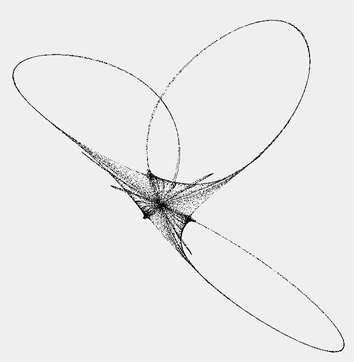
I was randomly messing around with strange attractors a few weeks back and this is one of the better results…. I arbitrarily altered equations until I got a nice result. You can move your mouse left and right to alter some of the params. Here is what it looks like when your mouse is in the middle of the screen:

Gradient Tooth

var canvas:BitmapData=new BitmapData(400,400,false,0x000000);
addChild(new Bitmap(canvas));

var a:Number=-1.21;
var r:Rectangle=new Rectangle(0,0,3,5);
var halfWidth:Number=canvas.width/2;
var halfHeight:Number=canvas.height/2;

render();

function render():void{
	for (var x:Number = -2; x<=2; x+=.01) {
		for (var y:Number = -2; y<=2; y+=.02) {
	
			// equation from : http://en.wikipedia.org/wiki/Bicuspid_curve
			//(x^2 - a^2) * (x - a)^2 + (y^2 - a^2) * (y^2 - a^2) = 0
	
			// unpoptimized:
			// var e:Number = (x*x - a*a) * (x-a)*(x-a) + (y*y-a*a) * (y*y-a*a);  
			// optimized:
			var x_a:Number=x-a;
			// factoring: x^2 - a^2 = (x + a) * (x - a)
			var y2_a2:Number =  (y + a) * (y - a);
			var e:Number = (x + a) * x_a * x_a *  x_a +  y2_a2 * y2_a2;
			 
				r.x=halfWidth+y*50;
				r.y=halfHeight-x*100;
				var col:Number = e * 50;
				if (col < 10){
					col = Math.abs(col) + 70;
				    canvas.fillRect(r, col << 16 | col << 8 | col );
				}
		}
	}
}

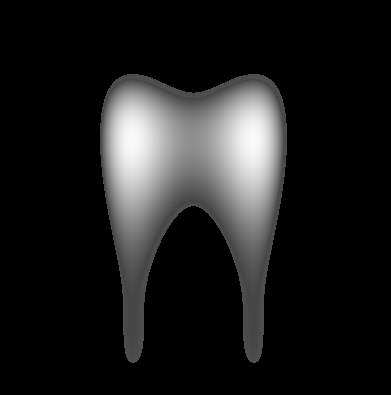
This is a variation on a post from a little while back…. it plots a modified Bicuspid that resembles a tooth:

Random Walk Texture

package {

	[SWF(width=1000,height=1000)]
	import flash.display.*;
	import flash.events.*;
	public class RandomWalkTexture extends Sprite {

		private var _canvas:BitmapData;
		private var _populationNum:int=100;
		private var _movers:Vector.<Mover>;
		public function RandomWalkTexture() {
			var sw:Number=stage.stageWidth;
			var sh:Number=stage.stageHeight;
			scaleX=scaleY=.25;
			_canvas=new BitmapData(sw*4,sh*4,false,0x000000);
			addChild(new Bitmap(_canvas));
			
			_movers = new Vector.<Mover>();
			for (var i:int = 0; i<_populationNum; i++) {
				_movers[i]=new Mover(_canvas,sw*1.5+Math.random()*sw,sh*1.5+Math.random()*sh);
			}
			addEventListener(Event.ENTER_FRAME, onRun);
		}
		private function onRun(evt:Event):void {
			for (var i:int = 0; i< 200; i++) {
				for (var j:int = 0; j<_populationNum; j++) {
					_movers[j].run();
				}
			}
		}
	}
}

import flash.display.BitmapData;
class Mover {
	public var x:Number;
	public var y:Number;
	public var velX:Number;
	public var velY:Number;
	public var speed:Number;
	private var _canvas:BitmapData;

	public function Mover(canvas:BitmapData, xp:Number, yp:Number) {
		_canvas=canvas;
		x=xp;
		y=yp;
		velX=0;
		velY=0;
		speed=Math.random()*5-2.5;
	}
	public function run():void {
		x+=velX;
		y+=velY;
		_canvas.setPixel(x, y, 0xFFFFFF);
		var dir:Number=int(Math.random()*4);
		if (dir==0) {
			velX=0;
			velY=- speed;
		} else if (dir == 1) {
			velX=0;
			velY=speed;
		} else if (dir == 2) {
			velX=- speed;
			velY=0;
		} else if (dir == 3) {
			velX=speed;
			velY=0;
		}
	}
}

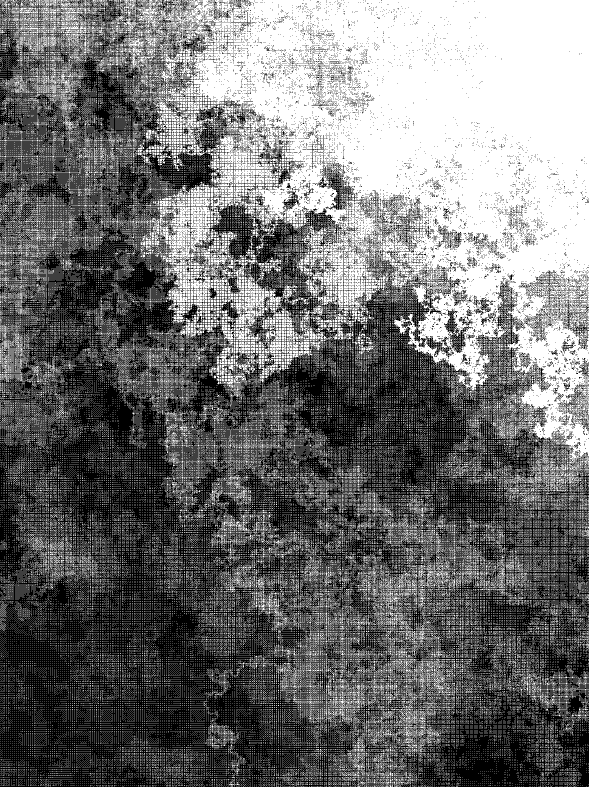
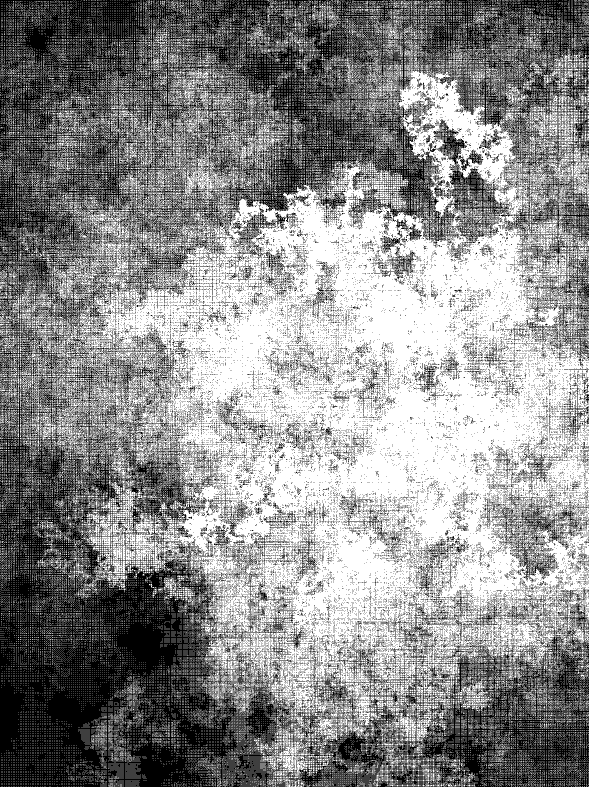
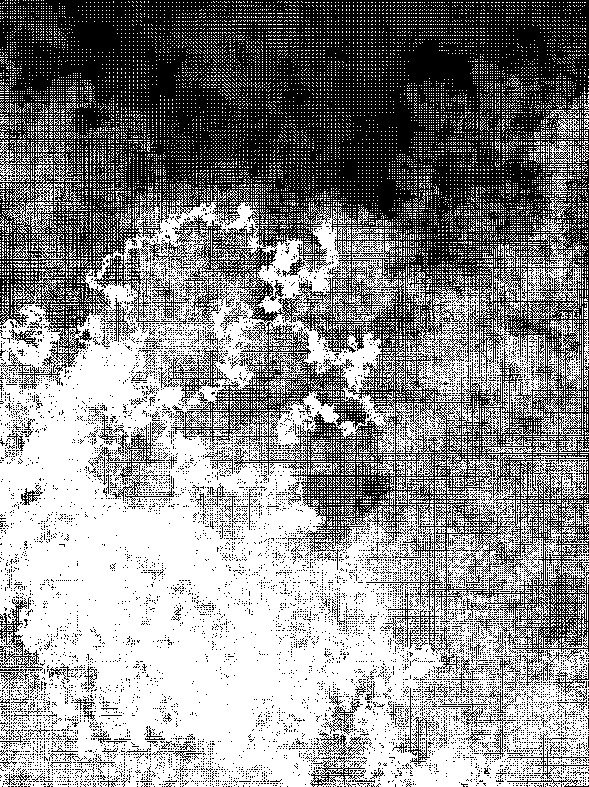
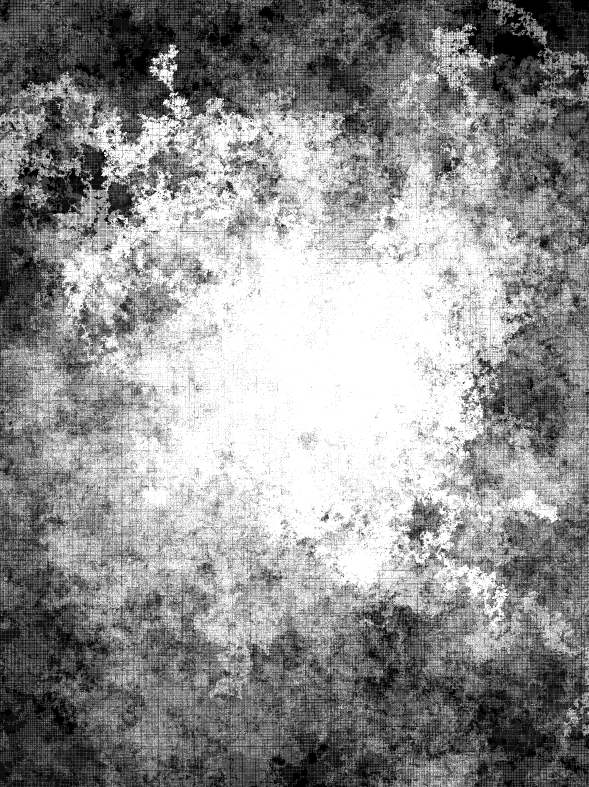
This snippet is meant to be run as a document class. Nothing special here… this is just something I found laying around – the actual bitmap being drawn is rather big, so I recommending right clicking (control clicking on mac) on the swf and to zoom in and out.

Here are a few images:


Swirl Gradient

var canvas:BitmapData=new BitmapData(200,200,false,0x000000);
addChild(new Bitmap(canvas));
scaleX=scaleY=2;
var pixNum:int=canvas.width*canvas.height;

var xp:Vector.<int> = new Vector.<int>();
var yp:Vector.<int> = new Vector.<int>();
var radius:Vector.<Number> = new Vector.<Number>();
var theta:Vector.<Number> = new Vector.<Number>();
for (var i:int = 0; i<pixNum; i++) {
	xp.push(i % 200);
	yp.push(int(i / 200));
	var dx:Number=100-xp[i];
	var dy:Number=100-yp[i];
	theta.push(Math.atan2(dy, dx));
	radius.push(Math.sqrt(dx * dx + dy * dy)/20);
}

addEventListener(Event.ENTER_FRAME, onLoop);
function onLoop(evt:Event):void {
	canvas.lock();
	var n:Number = mouseX / 100;
	for (var i:int = 0; i<pixNum; i++) {
		var swirl:Number = 1+Math.sin(6*Math.cos(radius[i]) -n*theta[i]);
		canvas.setPixel(xp[i], yp[i],  Math.abs(255 - swirl * 255));
	}
	canvas.unlock();
}

This snippet creates a swirl gradient. While this snippet is not highly optimized, it does implement a basic optimization technique … I cache some repetitive calculations in Vectors and then use them on the main loop.

I got the function for a swirl gradient from mathworld…

2D Array to String

function format2D(a:Array):String {
	var str:String="[";
	for (var i:int = 0; i<a.length; i++) {
		str+="["+a[i].toString()+"],";
	}
	str=str.substr(0,str.length-1);
	str+="]";
	return str;
}

// test it out
var array2D:Array = [[1,2,3], [4,5,6], [7,8,9]];

trace(array2D);
trace(format2D(array2D));

/* outputs:
1,2,3,4,5,6,7,8,9
[[1,2,3],[4,5,6],[7,8,9]]

*/

When you trace a 2D array to the output window the actual structure of the array isn’t clear. For some reason it just appears as a 1D array – this small function fixes that problem – it could also be used to save 2D arrays to text files etc…

Object Parsing (object from string #2)

var str:String = '{numA:100, numB:100, stringA:"hi there", object:{red:155, green:155, blue: 255}, array1D:[1, 2, 3, 4, 5, "six"], array2D:[[1,0,0], [0,1,0], [0,0,"z"]], color:0xFF0000}'

var obj:Object = toObject(str);//, true); // comment the "true" in for some debug info

// acess every value in the object for testing purposes
trace(obj.numA);
trace(obj.numB);
trace(obj.stringA);
trace(obj.object.red, obj.object.green, obj.object.blue);
trace(obj.array1D +" testing access: " + obj.array1D[3]);
trace(obj.array2D + " testing access: " + obj.array2D[1] + "  -  " + obj.array2D[2][2]);
trace(obj.color);

/*outputs:
100
100
hi there
155 155 255
1,2,3,4,5,six testing access: 4
1,0,0,0,1,0,0,0,z testing access: 0,1,0  -  z
16711680
*/
 
function toObject(str:String, debug:Boolean=false):Object{
	var cmds:Array = new Array();
	var stack:String = "";
	// skip first {
	str = str.replace(/^s+{|^{/, "");
	var obj:Object = new Object();
	for (var i:int = 0; i<str.length; i++){
		var char:String = str.charAt(i);
		if (char == ":"){
			cmds.push(["name:", stack])
			stack = "";
			char = "";
		}else
		if (char == "," || char == "}"){
			if (stack != ""){
			  cmds.push(["value:", stack]);
			}
			stack = "";
			char = "";
		}else
		if (char == '"'){
			stack = '"';
			for (j = i + 1; j <str.length; j++){
				char = str.charAt(j);
				stack+=char;
				i++;
				if (char == '"'){
					 break;
				}
			}
			cmds.push(["value:", stack]);
			stack = "";
			char = "";
		}else
		if (char == "{"){
			cmds.push(["object:", stack]);
			for (var j:int = i; j <str.length; j++){
				char = str.charAt(j);
				stack+=char;
				i++;
				if (char == "}"){
					 break;
				}
			}
			cmds.push(["value:", stack]);
			stack = "";
			char = "";
		}else
		if (char == "["){
			cmds.push(["array:", stack]);
			stack = "";
			char = "";
		}else if (char == "]"){
			if (stack != ""){
				cmds.push(["value:", stack]);
			}
			stack = "";
			char = "";
			i++;
		}
		stack += char;
	}
	// show some debug info
	if (debug){
		for (i = 0; i<cmds.length; i++) trace(cmds[i]);
	}
	// build the object
	var prop:String;
	var arrayMode:Boolean = false;
	var nest:int = 0;
	for (i = 0; i<cmds.length; i++){
		if (cmds[i][0] == "name:"){
			prop = cmds[i][1].replace(/s/g, "");
			arrayMode = false;
			nest = 0;
		}else if (cmds[i][0] == "value:"){
			if (arrayMode == false){
			  obj[prop] = valueType(cmds[i][1]);
			}else{
				// populate array
				if (nest == 1){
				  obj[prop].push(valueType(cmds[i][1]))
				}else{
				  obj[prop][nest - 2].push(valueType(cmds[i][1]))
				}
			}
		}else if (cmds[i][0] == "object:"){
			i++;
			obj[prop] = toObject(cmds[i][1], debug);
		}else if (cmds[i][0] == "array:"){
			arrayMode = true;
			nest++;
			if (nest == 1){
				// create array
				obj[prop] = new Array()
			}else{
				// nested array
				obj[prop].push(new Array());
			}
		}
	}
	return obj;
}
 
function valueType(val:*):* {
	if (isNaN(Number(val))) {
		   // remove leading and trailing white
		   // remove "" around strings
		   val = val.replace(/^s+|s+$/g,"").replace(/^"|"$/g,"");
		   //  see if it's a boolean
		   if (val == "true"){
			   val = true;
		   }else if (val == "false"){
			   val = false
		   }
	} else {
		val = Number(val);
	}
	return val;
}

This rather large code snippet parses ActionScript style Object syntax. While this is by no means a complete parser – it was easy to write and saved me a great deal of time on a project recently….

I specifically needed support for 1D and 2D arrays as Object properties. If that weren’t the case I would have used something simple like yesterdays method. The array support won’t work with anything higher than a 2D array (for now… may fix that soon). For fun I also added nested Object support – this doesn’t have any dimensional limitation so you can nest as many objects as you want. For instance.. this works just fine:

var gameUser:Object = toObject('{name:"Mr.S", alive:true, stats:{lives:100, points:1200, data:[100,12,40,12,90], plant:{branch:{leaves:["red, "green", "blue"]}}}');

trace(gameUser.stats.plant.branch.leaves[0]);
trace(gameUser.stats.lives);
// boolean support
trace("not true is false: ", !gameUser.alive);
/*outputs:
red
100
not true is false:  false
*/

You’ll also notice the added boolean support in the above example. Which was suggested by katopz in the comments of yesterdays post.

Definitely need to add a word of warning here… I wouldn’t be surprised if there were a bug or two lurking in this code. The Objects I’ve been parsing with it are all quite similar… so use at your own risk.

UPDATEs – Known Issues:
1) fixed a bug where if a String property contains a ,{}[] or : character the parser failed.

Object from String

var str:String='{x: 10, y:10, width:100, heigth:100, name:"myClip", type:"clip"}';

var obj:Object=toObject(str);

trace(obj.x + obj.width, obj.name, obj.type);

function toObject(str:String):Object {
	str=str.replace(/{|}/g,"");
	// to an array of name value pairs [0] = name, [1] = value etc...
	var pairs:Array=str.split(/:|,s+/);
	var obj:Object = new Object();
	for (var i:int = 0; i<pairs.length; i+=2) {
		obj[pairs[i]]=numOrString(pairs[i+1]);
	}
	return obj;
}
function numOrString(val:*):* {
	if (isNaN(Number(val))) {
		if (val.charAt(0) == '"' && val.charAt(val.length - 1) == '"'){
			val = val.substr(1, val.length - 2);
		}
	} else {
		val=Number(val);
	}
	return val;
}

A very limited way to parse an object from a string… Tomorrow I’ll post a better version of this that’s a good deal more complex and doesn’t really use regular expressions… This works nicely if you don’t have arrays as Object properties…

Infinity Scroller (repeating navigation)

var buttonsWidth:Number = 0;
var buttonsA:Sprite = new Sprite();
var buttonsB:Sprite = new Sprite();
var nav:Sprite = new Sprite();

var buttonData:Array = ["one", "two", "three", "four", "five", "six", 
                                    "seven", "eight", "nine", "ten"];

buildNav();

function buildNav():void{
	nav.addChild(buttonsA);
        nav.addChild(buttonsB);
        addChild(nav);
	buildButtons(buttonsA);
	buttonsWidth = buttonsA.width;
	buildButtons(buttonsB);
	buttonsB.x = buttonsWidth;
}

function buildButtons(container:Sprite):void{
	for (var i:int = 0; i rightSide){
			velX = -navSpeed;
		}
		if (nav.x < -buttonsWidth){
			nav.x = -navSpeed;
		}
		if (nav.x > -navSpeed){
			nav.x = -buttonsWidth 
		}
	}
	velX *=.9;
	nav.x += velX;
}

This snippet creates a navigation that will scroll to the left or right forever – the buttons will simply repeat. I’m not a big fan of this kind of navigation – especially if you have lots of buttons, but it seems to be a common request. This technique can be modified for use in a side-scroller style game.

Just added a new syntax highlighter, please posts comments if you have any issues viewing this snippet.