So… If you still want to see quizzes/snippets posted frequently here… post a comment… because I need to know that people still want quizzes and snippets in order to keep working on this blog.
If not enough people respond in the comments I will slowly migrate back to my shapevent blog :
I would like 20+ comments on this blog post in order to motiviate me to keep writing quizzes and posting snippets… otherwise I will only post when an idea comes to mind.
The idea behind this blog has always been 15-30 minutes a day on a snippet or quiz. I did this for a little over a year straight resulting in about 400 posts :
This blog will definitely not die… especially when cs5 is released, but I want to get feedback to get an idea of how many readers this blog actually has…. so please post a comment if you’d like me to keep up the 15-30 mins a day on quizzes and snippets.
Thanks,
Z!
[EDIT – wow thanks for all the kind remarks and constructive crits. I really needed to see that this blog was actually useful for more than just me. I’ll post a new snippet first thing tomorrow!. Thanks very much to everyone who commented 😀 so far]
So no one attempted to post their version for capturing saturated moving colors from a video feed.
I’ve had one working for some time now and based on the reactions I’m getting I think the approach I took is a relatively interesting one. Below You can watch a demo and view a descriptive diagram, as well as view the source code and and online version of the color selector.
Because we are working with a small group of developers on this project we’ve ported everything to processing (since that’s what most everyone is using)… but here is the original actionscript code, its a tad messy but it gets the job done:
var bufferSize:int = 20;
var blurAmount:Number = 20;
var motionColor:uint = 0xFF222222;
var pixelNum:int = 800 * 600;

var cam:Camera =  Camera.getCamera();

cam.addEventListener(ActivityEvent.ACTIVITY, onActivityStart);

function onActivityStart(evt:ActivityEvent):void {
	trace("start");
	addEventListener(Event.ENTER_FRAME, onLoop);
	cam.removeEventListener(ActivityEvent.ACTIVITY, onActivityStart);
}
 cam.setMode(800,600,30);

var video:Video = new Video(800, 600);
video.attachCamera(cam);

var canvas:BitmapData = new BitmapData(800,600,false, 0x000000);
//addChild(new Bitmap(canvas));
var feed:BitmapData = new BitmapData(800,600,false, 0x000000);
addChild(new Bitmap(feed));

var prev:BitmapData = new BitmapData(800,600,false, 0x000000);

var thresh:BitmapData = new BitmapData(800, 600, true, 0xFF000000);
//addChild(new Bitmap(thresh));
var cm = new ColorMatrixFilter([0.3086,0.6094,0.082,0,0,0.3086,0.6094,0.082,0,0,0.3086,0.6094,0.082,0,0,0,0,0,1,0]);

var threshSamples:Vector.<uint> = new Vector.<uint>();
var samples:Vector.<uint> = new Vector.<uint>();
var pixelSampleRate:int = 10;

var shape:Shape = Shape(addChild(new Shape()))


function onLoop(evt:Event):void {

		canvas.draw(video);
		feed.draw(video);

		canvas.draw(prev, null, null, BlendMode.DIFFERENCE);
		canvas.applyFilter(canvas, canvas.rect, new Point(0,0), new BlurFilter(blurAmount, blurAmount, 1));
		//canvas.applyFilter(canvas, canvas.rect, new Point(0,0), cm);
		prev.draw(video);

		thresh.fillRect(thresh.rect, 0x000000);
		thresh.threshold(canvas, canvas.rect, new Point(0,0), ">=", motionColor, 0xFFFF0000, 0xFF00FF00);

		threshSamples = thresh.getVector(thresh.rect);

		var cols:Array = []
		var index:int = 0;
		for (var i:int = 0; i<pixelNum; i+=pixelSampleRate){
			if (threshSamples[i] == 0xFFFF0000){
				var col = feed.getPixel(i % 800, int(i / 800));
				var r = col >> 16 & 0xFF;
				var g = col >> 8 & 0xFF;
				var b = col & 0xFF;
				var sl = toHSB(r, g, b);
				if (sl[0] > 60 && sl[1] > 30 && sl[1] < 60){
				  cols[index++] = col;
				}
			}
		}

		if (cols.length > 0){
			shape.graphics.clear();
			shape.graphics.beginFill(cols[int(cols.length * Math.random())]);
			shape.graphics.drawRect(0,0,100,100);
		}

}

// this is from somewhere online, if I can find the link I'll post it
function toHSB(R, G, B):Array{
	var H, S, L
	var var_R = ( R / 255 )                     //RGB from 0 to 255
	var var_G = ( G / 255 )
	var var_B = ( B / 255 )

	var var_Min = Math.min( var_R, var_G, var_B )    //Min. value of RGB
	var var_Max = Math.max( var_R, var_G, var_B )    //Max. value of RGB
	var del_Max = var_Max - var_Min             //Delta RGB value

	L = ( var_Max + var_Min ) / 2

	if ( del_Max == 0 )                     //This is a gray, no chroma...
	{
	   H = 0                                //HSL results from 0 to 1
	   S = 0
	}
	else                                    //Chromatic data...
	{
	   if ( L < 0.5 ) S = del_Max / ( var_Max + var_Min )
	   else           S = del_Max / ( 2 - var_Max - var_Min )

	  var del_R = ( ( ( var_Max - var_R ) / 6 ) + ( del_Max / 2 ) ) / del_Max
	  var del_G = ( ( ( var_Max - var_G ) / 6 ) + ( del_Max / 2 ) ) / del_Max
	  var del_B = ( ( ( var_Max - var_B ) / 6 ) + ( del_Max / 2 ) ) / del_Max

	   if      ( var_R == var_Max ) H = del_B - del_G
	   else if ( var_G == var_Max ) H = ( 1 / 3 ) + del_R - del_B
	   else if ( var_B == var_Max ) H = ( 2 / 3 ) + del_G - del_R

	   if ( H < 0 ) ; H += 1
	   if ( H > 1 ) ; H -= 1
	}
	return [ int(S * 100), int(100 * L)]
}
We’ve all done it… we’ve wasted way too much time writing an overly complex class just to create a simple square/roundrect button. Who has the nicest one? Post a link to yours (googlecode, wonderfl, etc…).
I’ve always avoided wasting too much time writing one of these but just spent 2 hours writing an overly complex one… looking forward to the way that people have done it….
For instance, did you make your class dynamic? Did you use scale9? did you use CSS? etc… Just curious how complex have gotten with it.
Some of you may have seen these preliminary test images images on my flickr:
If your up for it …. i am working on collecting colors and words for use with this project … so watch the video (below) and go to the link (below) you will be able to make a contribution.
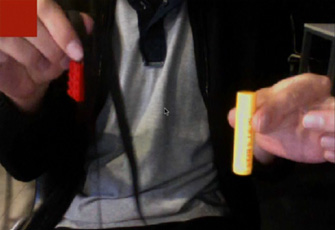
Write code that pulls saturated moving colors from a web cam… that is… if you move a red coffee cup across the screen your code should capture the color red.
A few hints: frame differencing, hsb and get/setVector.
I’ll post my working version tomorrow or the next day… this is a challenging one so I may give an extra day before I post my solution….
Today’s quiz is not multiple choice. Instead, your task is to write a lisp style math parser. This may sound tricky, but it’s surprisingly simple. (well… not simple exactly, it’s just simple compared to what one might assume).
Lisp uses prefix notation… where the operator is placed before the operands:
10 * 10
becomes:
* 10 10
You could think of this as a function “*” with two arguments (10, 10). In Lisp this is enclosed with parens:
(* 10 10)
Let’s see a few more examples:
100 / 2 + 10
becomes:
(+ (/ 100 2) 10)
…
2 * 4 * 6 * 7
becomes:
(* 2 4 6 7)
…
(2 + 2) * (10 – 2) * 2
becomes
(* (+ 2 2) (- 10 2) 2)
Remember, thinking “functions” really helps. The above can be though of as:
multiply( add(2, 2), subtract(10 , 2), 2)
You should create a function called parsePrefix() that takes a string and returns a number:
Here is some code to test if your parser works properly:
This is probably the hardest quiz yet. After yesterdays very easy quiz I figured I’d do something really trickey… binary is always a good way to make a quiz hard… so most of the questions are about binary operators and ByteArray… there is also one question about Bezier math.
Number of Questions : 7
Difficulty : Hard
Topic : Binary and Bezier