So no one attempted to post their version for capturing saturated moving colors from a video feed.
I’ve had one working for some time now and based on the reactions I’m getting I think the approach I took is a relatively interesting one. Below You can watch a demo and view a descriptive diagram, as well as view the source code and and online version of the color selector.
Click for visual description and prerecorded video:
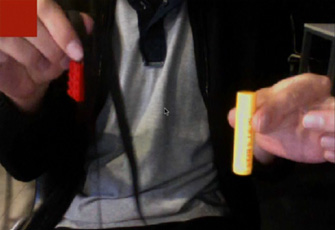
Click Here to test out a live version with your web cam…
Because we are working with a small group of developers on this project we’ve ported everything to processing (since that’s what most everyone is using)… but here is the original actionscript code, its a tad messy but it gets the job done:
var bufferSize:int = 20;
var blurAmount:Number = 20;
var motionColor:uint = 0xFF222222;
var pixelNum:int = 800 * 600;

var cam:Camera =  Camera.getCamera();

cam.addEventListener(ActivityEvent.ACTIVITY, onActivityStart);

function onActivityStart(evt:ActivityEvent):void {
	trace("start");
	addEventListener(Event.ENTER_FRAME, onLoop);
	cam.removeEventListener(ActivityEvent.ACTIVITY, onActivityStart);
}
 cam.setMode(800,600,30);

var video:Video = new Video(800, 600);
video.attachCamera(cam);

var canvas:BitmapData = new BitmapData(800,600,false, 0x000000);
//addChild(new Bitmap(canvas));
var feed:BitmapData = new BitmapData(800,600,false, 0x000000);
addChild(new Bitmap(feed));

var prev:BitmapData = new BitmapData(800,600,false, 0x000000);

var thresh:BitmapData = new BitmapData(800, 600, true, 0xFF000000);
//addChild(new Bitmap(thresh));
var cm = new ColorMatrixFilter([0.3086,0.6094,0.082,0,0,0.3086,0.6094,0.082,0,0,0.3086,0.6094,0.082,0,0,0,0,0,1,0]);

var threshSamples:Vector.<uint> = new Vector.<uint>();
var samples:Vector.<uint> = new Vector.<uint>();
var pixelSampleRate:int = 10;

var shape:Shape = Shape(addChild(new Shape()))


function onLoop(evt:Event):void {

		canvas.draw(video);
		feed.draw(video);

		canvas.draw(prev, null, null, BlendMode.DIFFERENCE);
		canvas.applyFilter(canvas, canvas.rect, new Point(0,0), new BlurFilter(blurAmount, blurAmount, 1));
		//canvas.applyFilter(canvas, canvas.rect, new Point(0,0), cm);
		prev.draw(video);

		thresh.fillRect(thresh.rect, 0x000000);
		thresh.threshold(canvas, canvas.rect, new Point(0,0), ">=", motionColor, 0xFFFF0000, 0xFF00FF00);

		threshSamples = thresh.getVector(thresh.rect);

		var cols:Array = []
		var index:int = 0;
		for (var i:int = 0; i<pixelNum; i+=pixelSampleRate){
			if (threshSamples[i] == 0xFFFF0000){
				var col = feed.getPixel(i % 800, int(i / 800));
				var r = col >> 16 & 0xFF;
				var g = col >> 8 & 0xFF;
				var b = col & 0xFF;
				var sl = toHSB(r, g, b);
				if (sl[0] > 60 && sl[1] > 30 && sl[1] < 60){
				  cols[index++] = col;
				}
			}
		}

		if (cols.length > 0){
			shape.graphics.clear();
			shape.graphics.beginFill(cols[int(cols.length * Math.random())]);
			shape.graphics.drawRect(0,0,100,100);
		}

}

// this is from somewhere online, if I can find the link I'll post it
function toHSB(R, G, B):Array{
	var H, S, L
	var var_R = ( R / 255 )                     //RGB from 0 to 255
	var var_G = ( G / 255 )
	var var_B = ( B / 255 )

	var var_Min = Math.min( var_R, var_G, var_B )    //Min. value of RGB
	var var_Max = Math.max( var_R, var_G, var_B )    //Max. value of RGB
	var del_Max = var_Max - var_Min             //Delta RGB value

	L = ( var_Max + var_Min ) / 2

	if ( del_Max == 0 )                     //This is a gray, no chroma...
	{
	   H = 0                                //HSL results from 0 to 1
	   S = 0
	}
	else                                    //Chromatic data...
	{
	   if ( L < 0.5 ) S = del_Max / ( var_Max + var_Min )
	   else           S = del_Max / ( 2 - var_Max - var_Min )

	  var del_R = ( ( ( var_Max - var_R ) / 6 ) + ( del_Max / 2 ) ) / del_Max
	  var del_G = ( ( ( var_Max - var_G ) / 6 ) + ( del_Max / 2 ) ) / del_Max
	  var del_B = ( ( ( var_Max - var_B ) / 6 ) + ( del_Max / 2 ) ) / del_Max

	   if      ( var_R == var_Max ) H = del_B - del_G
	   else if ( var_G == var_Max ) H = ( 1 / 3 ) + del_R - del_B
	   else if ( var_B == var_Max ) H = ( 2 / 3 ) + del_G - del_R

	   if ( H < 0 ) ; H += 1
	   if ( H > 1 ) ; H -= 1
	}
	return [ int(S * 100), int(100 * L)]
}
why don’t you mark an area where that color comes from, so that we could understand what’s going on in this example.
oh wait, you have a picture in capture_colors_demo.html – should have been in a post
F*** great man. congrats!
@ramon thanks
@ makc3d your right… i was just too lazy to put the image into the post and resize etc….
Zevan ,you are too genius…