Latest snippets

FileReference.save()

var file:FileReference = new FileReference();

stage.addEventListener(MouseEvent.CLICK, onClick);

function onClick(evt:MouseEvent):void {
	file.save("some text. nsome more text", "actionsnippet.txt");
}

This is possibly my favorite feature of flash 10. Save any kind of file to the users computer…

The first argument is for the data to put in the file, this can be a String, ByteArray or XML object. The second argument is the name of the file.

As a test I also created one that saved a BitmapData object as a jpeg. But it doesn’t really fall into the category of snippet because it uses the Jpeg Encoder from adobe.
XOR Conditional

addEventListener(Event.ENTER_FRAME, onLoop);

function onLoop(evt:Event):void {
	var boolA:Boolean = false;
	var boolB:Boolean = false;
	
	if (mouseX > 200){
		boolA = true;
	}else{
		boolA = false;
	}
	
	if (mouseY < 200){
		boolB = true
	}else{
		boolB = false;
	}
	
	if (boolA || boolB){
		trace("regular or");
	}
	
// this is the XOR conditional
	if (int(boolA) ^ int(boolB)){
		trace("exclusive or");
	}
	
}

There’s an obvious more logical ways to do this. But I thought it was somewhat interesting to see….

So in binary XOR will give us:
0^0 = 0;
0^1 = 1;
1^0 = 1;
1^1 = 0;

What other operator might you use to get the same results?… that’s right !=

With regular OR we get:
0|0 = 0;
0|1 = 1;
1|0 = 1;
1|1 = 1;

Unique ID

trace((new Date()).getTime() + Math.random()*0xFFFFFF);

A hacky way to get a unique ID, although this isn’t, perfect it works well enough. For a project that you really expect to get huge amounts of traffic… you might consider using php’s uniqid() function and passing it into your swf. That said, the odds of two users getting the same two ID values are about as good as the odds of you winning the lottery twice in a row.

Here is a version wrapped in a function, with a prefix argument:

trace(uniqid("z"));

function uniqid(prefix:String):String{
return prefix + (new Date()).getTime() + Math.random()*0xFFFFFF;
}

XML Node Parents

function numParents(e:XML):int {
	var num:int = 0;
	while (e.parent()!= null) {
		num++;
		e = e.parent();
	}
	return num;
}

Sometimes when reading through XML it’s helpful to know how many parents a given node has. This function will do that. I recently used this function in an accordion widget.

Web Cam

var cam:Camera =  Camera.getCamera();
var video:Video = new Video(320, 240);
video.attachCamera(cam);
addChild(video);

Adds the feed from your webcam to the stage.

BitmapData.setVector()

var canvas:BitmapData=new BitmapData(255,255,false,0x000000);
addChild(new Bitmap(canvas, "auto", true));

var size:int = canvas.width * canvas.height;

var pixels:Vector.<uint> = new Vector.<uint>(size);

for (var i:int  = 0; i<size; i++) {
	var ox:uint= i % canvas.width;
	var oy:uint= i / canvas.width;
	pixels[i] = oy << 16 | ox;
}
	
canvas.setVector(canvas.rect, pixels);

setVector() is used to set a group of pixels. I’ve been wanting this feature for a long time. I’m assuming that it’s at least a little faster than using a bunch of setPixel() calls, but i haven’t tested it. Of course, Pixel Bender will be much faster than this…. as long as your not on a powerPC based mac (or some other older computer) … as you may or may not know Pixel Bender will run very slow on a powerPC mac:

Quote from Tinic Uro – Flash Player Engineer

But… I have more news you might not like. 😉 If you ever run a Pixel Bender filter on PowerPC based Mac you will see that it runs about 10 times slower than on an Intel based Mac. For this release we only had time to implement a JIT code engine for Intel based CPUs. On a PowerPC Mac Pixel Bender kernels will run in interpreted mode. I leave it up to you to make a judgment of how this will affect you. All I can say: Be careful when deploying content using Pixel Bender filters, know your viewers.

Read the rest of the article here.

Hidden Sierpiński

var canvas:BitmapData=new BitmapData(255,255,false,0x000000);
addChild(new Bitmap(canvas, "auto", true));

scaleX = scaleY = 1.5;

addEventListener(Event.ENTER_FRAME, onLoop);
function onLoop(evt:Event):void {
	for (var i:int  = 0; i<canvas.width * canvas.height; i++) {
		var ox:int= i % canvas.width;
		var oy:int= i / canvas.width;
		var col =  (ox | oy) * mouseX % 255;
		canvas.setPixel(ox, oy, col << 16 | col << 8 | col);
	}
}

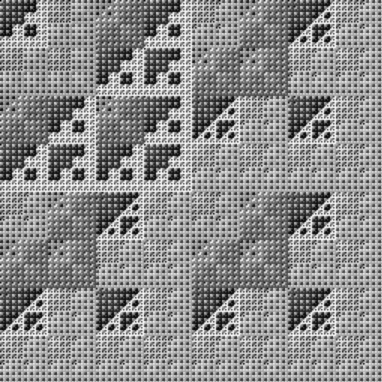
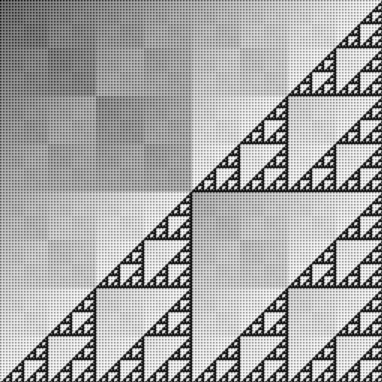
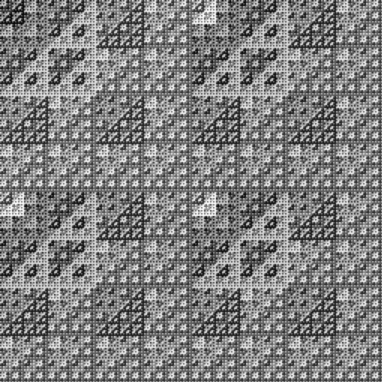
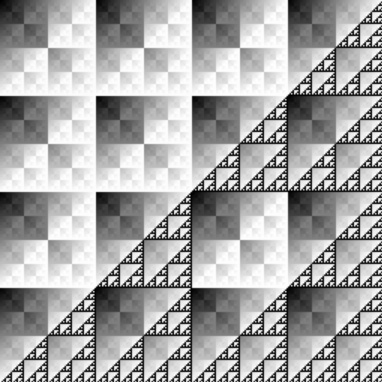
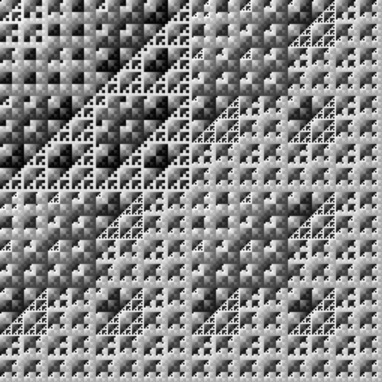
Sometimes when I’m writing a program that does some pixel pushing I’ll save the file and then start arbitrarily adding bitwise operations to it…. just to see what happens. Sierpinski-esque stuff occurs often. This will work in your timeline – move your mouse left and right to generate images like these:


Texture cos(atan2())

var col:int, i:int, j:int, s:int = 500, div:Number =20, outcoord:Point = new Point(), points:Vector.<Point> = new Vector.<Point>();
for (i = 0; i<5; i++) points.push(new Point(int(Math.random()*s),int(Math.random()*s)));
var canvas:Bitmap = Bitmap(addChild(new Bitmap(new BitmapData(s,s, false, 0xFF0000), "auto", true)));
for (i  = 0; i<canvas.width * canvas.height; i++){
	outcoord= new Point( i % canvas.width, i / canvas.width);
	col = 0;
	for (j= 0; j<points.length; j++) col += Math.max(0,255 * Math.cos(Math.atan2(outcoord.y - points[j].y, outcoord.x - points[j].x)*outcoord.x/div) );
	col /= points.length;
    canvas.bitmapData.setPixel(outcoord.x, outcoord.y,  col << 16 |  col << 8 |  col);
}

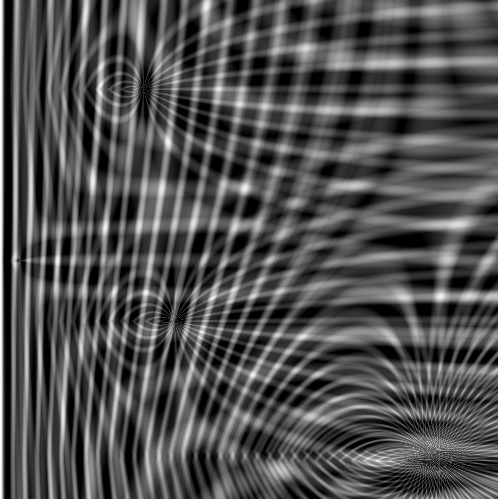
This is inspired by some stuff I’ve been doing with PixelBender. I think I’m going to convert this to processing to see how fast I can get it to run… will post that over at shapevent. People have been asking me to post swfs…. and I plan on starting to that a little bit… but since this one doesn’t animate, here are a few jpgs:

25 Lines Contest

for (var i:int = 1; i<26; i++) with(addChild(new TextField())) x = 10, y = i * 10, text = "line" + i;

code will create 25 TextFields that say “line1”, “line2”, “line3” etc…

If you don’t already know, Keith Peters has started up the 25 line actionscript contest again… The first round of results are in and you can view the 12 finalists swfs and code here.

I was particularly impressed with this one …by Cay Garrido… when I looked at it I really couldn’t figure out how that kind of seemingly complex flocking could be done with 25 lines. You can see the code here.

Inspired by the entries, Peters created a strange attractor in 6 lines.

I can’t wait to see next months entries.

Yahoo Weather RSS

var temp:Number;
var weatherData:XML;
var yweather:Namespace;

var zipcode:String="11211";
var units:String = "f";  // "f" or "c" for Fahrenheit or Celsius

var yahooURL:String = "http://weather.yahooapis.com/forecastrss?p=" + zipcode + "&u=" + units;

var yahooWeather:URLLoader = new URLLoader();

yahooWeather.load(new URLRequest(yahooURL));
yahooWeather.addEventListener(Event.COMPLETE, onLoaded);

function onLoaded(evt:Event):void {

	weatherData=new XML(evt.target.data);
	yweather = weatherData.namespace("yweather");
	
    temp = weatherData.channel.item.yweather::condition.@temp;
	 
	trace(temp);
}

This snippet comes from a student question about how to get the temperature from yahoo weather.

You could use this snippet to get lots of additional information based on a zipcode… like latitude, longitude, humidity, wind chill etc… The trickiest part of this code is the Namespace stuff… which I find generally annoying… probably just because I’m not used to it.

You can read some detailed info about the content contained in the RSS file here.