[SWF(width = 800, height= 600)]
var sw:Number = 800;
var sh:Number = 600;
var pixelNum:int = sw * sh;
var blurAmount:Number = 10;
var pnt:Point = new Point(0,0);
var rect:Rectangle = new Rectangle(0,0,sw,sh);

var canvas:BitmapData = new BitmapData(sw, sh, false, 0x000000);
var buffer:BitmapData = new BitmapData(sw, sh, false, 0x000000);
var feed  :BitmapData = new BitmapData(sw, sh, false, 0x000000);
var prev  :BitmapData = new BitmapData(sw, sh, false, 0x000000);

var frame:Bitmap = new Bitmap(canvas, "auto", true);
addChild(frame);

var cam:Camera =  Camera.getCamera();
cam.setMode(sw,sh,12);
var video:Video = new Video(sw, sh);
video.attachCamera(cam);

cam.addEventListener(ActivityEvent.ACTIVITY, onActivityStart);

function onActivityStart(evt:ActivityEvent):void {
	addEventListener(Event.ENTER_FRAME, onRun);
	cam.removeEventListener(ActivityEvent.ACTIVITY, onActivityStart);
}

function onRun(evt:Event):void{
	buffer.draw(video);
	feed.copyPixels(buffer, rect, pnt);
	buffer.draw(prev, null, null, BlendMode.DIFFERENCE);
	prev.draw(video);
	canvas.copyPixels(buffer, rect, pnt);
}
This snippet shows a simple method to do frame differencing with a web cam. This is useful for detecting which areas of the screen have change from frame to frame. This post assumes you pretty much know what frame differencing is.
You can view an swf file here:
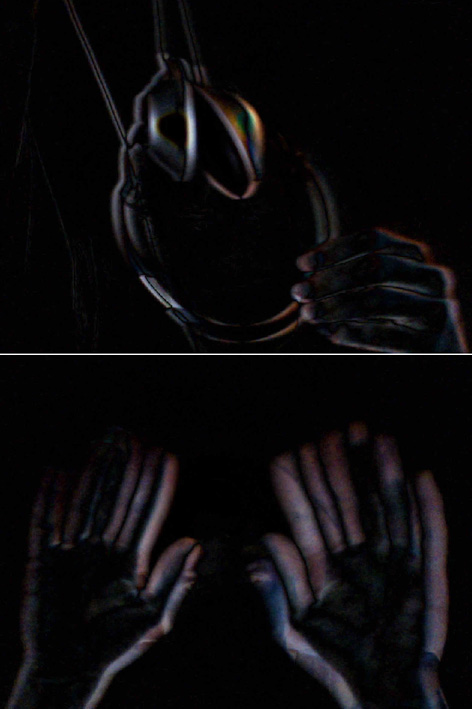
This is one of those things I do a good deal but never wrapped up into a library… it’s easy (for me at least) to forget exactly how to set it up from scratch.
I added an extra buffer because it’s pretty common that you’ll want to other things aside from just frame differencing alone, so it’s nice to have it all wrapped up in a buffer BitmapData that you can use elsewhere. If speed is a real concern, you can do away with the buffer and just use the canvas instead – depending on what kind of analysis your doing on the frame differenced image it may be trickier without the buffer.