var container:Sprite = new Sprite();
container.x = stage.stageWidth / 2;
container.y = stage.stageHeight / 2;
addChild(container);

var redBox:Sprite = new Sprite();
redBox.graphics.beginFill(0xFF0000);
redBox.graphics.drawRect(-50,-250,100,500);
redBox.rotationZ = 10;
container.addChild(redBox);

var logos:Array = []
var elements:Array = [];
elements.push({element:redBox, z:0});

// add the logos
for (var i:int = 0; i<6; i++){
	var logoContainer:MovieClip = new MovieClip();
	var logoText:TextField = new TextField();
	logoText.defaultTextFormat = new TextFormat("_sans", 50);
	logoText.text = "LOGO";
	logoText.autoSize = "left";
	logoText.selectable= false;

	logoText.x = -logoText.width / 2;
	logoText.y = -logoText.height / 2;
	logoContainer.addChild(logoText);
	logoText.backgroundColor = 0xFFFFFF;

	container.addChild(logoContainer);
	logos.push(logoContainer);
	elements.push({element:logoContainer, z:0});
}

var ang:Number = -Math.PI / 2;
var rotationSpeed:Number = 0.05;
addEventListener(Event.ENTER_FRAME, onLoop);
function onLoop(evt:Event):void {

	 var dx:Number = (mouseY - stage.stageHeight / 2) / 10;
	 var dy:Number = (mouseX - stage.stageWidth / 2) / 10;
	 container.rotationX += (dx - container.rotationX) / 4;
	 container.rotationY += (dy - container.rotationY) / 4;

	 ang += rotationSpeed;
     for (var i:int = 0; i<logos.length; i++){
		 var logo:Sprite = logos[i];
		 logo.x = 150 * Math.cos(ang + i);
	     logo.z = 150 * Math.sin(ang + i);
		 logo.alpha = 1 - logo.z / 200;
		 logo.rotationY = -Math.atan2(logo.z, logo.x)  / Math.PI * 180  - 90;
	 }

	 // z-sort
	 for (i = 0; i<elements.length; i++){
		  elements[i].z = elements[i].element.transform.getRelativeMatrix3D(this).position.z;
	 }

	elements.sortOn("z", Array.NUMERIC | Array.DESCENDING);
	for (i = 0; i<elements.length; i++) {
		container.addChild(elements[i].element);
	}
}
A student of mine was having trouble creating a 3D logo for a client. I created this snippet to help explain how some of the fp10 3D stuff works…. z-sorting etc… The code could be optimized a bit… but it works nicely…
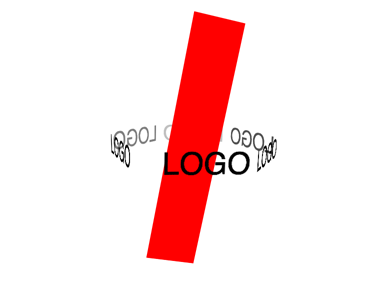
Just a minor addendum to the Fp10 3d logo code.
var iangle = i*(2*Math.PI/logos.length);
logo.x = 150 * Math.cos(ang + iangle );
logo.z = 150 * Math.sin(ang + iangle );
Probably not that important, but it should even out the logo spacing.
nice addition… if i do something else with this snippet I’ll be sure to revise it….