import com.actionsnippet.qbox.*;
import Box2D.Common.Math.*;

[SWF (backgroundColor=0x000000, width=700, height=600)]

var sim:QuickBox2D = new QuickBox2D(this);

sim.setDefault({fillColor:0x113366, fillAlpha:0.8, lineColor:0x3355AA});

sim.createStageWalls();

var boxA:QuickObject = sim.addBox({x:10, y:8, fixedRotation:true});
var boxB:QuickObject = sim.addBox({x:14, y:8, width:2,  fixedRotation:true});

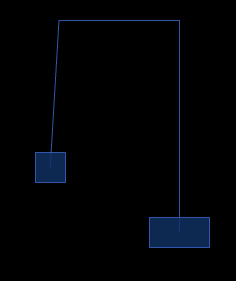
sim.addJoint({type:"pulley", a:boxA.body, b:boxB.body, groundAnchor1:new b2Vec2(boxA.x, 2), groundAnchor2:new b2Vec2(boxB.x, 2)});

sim.start();
sim.mouseDrag();
QuickBox2D pulley joint demo. This post is really meant to serve as part of the docs so it may seem a bit boring in its simplicity…
Have a look at the swf…
The link for:
QuickBox2D alpha 108
is not working.
Great site otherwise.
Corey
oops, link is now fixed:
https://actionsnippet.com/qb2d/QuickBox2D_alpha108.zip
how do i apply friction to a pulley joint?
If I use the mouse and pull one box down, they kinda just keep moving. Is there a way to make them come to rest faster?