[SWF(backgroundColor=0x000000, width = 800, height = 600)]

// this is a trick to keep the 3D texture quality up...
// try setting it right off the bat and you'll notice that the
// Shapes look pixilated
setTimeout(function():void{ stage.quality="low"}, 500);

var matrix:Matrix = new Matrix();
matrix.createGradientBox(600, 600, 0, -450, -450);

var boxNum:int = 30;
var boxes:Array = [];
for (var i:int = 0; i<boxNum; i++) boxes[i] = makeBox();

var dx:Number = 0, dy:Number = 0;
onLoop();
addEventListener(Event.ENTER_FRAME, onLoop);

function onLoop(evt:Event=null):void {
	dx += (mouseX - dx) / 4;
	dy += (mouseY - dy) / 4;
	for (var i:int = 0; i<boxNum; i++){
		var box:Shape = boxes[i];
		box.z = 400 - i * 20;
		box.x = dx;
		box.y = dy;
		box.rotation = i + getTimer() / 10;
	}
}

function makeBox():Shape{
	var box:Shape = Shape(addChild(new Shape()));
	box.x = stage.stageWidth/2;
	box.y = stage.stageHeight/2;
	box.z = 1;
	with (box.graphics){
		 beginGradientFill(GradientType.RADIAL, [0xFFFFFF, 0x333333], [1,1], [0, 255], matrix, SpreadMethod.PAD);
		drawRect(-100, -100, 200, 200);
		drawRect(-70, -70, 140, 140);
	}
	return box;
}
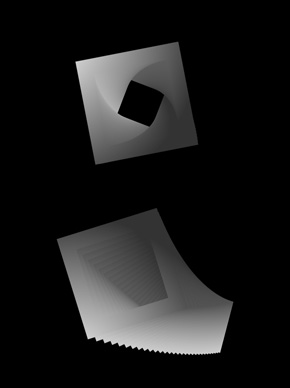
This snippet draws 30 gradient box shapes, gives them different z values and then moves them based on the mouse. This technique is good if you just want a few layers of parallax motion – I got carried away and you’ll notice that if you add more boxes it begins to slow down pretty quick.
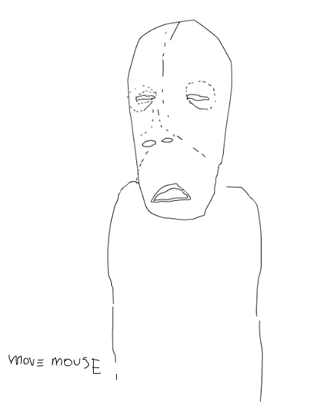
I first used this technique for this small interactive drawing…
Something interesting I noticed about fp10 3D DisplayObjects is that if you set the stage.quality to low right off the bat, the display objects look pixelated… but if you wait a few milliseconds, you end up with less pixelation and you still get a speed boost from the low quality – I think it must have something to do with the way the 3D textures are handled by the player…
Tomorrow I think I’ll post a version of this that uses IGraphicsData and Utils.projectVectors()… should be a huge speed boost…
How did you skin that guy? That’s the creapiest thing I’ve ever seen but I love it. Is it possible to skin the example above?