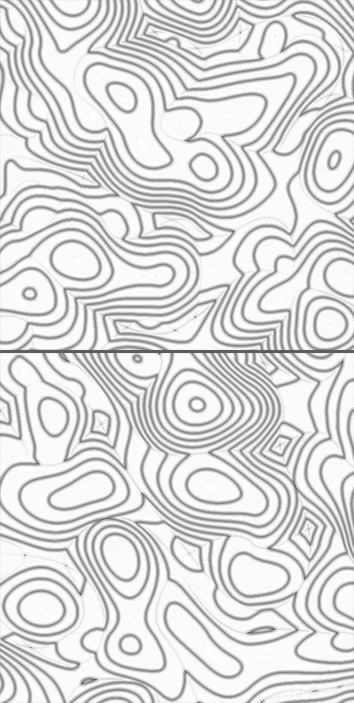
[SWF(width = 600, height=600, backgroundColor=0xCCCCCC, frameRate=24)]
var canvas:BitmapData = new BitmapData(stage.stageWidth,stage.stageHeight, false, 0x000000);
var blur:BitmapData = new BitmapData(stage.stageWidth,stage.stageHeight, false, 0x000000);
addChild(new Bitmap(canvas, "auto", true));

var w:int = canvas.width
var hw:int = w / 2;
var size:int = w * w;
var seed:Number = Math.random()*100;
var pnt:Point = new Point();
var dy:Number = 0, dx:Number = 0;
var blr:BlurFilter = new BlurFilter(10,10,1);
addEventListener(Event.ENTER_FRAME, onLoop);
function onLoop(evt:Event):void {

	dx += (mouseX - dx) / 4;
	dy += (mouseY - dy) / 4;
	canvas.lock();
	canvas.perlinNoise(hw,hw,2,seed,false, false, 1, true, [new Point(dx, dy), new Point(-dx, -dy)]);
	var pix:Vector.<uint> = canvas.getVector(canvas.rect);
	for (var i:int = 0; i<size; i++){
		var col:uint = 255 - pix[i] << 4 & 0x00FF00;
		pix[i] = col << 8 | col | col >> 8;
	}
	canvas.setVector(canvas.rect, pix);
	blur.copyPixels(canvas, canvas.rect, pnt);
	blur.applyFilter(blur, blur.rect, pnt, blr);
	canvas.draw(blur, null, null, BlendMode.DIFFERENCE);
	canvas.draw(canvas, null, null, BlendMode.INVERT);
	canvas.unlock();
}
This is actually an optimized variation on some recent posts that made use of perlin noise. You can get a wide range of effects by changing just the BlendMode values alone…. I particularly like this combination of BlendModes because it reminds me a bit of a terrain map…
Have a look at the swf…