var canvas:BitmapData = new BitmapData(500,500,false, 0x000000);
addChild(new Bitmap(canvas));

var pix:Vector.<uint> = new Vector.<uint>(canvas.width * canvas.height, true);

addEventListener(Event.ENTER_FRAME, onLoop);
function onLoop(evt:Event):void {
	canvas.lock();
	var i:int = pix.length;
	while(--i > -1){
		var c:uint = uint(Math.random() * 255);
	    pix[i] = c << 16 | c << 8 | c;
	}
	canvas.setVector(canvas.rect, pix);
	canvas.unlock();
}
This is an easy way to fill a BitmapData Object up with a bunch of TV-style static….
This post is meant to serve as filler while I work to get a good solid SIMPLE fp10, drawing api z-sorting example going… There seem to be 3 main ways of doing z-sorting all of which don’t seem right to me for some reason… they all work… but I have a gut feeling there is a faster way… The winner so far (unexpectedly) is using Array.sortOn
[SWF(frameRate=60, backgroundColor=0x000000, width=500, height=500)]
var canvas:BitmapData = new BitmapData(500,500,false, 0x000000);
addChild(new Bitmap(canvas));
var clone:BitmapData = new BitmapData(500,500,false, 0x000000);
var canvasRect:Rectangle = canvas.rect;
var w:int = canvas.width;
var w2:Number = 1/w;
var w10:Number = 1/(w * 80);
var convert:Number = Math.PI/180;
var size:int = canvas.width * canvas.height;
var pix:Vector.<uint> = new Vector.<uint>(size, true);
var gray:ColorMatrixFilter = new ColorMatrixFilter([1, 0.55, 0.55, 0,0,0.55, 0.9, 0.55, 0,0,0.55, 0.55, 0.550,0, 0,0,0,1,0]);
var m:Matrix = new Matrix();
m.scale(1,-1);
m.translate(0,canvas.height);
var sin:Number = 0, cos:Number = 0;
var dx:Number = 0, dy:Number = 0;
var pnt:Point = new Point();
var blur:BlurFilter = new BlurFilter(10,10,1);
addEventListener(Event.ENTER_FRAME, onLoop);
function onLoop(evt:Event):void {
	canvas.lock();
	dx += (mouseX * 10 - 3000 - dx) / 8;
	dy += (mouseY * 4 - dy) / 8;
	for (var i:int = 0; i<size; i++){
		var xp:int = i % w;
		var yp:int = int(i * w2);
		var xp2:int = xp << 1;
		var t:Number = (yp * (xp2 + dx) * w10) % 3.14687;
		//compute sine
		// technique from http://lab.polygonal.de/2007/07/18/fast-and-accurate-sinecosine-approximation/
		// by Michael Baczynski
		if (t<0) {
			sin=1.27323954*t+.405284735*t*t;
		} else {
			sin=1.27323954*t-0.405284735*t*t;
		}
		// compute cosine
		t = (xp2 + dy) * convert % 6.28;
		t+=1.57079632;
		if (t>3.14159265) {
			t-=6.28318531;
		}
		if (t<0) {
			cos=1.27323954*t+0.405284735*t*t;
		} else {
			cos=1.27323954*t-0.405284735*t*t;
		}
		var c1:int = 31 * (cos - sin);
		if (c1 <0) c1 = 256 - c1;
		c1 = (c1 <<2 | c1) ;
		pix[i] = c1 <<15 | c1 <<9 | c1;
	}
	canvas.setVector(canvasRect, pix);
	clone.copyPixels(canvas, canvasRect, pnt);
	canvas.draw(clone, m, null, BlendMode.SUBTRACT);
	clone.copyPixels(canvas, canvasRect, pnt);
	clone.applyFilter(clone, canvasRect, pnt, blur);
	canvas.draw(clone, null, null, BlendMode.ADD);
	canvas.applyFilter(canvas, canvas.rect, new Point(0,0), gray);
	canvas.unlock();
}
This snippet creates an interactive animated texture. Originally this texture wasn an unoptimized messy code snippet (see the original post here) – I went through and did a few optimizations to get it running in real-time and this is the result:
Check out the swf over at wonderfl.net…
[SWF(width = 600, height=600, backgroundColor=0xCCCCCC, frameRate=24)]
var canvas:BitmapData = new BitmapData(stage.stageWidth,stage.stageHeight, false, 0x000000);
var blur:BitmapData = new BitmapData(stage.stageWidth,stage.stageHeight, false, 0x000000);
addChild(new Bitmap(canvas, "auto", true));

var w:int = canvas.width
var hw:int = w / 2;
var size:int = w * w;
var seed:Number = Math.random()*100;
var pnt:Point = new Point();
var dy:Number = 0, dx:Number = 0;
var blr:BlurFilter = new BlurFilter(10,10,1);
addEventListener(Event.ENTER_FRAME, onLoop);
function onLoop(evt:Event):void {

	dx += (mouseX - dx) / 4;
	dy += (mouseY - dy) / 4;
	canvas.lock();
	canvas.perlinNoise(hw,hw,2,seed,false, false, 1, true, [new Point(dx, dy), new Point(-dx, -dy)]);
	var pix:Vector.<uint> = canvas.getVector(canvas.rect);
	for (var i:int = 0; i<size; i++){
		var col:uint = 255 - pix[i] << 4 & 0x00FF00;
		pix[i] = col << 8 | col | col >> 8;
	}
	canvas.setVector(canvas.rect, pix);
	blur.copyPixels(canvas, canvas.rect, pnt);
	blur.applyFilter(blur, blur.rect, pnt, blr);
	canvas.draw(blur, null, null, BlendMode.DIFFERENCE);
	canvas.draw(canvas, null, null, BlendMode.INVERT);
	canvas.unlock();
}
This is actually an optimized variation on some recent posts that made use of perlin noise. You can get a wide range of effects by changing just the BlendMode values alone…. I particularly like this combination of BlendModes because it reminds me a bit of a terrain map…
Have a look at the swf…
[SWF(width = 600, height = 600, backgroundColor=0x000000)]
var squareNum:int  = 1000;
var hw:Number = stage.stageWidth / 2;
var hh:Number = stage.stageHeight / 2;
// verts defines a single square
var verts:Vector.<Number> = Vector.<Number>([-20, 0, 0, 20, 0, 0, 20, 0, 40, -20, 0, 40, -20, 0, 0]);
var cmds:Vector.<int> = Vector.<int>([1,2,2,2,2]);
var tempVerts:Vector.<Number> = new Vector.<Number>();
var newVerts:Vector.<Number> = new Vector.<Number>();
var pVerts:Vector.<Number> = new Vector.<Number>(10 * squareNum);
var uv:Vector.<Number> = new Vector.<Number>(15 * squareNum);
var vectors:Shape = new Shape();
var canvas:BitmapData = new BitmapData(stage.stageWidth,stage.stageHeight,false, 0x000000);
addChild(new Bitmap(canvas));
var blurred:BitmapData = new BitmapData(stage.stageWidth,stage.stageHeight,false, 0x000000);
var blur:BlurFilter = new BlurFilter(20,20,1);

var m:Matrix3D = new Matrix3D();

var radius:Number = 200;
// duplicate the verts array a bunch of times
// each time moving the square to a random place on the
// circumference of a sphere
for (var i:int = 0; i<squareNum; i++){
	m.identity();
	var s:Number = Math.random()*.5 + .5;
	m.appendScale(s, s, s);
	m.appendRotation(90,Vector3D.X_AXIS);
	m.appendTranslation(0, 0, radius);
	m.appendRotation(Math.random()*360,Vector3D.X_AXIS);
	m.appendRotation(Math.random()*360,Vector3D.Y_AXIS);
	m.appendRotation(Math.random()*360,Vector3D.Z_AXIS);
	m.transformVectors(verts,tempVerts);
	newVerts = newVerts.concat(tempVerts);
	cmds = cmds.concat(Vector.<int>([1,2,2,2,2]));
}
newVerts.fixed = pVerts.fixed = uv.fixed = true;
var dx:Number = 0, dy:Number = 0;
var pnt:Point = new Point();
addEventListener(Event.ENTER_FRAME, onLoop);
function onLoop(evt:Event):void {
	   dx += (mouseX - dx) / 4;
	   dy += (mouseY - dy) / 4;
	   m.identity();
	   m.appendRotation(dx,Vector3D.Z_AXIS);
	   m.appendRotation(dy,Vector3D.X_AXIS);
	   m.appendTranslation(hw,hh, 0);
	   Utils3D.projectVectors(m, newVerts, pVerts, uv);
	   with(vectors.graphics){
		   clear();
		   beginFill(0xFFFFFF);
		   drawCircle(hw, hh, radius+10);
		   beginFill(0x000000);
		   drawPath(cmds, pVerts, GraphicsPathWinding.NON_ZERO);
	   }
	   canvas.fillRect(canvas.rect, 0x000000);
	   canvas.draw(vectors);
	   blurred.copyPixels(canvas, canvas.rect, pnt);
	   blurred.applyFilter(blurred,blurred.rect, pnt, blur);
	   canvas.draw(blurred, null, null, BlendMode.SCREEN);
}
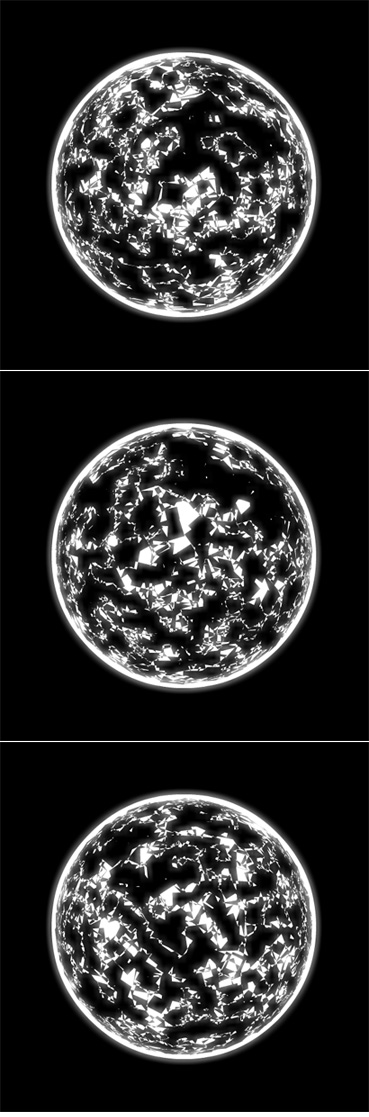
This snippet is similar to yesterdays post but the visual result is rather different. This one does a little more Matrix3D stuff resulting in a sphere made up entirely of squares. This is obscured by the size of the squares and the fact that they overlap and cut each other up. BitmapData a BlurFilter and a BlendMode give the entire thing a slight glow…
var brushNum:int = 10000;
var canvas:BitmapData = new BitmapData(800,600,false, 0x000000);
addChild(new Bitmap(canvas));

var shape:Shape = new Shape();
with(shape.graphics) beginFill(0xFF0000), drawCircle(10,10,5);
shape.filters = [new BlurFilter(6, 6, 4)];

var brush:BitmapData = new BitmapData(20, 20, false, 0x000000);
brush.draw(shape, shape.transform.matrix);


// make sure brushVect is fixed length
var brushVect:Vector.<uint> = new Vector.<uint>(brush.width * brush.height, true);
var tempVect:Vector.<uint> =  brush.getVector(brush.rect);
var i:int = 0;
// quick hack to retain fixed length
for (i = 0; i<brushVect.length; i++){
	brushVect[i] = tempVect[i];
}

canvas.setVector(brush.rect, brushVect);

var pnt:Point = new Point();
var brushRect:Rectangle = brush.rect;
var destRect:Rectangle = brushRect.clone();
var locX:Vector.<Number> = new Vector.<Number>(brushNum, true);
var locY:Vector.<Number> = new Vector.<Number>(brushNum, true);
for (i= 0; i<brushNum; i++){
	locX[i] = Math.random() * stage.stageWidth - 10;
	locY[i] = Math.random() * stage.stageHeight - 10;
}

var iterations:int = 50;
var timer:Number;
var avg:Vector.<Number> = new Vector.<Number>();
trace("copyPixels");
addEventListener(Event.ENTER_FRAME, onLoop);
function onLoop(evt:Event):void {
	   canvas.fillRect(canvas.rect, 0x000000);
	   var i:int = brushNum;
	   if (drawMode == "copyPixels"){
		   timer = getTimer();
		   canvas.lock();
		   while(--i > -1){
				pnt.x = locX[i];
				pnt.y = locY[i];
				// copyPixels can easily do alpha manipulation, setVector cannot (see comment below);
				canvas.copyPixels(brush, brushRect, pnt);//, null, null, true);
		   }
		   canvas.unlock();
		   avg.push(getTimer() - timer);
	   }else{
		   timer = getTimer();
		   canvas.lock();
		   while(--i> -1){
			   destRect.x = locX[i];
			   destRect.y = locY[i];
			   canvas.setVector(destRect, brushVect);
		   }
		   canvas.unlock();
		   avg.push(getTimer() - timer);
	   }
	   // take an average of iterations iterations
	   if (avg.length == iterations){
		   var average:Number = 0;
		   for (i = 0; i<iterations; i++){
			     average += avg[i];
		   }
		   trace(average / iterations);
		   avg = new Vector.<Number>();
	   }
}

var drawMode:String = "copyPixels";
stage.addEventListener(KeyboardEvent.KEY_UP, onKeyReleased);
function onKeyReleased(evt:Event):void{
	avg = new Vector.<Number>();
	drawMode = (drawMode == "copyPixels") ? "setVector" : "copyPixels"
	trace(drawMode);
}
In the comments of a post from a few days back, Piergiorgio Niero mentioned that setVector may be faster than copyPixels. To see if this was true, Piergiorgio and I each tried a few things and while Piergiorgio seemed to reach some conclusions… I wasn’t sure we had properly tested to see which one was actually faster.
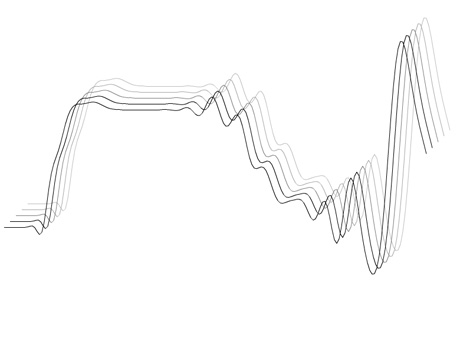
I created the above snippet to help test to see which is indeed faster. This snippet draws 10,000 small 20×20 pixel graphics to the stage. There is no animation because I wanted to try and isolate the speed of the setVector and copyPixels calls. These are the results on my macbook pro 2.4 ghz duo:
If you interested in this, post your results in the comments along with the type of computer you’re using. I have a feeling there will be a wide variety of results… just make sure you’re not using the flash debug player, as that can act significantly different than the release version of the player.
setVector() and copyPixels() Usage
Something to note here is that setVector and copyPixels aren’t normally suitable for the same thing. copyPixels is used to move a rectangle of pixels from one BitmapData to another – you can easily do advanced alpha channel manipulation and scaling with it and you don’t have to do pixel by pixel logic. setVector is used to do pixel by pixel manipulation – it is a sort of mature/advanced setPixel function that allows you to do logic on a Vector of uints and then set the pixels of a rectangular region of a BitmapData object equal to the data within that Vector. So if you need to do alpha manipulation or image scaling with setVector you’ll find yourself running into some more advanced programming than copyPixels requires… and if you tried to do pixel by pixel manipulation with copyPixels… well, that just isn’t what it was meant to be used for…
I’m always wary of these kind of speed tests… if anyone has suggestions about how to improve this test, please feel free to comment.
UPDATE katopz pointed out I should use fixed length Vectors… so I changed the brushVect instantiation code slightly. I didn’t do it for the avg vector because it only has 50 values and it doesn’t help improve the speed of setVector and copyPixels in any way and complicates the code slightly… it’s hard to decide which optimization techniques you should choose to make habbit and which ones you should only whip out when you need speed…
[SWF(width=650, height=650)]
var loader:Loader = new Loader();
loader.load(new URLRequest("https://actionsnippet.com/wp-content/chair.jpg"));
loader.contentLoaderInfo.addEventListener(Event.COMPLETE, onLoaded);

var w:Number;
var h:Number;
var rows:Number = 20;
var cols:Number = 20;
var tiles:Vector.<BitmapData> = new Vector.<BitmapData>();
var locX:Vector.<Number> = new Vector.<Number>();
var locY:Vector.<Number> = new Vector.<Number>();
var rX:Vector.<Number> = new Vector.<Number>();
var rY:Vector.<Number> = new Vector.<Number>();
var sX:Vector.<Number> = new Vector.<Number>();
var sY:Vector.<Number> = new Vector.<Number>();
function onLoaded(evt:Event):void{
	w = evt.target.width;
	h = evt.target.height;
	var image:BitmapData = Bitmap(evt.target.content).bitmapData;
	var tileWidth:Number = w / cols;
	var tileHeight:Number = h / rows;
	var inc:int = 0;
	var pnt:Point = new Point();
	var rect:Rectangle = new Rectangle(0,0,tileWidth,tileHeight);
	for (var i:int = 0; i<rows; i++){
		for (var j:int = 0; j<cols; j ++){
			 var currTile:BitmapData= new BitmapData(tileWidth, tileHeight, true, 0x00000000);
			 rect.x = j * tileWidth;
			 rect.y = i * tileHeight;
			 currTile.copyPixels(image, rect, pnt, null, null, true);
			 tiles[inc] = currTile;
			 rect.x += 25;
			 rect.y += 25;
			 sX[inc] = rect.x;
			 sY[inc] = rect.y;
			 locX[inc] = rX[inc] = -rect.width * 2
			 locY[inc] = rY[inc] =  Math.random() * stage.stageHeight;
			 setTimeout(startAnimation, inc *4 + 100, inc, rect.x, rect.y);
			 inc++;
		}
	}
}

function startAnimation(index:int, dx:Number, dy:Number):void{
	var interval:Number;
	var animate:Function = function(index:int):void{
		locX[index] += (dx - locX[index]) / 4;
		locY[index] += (dy - locY[index]) / 4;
		if (Math.abs(locX[index] - dx) < 1 && Math.abs(locY[index] - dy)<1){
			locX[index] = dx;
			locY[index] = dy;
		    clearInterval(interval);
		}
	}
   interval = setInterval(animate, 32, index);
}

var canvas:BitmapData = new BitmapData(stage.stageWidth,stage.stageHeight,false, 0xFFFFFF);
addChild(new Bitmap(canvas));

var loc:Point = new Point();
addEventListener(Event.ENTER_FRAME, onLoop);
function onLoop(evt:Event):void {
	  canvas.fillRect(canvas.rect, 0xFFFFFF);
      for (var i:int = 0; i<tiles.length; i++){
		    var tile:BitmapData= tiles[i];
			loc.x = locX[i];
			loc.y = locY[i];
		    canvas.copyPixels(tile, tile.rect, loc, null, null, true);
	  }
}
This snippet cuts a dynamically loaded image into a series of smaller BitmapData instances. These BitmapData instances are then drawn to a canvas BitmapData using copyPixels. The BitmapData.copyPixels() method is extremely fast – so this has some advantages over yesterdays post (which did basically the same thing with Sprites). I used setInterval and setTimeout to do a simple demo animation, but I recommend using TweenLite on a real project.