[SWF(frameRate=60, backgroundColor=0x000000, width=500, height=500)]

var canvas:BitmapData = new BitmapData(500,500,false, 0x000000);
addChild(new Bitmap(canvas));
var clone:BitmapData = new BitmapData(500,500,false, 0x000000);
var canvasRect:Rectangle = canvas.rect;
var w:int = canvas.width;
var w2:Number = 1/w;
var w10:Number = 1/(w * 80);
var convert:Number = Math.PI/180;
var size:int = canvas.width * canvas.height;
var pix:Vector.<uint> = new Vector.<uint>(size, true);
var m:Matrix = new Matrix();
m.scale(1,-1);
m.translate(0,canvas.height);
var sin:Number = 0, cos:Number = 0;
var dx:Number = 0, dy:Number = 0;
var pnt:Point = new Point();
var blur:BlurFilter = new BlurFilter(10,10,1);
addEventListener(Event.ENTER_FRAME, onLoop);
function onLoop(evt:Event):void {
	canvas.lock();
	dx +=  (mouseX * 10 - 3000 - dx) / 8;
	dy +=  (mouseY * 4 - dy) / 8;
	for (var i:int = 0; i<size; i++){
		var xp:int = i % w;
		var yp:int = int(i * w2);
		var xp2:int = xp <<1;
		var t:Number;
		t = ((yp|(xp + yp * 0.1)) * (xp + dx) *w10) % 6.14687;
		//compute sine
		// technique from http://lab.polygonal.de/2007/07/18/fast-and-accurate-sinecosine-approximation/
		// by Michael Baczynski
		if (t<0) {
			sin=1.27323954*t+.405284735*t*t;
		} else {
			sin=1.27323954*t-0.405284735*t*t;
		}
		// compute cosine
		t = (xp2|(yp+xp*0.1) + dy) * convert % 6.28;
		t+=1.57079632;
		if (t>3.14159265) {
			t-=6.28318531;
		}
		if (t<0) {
			cos=1.27323954*t+0.405284735*t*t;
		} else {
			cos=1.27323954*t-0.405284735*t*t;
		}
		var c1:int = 31 * (sin - cos);
		if (c1 <0) c1 = 256 - c1;
		c1 = (c1 <<4 | c1) ;
		pix[i] = c1 <<16 | c1 <<8 | c1;
	}
	canvas.setVector(canvasRect, pix);
	clone.copyPixels(canvas, canvasRect, pnt);
	canvas.draw(clone, m, null, BlendMode.SUBTRACT);
	clone.copyPixels(canvas, canvasRect, pnt);
	clone.applyFilter(clone, canvasRect, pnt, blur);
	canvas.draw(clone, null, null, BlendMode.SCREEN);
	canvas.unlock();
}
Decided to do a grayscale version … also rendered it out large and posted it on flickr…
Check out the swf…

Check out the large flickr version…
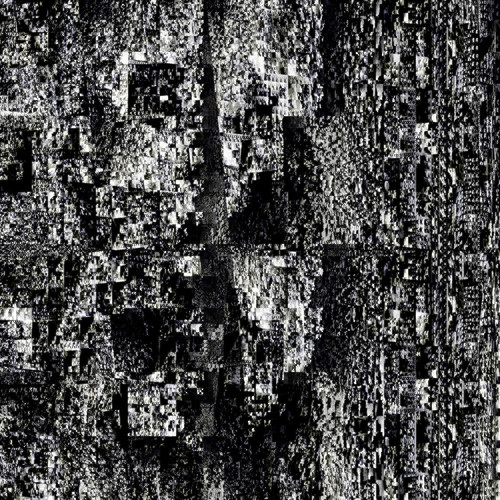
how’d you go about outputting for flickr? curious coz i can think of a couple of ways, but if you wanted to output to a 4000×4000 pixel for print perhaps?
well, I think unpaid flickr accounts have a size limit of 1024×1024 (could be wrong about that) so I rendered out a 2000×2000 and uploaded it…. I used this snippet to save the bitmap:
https://actionsnippet.com/?p=1093
And if I wanted to save a 4000×4000 or larger there are a few ways. Usually I’ll just quickly port the code over to Processing since it doesn’t seem to have a size limit on image output. But since there is a size limit on BitmapData you can create multiple BitmapData objects and place them together in photoshop – you could also (at least in the case of this example) create one BitmapData object and then move through the texture space by changing the xp and yp values – effectively rendering different parts of the texture to the same BitmapData each time you alter the xp and yp values you would save an image. Lastly, I think I remember reading somewhere that someone wrote a jpeg encoder in AS3 that pieces together multiple BitmapData Objects, but I don’t remember where I heard about that off the top of my head.