Browse the notebook

Category: Operators

Haskell Inspired zipWith() Function

initOperators();

trace(zipWith("-", [1,2,3], [1,2,3]));
trace(zipWith("+", [1,2,3], [1,2,3]));
trace(zipWith("*", [1,2,3], [1,2,3]));
trace(zipWith("+", [1,1,1,3], [4,5,6,7]));
trace(zipWith("<<", [2, 4], [1,1]));
/*
outputs:

0,0,0
2,4,6
1,4,9
5,6,7,10
4,8
*/

function zipWith(op:String, a:Array, b:Array):Array{
    var aLeng:int = a.length;
    var bLeng:int = b.length;
    var leng:Number = (aLeng < bLeng) ? aLeng : bLeng;
    var zipped:Array = [];
   
    if (!this[op])return [];
   
    for (var i:int = 0; i<leng; i++){
        zipped[i]=this[op](a[i], b[i]);
    }
    return zipped;
}

function initOperators():void{
    this["+"]=function(a:Number, b:Number):Number{ return a + b };
    this["-"]=function(a:Number, b:Number):Number{ return a - b };
    this["/"]=function(a:Number, b:Number):Number{ return a / b };
    this["*"]=function(a:Number, b:Number):Number{ return a * b };
    this["%"]=function(a:Number, b:Number):Number{ return a % b };
   
    this["&"]=function(a:Number, b:Number):Number{ return a & b };
    this["<<"]=function(a:Number, b:Number):Number{ return a << b };
    this["|"]=function(a:Number, b:Number):Number{ return a | b };
    this[">>"]=function(a:Number, b:Number):Number{ return a >> b };
    this[">>>"]=function(a:Number, b:Number):Number{ return a >>> b };
    this["^"]=function(a:Number, b:Number):Number{ return a ^ b };
}

This snippet is basically like the haskell zipWith() function. It can combines two arrays into one array given a single function. In this case I defined a bunch of operator functions, but it would work with any kind of function that takes two arguments and returns a value. You could extend this to work with strings and do other strange things I guess.

If you have yet to go play with haskell … go do it now.

Read snippet: Haskell Inspired zipWith() Function

Bitwise OR | and Variable Function Arguments (bitwise flags)

const A:uint = 1;
const B:uint = 2;
const C:uint = 4;
const D:uint = 8;
const E:uint = 16;

function orArgs(args:uint):void{
	if (args & A){
		trace("A");
	}
	if (args & B){
		trace("B");
	}
	if (args & C){
		trace("C");
	}
	if (args & D){
		trace("D");
	}
	if (args & E){
		trace("E");
	}
}

// test out the function: 
orArgs(A | B);
trace("--");
orArgs(A | C | E);
trace("--");
orArgs(B | E | D);
trace("--");
orArgs(C | A);

/* outputs: 
A
B
--
A
C
E
--
B
D
E
--
A
C
*/

If you’ve every used Array.sort(Array.NUMERIC | Array.DESCENDING) you should have at least a vague idea about what this snippet is doing. It shows how you can pass a variable number of arguments to a function using | (bitwise OR) and & (bitwise AND). I believe the correct term for these kind of arguments is “bitwise flags”. This snippet works by having a series of constant values… in this case A – E. Each constant is assigned an unsigned integer… now you may not see the significance of the values 1, 2, 4, 8 and 16 until you see them in binary… get ready this is a pretty cryptic description…

A = 00001 = 1
B = 00010 = 2
C = 00100 = 4
D = 01000 = 8
E = 10000 = 16

If we OR all these together we get: 11111… If we do:

A | E
00001 | 10000

we end up with 10001…

…we can then check which values are stored in the resulting unsigned integer by using AND:

check for A… 10001 & 00001 = 00001 = true
check for E… 10001 & 10000 = 10000 = true
check for C… 10001 & 00100 = 00000 = false

That’s it… I just guessed at the way this was being done… if you have another way to do the same thing, feel free to post it in the comments….

Read snippet: Bitwise OR | and Variable Function Arguments (bitwise flags)

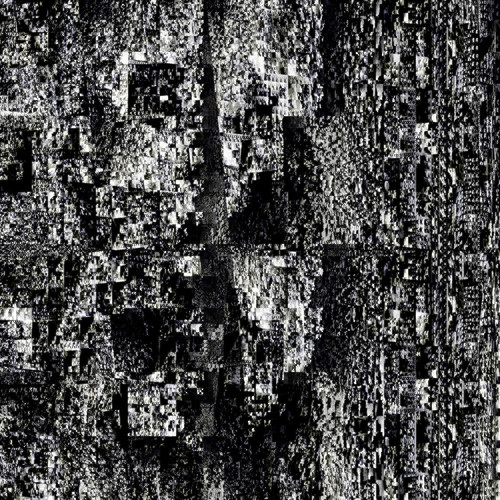
Sierpiński Glitch Texture #3

[SWF(frameRate=60, backgroundColor=0x000000, width=500, height=500)]
 
var canvas:BitmapData = new BitmapData(500,500,false, 0x000000);
addChild(new Bitmap(canvas));
var clone:BitmapData = new BitmapData(500,500,false, 0x000000);
var canvasRect:Rectangle = canvas.rect;
var w:int = canvas.width;
var w2:Number = 1/w;
var w10:Number = 1/(w * 80);
var convert:Number = Math.PI/180;
var size:int = canvas.width * canvas.height;
var pix:Vector.<uint> = new Vector.<uint>(size, true);
var m:Matrix = new Matrix();
m.scale(1,-1);
m.translate(0,canvas.height);
var sin:Number = 0, cos:Number = 0;
var dx:Number = 0, dy:Number = 0;
var pnt:Point = new Point();
var blur:BlurFilter = new BlurFilter(10,10,1);
addEventListener(Event.ENTER_FRAME, onLoop);
function onLoop(evt:Event):void {
	canvas.lock();
	dx +=  (mouseX * 10 - 3000 - dx) / 8;
	dy +=  (mouseY * 4 - dy) / 8;
	for (var i:int = 0; i<size; i++){
		var xp:int = i % w;
		var yp:int = int(i * w2);
		var xp2:int = xp <<1;
		var t:Number;
		t = ((yp|(xp + yp * 0.1)) * (xp + dx) *w10) % 6.14687;
		//compute sine
		// technique from http://lab.polygonal.de/2007/07/18/fast-and-accurate-sinecosine-approximation/
		// by Michael Baczynski
		if (t<0) {
			sin=1.27323954*t+.405284735*t*t;
		} else {
			sin=1.27323954*t-0.405284735*t*t;
		}
		// compute cosine
		t = (xp2|(yp+xp*0.1) + dy) * convert % 6.28;
		t+=1.57079632;
		if (t>3.14159265) {
			t-=6.28318531;
		}
		if (t<0) {
			cos=1.27323954*t+0.405284735*t*t;
		} else {
			cos=1.27323954*t-0.405284735*t*t;
		}
		var c1:int = 31 * (sin - cos);
		if (c1 <0) c1 = 256 - c1;
		c1 = (c1 <<4 | c1) ;
		pix[i] = c1 <<16 | c1 <<8 | c1;
	}
	canvas.setVector(canvasRect, pix);
	clone.copyPixels(canvas, canvasRect, pnt);
	canvas.draw(clone, m, null, BlendMode.SUBTRACT);
	clone.copyPixels(canvas, canvasRect, pnt);
	clone.applyFilter(clone, canvasRect, pnt, blur);
	canvas.draw(clone, null, null, BlendMode.SCREEN);
	canvas.unlock();
}

Decided to do a grayscale version … also rendered it out large and posted it on flickr…

Check out the swf…


Check out the large flickr version…

Read snippet: Sierpiński Glitch Texture #3

Sierpiński Glitch Texture #2

[SWF(frameRate=60, backgroundColor=0x000000, width=500, height=500)]
var canvas:BitmapData = new BitmapData(500,500,false, 0x000000);
addChild(new Bitmap(canvas));
var clone:BitmapData = new BitmapData(500,500,false, 0x000000);
var canvasRect:Rectangle = canvas.rect;
var w:int = canvas.width;
var w2:Number = 1/w;
var w10:Number = 1/(w * 80);
var convert:Number = Math.PI/180;
var size:int = canvas.width * canvas.height;
var pix:Vector.<uint> = new Vector.<uint>(size, true);
var gray:ColorMatrixFilter = new ColorMatrixFilter([1, 0.55, 0.55, 0,0,0.55, 0.9, 0.55, 0,0,0.55, 0.55, 0.550,0, 0,0,0,1,0]);
var m:Matrix = new Matrix();
m.scale(1,-1);
m.translate(0,canvas.height);
var sin:Number = 0, cos:Number = 0;
var dx:Number = 0, dy:Number = 0;
var pnt:Point = new Point();
var blur:BlurFilter = new BlurFilter(10,10,1);
addEventListener(Event.ENTER_FRAME, onLoop);
function onLoop(evt:Event):void {
	canvas.lock();
	dx += (mouseX * 10 - 3000 - dx) / 8;
	dy += (mouseY * 4 - dy) / 8;
	for (var i:int = 0; i<size; i++){
		var xp:int = i % w;
		var yp:int = int(i * w2);
		var xp2:int = xp <<1;
		var t:Number;
		t = ((yp|(xp + yp)) * (xp + dx) *w10) % 6.14687;
		//compute sine
		// technique from http://lab.polygonal.de/2007/07/18/fast-and-accurate-sinecosine-approximation/
		// by Michael Baczynski
		if (t<0) {
			sin=1.27323954*t+.405284735*t*t;
		} else {
			sin=1.27323954*t-0.405284735*t*t;
		}
		// compute cosine
		t = (xp2|(yp+xp/dx) + dy) * convert % 6.28;
		t+=1.57079632;
		if (t>3.14159265) {
			t-=6.28318531;
		}
		if (t<0) {
			cos=1.27323954*t+0.405284735*t*t;
		} else {
			cos=1.27323954*t-0.405284735*t*t;
		}
		var c1:int = 31 * (sin - cos);
		if (c1 <0) c1 = 256 - c1;
		c1 = (c1 >>1  | c1) ;
		pix[i] = c1 <<17 | c1 <<8 | c1;
	}
	canvas.setVector(canvasRect, pix);
	clone.copyPixels(canvas, canvasRect, pnt);
	canvas.draw(clone, m, null, BlendMode.SUBTRACT);
	clone.copyPixels(canvas, canvasRect, pnt);
	clone.applyFilter(clone, canvasRect, pnt, blur);
	
	canvas.draw(clone, null, null, BlendMode.LIGHTEN);
	canvas.applyFilter(canvas, canvasRect, pnt, gray);
	canvas.unlock();
}

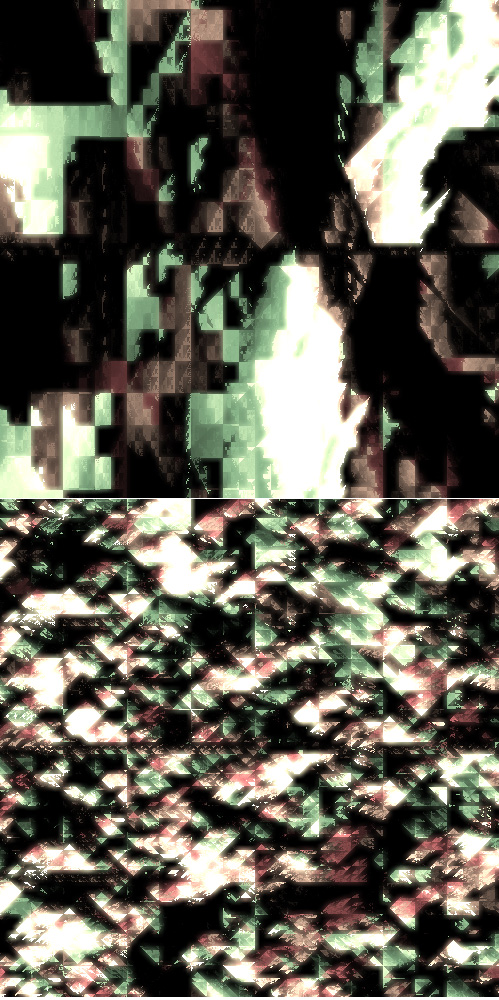
More texture experimentation…

Have a look at the swf over at wonderfl.net…

Read snippet: Sierpiński Glitch Texture #2

Odd Even Classic

// from http://www.bit-101.com/blog/?p=729
var number:Number = 10.5;

// for numbers
var isEven:Boolean = (number % 2) == 0;
trace(isEven);

// for ints
var integer:int = 10;
isEven = (integer & 1) == 0;
trace(isEven);

This is a classic that I’ve seen all over the place online… found myself needing it today and figured I should post it. It just an easy way to determine if a number is odd or even… I remember originally reading it over at Bit-101.com a few years back…

Two posts today because I think I missed a post recently…

Read snippet: Odd Even Classic

“in” Operator

var obj:Object = {name: "Joe", hobby: "Guitar", age:"80"};

if ("name" in obj){
	trace(obj, " has a name property");
}

if ("x" in obj == false){
	trace(obj, " doesn't have an x property");
}


var mySprite:Sprite = new Sprite();

if ("currentFrame" in mySprite == false){
	trace(mySprite, "does not have a currentFrame property");
}

The “in” operator can be used to check if an object has a specific property. In the above example I test a standard Object instance and a Sprite instance for a few different properties.

I could see this operator being used when dealing with * (wildcard) datatypes and dynamic style code….

Read snippet: “in” Operator

Canonical Representation of XOR

// xor
trace(0 ^ 0);
trace(0 ^ 1);
trace(1 ^ 0);
trace(1 ^ 1);

trace("canonical representation of xor");
trace(xor(0, 0));
trace(xor(0, 1));
trace(xor(1, 0));
trace(xor(1, 1));

function xor(a:int, b:int):int{
	//1-a   is the same as   int(!a)
	return 1-a & b | a & 1-b;
}

/*
outputs:
0
1
1
0
canonical representation of xor
0
1
1
0
*/

I learned about this from reading The Elements of Computing Systems: Building a Modern Computer from First Principles By Noam Nisan and Shimon Schocken

Check out chapter 1 from the above link for an easy to understand description of the canonical representation of a boolean function.

Just a side note… this happens to be the 100th post on actionsnippet.com

Read snippet: Canonical Representation of XOR

NAND

var a:int, b:int;

a = 0;
b = 0;

trace(int(!(a & b)));

a = 0;
b = 1;

trace(int(!(a & b)));

a = 1;
b = 0;

trace(int(!(a & b)));

a = 1;
b = 1;

trace(int(!(a & b)));

/*
outputs:
1
1
1
0
*/

/*
NAND
00    1
01    1
10    1
11    0
*/

I started reading “The Elements of Computing Systems: Building a Modern Computer from First Principles” By Noam Nisan and Shimon Schocken. So far it’s a very fun read. They talk about the power of NAND in the first chapter….

Read snippet: NAND

Variable Swap

//
// swap some variables
// all techniques except the first are from http://cpptruths.blogspot.com/2006/04/swapping-two-integers-in-one-liner.html
//
var a:Number = 1.1;
var b:Number= 2.2;

trace(a, b);

// best, fastest, easiest to read way
var t:Number= a;
a = b;
b = t;

trace(a, b);

// not recommended slower ways:

b=a+b-(a=b);

trace(a, b);

// xor versions will only work with ints and uints
trace("nxor kills decimals:");

// easy to understand xor version
a^=b;
b^=a;
a^=b;

trace(a, b);

// one line xor version

a=(b=(a=b^a)^b)^a;

trace(a, b);

/* outputs:
1.1 2.2
2.2 1.1
1.1 2.2

xor kills decimals:
2 1
1 2
*/

The above swaps variables a and b in a few different ways. The first way (using a temp variable) is the best and fastest way… the rest of the ways are just interesting and fun.

I was coding and something reminded me that there are obscure variable swapping techniques out there… so I figured I’d google for a bit…. there are tons of examples of these online – with lots of good explanations…. I got the above from this link.

Read snippet: Variable Swap

XOR Color Invert

var yellow:uint = 0xFFFF00;

// draws yellow circle
with(graphics) beginFill(yellow), drawCircle(100,100,50);

// invert the color using XOR assignment
// yellow becomes 0x0000FF
yellow ^= 0xFFFFFF;

// draws blue  circle 
with(graphics) beginFill(yellow), drawCircle(200,100,50);

Just a fun use for XOR. You could also do it without XOR assignment:

with(graphics) beginFill(yellow ^ 0xFFFFFF), drawCircle(200,100,50);

Playing a little with bitwise operators is a good way to make sure you understand them. Try tweaking this trace statement:

trace((0x543210 ^ 0xFFFFFF).toString(16));

If you’d like to read about bitwise operators, I recommend wikipedia’s article.

Read snippet: XOR Color Invert