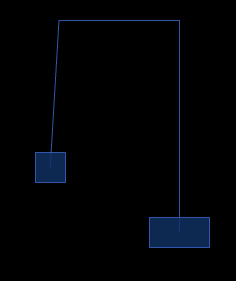
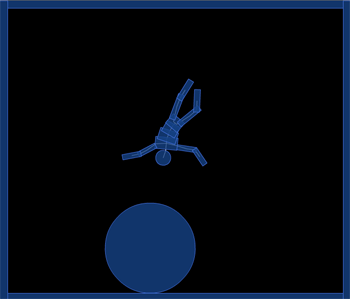
QuickBox2D pulley joint demo. This post is really meant to serve as part of the docs so it may seem a bit boring in its simplicity…
Have a look at the swf…
import com.actionsnippet.qbox.*;
import Box2D.Common.Math.*;

[SWF (backgroundColor=0x000000, width=700, height=600, frameRate=60)]

var sim:QuickBox2D = new QuickBox2D(this,{debug:false, frim:true, gravityY:1});

sim.setDefault({fillColor:0x113366, fillAlpha:0.8, lineColor:0x3355AA});

sim.createStageWalls();

var circle:QuickObject = sim.addCircle({x:10, y:10, radius:3});
var head:QuickObject = sim.addCircle({x:5, y:5, radius:0.5});
var torsoA:QuickObject = sim.addBox({x:5, y:6, width:1.5, height:0.8})
var torsoB:QuickObject = sim.addBox({x:5, y:6.5, width:1.25, height:0.8})
var torsoC:QuickObject = sim.addBox({x:5, y:7, width:1.0, height:0.8})
var pelvis:QuickObject = sim.addBox({x:5, y:7.5, width:1.0, height:0.8})
var leftLegA:QuickObject = sim.addBox({x:4.75, y:8.5, width:0.4, height:1.75});
var leftLegB:QuickObject = sim.addBox({x:4.75, y:9.75, width:0.4, height:1.5});
var rightLegA:QuickObject = sim.addBox({x:5.29, y:8.5, width:0.4, height:1.75});
var rightLegB:QuickObject = sim.addBox({x:5.29, y:9.75, width:0.4, height:1.5});
var leftArmA:QuickObject = sim.addBox({x:3.6, y:5.8, width:1.3, height:0.35});
var leftArmB:QuickObject = sim.addBox({x:2.5, y:5.8, width:1.25, height:0.35});
var rightArmA:QuickObject = sim.addBox({x:6.4, y:5.8, width:1.3, height:0.35});
var rightArmB:QuickObject = sim.addBox({x:7.5, y:5.8, width:1.25, height:0.35});

torsoA.body.SetLinearVelocity(new b2Vec2(0, 50));

var anchor:b2Vec2 = new b2Vec2();
function connect(a:QuickObject, b:QuickObject, lower:Number, upper:Number, offX:Number=0, offY:Number = 0):QuickObject{
	 var min:Number = Math.min(a.y, b.y);
     var max:Number = Math.max(a.y, b.y);
     anchor.y = min + (max - min) * 0.5 + offY;
     min = Math.min(a.x, b.x);
     max = Math.max(a.x, b.x);
     anchor.x = min + (max - min) * 0.5 + offX;
	return sim.addJoint({a:a.body, b:b.body, x1:anchor.x, y1:anchor.y, lowerAngle:lower, upperAngle:upper});
}

sim.setDefault({type:"revolute", collideConnected:false, enableLimit:true, lineColor:0xFFFFFF});

connect(head, torsoA, -.2, .2);
connect(torsoA, torsoB,-.2, .2);
connect(torsoC, torsoB,-.2, .2);
connect(torsoC, pelvis,-.2, .2);

connect(pelvis, leftLegA, -1, 1, 0, -0.5);
connect(leftLegA, leftLegB, -1, 1);

connect(pelvis, rightLegA, -1, 1, 0, -0.5);
connect(rightLegA, rightLegB, -1, 1);

connect(torsoA, leftArmA, -2, 1);
connect(leftArmA, leftArmB, -2, 1);

connect(torsoA, rightArmA, -1, 2)
connect(rightArmA, rightArmB, -1, 2)

sim.start();
sim.mouseDrag();
QuickBox2D alpha 108 is finally finished and different types of joints are now possible. I’ll be auto-posting joint demos over the next few days for each type of Box2D joint. Box2D joints are pretty confusing, I struggled a bit to decide on a good way to handle them in QuickBox2D, any suggestions are welcome.
[SWF(backgroundColor=0x000000, width = 800, height = 600)]

// this is a trick to keep the 3D texture quality up...
// try setting it right off the bat and you'll notice that the
// Shapes look pixilated
setTimeout(function():void{ stage.quality="low"}, 500);

var matrix:Matrix = new Matrix();
matrix.createGradientBox(600, 600, 0, -450, -450);

var boxNum:int = 30;
var boxes:Array = [];
for (var i:int = 0; i<boxNum; i++) boxes[i] = makeBox();

var dx:Number = 0, dy:Number = 0;
onLoop();
addEventListener(Event.ENTER_FRAME, onLoop);

function onLoop(evt:Event=null):void {
	dx += (mouseX - dx) / 4;
	dy += (mouseY - dy) / 4;
	for (var i:int = 0; i<boxNum; i++){
		var box:Shape = boxes[i];
		box.z = 400 - i * 20;
		box.x = dx;
		box.y = dy;
		box.rotation = i + getTimer() / 10;
	}
}

function makeBox():Shape{
	var box:Shape = Shape(addChild(new Shape()));
	box.x = stage.stageWidth/2;
	box.y = stage.stageHeight/2;
	box.z = 1;
	with (box.graphics){
		 beginGradientFill(GradientType.RADIAL, [0xFFFFFF, 0x333333], [1,1], [0, 255], matrix, SpreadMethod.PAD);
		drawRect(-100, -100, 200, 200);
		drawRect(-70, -70, 140, 140);
	}
	return box;
}
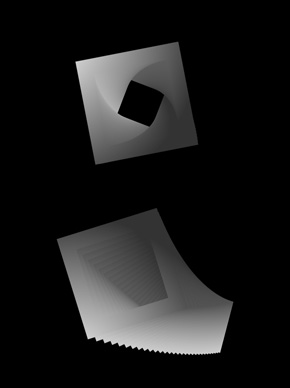
This snippet draws 30 gradient box shapes, gives them different z values and then moves them based on the mouse. This technique is good if you just want a few layers of parallax motion – I got carried away and you’ll notice that if you add more boxes it begins to slow down pretty quick.
Something interesting I noticed about fp10 3D DisplayObjects is that if you set the stage.quality to low right off the bat, the display objects look pixelated… but if you wait a few milliseconds, you end up with less pixelation and you still get a speed boost from the low quality – I think it must have something to do with the way the 3D textures are handled by the player…
Tomorrow I think I’ll post a version of this that uses IGraphicsData and Utils.projectVectors()… should be a huge speed boost…
This snippet uses a technique similar to what you might use to create a recursive tree. A bit of additional logic is added for bezier branches, filled shapes and animation.
[SWF(width = 628, height=500)]
var trans:Matrix = new Matrix();
var pnt:Point = new Point();
x = stage.stageWidth / 2;
y = stage.stageHeight / 2;
addEventListener(Event.ENTER_FRAME, onLoop);
function onLoop(evt:Event):void {
	graphics.clear();
	graphics.lineStyle(10, 0x000000, 1, false, LineScaleMode.NORMAL, CapsStyle.SQUARE);
	pnt.x = 0;
	pnt.y = 0;
	trans.identity();
	trans.translate(15,15);
	trans.rotate(mouseX/10 * Math.PI / 180);
	graphics.moveTo(pnt.x, pnt.y);
	for (var i:int = 0; i<12; i++){
		pnt = trans.transformPoint(pnt);
		graphics.lineTo(pnt.x, pnt.y);
	}
}
I was thinking about processing and OpenGL today… I always really enjoyed using matrix stuff, working with the matrix stack, using push() and pop() etc… Understanding how to use matrices is pretty important when your doing advanced graphics in actionscript. If you haven’t messed with matrices, this snippet is a good place to start. It uses Matrix.transformPoint() to draw a series of connected lines that are controlled by the x location of the mouse. Back before flash 8, this kind of thing was usually done using trig or MovieClip nesting…
stage.frameRate = 30;
stage.quality = StageQuality.LOW;

var canvas:BitmapData = new BitmapData(400,400,false, 0x000000);
addChild(new Bitmap(canvas));
var overlay:BitmapData = new BitmapData(400,400,true, 0x12000000);
var particles:Dictionary = new Dictionary(true);

var blur:Array = [new BlurFilter(8,8,1)];

addEventListener(Event.ENTER_FRAME, onLoop);
function onLoop(evt:Event):void {
	for (var i:int= 0; i<3; i++) createParticle();
	canvas.copyPixels(overlay, canvas.rect, new Point(0,0), null, null, true);
}

function createParticle():void{
	var s:MovieClip = new MovieClip();
	var diameter:Number = Math.random()*50 + 2;
	var radius:Number = diameter / 2;
	var mat:Matrix = new Matrix();
    mat.createGradientBox(diameter, diameter, 0, -radius, -radius);
	mat.createGradientBox(diameter, diameter, 0, -radius, -radius);
    s.graphics.beginGradientFill(GradientType.RADIAL, [ 0xFFCC32, 0xFF0000], [0.5,0.8], [0, 255], mat, SpreadMethod.PAD);
	s.graphics.drawCircle(0,0,radius);
	s.velX = 0;
	s.velY =  -Math.random()*6 + 3;
	s.posX = s.x = 150+ Math.random() * 100;
	s.posY = s.y = 200;
	s.theta= Math.random() * Math.PI * 2;
	s.inc = Math.random() * 0.4 + 0.01;
	s.rad = Math.random() * 4 + 1;
	s.filters = blur;
	// since the particles aren't on the display list, we need to keep a reference to them
	particles[s] = s;
	s.addEventListener(Event.ENTER_FRAME, onRunParticle);
}
function onRunParticle(evt:Event):void {
	var s:MovieClip = MovieClip(evt.currentTarget);
	s.posX += s.velX;
	s.posY += s.velY;
	s.velX = s.rad * Math.cos(s.theta);
	s.theta += s.inc;
	s.scaleX = s.scaleY -=  .03;
	if (s.scaleX < 0){
		particles[s] = null;
		s.removeEventListener(Event.ENTER_FRAME, onRunParticle);
	}
	s.x = s.posX;
	s.y = s.posY;
	canvas.draw(s, s.transform.matrix, null, BlendMode.ADD);
}
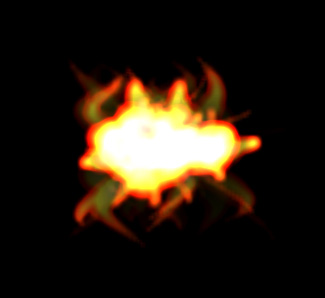
This is a slight variation on a simple particle system that I show in my intermediate class. It is almost the same as this example. But it makes use of filters and BitmapData.
Here is a still generated with this snippet. You’ll notice it vaguely resembles fire.
If you need more particles, there are other approaches that are more appropriate.
var canvas:Shape = Shape(addChild(new Shape()));
var gestures:Array=[];
var gestureNum:int = 0;
var capGesture:Array;
stage.addEventListener(MouseEvent.MOUSE_DOWN, onDown);
stage.addEventListener(MouseEvent.MOUSE_UP, onUp);
function onDown(evt:MouseEvent):void{
	 capGesture=[];
	 addEventListener(Event.ENTER_FRAME, onCapture);

	 canvas.graphics.lineStyle(3, 0xFF0000);
	 canvas.x = mouseX;
	 canvas.y = mouseY;
	 canvas.graphics.moveTo(0, 0);
}
function onUp(evt:MouseEvent):void{
	gestures.push(capGesture.concat());
	gestureNum++;
	 canvas.graphics.clear();
	removeEventListener(Event.ENTER_FRAME, onCapture);
}
function onCapture(evt:Event):void{
	capGesture.push(new Point(canvas.mouseX, canvas.mouseY));
	canvas.graphics.lineTo(canvas.mouseX, canvas.mouseY);
}

var currGesture:Array;
var drawing:Boolean = false;
var lineThickness:Number = 0;
var lineColor:Number = 0x000000;
var index:int = 0;
var pnt:Point;
var trans:Matrix = new Matrix();
var i:int
addEventListener(Event.ENTER_FRAME, onLoop);
function onLoop(evt:Event):void{
	if (gestureNum > 0){
		if (!drawing){
		  currGesture = gestures[int(Math.random() * gestureNum)].concat();
		  trans.identity();
		  trans.rotate(Math.random()*6.28);
		  var scale:Number = Math.random() * 2 + .1;
		  trans.scale(scale, scale);
		  trans.tx = Math.random() * stage.stageWidth
		  trans.ty = Math.random() * stage.stageHeight
		  for (i = 0; i<currGesture.length; i++){
			 currGesture[i] = trans.transformPoint(currGesture[i]);
		  }
		  lineThickness = Math.random() * Math.random() * 50;
		  if (int(Math.random()*10) ==1){
			 var col:uint = uint(Math.random()*255);
		     lineColor = col << 16 | col << 8 | col;
		  }
		  index = 0;
		  drawing = true;
		  graphics.lineStyle(lineThickness, lineColor);
		}else{
		   for (i = 0; i<10; i++){
			    if (drawing == true){
				   pnt = currGesture[index];
				   if (index == 0){
					  graphics.moveTo(pnt.x, pnt.y);
				   }else{
					  graphics.lineTo(pnt.x, pnt.y);
				   }
				   index++;
				   if (index == currGesture.length){
					   drawing = false;
				   }
		  	   }
		   }
		}
	}
}
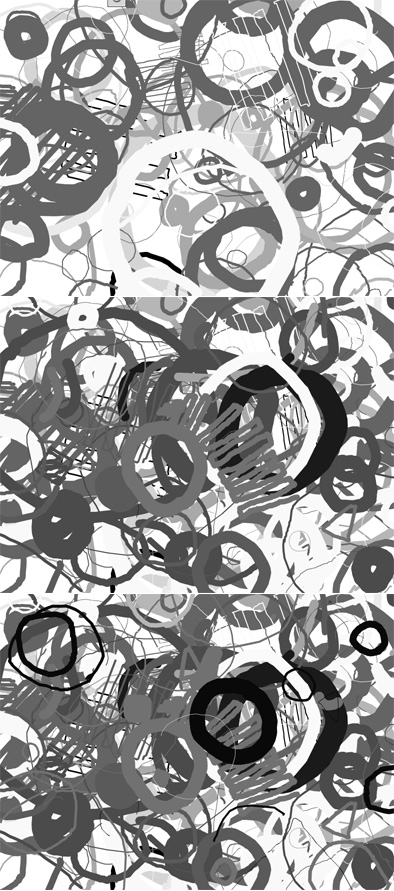
This snippet is an idea I have been meaning to try for sometime. It’s a mini-drawing program. You can draw single gestures (shapes, letters etc…) and the program then randomly scales, rotates, tints and translates these gestures repeatedly on the canvas. You can continue to draw as it does this, the more gestures you draw, the more the program will have to randomly choose from.
[SWF(width=401,height=401,background=0xEFEFEF)]

var w:Number = stage.stageWidth-1;
var h:Number = stage.stageHeight-1;
var tileSize:Number = 20;
var halfTileSize:Number = 20;
var hTiles:Number = w / tileSize;
var vTiles:Number = h / tileSize;
var world:Shape = Shape(addChild(new Shape()));
var map:Array=[];
populateMap();
var gridColor:uint = 0xCCCCCC;
grid(tileSize,  gridColor);

vTiles -= 1;
var movers:Array = [];
for (var i:int = 0; i<100; i++){
	movers.push(makeMover(i % hTiles, int( i / hTiles),0x000000))
	movers.push(makeMover(i % hTiles, vTiles - int( i / hTiles),0xFF0000))
}
var moverNum:int = movers.length;
hTiles -= 1;

addEventListener(Event.ENTER_FRAME, onLoop);
function onLoop(evt:Event):void {
	world.graphics.clear();
    for (var i:int = 0; i<moverNum; i++){
	   movers[i]();
     }
}
function populateMap():void{
	for (var i:int = 0; i<vTiles; i++){
		map[i] = [];
		for (var j:int = 0; j<hTiles; j++){
		    map[i][j] = 0;
		}
	}
}
function grid(size:Number=30, lineColor:uint=0xFFFF00, lineAlpha:Number=1):void {
    with(graphics){
		lineStyle(0, lineColor, lineAlpha);
		drawRect(0,0,w,h);
		for (var i:Number = size; i<w; i+=size) {
			moveTo(i, 0);
			lineTo(i, w);
		}
		for (i = size; i<h; i+=size) {
			moveTo(0, i);
			lineTo(h, i);
		}
	}
}
function makeMover(x:Number, y:Number, col:uint):Function{
	var xp:Number = x;
	var yp:Number = y;
	var prevX:Number = x;
	var prevY:Number = y;
	map[yp][xp] = 1;
	var dx:Number = xp;
	var dy:Number = yp;
	var counter:int = 0;
	return function():void{
		if (counter > 20){
			if (int(Math.random()*30) == 1){
				xp += int(Math.random()*2) - 1 | 1;
				xp = xp < 0 ? 0 : xp;
				xp = xp > hTiles ? hTiles : xp;
				if (map[yp][xp] == 1){
					 xp = prevX;
				}else{
					map[prevY][prevX] = 0;
					map[yp][xp] = 1;
					counter = 0;
				}
				prevX = xp;
			}else
			if (int(Math.random()*30) == 1){
				yp += int(Math.random()*2) - 1 | 1;
				yp = yp < 0 ? 0 : yp;
				yp = yp > vTiles ? vTiles : yp;
				if (map[yp][xp] == 1){
					 yp = prevY;
				}else{
					map[prevY][prevX] = 0;
					map[yp][xp] = 1;
					counter = 0;
				}
				prevY = yp;
			}
		}
		counter++;
		dx += (xp - dx) * 0.5;
		dy += (yp - dy) * 0.5;
		with(world.graphics){
			lineStyle(0, gridColor,1, true)
			beginFill(col);
			drawRect(dx * tileSize, dy * tileSize, tileSize, tileSize);
		}
	}
}
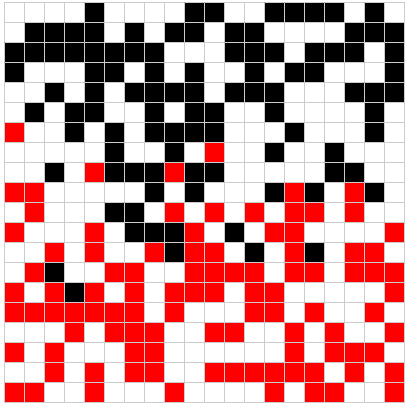
This (somewhat long) snippet moves boxes around on a grid – the boxes avoid one another by reading values in a 2D array. This technique can also be used for collision detection in tile-based games.