[SWF(width = 800, height= 600)]
var sw:Number = 800;
var sh:Number = 600;
var pixelNum:int = sw * sh;
var blurAmount:Number = 10;
var pnt:Point = new Point(0,0);
var rect:Rectangle = new Rectangle(0,0,sw,sh);

var canvas:BitmapData = new BitmapData(sw, sh, false, 0x000000);
var buffer:BitmapData = new BitmapData(sw, sh, false, 0x000000);
var feed  :BitmapData = new BitmapData(sw, sh, false, 0x000000);
var prev  :BitmapData = new BitmapData(sw, sh, false, 0x000000);

var frame:Bitmap = new Bitmap(canvas, "auto", true);
addChild(frame);

var cam:Camera =  Camera.getCamera();
cam.setMode(sw,sh,12);
var video:Video = new Video(sw, sh);
video.attachCamera(cam);

cam.addEventListener(ActivityEvent.ACTIVITY, onActivityStart);

function onActivityStart(evt:ActivityEvent):void {
	addEventListener(Event.ENTER_FRAME, onRun);
	cam.removeEventListener(ActivityEvent.ACTIVITY, onActivityStart);
}

function onRun(evt:Event):void{
	buffer.draw(video);
	feed.copyPixels(buffer, rect, pnt);
	buffer.draw(prev, null, null, BlendMode.DIFFERENCE);
	prev.draw(video);
	canvas.copyPixels(buffer, rect, pnt);
}
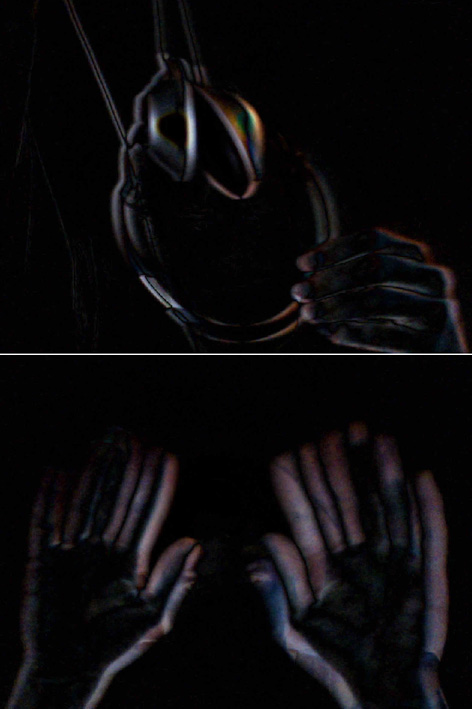
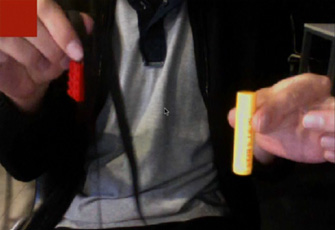
This snippet shows a simple method to do frame differencing with a web cam. This is useful for detecting which areas of the screen have change from frame to frame. This post assumes you pretty much know what frame differencing is.
This is one of those things I do a good deal but never wrapped up into a library… it’s easy (for me at least) to forget exactly how to set it up from scratch.
I added an extra buffer because it’s pretty common that you’ll want to other things aside from just frame differencing alone, so it’s nice to have it all wrapped up in a buffer BitmapData that you can use elsewhere. If speed is a real concern, you can do away with the buffer and just use the canvas instead – depending on what kind of analysis your doing on the frame differenced image it may be trickier without the buffer.
Something I do a fair bit on this website is use functions as objects. Here is a simple example post on wonderfl. Timeline code and a brief description are available below.
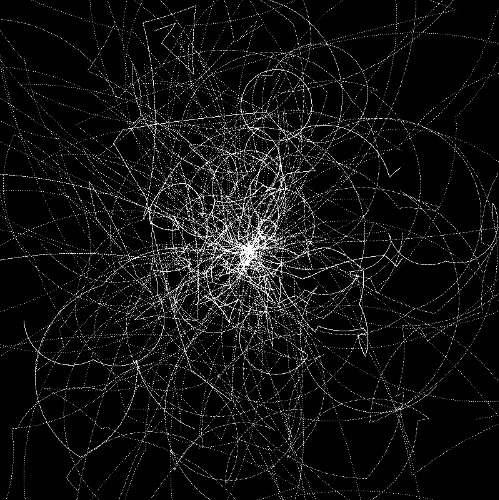
Here is a still of what it generates and below you’ll find the timeline as code:
[SWF(width = 500, height=500)]

var canvas:BitmapData = new BitmapData(800,800,false, 0x000000);
addChild(new Bitmap(canvas,"auto",true));
scaleX = scaleY = 500 / 800


var walkerNum:int = 50;
var walkers:Vector.<Function> = new Vector.<Function>(walkerNum, true);

makeWalkers();
runWalkers();

function makeWalkers():void{
	for (var i:int = 0; i<walkerNum; i++){
		walkers[i] = makeWalker();
	}
}
function runWalkers():void{
	addEventListener(Event.ENTER_FRAME, onRun);
}
function onRun(evt:Event):void{
	for (var i:int = 0; i<walkerNum; i++){
		walkers[i]();
	}
}

function makeWalker(xp:Number=400, yp:Number=400):Function{
	var x:Number = xp, y:Number = yp;
	var rad:Number = Math.random() * 4;
	var theta:Number = Math.random() * Math.PI * 2;
	var speed:Number = 0.01 * Math.random() * 2
	if (int(Math.random() * 2) == 1){
		speed *= -1;
	}
	return function():void{
		x += rad * Math.cos(theta);
		y += rad * Math.sin(theta);
		theta += speed
		if (int(Math.random() * 100) == 1){
			theta = Math.random() * Math.PI * 2;
		}
		if (x > 800 || x < 0 || y > 800 || y < 0){
			x = xp, y = yp;
		}
	    canvas.setPixel(x, y, 0xFFFFFF);
	}
}
The basic trick is to have a function return a function. The original function initializes typed local variables and the returned function has access to these values. This is one of many ways to do OOP style coding using functions alone. This is really only for fun and for speed coding reasons – it’s worth noting that this method is is significantly slower than using actual classes. I still have lots of fun with it despite the downsides.
If you don’t realize how powerful this is then there is something wrong with you (joking). If you don’t see how powerful this is, take some time and think about it. You can use it to avoid lots of annoying repetitive code in state machines for instance. It’s always important to keep things readable if you decide to go this route on a real project.
[EDIT ….and as Quasimondo mentioned there is a notable performance hit when using this syntax. So don’t forget to keep that in mind.]
function decode(str:String):Object {
	var vars:Object={};
	var parse:Array =str.split("&");
	var i:int=0;
	for (i = 0; i<parse.length; i++) {
		var pair:Array=parse[i].split("=");
		if (pair.length==2) {
			vars[pair[0]]=pair[1];
		}
	}
	return vars;
}

var nameValuePairs="one=1&&two=éllo&three=1000&four=0xFF0000";
var parsed:Object=decode(nameValuePairs);

trace(parsed.one);
trace(parsed.two);
trace(parsed.three);
trace(parsed.four);

/*outputs:
1
éllo
1000
0xFF0000
*/
Well not exactly a URLVariables replacement, but I often use the URLVariables.decode() function and find that its very picky… like if there is an extra & or something it freaks out and breaks, or if there are line returns. As a quick and simple solution the other day I wrote this function into part of a class (Model class) that I was working on. Fixed the problem and even handles Spanish characters nicely.
There is plenty of room for improvement with this simple function… feel free to post improvements in the comments.
If you’re at all interested in watching me free from code. I recorded a video of me coding this snippet (which is about 11 minutes long or so).
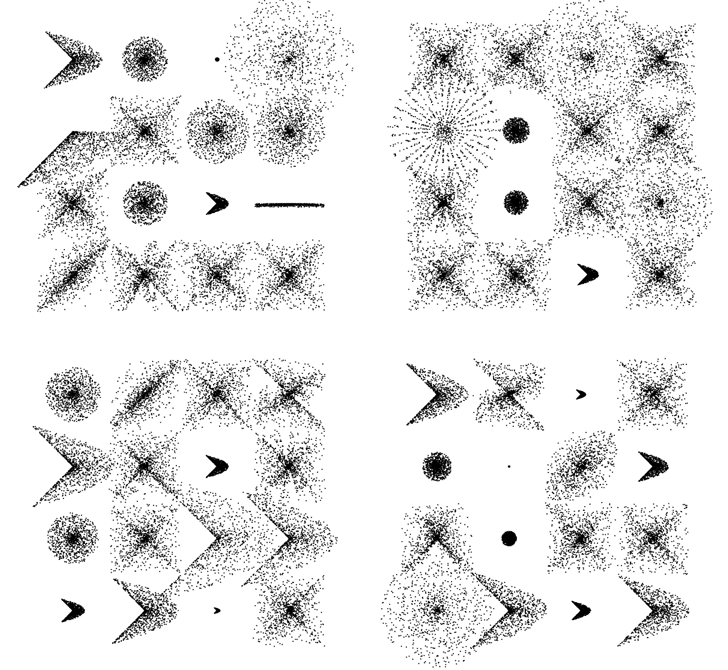
In the video I create a few functions that allow you to draw shapes like these:
Mathematically this stuff is really simple … the free form nature of the video takes a less technical perspective as you’ll see (I even made a few funny mistakes).
[SWF(width = 600, height = 600)]
var dotNum:int = 1000;
var dotRad:Number = 0.5;

x = 120
y = 100;

// extra stuff to display what the functions can do
stage.addEventListener(MouseEvent.CLICK, onDrawAll);

function onDrawAll(evt:Event):void{
	graphics.clear();
	for (var i:int = 0; i<16; i++){
		var m:Number;

		var rad:Number = 120;
		var xp:Number = i % 4 * rad
		var yp:Number = int(i / 4) * rad

		var type:int = int(Math.random() * 4);
		if (type == 0){
		  makeShape(xp, yp, rad-60, Math.random() , 1);
		}else if (type == 1){
		   makeShape(xp, yp, rad-60, 1,  Math.random());
		}
		else if (type == 2){
		   m = Math.random() * 2;
		   makeShape(xp, yp, rad-Math.random()*120, m, m);
		}
		else if (type == 3){
		   m = Math.random() * 2;
		   makeShape(xp, yp, rad-Math.random()*120, m, m/2);
		}
	}
}

// main part from the video
function makeShape(xp:Number, yp:Number,
				   maxRad:Number = 100,m0:Number=1,
				   m1:Number=1):void{
	var polarX:Number;
	var polarY:Number;
	var radius:Number;
	graphics.lineStyle(0, 0);
	var theta:Number = Math.random() * Math.PI * 2;
	for (var i:int = 0; i<dotNum; i++){
		radius = Math.random() * maxRad
		polarX = xp + radius * Math.cos(theta * m0);
		polarY = yp + radius * Math.sin(theta * m1);
		theta += 0.1;

		makeDot(polarX, polarY);

	}
}

function makeDot(xp:Number, yp:Number, fillColor:uint = 0x000000):void{
	graphics.beginFill(fillColor);
	graphics.drawCircle(xp, yp, dotRad);
	graphics.endFill();
}
So no one attempted to post their version for capturing saturated moving colors from a video feed.
I’ve had one working for some time now and based on the reactions I’m getting I think the approach I took is a relatively interesting one. Below You can watch a demo and view a descriptive diagram, as well as view the source code and and online version of the color selector.
Because we are working with a small group of developers on this project we’ve ported everything to processing (since that’s what most everyone is using)… but here is the original actionscript code, its a tad messy but it gets the job done:
var bufferSize:int = 20;
var blurAmount:Number = 20;
var motionColor:uint = 0xFF222222;
var pixelNum:int = 800 * 600;

var cam:Camera =  Camera.getCamera();

cam.addEventListener(ActivityEvent.ACTIVITY, onActivityStart);

function onActivityStart(evt:ActivityEvent):void {
	trace("start");
	addEventListener(Event.ENTER_FRAME, onLoop);
	cam.removeEventListener(ActivityEvent.ACTIVITY, onActivityStart);
}
 cam.setMode(800,600,30);

var video:Video = new Video(800, 600);
video.attachCamera(cam);

var canvas:BitmapData = new BitmapData(800,600,false, 0x000000);
//addChild(new Bitmap(canvas));
var feed:BitmapData = new BitmapData(800,600,false, 0x000000);
addChild(new Bitmap(feed));

var prev:BitmapData = new BitmapData(800,600,false, 0x000000);

var thresh:BitmapData = new BitmapData(800, 600, true, 0xFF000000);
//addChild(new Bitmap(thresh));
var cm = new ColorMatrixFilter([0.3086,0.6094,0.082,0,0,0.3086,0.6094,0.082,0,0,0.3086,0.6094,0.082,0,0,0,0,0,1,0]);

var threshSamples:Vector.<uint> = new Vector.<uint>();
var samples:Vector.<uint> = new Vector.<uint>();
var pixelSampleRate:int = 10;

var shape:Shape = Shape(addChild(new Shape()))


function onLoop(evt:Event):void {

		canvas.draw(video);
		feed.draw(video);

		canvas.draw(prev, null, null, BlendMode.DIFFERENCE);
		canvas.applyFilter(canvas, canvas.rect, new Point(0,0), new BlurFilter(blurAmount, blurAmount, 1));
		//canvas.applyFilter(canvas, canvas.rect, new Point(0,0), cm);
		prev.draw(video);

		thresh.fillRect(thresh.rect, 0x000000);
		thresh.threshold(canvas, canvas.rect, new Point(0,0), ">=", motionColor, 0xFFFF0000, 0xFF00FF00);

		threshSamples = thresh.getVector(thresh.rect);

		var cols:Array = []
		var index:int = 0;
		for (var i:int = 0; i<pixelNum; i+=pixelSampleRate){
			if (threshSamples[i] == 0xFFFF0000){
				var col = feed.getPixel(i % 800, int(i / 800));
				var r = col >> 16 & 0xFF;
				var g = col >> 8 & 0xFF;
				var b = col & 0xFF;
				var sl = toHSB(r, g, b);
				if (sl[0] > 60 && sl[1] > 30 && sl[1] < 60){
				  cols[index++] = col;
				}
			}
		}

		if (cols.length > 0){
			shape.graphics.clear();
			shape.graphics.beginFill(cols[int(cols.length * Math.random())]);
			shape.graphics.drawRect(0,0,100,100);
		}

}

// this is from somewhere online, if I can find the link I'll post it
function toHSB(R, G, B):Array{
	var H, S, L
	var var_R = ( R / 255 )                     //RGB from 0 to 255
	var var_G = ( G / 255 )
	var var_B = ( B / 255 )

	var var_Min = Math.min( var_R, var_G, var_B )    //Min. value of RGB
	var var_Max = Math.max( var_R, var_G, var_B )    //Max. value of RGB
	var del_Max = var_Max - var_Min             //Delta RGB value

	L = ( var_Max + var_Min ) / 2

	if ( del_Max == 0 )                     //This is a gray, no chroma...
	{
	   H = 0                                //HSL results from 0 to 1
	   S = 0
	}
	else                                    //Chromatic data...
	{
	   if ( L < 0.5 ) S = del_Max / ( var_Max + var_Min )
	   else           S = del_Max / ( 2 - var_Max - var_Min )

	  var del_R = ( ( ( var_Max - var_R ) / 6 ) + ( del_Max / 2 ) ) / del_Max
	  var del_G = ( ( ( var_Max - var_G ) / 6 ) + ( del_Max / 2 ) ) / del_Max
	  var del_B = ( ( ( var_Max - var_B ) / 6 ) + ( del_Max / 2 ) ) / del_Max

	   if      ( var_R == var_Max ) H = del_B - del_G
	   else if ( var_G == var_Max ) H = ( 1 / 3 ) + del_R - del_B
	   else if ( var_B == var_Max ) H = ( 2 / 3 ) + del_G - del_R

	   if ( H < 0 ) ; H += 1
	   if ( H > 1 ) ; H -= 1
	}
	return [ int(S * 100), int(100 * L)]
}
We’ve all done it… we’ve wasted way too much time writing an overly complex class just to create a simple square/roundrect button. Who has the nicest one? Post a link to yours (googlecode, wonderfl, etc…).
I’ve always avoided wasting too much time writing one of these but just spent 2 hours writing an overly complex one… looking forward to the way that people have done it….
For instance, did you make your class dynamic? Did you use scale9? did you use CSS? etc… Just curious how complex have gotten with it.
Write code that pulls saturated moving colors from a web cam… that is… if you move a red coffee cup across the screen your code should capture the color red.
A few hints: frame differencing, hsb and get/setVector.
I’ll post my working version tomorrow or the next day… this is a challenging one so I may give an extra day before I post my solution….
Today’s quiz is not multiple choice. Instead, your task is to write a lisp style math parser. This may sound tricky, but it’s surprisingly simple. (well… not simple exactly, it’s just simple compared to what one might assume).
Lisp uses prefix notation… where the operator is placed before the operands:
10 * 10
becomes:
* 10 10
You could think of this as a function “*” with two arguments (10, 10). In Lisp this is enclosed with parens:
(* 10 10)
Let’s see a few more examples:
100 / 2 + 10
becomes:
(+ (/ 100 2) 10)
…
2 * 4 * 6 * 7
becomes:
(* 2 4 6 7)
…
(2 + 2) * (10 – 2) * 2
becomes
(* (+ 2 2) (- 10 2) 2)
Remember, thinking “functions” really helps. The above can be though of as:
multiply( add(2, 2), subtract(10 , 2), 2)
You should create a function called parsePrefix() that takes a string and returns a number:
Here is some code to test if your parser works properly: