Browse the notebook

Tag: as3

Matrix Zoom and Pan

[SWF(width=600, height=600, frameRate=30)]
var sw:Number = stage.stageWidth;
var sh:Number = stage.stageHeight;

var s:Shape = Shape(addChild(new Shape()));

var scale:Number = 1;
var scaleDest:Number = 1;
var down:Boolean = false;
var dx:Number = 0, dy:Number = 0, time:Number = 0;

buttonMode = true;

addInstructions();
vectorTexture();

stage.addEventListener(MouseEvent.MOUSE_DOWN, onDown);
stage.addEventListener(MouseEvent.MOUSE_UP, onUp);
addEventListener(Event.ENTER_FRAME, onLoop);

function addInstructions():void{
	var instruct:Sprite = Sprite(addChild(new Sprite()));
	with (instruct.graphics) beginFill(0x666666), drawRect(0,0,270, 30);
	instruct.x = instruct.y = 20;
	var txt:TextField = TextField(instruct.addChild(new TextField()));
	txt.defaultTextFormat = new TextFormat("Verdana", 11);
	txt.x = txt.y = 5;
	txt.selectable = false;
	with (txt) textColor = 0xFFFFFF, autoSize = "left", text = "Click and hold to zoom, move mouse to pan";
}

function vectorTexture():void{
	var cols:Vector.<uint> = Vector.<uint>([0xFFFFFF, 0x000000]);
	var rnd:Vector.<Number> = new Vector.<Number>(6, true);
	
	for(var i:int = 0 ; i<50; i++){
		with(s.graphics){
			lineStyle(Math.random() * 50 + 2, cols[int(Math.random()*cols.length)]);
			drawCircle(Math.random() * sw, Math.random() * sh, 10 + Math.random() * Math.random() * 400);
		}
	}
	s.graphics.lineStyle(20, 0xCCCCCC);
	s.graphics.drawRect(0, 0,sw, sh);
}

function onDown(evt:MouseEvent):void{ down = true; }
function onUp(evt:MouseEvent):void{ down = false; }
function onLoop(evt:Event):void {
   if (down){
	 scaleDest *= 1.05;  
	 time = 0;
   }else{
	 time++;
	 // zoom out after 30 iterations
	 if (time == 30){
		 scaleDest = 1;  
	 }
   }
   scale += (scaleDest - scale) / 4;
   if (scale > 10) scale = scaleDest = 10;
   
   dx += (mouseX - dx) / 4;
   dy += (mouseY - dy) / 4;
   if (dx < 0) dx = 0;
   if (dy < 0) dy = 0;
   if (dx > sw) dx = sw;
   if (dy > sh) dy = sh;
   
   // matrix zoom/pan
   var m:Matrix = s.transform.matrix;
   m.identity();
   m.translate(-dx,-dy);
   m.scale(scale, scale);
   m.translate(dx,dy);
   s.transform.matrix = m;
}

I haven’t been by the computer much these last two weeks – been traveling. Going back to nyc tomorrow so I’ll go back to posting once a day.

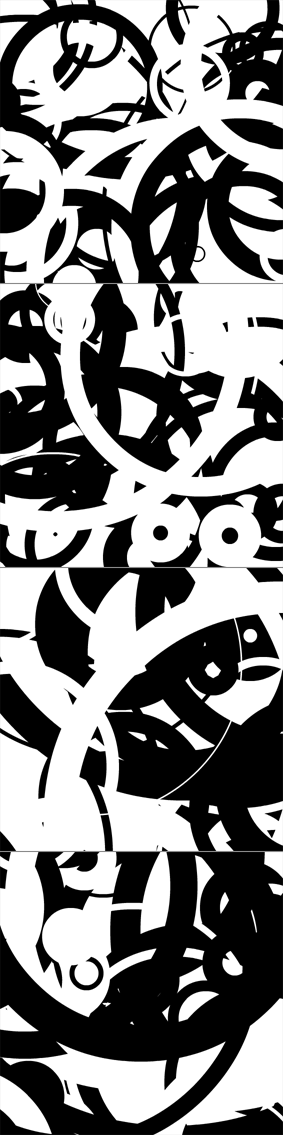
This snippet uses a transformation matrix to zoom in and pan a Sprite instance. For demo purposes I filled the sprite with a few circles – but you’d likely be using this with a vector image of a map, a floor plan or some other graphic that warrants zooming and panning.

Back around flash 7 (I think) before the Matrix class was introduced we used to have to use MovieClip nesting to achieve this effect.


Have a look at the swf…


Read snippet: Matrix Zoom and Pan

Distance Spring

[SWF(backgroundColor=0x222222, width=500, height=500)]
var hsw:Number = stage.stageWidth / 2;
var hsh:Number = stage.stageHeight / 2;
var pointNum:int = 800
var points3D:Vector.<Number> = new Vector.<Number>();
var points3Dout:Vector.<Number> = new Vector.<Number>();
var points2D:Vector.<Number> = new Vector.<Number>();
var uvts:Vector.<Number> = new Vector.<Number>();
var sorted:Array = [];
var pnt:Point = new Point();
var m:Matrix3D = new Matrix3D();
var v:Vector3D = new Vector3D();
for (var i:int = 0; i<pointNum; i++){
	v.y = i * 0.7 - 300
	var t =Math.random()*6.28;
	v.x = 200 * Math.cos(i * 2 * Math.PI / 180);
	v.z = 200 * Math.sin(i * 2 * Math.PI / 180);
	v = m.transformVector(v);
	points3D.push(v.x, v.y, v.z);
	points2D.push(0,0);
	uvts.push(0,0,0);
	sorted.push(new Vector3D());
}
points3D.fixed = true;
points2D.fixed = true;
uvts.fixed = true;
var p:PerspectiveProjection = new PerspectiveProjection();
var proj:Matrix3D = p.toMatrix3D();
var dx:Number = 0, dy:Number = 0;
addEventListener(Event.ENTER_FRAME, onLoop);
function onLoop(evt:Event):void {
	var i:int, j:int;
	dx += (mouseX - dx) / 4;
	dy += (mouseY - dy) / 4;
	m.identity();
	m.appendRotation(getTimer() / 4, Vector3D.Y_AXIS);
	m.transformVectors(points3D, points3Dout);
	
	m.identity();
	m.appendRotation(dx, Vector3D.Z_AXIS);
	m.appendRotation(dy, Vector3D.X_AXIS);
	m.appendTranslation(0, 0, 1000);
	m.append(proj);
	Utils3D.projectVectors(m, points3Dout, points2D, uvts);
	for (i = 0, j = 0; i<points2D.length; i+=2, j++){
		sorted[j].x = points2D[i] + hsw;
		sorted[j].y = points2D[i + 1] + hsh;
		sorted[j].z = uvts[j * 3 + 2];
	}
	sorted.sortOn("z", Array.NUMERIC);
	graphics.clear();
	for(i = 0; i<sorted.length; i++){
		var zpos:Number = sorted[i].z * 10000;
		var c:int = zpos * 14;
		graphics.beginFill(c <<16 | c <<8 | c);
		graphics.drawCircle(sorted[i].x, sorted[i].y, zpos);
		graphics.endFill();
	}
}

A variation on some recent posts… this snippet draws a rotating spring made up of 800 particles…

Have a look at the swf…


Read snippet: Distance Spring

QuickBox2D create() Method

import com.actionsnippet.qbox.*;
import Box2D.Common.Math.*;
import Box2D.Collision.Shapes.*;

[SWF(width = 600, height = 600, backgroundColor = 0x000000, frameRate=60)]

var sim:QuickBox2D = new QuickBox2D(this);

sim.setDefault({fillColor:0x990000, lineColor:0xFFCC00});
sim.createStageWalls();

var shapeTypes:Array = ["circle", "box", "poly"];
var pnts:Array = [-1, 0, -0.5, -1, 0.5, -1, 1, 0, 0,0.5, -1, 0];
var poly:Array=[];
for (var i:int = 0; i<20; i++){
	var xp:Number = 3 + Math.random()*15;
	var yp:Number = 3 + Math.random()*15;
	var w:Number = 0.2 + Math.random() * 2;
	var h:Number = 0.2 + Math.random() * 2;
	var r:Number = 0.2 + Math.random();
	var ang:Number = Math.random() * Math.PI * 2;
	var index:Number = int(Math.random()*shapeTypes.length);
	var s:Number = 0.3 + Math.random()*0.7;
	for (var j:int = 0; j<pnts.length; j++){
	     poly[j] = pnts[j] * s;
	}
	sim.setDefault({fillColor:int(Math.random()*255) << 16, lineColor:0xFFCC00});
	sim.create(shapeTypes[index], {x:xp, y:yp, width:w, height:h, angle:ang, radius:r, points:poly, wireframe:false})
}

sim.start();
sim.mouseDrag();

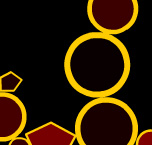
Was showing someone QuickBox2D today and created this demo after showing them a few other posts. After writing this, I realized I hadn’t posted about the QuickBox2D.create() method. Which is what addBox(), addRect(), addJoint() etc.. use internally. It takes a string for the type of QuickObject you’d like to create along with the standard params Object. Note that depending on the QuickObject type certain params will simply be ignored – for example radius is ignored when the type is “box” etc…


Have a look at the swf…

Read snippet: QuickBox2D create() Method

QuickBox2D groupIndex Platforms

import com.actionsnippet.qbox.*;
import Box2D.Common.Math.*;
import Box2D.Collision.Shapes.*;

[SWF(width = 800, height = 600, backgroundColor = 0x000000)]

var sim:QuickBox2D = new QuickBox2D(this);

sim.createStageWalls();

var boxNum:int = 8;
var boxes:Array = [];
var xp:Number, yp:Number, w:Number;
for (var i:int = 0; i<boxNum; i++){
	xp = 3 + Math.random() * 10;
	yp = 4 + i * 2;
	w = 2 + Math.random() * 3;
	boxes.push(sim.addBox({x: xp, y: yp, width: w, height: 0.5, density:0, groupIndex:-1, fillColor:0xFF6532}));
}

var char:QuickObject = sim.addBox({x:2, y:18, width:1, height:2, allowSleep:false, groupIndex:-1, fillColor:0x0099CC});

sim.start();

var charVel:b2Vec2;
var charVelAng:Number;

addEventListener(Event.ENTER_FRAME, onLoop);
function onLoop(evt:Event):void {
	 
	charVel = char.body.GetLinearVelocity();
	charVelAng =  char.body.GetAngularVelocity();
	var filter:b2FilterData;
	
	if (key[Keyboard.RIGHT]){
		charVel.x += 1
		char.body.SetLinearVelocity(charVel);
		charVelAng += 1;
		char.body.SetAngularVelocity(charVelAng);
	}
	if (key[Keyboard.LEFT]){
		charVel.x -=1;
		char.body.SetLinearVelocity(charVel);
		charVelAng -= 1;
		char.body.SetAngularVelocity(charVelAng);
	}
	if (key[Keyboard.UP] && sim.w.GetContactCount() > 0){
		 charVel.y = -10;
		 trace(charVel.y);
		 char.body.SetLinearVelocity(charVel);
		 charVelAng *= 0.8;
		 char.body.SetAngularVelocity(charVelAng);
	}
	for (var i:int = 0; i<boxes.length; i++){
		var rect:Rectangle = char.userData.getRect(this);
		if (rect.bottom / 30 < boxes[i].y){
			filter = boxes[i].shape.GetFilterData();
			filter.groupIndex = 1;
			boxes[i].shape.SetFilterData(filter);
		}else{
			filter = boxes[i].shape.GetFilterData();
			if (filter.groupIndex != -1){
				filter.groupIndex = -1;
				boxes[i].shape.SetFilterData(filter);
			}
		}
	}
}

var key:Object = new Object();
stage.addEventListener(KeyboardEvent.KEY_DOWN, onKeyPressed);
stage.addEventListener(KeyboardEvent.KEY_UP, onKeyReleased);
function onKeyPressed(evt:KeyboardEvent):void{ key[evt.keyCode] = true; }
function onKeyReleased(evt:KeyboardEvent):void{ key[evt.keyCode] = false; }

NOTE: This requires the QuickBox2D mini-library

This snippet shows how to use groupIndex to create simple platforms for a character to jump on. A few people have asked me about this so I figured I’d post about it. It works by altering the groupIndex of each platform based on the characters position – if the character is below a platform, both the character and the platform have groupIndex -1 (meaning they will not collide). As soon as the character is above a platform, the platforms groupIndex is set to 1 (allowing the character to walk on the platform despite having just passed through it.


Have a look at the swf…


It’s also worth noting that I’m using b2World.GetContactCount() to make sure it’s ok to jump… if there were more going on in the demo you’d need to check a specific contact point(s), but since the only collision that could happen involves the character this works nicely…

Read snippet: QuickBox2D groupIndex Platforms

Fake Light w/ UV & Quads

[SWF(width = 500, height=500, backgroundColor = 0x000000)]
x = stage.stageWidth / 2;
y = stage.stageHeight / 2;
var quadNum:int = 2200;
// standard Vectors for using drawTriangles
var verts:Vector.<Number> = new Vector.<Number>();
var pVerts:Vector.<Number>;
var uvts:Vector.<Number> = new Vector.<Number>();
var indices:Vector.<int> = new Vector.<int>();
// needed for z-sorting
var sortedIndices:Vector.<int>;
var faces:Array = [];
// we'll use this for tranforming points
// and as the transformation matrix for our render
var m:Matrix3D = new Matrix3D();
// plot a quad
var quad:Vector.<Number>;
quad = Vector.<Number>([-10, -10, 0,
						10, -10, 0,
						-10, 10, 0,
						10, 10, 0]);
// temp vect for any transformed quads
var transQuad:Vector.<Number> = new Vector.<Number>();
var i:int;
var inc:int = 0;
for (i = 0; i<quadNum; i++){
	m.identity();
	var s:Number = (int(Math.random()*50) == 1) ? 2 + Math.random()*2 : .1 + Math.random() * 2;
	m.appendScale(s, s, 1);
	m.appendRotation(90, Vector3D.Y_AXIS);
	var mult:Number = 100 + Math.random()*200;
	m.appendTranslation(mult, 0, 0);
	m.appendRotation(Math.random()*360, Vector3D.X_AXIS);
	m.appendRotation(Math.random()*360, Vector3D.Y_AXIS);
	m.appendRotation(Math.random()*360, Vector3D.Z_AXIS);
	m.transformVectors(quad, transQuad);
	verts = verts.concat(transQuad);
	faces.push(new Vector3D());
	faces.push(new Vector3D());
	var i4:int = i * 4;
	indices.push(0 + i4, 1 + i4, 2 + i4,
				 1 + i4, 3 + i4, 2 + i4);
	mult /= 300;
	uvts.push(mult,mult,0,
			  mult+.1,mult,0,
			  mult,mult - .1,0,
			  mult + .1,mult + .1,0);
}
sortedIndices = new Vector.<int>(indices.length, true);
// create texture
var tex:BitmapData = new BitmapData(400,400,false, 0x000000);
var grad:Shape = new Shape();
var mat:Matrix = new Matrix();
mat.createGradientBox(400,400,0,0,0);
with (grad.graphics){
	beginGradientFill(GradientType.LINEAR, [0xFFFFFF,0x002244], [1, 1], [100, 255], mat);
	drawRect(0,0,400,400);
}
tex.draw(grad);
// create background
mat.createGradientBox(1600,1200,0,-550, 0);
with (grad.graphics){
	beginGradientFill(GradientType.RADIAL, [0x000000, 0x001133], [1, 1], [0, 255], mat);
	drawRect(0,0,500,500);
}
grad.x = -stage.stageWidth/2
grad.y = -stage.stageHeight/2;
addChild(grad);
// triangles will be drawn to this
var render:Shape = Shape(addChild(new Shape()));
// fix all vector lengths
verts.fixed = true, uvts.fixed = true, indices.fixed = true
pVerts = new Vector.<Number>(verts.length/3 * 2, true);
// we need these if we want perspective
var persp:PerspectiveProjection = new PerspectiveProjection();
persp.fieldOfView = 45;
// projection matrix
var proj:Matrix3D = persp.toMatrix3D();
var dx:Number = 0, dy:Number = 0;
addEventListener(Event.ENTER_FRAME, onLoop);
function onLoop(evt:Event):void {
	dx += (mouseX - dx) / 4;
	dy += (mouseY - dy) / 4;
	m.identity();
	m.appendRotation(dy, Vector3D.X_AXIS);
	m.appendRotation(dx, Vector3D.Y_AXIS);
	m.appendTranslation(0,0,800);
	m.append(proj);
	Utils3D.projectVectors(m, verts, pVerts, uvts);
	var face:Vector3D;
	inc = 0;
	for (var i:int = 0; i<indices.length; i+=3){
		face = faces[inc];
		face.x = indices[i];
		face.y = indices[int(i + 1)];
		face.z = indices[int(i + 2)];
		var i3:int = i * 3;
		face.w = (uvts[int(face.x*3 + 2)] + uvts[int(face.y*3 + 2)] + uvts[int(face.z*3 + 2)]) * 0.333333;
		inc++;
	}
	faces.sortOn("w", Array.NUMERIC);
	inc = 0;
	for each (face in faces){
		sortedIndices[inc++] = face.x;
		sortedIndices[inc++] = face.y;
		sortedIndices[inc++] = face.z;
	}
	render.graphics.clear();
	render.graphics.beginBitmapFill(tex, null, false, false);
	render.graphics.drawTriangles(pVerts, sortedIndices, uvts, TriangleCulling.NEGATIVE);
}

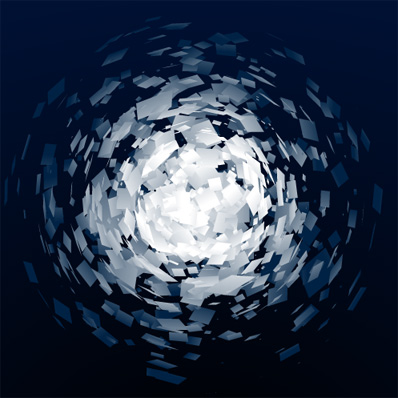
Expanding again on the z-sorting demos from the last few days – this snippet uses UV coords and a gradient to create something that vaguely resembles a light. Unlike the previous demos, the 3D cluster in this snippet is made up of quads – requiring a slight adjustment to the depth calculation.


Have a look at the swf…

I also posted the code over at wonderfl.net…

Read snippet: Fake Light w/ UV & Quads

More z-sorting

[SWF(width = 500, height=500, backgroundColor = 0x333333)]
x = stage.stageWidth / 2;
y = stage.stageHeight / 2;


var polyNum:int = 3000;
// standard Vectors for using drawTriangles
var verts:Vector.<Number> = new Vector.<Number>();
var pVerts:Vector.<Number>;
var uvts:Vector.<Number> = new Vector.<Number>();
var indices:Vector.<int> = new Vector.<int>();
// needed for z-sorting
var sortedIndices:Vector.<int>;
var faces:Array = [];

// we'll use this for tranforming points
// and as the transormation matrix for our render
var m:Matrix3D = new Matrix3D();

// plot a poly
var poly:Vector.<Number>;
poly = Vector.<Number>([ 0, 0, 0,
					    10, 0, 0,
					    0,10, 0]);

// temp vect for any transformed polygons
var transPoly:Vector.<Number> = new Vector.<Number>();

var i:int;
var inc:int = 0;
for (i = 0; i<polyNum; i++){
	m.identity();
	var s:Number = (int(Math.random()*50) == 1) ? 4 + Math.random()*2 : 1 + Math.random() * 2;
	m.appendScale(s, s, 1);
	m.appendRotation(Math.random()*360, Vector3D.X_AXIS);
	m.appendRotation(Math.random()*360, Vector3D.Y_AXIS);
	m.appendRotation(Math.random()*360, Vector3D.Z_AXIS);
	m.appendTranslation(200,0,0);
						 
	m.appendRotation(Math.random()*360, Vector3D.X_AXIS);
	m.appendRotation(Math.random()*360, Vector3D.Y_AXIS);
	m.appendRotation(Math.random()*360, Vector3D.Z_AXIS);
	
	m.transformVectors(poly, transPoly);
	
	verts = verts.concat(transPoly);
	faces.push(new Vector3D());
	indices.push(inc++, inc++, inc++);
	uvts.push(Math.random(), Math.random(), 0, Math.random(), Math.random(), 0, Math.random(), Math.random(), 0);
}

sortedIndices = new Vector.<int>(indices.length, true);

// create texture
var tex:BitmapData = new BitmapData(400,400,false, 0x000000);
var grad:Shape = new Shape();
var mat:Matrix = new Matrix();
mat.createGradientBox(400,400,0,0,0);
with (grad.graphics){
	beginGradientFill(GradientType.LINEAR, [0x000000, 0xAA0000, 0xFFFF00], [1, 1, 1], [20, 200, 255], mat);
	drawRect(0,0,400,400);
}
tex.draw(grad);

// create background
mat.createGradientBox(1600,1000,0,-550, -100);
with (grad.graphics){
	beginGradientFill(GradientType.RADIAL, [0x333333, 0xffffff], [1, 1], [0, 255], mat);
	drawRect(0,0,500,500);
}
grad.x = -stage.stageWidth/2
grad.y = -stage.stageHeight/2;
addChild(grad);

// triangles will be drawn to this
var render:Shape = Shape(addChild(new Shape()));

// fix all vector lengths
verts.fixed = true, uvts.fixed = true, indices.fixed = true
pVerts = new Vector.<Number>(verts.length/3 * 2, true); 

// we need these if we want perspective
var persp:PerspectiveProjection = new PerspectiveProjection();
persp.fieldOfView = 45;
// projection matrix
var proj:Matrix3D = persp.toMatrix3D();

var dx:Number = 0, dy:Number = 0;
addEventListener(Event.ENTER_FRAME, onLoop);
function onLoop(evt:Event):void {
	dx += (mouseX - dx) / 4;
	dy += (mouseY - dy) / 4;
	m.identity();
	m.appendRotation(dy, Vector3D.X_AXIS);
	m.appendRotation(dx, Vector3D.Y_AXIS);
	// push everything back so its not to close
	m.appendTranslation(0,0,800);
	// append the projection matrix at the end
	m.append(proj);
	
	Utils3D.projectVectors(m, verts, pVerts, uvts);
	
	var face:Vector3D;
	inc = 0;
	for (var i:int = 0; i<indices.length; i+=3){
		face = faces[inc];
		face.x = indices[i];
		// it may look odd, but casting to an int 
		// when doing operations inside array sytnax
		// adds a big speed boost
		face.y = indices[int(i + 1)];
		face.z = indices[int(i + 2)];
		var i3:int = i * 3;
		// get the average z position (t value) and store it in the Vector3D w property
		// depending on your model, you may not need to do an average of all 3 values
		face.w = (uvts[int(i3 + 2)] + uvts[int(i3 + 5)] + uvts[int(i3 + 8)]) * 0.333333;
		inc++;
	}
	 
	// sort on w, so far this beats all other sorting methods for speed,
	// faster than Vector.sort(), faster than any custom sort method I could find
	faces.sortOn("w", Array.NUMERIC);

	// re-order indices so that faces are drawn in the correct order (back to front);
	inc = 0;
	for each (face in faces){
		sortedIndices[inc++] = face.x;
		sortedIndices[inc++] = face.y;
		sortedIndices[inc++] = face.z;
	}
	
	render.graphics.clear();
	render.graphics.beginBitmapFill(tex, null, false, false);
	render.graphics.drawTriangles(pVerts, sortedIndices, uvts, TriangleCulling.NONE);
}

This is a slightly more advanced version of the z-sorting demo from yesterday. Here 3000 polygons are randomly arranged in a sphere formation…


Have a look at the swf…

Read snippet: More z-sorting

drawTriangles() & z-sorting

[SWF(width = 500, height=500, backgroundColor = 0x000000)]
x = stage.stageWidth / 2;
y = stage.stageHeight / 2;

// standard Vectors for using drawTriangles and projectVectors
var verts:Vector.<Number> = new Vector.<Number>();
var pVerts:Vector.<Number>;
var uvts:Vector.<Number>;
var indices:Vector.<int>;
// needed for z-sorting
var sortedIndices:Vector.<int>;
var faces:Array = [];

// we'll use this for transforming points
// and as the transformation matrix for our render
var m:Matrix3D = new Matrix3D();

// plot a poly
var poly:Vector.<Number>;
poly = Vector.<Number>([ 0, 0, 0,
					    10, 0, 0,
					    0,10, 0]);

verts = verts.concat(poly);
faces.push(new Vector3D());

// add two more polygons by transorming the poly Vector
// and concatenating it to the verts Vector
// Vector3D instances are added to the faces
// Array for z-sorting

// temp vect for any transformed polygons
var transPoly:Vector.<Number> = new Vector.<Number>();

m.appendRotation(10, Vector3D.Z_AXIS);
m.appendTranslation(0,-2,5);
m.transformVectors(poly, transPoly);

verts = verts.concat(transPoly);
faces.push(new Vector3D());

m.appendRotation(10, Vector3D.Z_AXIS);
m.appendTranslation(0,-2,5);
m.transformVectors(poly, transPoly);
verts = verts.concat(transPoly);
faces.push(new Vector3D());

// hard coded indices
indices = Vector.<int>([0, 1, 2, 3, 4, 5, 6, 7, 8]);
sortedIndices = new Vector.<int>(indices.length, true);

// create texture
var tex:BitmapData = new BitmapData(100,100,false, 0x000000);
tex.fillRect(new Rectangle(0,0,50,50), 0xFF0000);
tex.fillRect(new Rectangle(50,0,50,50), 0x0000FF);
tex.fillRect(new Rectangle(0,50,50,50), 0x00FF00);

// hard coded uvts 
uvts = Vector.<Number>([0,0,0, .5,0,0, 0,.5,0, 
						.53, 0, 0, 1, 0, 0, .53, .5, 0,
						 0,.6,.5, 0,.6,0, 0,1, 0]);
						
// fix all vector lengths
verts.fixed = true, uvts.fixed = true, indices.fixed = true
pVerts = new Vector.<Number>(verts.length/3 * 2, true); 

// we need these if we want perspective
var persp:PerspectiveProjection = new PerspectiveProjection();
// projection matrix
var proj:Matrix3D = persp.toMatrix3D();

addEventListener(Event.ENTER_FRAME, onLoop);
function onLoop(evt:Event):void {
	m.identity();
	m.appendRotation(mouseY * 2, Vector3D.X_AXIS);
	m.appendRotation(mouseX * 2, Vector3D.Y_AXIS);
	// push everything back so its not too close
	m.appendTranslation(0,0,40);
	// append the projection matrix at the end
	m.append(proj);
	
	Utils3D.projectVectors(m, verts, pVerts, uvts);
	
	var face:Vector3D;
	var inc:int = 0;
	for (var i:int = 0; i<indices.length; i+=3){
		face = faces[inc];
		face.x = indices[i];
		// it may look odd, but casting to an int 
		// when doing operations inside array sytnax
		// adds a big speed boost
		face.y = indices[int(i + 1)];
		face.z = indices[int(i + 2)];
		var i3:int = i * 3;
		// get the average z position (t value) and store it in the Vector3D w property
		// depending on your model, you may not need to do an average of all 3 values
                // (t is the distance from the eye to the texture)
		face.w = (uvts[int(i3 + 2)] + uvts[int(i3 + 5)] + uvts[int(i3 + 8)]) * 0.333333;
		inc++;
	}
	
	// sort on w, so far this beats all other sorting methods for speed,
	// faster than Vector.sort(), faster than any custom sort method I could find
	faces.sortOn("w", Array.NUMERIC);
	
	// re-order indices so that faces are drawn in the correct order (back to front);
	inc = 0;
	for each (face in faces){
		sortedIndices[inc++] = face.x;
		sortedIndices[inc++] = face.y;
		sortedIndices[inc++] = face.z;
	}
	
	graphics.clear();
	graphics.beginBitmapFill(tex, null, false, false);
	graphics.drawTriangles(pVerts, sortedIndices, uvts, TriangleCulling.NONE);
}

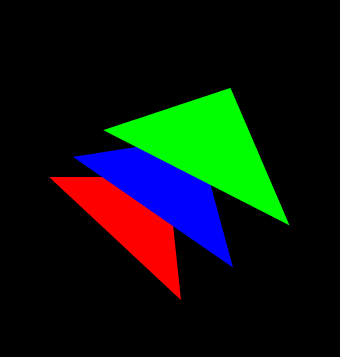
So you want to be able to do some z-sorting with drawTriangles()? Well, its extremely unintuitive. Here is what you need to know:

1) Vector.sort() is slow
2) Array.sortOn() is quite fast
3) I couldn’t get any custom sorting method to be faster than Array.sortOn
4) You can use the t value from uvts to do z-sorting (like in this demo)
5) If your going for speed, don’t forget to use fixed Vectors (I often forget this step)
6) When working with Vectors cast any operations inside brackets to int() (my tests showed this is a huge speed boost up to 3x faster – franky I think it’s horrible that you have to do this).

The swf is not very interesting because I wanted to keep it super simple, but here it is anyway…

Questions

I was told and have read that drawTriangles is slower than using drawGraphicsData and a GraphicsTrianglePath instance. I tested this extensively and found that drawGraphicsData was slower. I’m still not sure which is faster but am up for checking out any simple benchmarks that people have.

drawTriangles is supposed to be faster without adding t values to the uvts Vector. In my benchmark tests there was no real difference in speed. The t value is used to render more accurate textures – which would mean you could potentially use less triangles in your models. One would assume that not using a t value would be faster… but I couldn’t confirm this. Again if someone has a good benchmark for this, please let me know.

Help

I had a great deal of help from a few people on Twitter, Katopz (Away3D contributor) of sleepydesign.com made me aware of the fact that Array.sortOn is the way to go… You can see some great demos over at Katopz’s blog. While I didn’t end up using a custom sorting method, Inspirit
pointed me to his article about custom Vector sorting methods which proved to be very enlightening. I was able to get some really great results for doing different types of sorting – just sorting 1D Vectors with FlashSort can be very fast (faster than Array.sortOn – but not helpful for sorting a 1D Vector of indices).

I also learned a good deal by looking at this code post by Psyark… I actually optimized that code to run about 2x faster (will post that on wonderfl.net at some point, it just needs to be cleaned up).

kevinSuttle sent me a link to The video
Read snippet: drawTriangles() & z-sorting

globalToLocal() in 3D

[SWF(frameRate=60, backgroundColor=0x000000, width=500, height=500)]
stage.quality = "medium";
var frame:Sprite = Sprite(addChild(new Sprite()));
with (frame.graphics) beginFill(0xCCCCCC), drawRect(-200, -200, 400, 400), endFill();
frame.x = stage.stageWidth / 2;
frame.y = stage.stageHeight / 2;
frame.z = 100;

var canvas:Shape = Shape(frame.addChild(new Shape()));
var msk:Shape = Shape(frame.addChild(new Shape()));
with (msk.graphics) beginFill(0x00FF00), drawRect(-200, -200, 400, 400), endFill();
canvas.mask = msk

var txt:TextField = TextField(addChild(new TextField()));
txt.defaultTextFormat = new TextFormat("_sans", 12);
txt.x = txt.y = 10;
txt.textColor = 0xFFFFFF, txt.autoSize="left", txt.text = "Draw on the 3D plane...";

stage.addEventListener(MouseEvent.MOUSE_DOWN, onDown);
stage.addEventListener(MouseEvent.MOUSE_UP, onUp);
function onDown(evt:MouseEvent):void{
	canvas.graphics.lineStyle(4, 0x000000);
	var pnt:Point = frame.globalToLocal(new Point(mouseX, mouseY));
	canvas.graphics.moveTo(pnt.x, pnt.y);
	addEventListener(Event.ENTER_FRAME, onDraw);
}
function onUp(evt:MouseEvent):void{
	removeEventListener(Event.ENTER_FRAME, onDraw);
}

var t:Number = 0;
addEventListener(Event.ENTER_FRAME, onLoop);
function onLoop(evt:Event):void {
    frame.rotationY = 35 * Math.sin(t);
	frame.rotationX = 35 * Math.cos(t);
	t+=0.02;
}

function onDraw(evt:Event):void {
        var pnt:Point = frame.globalToLocal(new Point(mouseX, mouseY));
	canvas.graphics.lineTo(pnt.x, pnt.y);
}

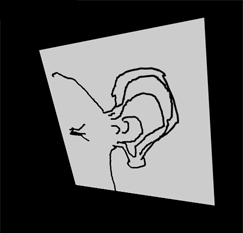
This demo shows that globalToLocal() works with 3D – saving us the trouble of doing some extra math if we want to draw on 3D display objects…

Have a look at the swf….


Was made aware of this trick by watching a video that kevinSuttle sent me via twitter. The video is an interview with Chris Nuuja (one of the flash player engineers).

Read snippet: globalToLocal() in 3D

3D Key Controls

[SWF(backgroundColor=0x000000, width=500, height=500)]
var hsw:Number = stage.stageWidth / 2;
var hsh:Number = stage.stageHeight / 2;
var pointNum:int = 300;
var points3D:Vector.<Number> = new Vector.<Number>();
var points2D:Vector.<Number> = new Vector.<Number>();
var uvts:Vector.<Number> = new Vector.<Number>();
var sorted:Array = [];
var pnt:Point = new Point();
var m:Matrix3D = new Matrix3D();
var v:Vector3D = new Vector3D();
for (var i:int = 0; i<pointNum; i++){
	v.x = 300;
	v.y = v.z = 0;
	m.identity();
	m.appendRotation(Math.random()*360, Vector3D.X_AXIS);
	m.appendRotation(Math.random()*360, Vector3D.Y_AXIS);
	m.appendRotation(Math.random()*360, Vector3D.Z_AXIS);
	v = m.transformVector(v);
	points3D.push(v.x, v.y, v.z);
	points2D.push(0,0);
	uvts.push(0,0,0);
	sorted.push(new Vector3D());
}
points3D.fixed = true;
points2D.fixed = true;
uvts.fixed = true;
var p:PerspectiveProjection = new PerspectiveProjection();
var proj:Matrix3D = p.toMatrix3D();
var rx:Number = 0, ry:Number = 0;
addEventListener(Event.ENTER_FRAME, onLoop);
function onLoop(evt:Event):void {
	var i:int, j:int;
	m.identity();
	if (key[Keyboard.RIGHT]){
		rx+=3
	}else
	if (key[Keyboard.LEFT]){
		rx-=3
	}else
	if (key[Keyboard.UP]){
		ry-=3
	}else
	if (key[Keyboard.DOWN]){
		ry+=3
	}
	m.appendRotation(rx, Vector3D.Y_AXIS);
	m.appendRotation(ry, Vector3D.X_AXIS);
	m.appendTranslation(0, 0, 1000);
	m.append(proj);
	Utils3D.projectVectors(m, points3D, points2D, uvts);
	for (i = 0, j = 0; i<points2D.length; i+=2, j++){
		sorted[j].x = points2D[i] + hsw;
		sorted[j].y = points2D[i + 1] + hsh;
		sorted[j].z = uvts[j * 3 + 2];
	}
	sorted.sortOn("z", Array.NUMERIC);
	graphics.clear();
	graphics.lineStyle(2, 0x000000, 0.1);
	for(i = 0; i<sorted.length; i++){
		var zpos:Number = sorted[i].z * 12000;
		var c:int = zpos * 14;
		c = (c > 255) ? 255 : c;
		graphics.beginFill(100<<16 | 100 << 8 |c);
		graphics.drawCircle(sorted[i].x, sorted[i].y,zpos);
		graphics.endFill();
	}
}

// permanently applies the matrix to the points3D vector
function applyTransform():void{
	m.identity();
	m.appendRotation(rx, Vector3D.Y_AXIS);
	m.appendRotation(ry, Vector3D.X_AXIS);
	var temp:Vector.<Number> = new Vector.<Number>();
	m.transformVectors(points3D, temp);
	points3D = temp;
	points3D.fixed = true;
	rx = 0, ry = 0;
}

// basic key setup
var key:Object = new Object();
stage.addEventListener(KeyboardEvent.KEY_DOWN, onKeyPressed);
stage.addEventListener(KeyboardEvent.KEY_UP, onKeyReleased);
function onKeyPressed(evt:KeyboardEvent):void {
	key[evt.keyCode] = true;
	key.keyCode = evt.keyCode;
}
function onKeyReleased(evt:KeyboardEvent):void { 
  applyTransform();
  key[evt.keyCode] = false;
}

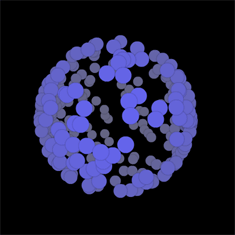
In response to Thomas Francis’s question, this snippet takes the Simple z-sorting snippet and shows how one might go about adding some basic key controls to it. It works by permanently applying x and y rotation transformations to the set of 3D points every time a key is released.

Check out the swf…

If you need to be able to rotate on both the x and y axis at the same time – and just need more flexibility… one way to do it would be to use quaternions – which may be tricky – but there are plenty of examples out there in java, processing and C/C++ just waiting to be ported (been on the todo list for some time actually).

Haven’t been posting every day because I’ve been out of the country and away from my computer… have a backlog of snippets that need to be cleaned up and put in the pipeline…

Read snippet: 3D Key Controls

Simple z-sorting

[SWF(backgroundColor=0x444444, width=500, height=500)]
var hsw:Number = stage.stageWidth / 2;
var hsh:Number = stage.stageHeight / 2;

var pointNum:int = 200;
var points3D:Vector.<Number> = new Vector.<Number>();
var points2D:Vector.<Number> = new Vector.<Number>();
var uvts:Vector.<Number> = new Vector.<Number>();
var sorted:Array = [];

var pnt:Point = new Point();
var m:Matrix3D = new Matrix3D();
var v:Vector3D = new Vector3D();
for (var i:int = 0; i<pointNum; i++){
	v.x = Math.random()*400-200;
	m.identity();
	m.appendRotation(Math.random()*360, Vector3D.X_AXIS);
	m.appendRotation(Math.random()*360, Vector3D.Y_AXIS);
	m.appendRotation(Math.random()*360, Vector3D.Z_AXIS);
	v = m.transformVector(v);
	points3D.push(v.x, v.y, v.z);
	points2D.push(0,0);
	uvts.push(0,0,0);
	sorted.push(new Vector3D());
}
points3D.fixed = true;
points2D.fixed = true;
uvts.fixed = true;

var p:PerspectiveProjection = new PerspectiveProjection();
var proj:Matrix3D = p.toMatrix3D();

var dx:Number = 0, dy:Number = 0;
addEventListener(Event.ENTER_FRAME, onLoop);
function onLoop(evt:Event):void {
	var i:int, j:int;
	dx += (mouseX - dx) / 4;
	dy += (mouseY - dy) / 4;
	m.identity();
	m.appendRotation(dx, Vector3D.Y_AXIS);
	m.appendRotation(dy, Vector3D.X_AXIS);
	m.appendTranslation(0, 0, 1000);
	m.append(proj);
	
	Utils3D.projectVectors(m, points3D, points2D, uvts);
	
	for (i = 0, j = 0; i<points2D.length; i+=2, j++){
		sorted[j].x = points2D[i] + hsw;
		sorted[j].y = points2D[i + 1] + hsh;
		sorted[j].z = uvts[j * 3 + 2];
	}
	sorted.sortOn("z", Array.NUMERIC);
	
	graphics.clear();
	for(i = 0; i<sorted.length; i++){
		var zpos:Number = sorted[i].z * 12000;
		var c:int = zpos * 14;
		graphics.beginFill(c << 16 | c << 8 | c);
		graphics.drawCircle(sorted[i].x, sorted[i].y,zpos);
		graphics.endFill();
	}
}

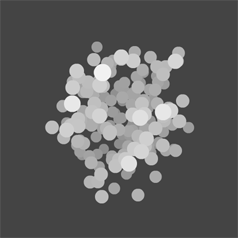
Here is an easy way to do z-sorting on a cluster of circles.


Have a look at the swf over at wonderfl…

Read snippet: Simple z-sorting