Choose two colors to breed them and create 5 new colors:
This is a speed coded pen from awhile back – the features object is interesting – it allows two objects to be bred together. In this case two colors. I could see this is as part of some advanced/abstract colorpicker that allows the user to home in on a color.
Many years ago when I had just started programming I found this absolute gem by Andries Odendaal.
modern es6 version
let rotX = 0, rotY = 0,
    perspective = 500,
    depth,
    currX, currY;
// learned something like this at Andries Odendaal's www.wireframe.co.za
function point3d(x, y, z) {
    let cosX = Math.cos(rotX),
        cosY = Math.cos(rotY),
        sinX = Math.sin(rotX),
        sinY = Math.sin(rotY),
        posX, posY, posZ;

    posZ = z * cosX - x * sinX,
    posX = z * sinX + x * cosX,
    posY = y * cosY - posZ * sinY,
    posZ = y * sinY + posZ * cosY;

    depth = 1 / (posZ / perspective + 1);
    currX = posX * depth;
    currY = posY * depth;

    return [ currX, currY, depth ];
}
Here’s is an example of it in action:
I’ve used this code many many times, it’s just easy to throw into any language and instantly get 3d points rendered in 2d. Here is a short video of a Java applet from 2003 called “Catch Env” that made use of it:
You’ll notice in that source, that I nested the equation to allow for local and global transformations. It was around that time that I learned the ins and outs of real 2D and 3D matrix transformation math… Ken Perlin’s classfiles from NYU were a real help when I was learning that stuff. I don’t think this was the exact file I was working with, but it was definitely on his site somewhere.
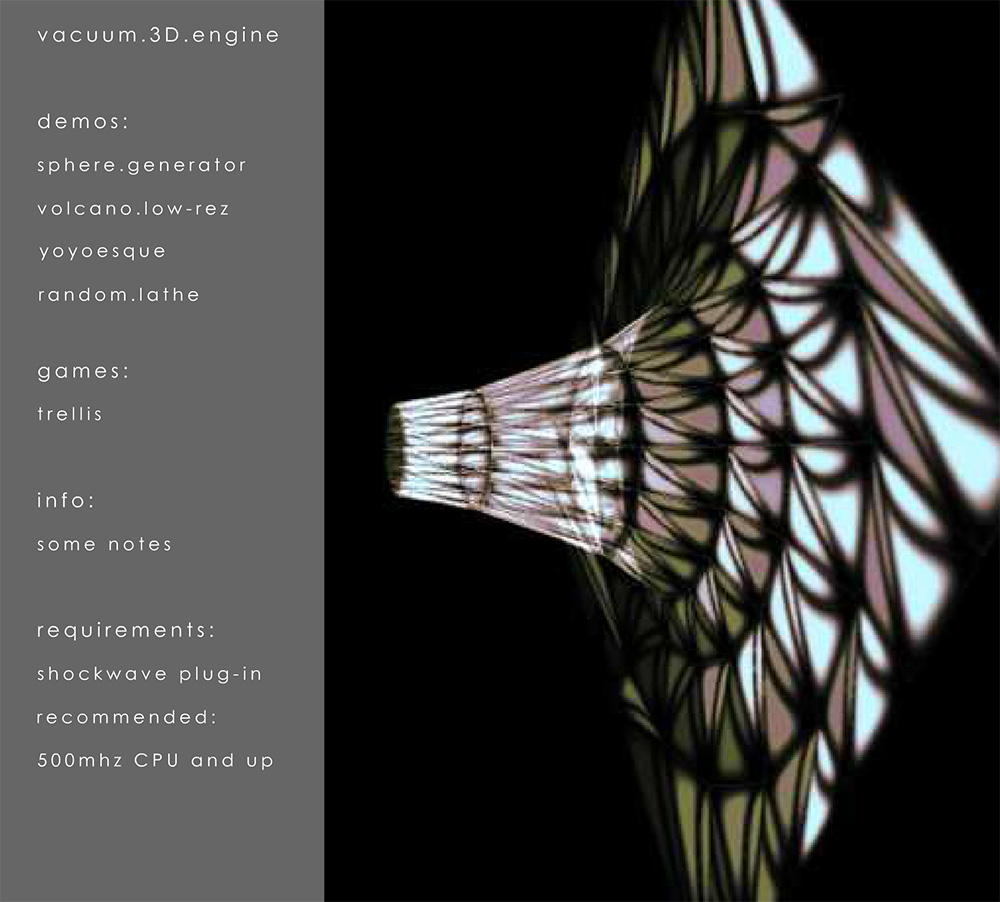
Before all that, during my junior year in college I created a 3d engine based off Odendaal’s code in Director (Lingo). Here is a video of some of the demos for it:
…and here is a strange screenshot from my personal website at the time:
Just an example of a powerful snippet and a gateway to learning matrix transformation math. When I first really dug in to html5 canvas – before WebGL was supported so widely – having this trick up my sleeve was great. As you can see in the below link, I used it more than a few times back then:
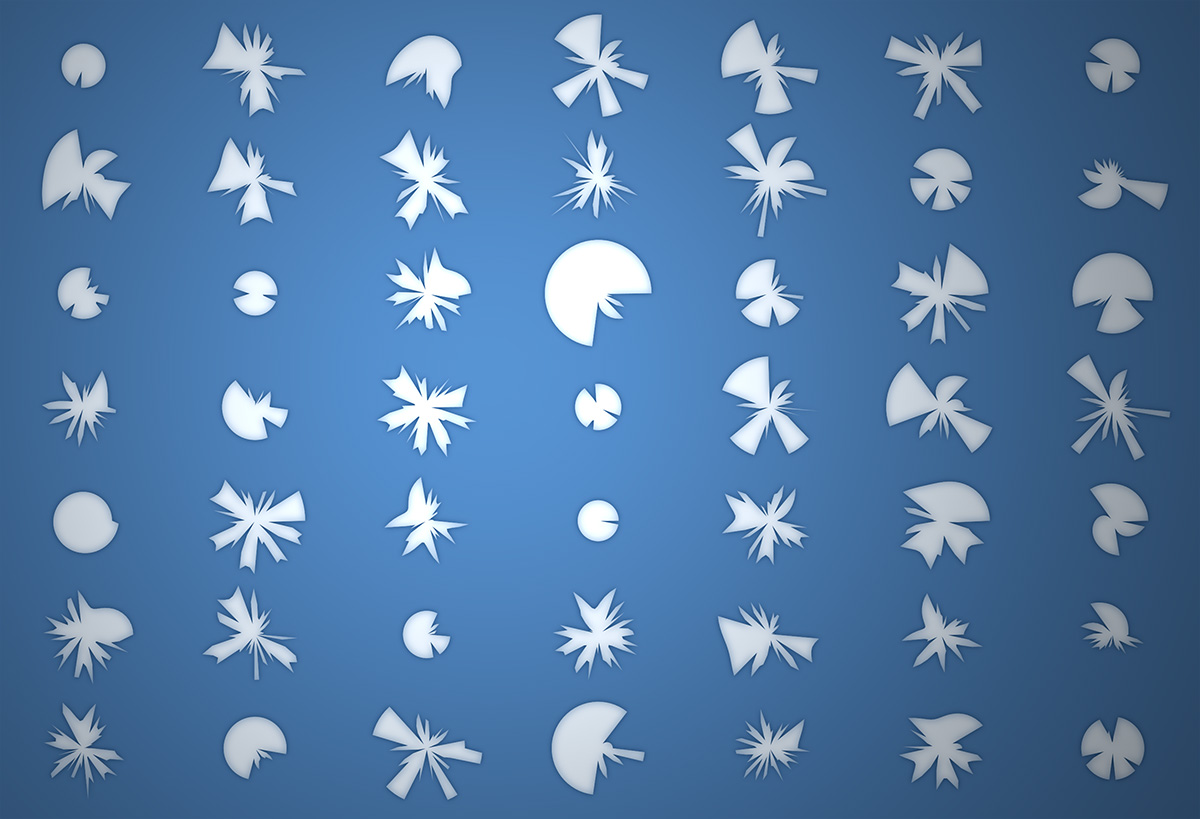
Around 2015 I had the idea for a PRNG that would clamp itself and have moments of “smoothness”. When I got around to trying to create such a thing, the result was something I jokingly called the “Hermit Crab Curve”. I also called it the “Shard Curve”.
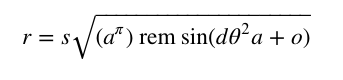
The equation for the curve defines a radius in polar coordinates:
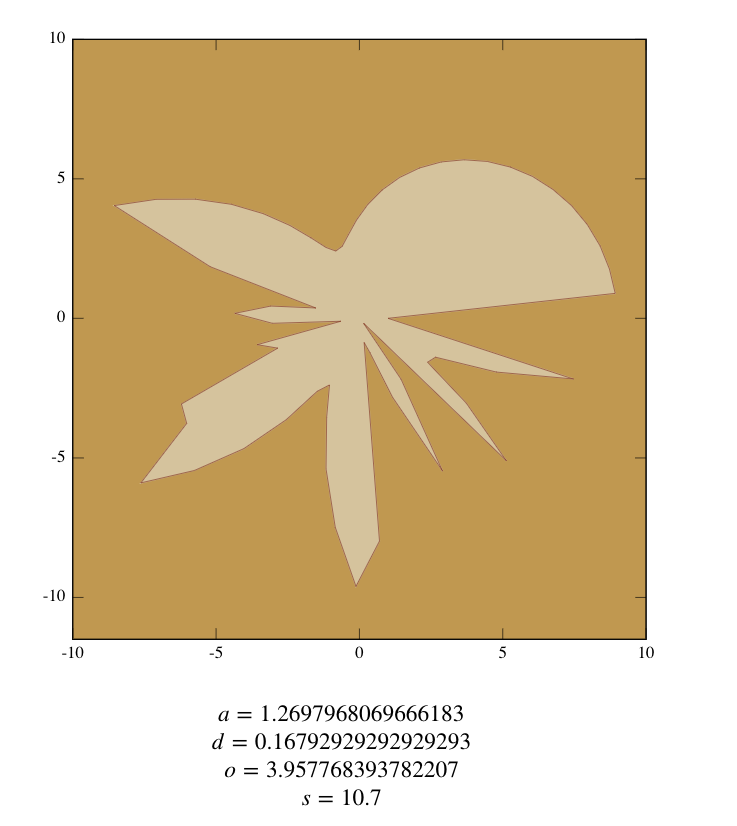
Where a and d are paramters that control the detail of the curve. o is a rotation and offset value for the angle and s is a scalar. Note the use of rem. The resulting curve is much less interesting if a standard modulo is used in place of a remainder:
The above variable values were found using this interactive version of the equation:
To illustrate how you might use this as a PRNG I created this fork of the above pen:
var circs:Array = []
var circNum:int = 600;
addEventListener(Event.ENTER_FRAME, onAdd);
function onAdd(evt:Event):void {
	if (circs.length < circNum){
		makeGrowable();
	}
}

function makeGrowable(){

	var s:MovieClip = MovieClip(addChild(new MovieClip()));
	s.x = Math.random() * stage.stageWidth;
	s.y = Math.random() * stage.stageHeight;
	with(s.graphics){
		lineStyle(0,0);
		drawCircle(0,0,10);
	}
	s.scaleX = s.scaleY = 0;
	circs.push(s);
	s.addEventListener(Event.ENTER_FRAME, onScaleUp);
}

function onScaleUp(evt:Event):void {
	var c:MovieClip = MovieClip(evt.currentTarget);
	c.scaleX = c.scaleY += 0.05;
	for (var i:int = 0; i<circs.length; i++){
		var circ:MovieClip = circs[i];
		if (circ != c){
			var amt:Number = circ.width/2 + c.width/2;
			var dx:Number = circ.x - c.x;
			var dy:Number = circ.y - c.y;
			var dist:Number = Math.sqrt(dx * dx + dy * dy);
			if (amt > dist){
				c.removeEventListener(Event.ENTER_FRAME, onScaleUp);
				if (c.scaleX < 0.1){
					if (contains(c)){
					removeChild(c);
					}
				}
			}
		}

	}
}
Circle fitting is one of those things I’ve never bothered to do… today I figured I’d give it a try and this is what I came up with. I posted it on wonderfl:
var circles:Array = [];
for (var i:int = 0; i<30; i++){
	var c:Sprite = makeCircle();
	c.x = stage.stageWidth / 2;
	c.y = stage.stageHeight / 2;
	c.scaleX = 1 + i/2;
	c.scaleY = 0.5 + i/4;
	addChild(c);
	circles.push(c);
}
addEventListener(Event.ENTER_FRAME, onLoop);
function onLoop(evt:Event):void {
	circles[0].y += (mouseY - circles[0].y) / 4;
	for (var i:int = 1; i<circles.length; i++){
		var pre:Sprite = circles[i - 1];
		circles[i].y += (pre.y - circles[i].y) / 4;
	}
}
function makeCircle():Sprite{
	var s:Sprite = new Sprite();
	with(s.graphics){
		lineStyle(0,0x000000);
		drawCircle(0,0,10);
	}
	return s;
}
This morning I woke up with a vision of this simple mouse toy in my head. I decided I might as well code it up… I may do more simple things like this in the next few days, it’s relaxing.
var offX:Number = 100;
var offY:Number = 300;
var scalarX:Number = 6;
var scalarY:Number = 200;
addEventListener(Event.ENTER_FRAME, onLoop);
function onLoop(evt:Event):void{
	var r:Number = mouseY / 100;
	var xn:Number = (mouseX - 100) / 650;
	var xn1:Number = 0;
	graphics.clear();
	graphics.lineStyle(0,0);
	for (var i:int = 0; i<100; i++){
	  xn1 = r * xn * (1 - xn);
	  xn = xn1;
	  if (i == 0){
		graphics.moveTo(offX+i*scalarX,offY+xn1*scalarY);
	  }else{
		graphics.lineTo(offX+i*scalarX, offY+xn1*scalarY);
	  }
	}
}
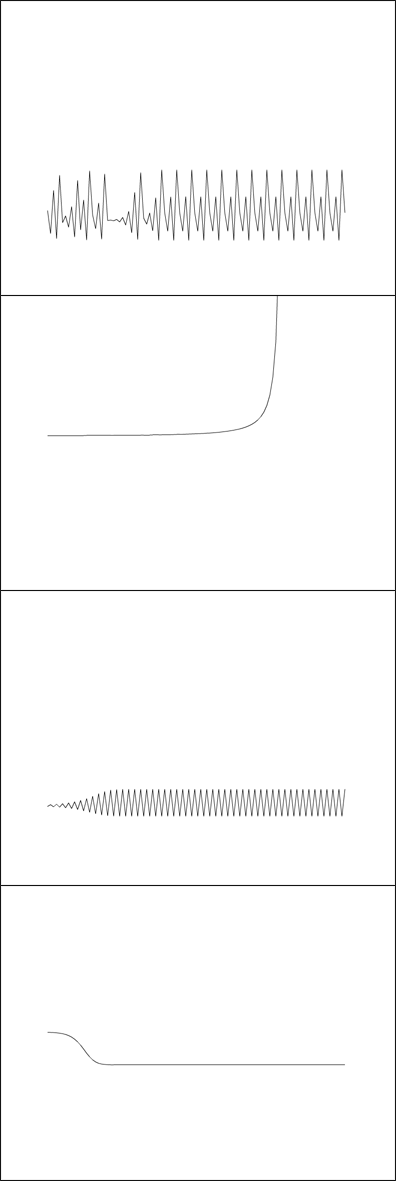
Whenever I can’t decide what kind of snippet to make, I simply go to wikipedia or mathworld for a bit and I always end up with something. I’ve messed with Logistic Maps before (when learning about strange attractors). This is a simple rendering where the x and y axis change the biotic potential (r) and the starting value for x.
[SWF(width = 500, height = 500)]
const TWO_PI:Number = Math.PI * 2;
var centerX:Number = stage.stageWidth / 2;
var centerY:Number = stage.stageHeight / 2;
addEventListener(Event.ENTER_FRAME, onLoop);
function onLoop(evt:Event):void{
	// data
	var points:Array = [];
	var i:int = 0;
	var pointNum : int = Math.max(2,int(mouseX / 12))

	var radius:Number = 200;
	var step:Number = TWO_PI / pointNum;
	var theta:Number = step / 2;
	for (i = 0; i<pointNum; i++){
		var xp:Number = centerX + radius * Math.cos(theta);
		var yp:Number = centerY + radius * Math.sin(theta);
		points[i] = new Point(xp, yp);
		theta += step;
	}
	// render
	graphics.clear();
	graphics.lineStyle(0,0);
	for ( i = 0; i<pointNum; i++){
     var a:Point = points[i];
     for (var j:int = 0; j<pointNum; j++){
        var b:Point = points[j];
        if (a != b){
		   graphics.drawCircle(a.x, a.y, 10);
		   graphics.moveTo(a.x, a.y);
	       graphics.lineTo(b.x, b.y);
        }
     }
   }
}
I’ve been using this geometric shape for lots of different things recently. Including during consulting gigs as a helpful visualization. Just move your mouse left and right… I particularly like the simpler forms you get by moving your mouse to the left (triangles squares and simple polygons):