[SWF(backgroundColor = 0xCCCCCC)]
var canvas:BitmapData = new BitmapData(stage.stageWidth,stage.stageHeight,true, 0xFFFFFFFF);
addChild(new Bitmap(canvas));

var loader:Loader = new Loader();
loader.load(new URLRequest("https://actionsnippet.com/wp-content/chair.jpg"));
loader.contentLoaderInfo.addEventListener(Event.COMPLETE, onComplete);
function onComplete(evt:Event):void{
	canvas.draw(loader);
}

var brush:Shape = new Shape();
var diameter:Number = 120;
var radius:Number = diameter / 2;
var matrix:Matrix = new Matrix();

var brushAlpha:BitmapData = new BitmapData(diameter, diameter, true, 0x00000000);
drawRadial();
brushAlpha.draw(brush);

var xp:Number = 0, yp:Number = 0, px:Number = 0, py:Number = 0;
var dx:Number, dy:Number;

stage.addEventListener(MouseEvent.MOUSE_MOVE, onLoop);
function onLoop(evt:Event):void {
	xp = mouseX - radius;
	yp = mouseY - radius;
	dx = xp - px;
	dy = yp - py;
	canvas.copyPixels(canvas,
					new Rectangle(px, py, diameter, diameter),
					new Point(xp, yp), brushAlpha, new Point(0,0), true);
	px = xp;
	py = yp
}

function drawRadial():void{
	matrix.createGradientBox(diameter, diameter, 0, 0, 0);
	with (brush.graphics){
		beginGradientFill(GradientType.RADIAL, [0xFFFFFF, 0xFFFFFF], [1,0], [0, 255], matrix, SpreadMethod.PAD);
		drawCircle(radius, radius, radius);
	}
}
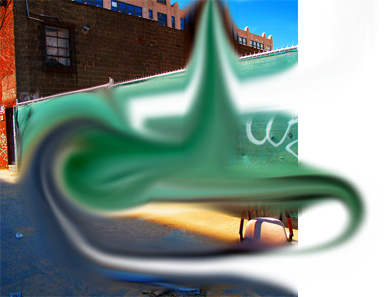
This is a quick snippet I wrote while thinking about how to create a smudge tool using BitmapData… it isn’t perfect, but it’s a good first step. It still needs some linear interpolation and I may need to do some pixel pushing to prevent a strange alpha anomaly that causes the brush to get darker than expected….
hey this is really cool! have you made anymore progress on it? i’d be really interested to know because I use smudge tool alot in my design work and would be really cool to experiment with this! good luck with it anyway.