Browse the notebook

Category: Graphics

HSV Color Type

[SWF(width=560,height=300,backgroundColor=0x000000,frameRate=30)]

var key:Object = new Object();
var alphabet:Array = "abcdefghijklmnopqrstuvwxyz".split("");

var num:Number = alphabet.length;
var step:Number = 360 / num;

var colors:Object = new Object();
for (var i:int  = 0; i<num; i++){
	var index:String = alphabet[i];
     key[index] = 65 + i;
	 var c:Array = hsv(i * step, 1, 1);
	 colors[index] = c[0] <<16 | c[1] <<8 | c[2];
}
alphabet.push("32");
num++;
key["32"] = 32;
colors["32"]  = 0x333333;
x = y = 10;
var count:int = 0;
var size:int = 20;
stage.addEventListener(KeyboardEvent.KEY_DOWN, onKeyPressed);
function onKeyPressed(evt:KeyboardEvent):void{
	for (var i:int= 0; i<num; i++){
		var index:String = alphabet[i];
		 if (index == "32"){
			trace("hi", evt.keyCode, key[index]); 
		 }
		if (evt.keyCode == key[index]){
			graphics.beginFill(colors[index]);
			var xp:int = count % num * size;
			var yp:int = int(count / num) * size;
			graphics.drawRect(xp, yp, size, size);
			count++;
		}
	}
}
// ported from here:
//http://www.cs.rit.edu/~ncs/color/t_convert.html
function hsv(h:Number, s:Number, v:Number):Array{
	var r:Number, g:Number, b:Number;
	var i:int;
	var f:Number, p:Number, q:Number, t:Number;
	if (s == 0){
		r = g = b = v;
		return [Math.round(r * 255), Math.round(g * 255), Math.round(b * 255)];
	}
	h /= 60;
	i  = Math.floor(h);
	f = h - i;
	p = v *  (1 - s);
	q = v * (1 - s * f);
	t = v * (1 - s * (1 - f));
	switch( i ) {
		case 0:
			r = v, g = t, b = p;
			break;
		case 1:
			r = q, g = v, b = p;
			break;
		case 2:
			r = p, g = v, b = t;
			break;
		case 3:
			r = p, g = q, b = v;
			break;
		case 4:
			r = t, g = p, b = v;
			break;
		default:		// case 5:
			r = v, g = p, b = q;
			break;
	}
	return [Math.round(r * 255), Math.round(g * 255), Math.round(b * 255)];
}

This snippet is a typing experiment – for every letter, you type a box filled with a specific color is drawn to the stage. The color associated with each letter is determined by moving through hsv color space – so typing an alphabet will end up with something resembling a spectrum.
Read snippet: HSV Color Type

XML to ActionScript #3 (AsXML)

<code>
  <make reference="w" class="BasicView" args="stage.stageWidth, stage.stageHeight, false"/>
  <call method="addChild" args="w"/>
  
  <make reference="wireMat" class="WireframeMaterial" args="0x000000" />
  
  <make reference="sphere" class="Sphere" args="wireMat, 100" />
  
  <call method="w.scene.addChild" args="sphere" />
  
  <make reference="animation" class="Object" >
    <set z="-500" rotationY="360"  rotationX="360" ease="Back.easeOut"/>
  </make>
  
  <call method="TweenLite.to" args="sphere, 3, animation" />
  
  <call method="setInterval" args="w.singleRender, 32" />
  
</code>

This snippet shows XML that the mini-library AsXML can read and run – in this case AsXML is set up to run with Papervision

A few days ago I had the idea to write some code that would run ActionScript based on XML. I spent some time getting rid of a few bugs and setting up some demos with TweenLite, Papervision and QuickBox2D. I wrapped everything up into a mini-library called AsXML.

Check out the demos here.


Download AsXML and demo files here.

AsXML Features:
1) call methods of the main timeline
2) read and write properties on the main timeline
3) instantiate classes on the main timeline
4) call methods on these classes
5) read and write properties on these classes
6) store references to return values from functions

Read snippet: XML to ActionScript #3 (AsXML)

IGraphicsData Example

// note the high framerate for testing purposes
[SWF(width = 800, height = 600, frameRate=60)]
// red, yellow, blue
var fills:Vector.<IGraphicsData> = Vector.<IGraphicsData>([new GraphicsSolidFill(0xFF0000),  new GraphicsSolidFill(0xFFCC00), new GraphicsSolidFill(0x0033FF)]);

var stroke:IGraphicsData = new GraphicsStroke();

var cmds:Vector.<int> = new Vector.<int>();
var ci:int = 0;
var dat:Vector.<Number> = new Vector.<Number>();
var di:int = 0;
var igraph:Vector.<IGraphicsData> = new Vector.<IGraphicsData>();
var ig:int  = 0;
var path:Vector.<GraphicsPath> = new Vector.<GraphicsPath>();
var boxNum:int = 1500;
var locX:Vector.<Number> = new Vector.<Number>(boxNum);
var locY:Vector.<Number> = new Vector.<Number>(boxNum);
var velX:Vector.<Number> = new Vector.<Number>(boxNum);
var velY:Vector.<Number> = new Vector.<Number>(boxNum);
var cols:int = 50;
for (var i:int = 0; i<boxNum; i++){
	path[i] = new GraphicsPath(new Vector.<int>(), new Vector.<Number>());
	path[i].winding = GraphicsPathWinding.NON_ZERO;
	var theta:Number = i * Math.PI/180;
	var sin:Number = Math.cos(theta);
	var cos:Number =  Math.sin(theta);
	var r:Number = Math.random()*100;
	var vr:Number = r * 0.05;
	velX[i] = vr * cos;
	velY[i] = vr * sin;
	locX[i] = 400 + r * cos;
    locY[i] = 300 + r * sin;
}

// box vars
var xp:Number, yp:Number, size:Number, hs:Number;
// corners
var x0:Number, y0:Number, x1:Number, y1:Number;

addEventListener(Event.ENTER_FRAME, onLoop);
function onLoop(evt:Event):void {
	graphics.clear();
	ig = 0;
	for (i= 0; i<boxNum; i++){
		// inline function:
		locX[i] += velX[i];
		locY[i] += velY[i];
		xp = locX[i];
		yp = locY[i];
		if (xp < 0 || xp > 800){
			velX[i] *= -1;
		}
		if (yp < 0 || yp > 600){
			velY[i] *= -1;
		}
		size = 10 + i % 10;
		hs = size * 0.5;
		x0 = xp - hs, y0 = yp - hs;
		x1 = xp + hs, y1 = yp + hs;
		ci = 0;
		di = 0;
		cmds = path[i].commands;
		dat = path[i].data;
		// GraphicsPathCommand.MOVE_TO
		cmds[ci++] = 1;
		dat[di++] = x0 , dat[di++] = y0;
		// GraphicsPathCommand.LINE_TO
		cmds[ci++] = 2;
		dat[di++] = x1 , dat[di++] = y0;
		// GraphicsPathCommand.LINE_TO
		cmds[ci++] = 2;
		dat[di++] = x1 , dat[di++] = y1;
		// GraphicsPathCommand.LINE_TO
		cmds[ci++] = 2;
		dat[di++] = x0 , dat[di++] = y1;
		// end inline function
		 
		path[i].commands = cmds;
		path[i].data = dat;
		igraph[ig++] = fills[i % 3];
		igraph[ig++] = path[i];
	}
	// everything is drawn with one function call
    graphics.drawGraphicsData(igraph);
}

I haven’t spent much time with IGraphicsData. It’s a very cool feature and I think its going to take me awhile to realize its full potential. Since I have to start somewhere I decided to write this snippet to show that it is rather fast. I also recalled reading some benchmark info for the new fp10 graphics stuff over at bytearray.org…. pretty nice info there…

This snippet is pretty optimized, there are a few areas (such as the recurring population of the cmds Vector) that could be optimized more but are left this way for SOME flexibility.

Read snippet: IGraphicsData Example

Vectorpark Style Cylinder

const TWO_PI:Number = Math.PI * 2;
const PI_HALF_PI:Number = Math.PI + Math.PI / 2;
x = stage.stageWidth / 2;
y = stage.stageHeight / 2;
var runCylinder:Function = makeCylinder(0,0, 100, 300, 0xFF0000, 0xFFCC00);
var dx:Number = 0;
var dy:Number = 0;
addEventListener(Event.ENTER_FRAME, onLoop);
function onLoop(evt:Event):void {
	dx += (mouseX / 50 - dx) / 4;
	dy += (mouseY - dy) / 4;
	runCylinder(dx, dy);
}
function makeCylinder(x:Number, y:Number, size:Number, length:Number, colA:uint, colB:uint):Function{
	var s:Sprite = Sprite(addChild(new Sprite()));
	s.x = x;
	s.y = y;
	var acol:uint = colB;
	var bcol:uint = colB;
	var halfLength:Number = length / 2;
	var capA:Sprite = Sprite(s.addChild(new Sprite()));
	var box:Sprite = Sprite(s.addChild(new Sprite()));
	var w:Number = size * 2;
	var h:Number = length;
	with (box.graphics)  beginFill(colA), drawRect(-w/2, -h/2, w,h);
	var capB:Sprite = Sprite(s.addChild(new Sprite()));
	return function(theta:Number, rot:Number){
		theta %= TWO_PI;
		if (theta <0){
			theta = TWO_PI - -theta;
		}
		var scale:Number = Math.cos(theta);
		if (theta> 1.57){
			acol = colA;
			s.addChild(capB);
			bcol = colB;
		} else {
			acol = colB;
			bcol = colA;
			s.addChild(capA);
		}
		if (theta> PI_HALF_PI){
			acol = colB;
			bcol = colA;
			s.addChild(capA);
		}
		
		var sin:Number = Math.sin(theta);
		box.scaleY = sin;
		capA.y = halfLength * sin;
		capB.y = -capA.y;
		with(capA.graphics) clear(), beginFill(acol), scaleYcircle(capA.graphics,size, scale);
		with(capB.graphics) clear(), beginFill(bcol), scaleYcircle(capB.graphics,size, scale);
		s.rotation = rot;
	}
}
// original circle function by senocular (www.senocular.com) from here http://www.actionscript.org/forums/showthread.php3?s=&threadid=30328
// circle that can be scaled on the y axis
function scaleYcircle(g:Graphics, r:Number, s:Number = 1):void {
	var c1:Number = r * (Math.SQRT2 - 1);
	var c2:Number = r * Math.SQRT2 / 2;
	var rs:Number = r * s, c1s:Number = c1 * s, c2s:Number = c2 * s;
	var x_r:Number =  -r, y_r:Number = -rs, x_c2:Number =  -c2;
	var y_c2:Number =  -c2s, x_c1:Number =  -c1, y_c1:Number =  -c1s
	g.moveTo(r, 0), g.curveTo(r, c1s, c2, c2s);
	g.curveTo(c1, rs, 0, rs), g.curveTo(x_c1,rs, x_c2, c2s);
	g.curveTo(x_r, c1s, x_r, 0), g.curveTo(x_r,y_c1,x_c2,y_c2);
	g.curveTo(x_c1,y_r,0,y_r), g.curveTo(c1,y_r,c2,y_c2);
	g.curveTo(r,y_c1,r,0);
}

This is similar to the last post I did…. inspired by some of the great stuff over at VectorPark.com… this snippet creates a 3D cylinder out of two circles and a box…

Read snippet: Vectorpark Style Cylinder

Vectorpark Style Hemisphere

const TWO_PI:Number = Math.PI * 2;
const PI_HALF_PI:Number = Math.PI + Math.PI / 2;
x = stage.stageWidth / 2;
y = stage.stageHeight / 2;

var runHemisphere:Function = makeHemisphere(0,0, 100,0xFF0000, 0xFFCC00);
var dx:Number = 0;
var dy:Number = 0;

addEventListener(Event.ENTER_FRAME, onLoop);
function onLoop(evt:Event):void {
	dx += (mouseX / 50 - dx) / 4;
	dy += (mouseY - dy) / 4;
	runHemisphere(dx, dy);
}
function makeHemisphere(x:Number, y:Number, size:Number, colA:uint, colB:uint):Function{
	var s:Sprite = Sprite(addChild(new Sprite()));
	s.x = x;
	s.y = y;
	var bg:Sprite = Sprite(s.addChild(new Sprite()));
	
	with (bg.graphics) clear(), beginFill(colA), halfCircle(bg.graphics, 0,0 , size);
	var scol:uint = colB;
	var slice:Sprite = Sprite(s.addChild(new Sprite()));
	return function(theta:Number, rot:Number){
		 theta %= TWO_PI;
		if (theta < 0){
			theta = TWO_PI - -theta;
		}
		var scale:Number = Math.cos(theta);
		if (theta > 1.57){
			scol = colA;
		} else {
			scol = colB;
		}
		if (theta > Math.PI){
			bg.rotation = 180;
		}else{
			bg.rotation = 0;
		}
		if (theta > PI_HALF_PI){
			scol = colB;
		}
		with(slice.graphics) clear(), beginFill(scol), scaleYcircle(slice.graphics,size, scale);
		s.rotation = rot;
	}
}
// original circle function by senocular (www.senocular.com) from here http://www.actionscript.org/forums/showthread.php3?s=&threadid=30328
function halfCircle(g:Graphics, x:Number,y:Number,r:Number):void {
	var c1:Number = r * (Math.SQRT2 - 1);
	var c2:Number = r * Math.SQRT2 / 2;
	var xr:Number = x + r, yr:Number = y + r;
	var x_r:Number = x - r, yc1:Number = y + c1;
	var yc2:Number = y + c2, xc1:Number = x + c1, xc2:Number = x + c2;
	var x_c1:Number = x - c1;
	g.moveTo(xr, y);
	g.curveTo(xr, yc1, xc2, yc2);
	g.curveTo(xc1, yr, x, yr);
	g.curveTo(x - c1,yr, x - c2, yc2);
	g.curveTo(x_r, yc1, x_r, y);
}
// circle that can be scaled on the y axis
function scaleYcircle(g:Graphics, r:Number, s:Number = 1):void {
	var c1:Number = r * (Math.SQRT2 - 1);
	var c2:Number = r * Math.SQRT2 / 2;
	var rs:Number = r * s, c1s:Number = c1 * s, c2s:Number = c2 * s;
	var x_r:Number =  -r, y_r:Number = -rs, x_c2:Number =  -c2;
	var y_c2:Number =  -c2s, x_c1:Number =  -c1, y_c1:Number =  -c1s
	g.moveTo(r, 0), g.curveTo(r, c1s, c2, c2s);
	g.curveTo(c1, rs, 0, rs), g.curveTo(x_c1,rs, x_c2, c2s);
	g.curveTo(x_r, c1s, x_r, 0), g.curveTo(x_r,y_c1,x_c2,y_c2);
	g.curveTo(x_c1,y_r,0,y_r), g.curveTo(c1,y_r,c2,y_c2);
	g.curveTo(r,y_c1,r,0);
}

The above snippet draws a 3D hemisphere using a technique I first saw at vectorpark.com. Vectorpark.com has been around for years and it’s an amazing site… if you’ve never seen it before I highly recommend spending some time there…

When I decided to post the half-circle snippet yesterday… I knew I would be writing this today. It’s one of those things I’ve always thought about doing, but never gotten around to. I show vectorpark.com to my animation class (almost no coding in that class) and we emulate some of the 3D techniques for simple primitives with pure timeline animation. The above is the first time I’ve tried to emulate one of these techniques with code.

I was pleasantly surprised when visiting vectorpark.com this morning… Patrick Smith has posted some new work there. Really excellent stuff…

UPDATE:
Katopz converted this to a doc class and put it up on wonderfl…

Read snippet: Vectorpark Style Hemisphere

Drawing a Half-Circle

graphics.beginFill(0xFF0000);
halfCircle(graphics, 200,200, 100);
// original circle function by senocular (www.senocular.com) from here http://www.actionscript.org/forums/showthread.php3?s=&threadid=30328
function halfCircle(g:Graphics, x:Number,y:Number,r:Number):void {
	var c1:Number=r * (Math.SQRT2 - 1);
	var c2:Number=r * Math.SQRT2 / 2;
	g.moveTo(x+r,y);
	g.curveTo(x+r,y+c1,x+c2,y+c2);
	g.curveTo(x+c1,y+r,x,y+r);
	g.curveTo(x-c1,y+r,x-c2,y+c2);
	g.curveTo(x-r,y+c1,x-r,y);
	// comment in for full circle
	/*g.curveTo(x-r,y-c1,x-c2,y-c2);
	g.curveTo(x-c1,y-r,x,y-r);
	g.curveTo(x+c1,y-r,x+c2,y-c2);
	g.curveTo(x+r,y-c1,x+r,y);*/
};

A quick way to draw a half-circle… I used to use this to draw circles in flash before the Graphics.drawCircle() method.

Read snippet: Drawing a Half-Circle

drawPath() Boxes

const TWO_PI:Number = Math.PI * 2;
var boxNum:int = 3000;
var pointNum:int = boxNum * 10;
var rot:Vector.<Number> = new Vector.<Number>();
var posX:Vector.<Number> = new Vector.<Number>();
var posY:Vector.<Number> = new Vector.<Number>();
var velX:Vector.<Number> = new Vector.<Number>();
var velY:Vector.<Number> = new Vector.<Number>();
var scale:Vector.<Number> = new Vector.<Number>();
var rotSpeed:Vector.<Number> = new Vector.<Number>();
var geometry:Vector.<Number> = new Vector.<Number>();
var cmds:Vector.<int> = new Vector.<int>();

var stageWidth:Number = stage.stageWidth;
var stageHeight:Number = stage.stageHeight;

populateGeom();
function populateGeom():void{
	for (var i:int = 0; i<pointNum; i+=10){
		posX.push(Math.random() * stageWidth);
		posY.push(Math.random() * stageHeight);
		velX.push(Math.random()*4 - 2);
		velY.push(Math.random()*4 - 2);
		scale.push(Math.random() * 1 + .2);
		rot.push(Math.random() * TWO_PI);
		rotSpeed.push(Math.random() * 0.2 - 0.1);
		geometry[i] = 0;
		geometry[i + 1] = 0;
		cmds.push(1);
		geometry[i + 2] =  0;
		geometry[i + 3] =  0;
		cmds.push(2);
		geometry[i + 4] =  0;
		geometry[i + 5] =  0;
		cmds.push(2);
		geometry[i + 6] = 0;
		geometry[i + 7] =  0;
		cmds.push(2);
		geometry[i + 8] =  0;
		geometry[i + 9] =  0;
		cmds.push(2);
	}
}

function run():void{
	var inc:int = 0;
	var xt:Number, yt:Number, s:Number, r:Number, rs:Number;
	var cos:Number, sin:Number;
	var cosN:Number, cosP:Number, sinN:Number, sinP:Number;
	for (var i:int = 0; i<pointNum; i+=10){
		xt = posX[inc] += velX[inc];
		yt = posY[inc] += velY[inc];
		
		if (xt < 0 || xt > stageWidth){
			velX[inc] *= -1;
		}
		if (yt < 0 || yt > stageHeight){
			velY[inc] *= -1;
		}
		 
		s = scale[inc];
		r = rot[inc] += rotSpeed[inc];
		inc++;
		 
		cos = Math.cos(r);
		sin = Math.sin(r);
		
        cosN = -10  * cos;
		cosP = 10  * cos
		sinN = -10 * sin;
		sinP = 10 * sin;
		geometry[i] = xt + (cosN - sinN) * s;
		geometry[i + 1] = yt + (cosN + sinN) * s;
		geometry[i + 2] = xt + (cosP - sinN) * s;
		geometry[i + 3] = yt + (cosN + sinP) * s;
		geometry[i + 4] = xt + (cosP - sinP) * s;
		geometry[i + 5] = yt + (cosP + sinP) * s;
		geometry[i + 6] = xt + (cosN - sinP) * s;
		geometry[i + 7] = yt + (cosP + sinN) * s;
		geometry[i + 8]  = geometry[i];
		geometry[i + 9]  = geometry[i + 1];
	}
}

addEventListener(Event.ENTER_FRAME, onLoop);
function onLoop(evt:Event):void {
     run();
	 graphics.clear();
	 graphics.beginFill(0x000000);
	 graphics.drawPath(cmds, geometry,GraphicsPathWinding.NON_ZERO);
	 graphics.endFill();
}

I was messing with drawPath() today and did this snippet as a sort of performance test… the code isn’t fully optimized but it’s clear that drawPath() is rather fast. I wish that there were beginFill() and lineStyle() drawing commands that worked with it though… oh yeah, that’s what IGraphicsData is for…

Read snippet: drawPath() Boxes

Command Draw Source

[SWF(width = 600, height = 500, frameRate=30, background = 0xFFFFFF)]

var cmd:String = "1000 small orange circles, 9000 black lines,3 large white circles"
// try some of these commands:
//"300 small red triangles and 2 big orange circle 3 big black lines";
//"100 big black triangles, ten small white rectangles 1 big white circle and 1 big gray poly";
// "300 small red triangles and 2 big orange circle 3 big black lines";
//"10 big black circles 1000 big white lines 100 small white rects 1 big red circle and 1 green poly"
stage.align = "TL"
var msk:Shape = new Shape();
with(msk.graphics) beginFill(0x00FF00), drawRect(0,0,600, 400);
this.mask = msk;
var amount:Number;
var color:uint = 0;
var shape:String;

var hexLookup:Object = {red:0xFF0000, green:0x00FF00, blue:0x0000FF, yellow:0xFFFF00, orange:0xFFCC00, white:0xFFFFFF, gray:0xCCCCCC, grey:0xCCCCCC, black:0x000001};
var sizeLookup:Object = {large:true, big:true, small:true, tiny:true};
var defaultSize:Number = 50;
var size:Number = defaultSize;
var halfSize:Number = size / 2;
var circles:Function = circle;
var ovals:Function = oval, ellipse:Function = oval;
var rects:Function = rect, rectangle:Function = rect, rectangles:Function = rect;
var lines:Function = line;
var triangles:Function = triangle;
var polygon:Function = poly, polygons:Function = poly;
var large:Function = big;
var tiny:Function = small;

parse();
function parse():void {
	amount = 1;
	color = 0x000000;
	shape = "circle";
	var words:Array = cmd.split(/[W]+/g)
	for (var i:int = 0; i<words.length; i++){
		var w:* = words[i];
		if (isNaN(Number(w))){
			if (hexLookup[w]){
				color = hexLookup[w];
				trace(w, "color");
			}else
			if (sizeLookup[w]){
				this[w]();
			}else
			if (this[w]){
				for (var j:int = 0; j<amount; j++){
				   this[w]();
				}
				color = 0x000000;
				size = defaultSize;
				trace(w, "command");
			}
		}else{
			trace(w, "number");
			amount = w;
		}
	}
}
function makeShape(p:Array):void{
		var s:Shape = Shape(addChild(new Shape()));
		 for (var i:int = 0; i<p.length; i++) {
		    s.graphics[p[i][0]].apply(graphics,p[i].splice(1));
	     }
		s.rotation = Math.random() * 360;
		s.x = Math.random() * stage.stageWidth;
		s.y = Math.random() * stage.stageHeight;
}

function circle():void{
	  makeShape([["beginFill",color], ["drawCircle",0,0,Math.random() * halfSize + halfSize]]);
}
function oval():void{
	  makeShape([["beginFill",color],["drawEllipse", 0,0,Math.random() * size + halfSize]]);  
}
function square():void{
		var s:Number = Math.random() * halfSize + halfSize;
		var p:Number = -s/2;
		makeShape([["beginFill",color],["drawRect", p, p, s, s]]);  
}
function rect():void{
		var w:Number = Math.random() * halfSize + halfSize;
		var h:Number = Math.random() * halfSize + halfSize;
		makeShape([["beginFill",color],["drawRect", -w/2, -h/2, w, h]]);
}
function line():void{
	var s:Number = size * 2;
	makeShape([["lineStyle",Math.random()*3, color],["lineTo", Math.random()*s - size, Math.random()*s - size]])
}
function triangle():void {
	 var s:Number = size * 2;
	 makeShape([["beginFill",color],["lineTo", Math.random()*s - size, Math.random()*s - size], ["lineTo", Math.random()*s - size, Math.random()*s - size]]);
}
function poly():void {
	 var s:Number = size * 2;
	 var cmds:Array = [["beginFill",color]]
	 var num:Number = int(Math.random()*8) + 2;
	 for (var i:int = 0; i<num; i++){
		  cmds.push(["lineTo", Math.random()*s - size, Math.random()*s - size]);
	 }
	 makeShape(cmds);
}
function big():void{
	size = 100 + Math.random() * 40;
	halfSize = size / 2;
}
function small():void {
	size = 3 + Math.random() * 20;
	halfSize = size / 2;
}

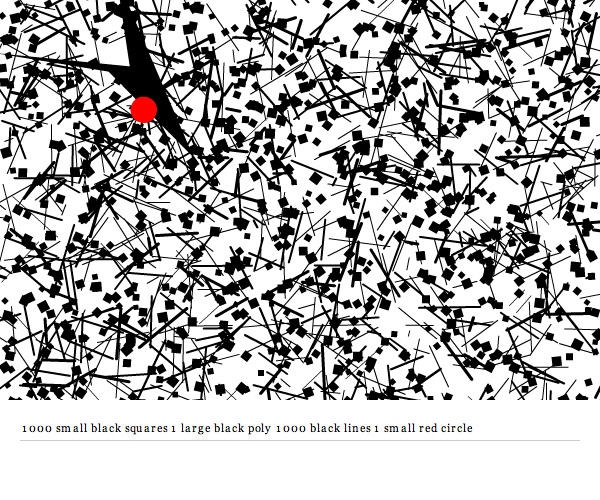
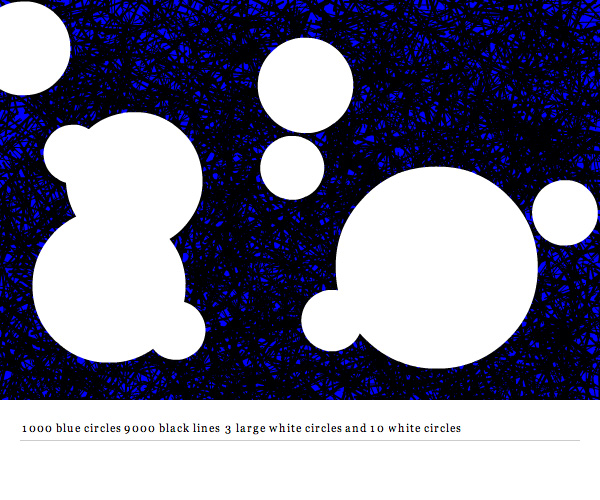
I’ve been meaning to post this source for a long time. It’s a project I created for shapevent called Command Draw. It allows you to use simple sentence structure to create textures and patterns.

See it in action here (this one has some minimal UI and uses flashvars for the command string).


As a side note, this is the 200th post on ActionSnippet.com

Read snippet: Command Draw Source

Drawing Gears

const TWO_PI:Number=Math.PI*2;
// x, y, max radius, notch number
drawVerts(calcGear(200, 200, 50, 9));

drawVerts(calcGear(400, 200, 30, 3));

drawVerts(calcGear(300, 350, 30, 5));

drawVerts(calcGear(400,400, 30, 2));

function calcGear(x:Number, y:Number, maxRad:Number, s:int):Array {
	var verts:Array = new Array();
	var step:Number=TWO_PI / (s * 4);
	var mod:Number=0;
	for (var i:Number = 0; i<=TWO_PI; i+=step) {
		var r:Number = (int(mod)%2+1) * maxRad;
		mod+=.5;
		verts.push(x + r * Math.cos(i));
		verts.push(y + r * Math.sin(i));
	}
	return verts;
}

// could  use draw path here instead;
function drawVerts(verts:Array):void{
	graphics.lineStyle(0,0x000000);
	graphics.moveTo(verts[0], verts[1]);
	for (var i:int = 2; i<verts.length; i+=2) {
		graphics.lineTo(verts[i], verts[i + 1]);
	}
	graphics.lineTo(verts[0], verts[1]);
}

Needed to draw some gear shapes today…

Read snippet: Drawing Gears

Hippopede

x=stage.stageWidth/2;
y=stage.stageHeight/2;
var xp:Number = 0, yp:Number = 0;
var r:Number = 0, t:Number = 0;
var speed:Number=.1;

var range:Number=.2;
var b:Number = 20;
var a:Number = b * range;
var orbit:Number = 2 * Math.PI + speed;
 
graphics.lineStyle(0,0x000000);

addEventListener(Event.ENTER_FRAME, onLoop);
function onLoop(evt:Event):void {
	var sin:Number=Math.sin(t);
	r =  Math.sqrt(4 * b * (a - b * (sin * sin)));
	xp= r * Math.cos(t);
	yp= r * sin;
	
    if (t==0) {
		graphics.moveTo(xp, yp);
	} else {
		graphics.lineTo(xp, yp);
	}

	t += speed;
	
	if (t > orbit) {
		range += .5;
		a= b * range;
		t= 0;
	}
}

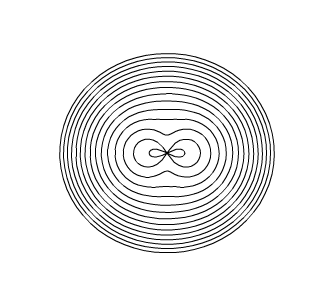
The above draws a Hippopede

Read snippet: Hippopede