Browse the notebook

Category: Math

Utils3D.projectVectors() Lathe

[SWF(width = 500, height = 500, backgroundColor = 0x000000)]
var halfWidth:Number = stage.stageWidth / 2;
var halfHeight:Number = stage.stageHeight / 2;
var loc:Vector.<Number>;

graphics.lineStyle(0, 0xFF0000);
graphics.moveTo(halfWidth, 0);
graphics.lineTo(halfWidth, stage.stageHeight);
graphics.moveTo(0, halfHeight);
graphics.lineTo(stage.stageWidth, halfHeight);

var line:Shape = Shape(addChild(new Shape()));
line.x = halfWidth;

var idle:Function = function(){};
var currentMode:Function = idle;
stage.addEventListener(MouseEvent.MOUSE_DOWN, onDown);
stage.addEventListener(MouseEvent.MOUSE_UP, onUp);
addEventListener(Event.ENTER_FRAME, onLoop);
function onDown(evt:MouseEvent):void{
	if (contains(frame)){
		removeChild(frame);
		currentMode = idle;
		line.graphics.clear();
		return;
	}
	loc = new Vector.<Number>();
	line.graphics.lineStyle(0,0xFFFFFF);
	line.x = halfWidth
	line.y = halfHeight;
	line.graphics.moveTo(line.mouseX, line.mouseY);
	currentMode = captureLocs;
	canvas.fillRect(canvas.rect, 0x000000);
}
function onUp(evt:MouseEvent):void{
	if (currentMode == idle) return;
	setupLathe();
	currentMode = showLathe;
}

function onLoop(evt:Event):void{
	currentMode();
}
function captureLocs():void{
	loc.push(line.mouseX);
	loc.push(line.mouseY);
	loc.push(0);
	line.graphics.lineTo(line.mouseX, line.mouseY);
}
/**
 -- Lathe Stuff:
*/
var canvas:BitmapData = new BitmapData(stage.stageWidth, stage.stageHeight,false, 0x000000);
var frame:Bitmap = new Bitmap(canvas);
var dx:Number=0;
var dy:Number=0;
 var matrix:Matrix3D = new Matrix3D();
var pVerts:Vector.<Number>;
var uvts:Vector.<Number>;
function setupLathe():void{
	addChild(frame);
	pVerts =  new Vector.<Number>();
	uvts = new Vector.<Number>();
	var nVerts:Vector.<Number> = new Vector.<Number>();
	var tVerts:Vector.<Number> = new Vector.<Number>();
	matrix.identity();
	var step:Number = 2;
	for (var i:int = 0; i <360; i+=step){
		matrix.appendRotation(step,Vector3D.Y_AXIS);
		matrix.transformVectors(loc, tVerts);
		nVerts = nVerts.concat(tVerts);
	}
	loc = nVerts.concat();
}
function showLathe():void{
	dx += (mouseX - dx)/4;
	dy += (mouseY - dy)/4;
	matrix.identity();
	matrix.appendRotation(dy,Vector3D.X_AXIS);
	matrix.appendRotation(dx,Vector3D.Y_AXIS);
	matrix.appendTranslation(halfWidth, halfHeight, 0);
	Utils3D.projectVectors(matrix, loc, pVerts, uvts);
	canvas.lock();
	canvas.fillRect(canvas.rect, 0x000000);
	var leng:int = pVerts.length;
	for (var i:int = 0; i<leng; i+=2){
		canvas.setPixel( pVerts[i], pVerts[i + 1], 0xFFFFFF);
	}
	canvas.unlock();
}

This snippet allows you to create 3D lathe shapes by drawing a 2D line. This is done using Utils3D.projectVectors() and Matrix.transformVectors().

Have a look at the swf here…

Read snippet: Utils3D.projectVectors() Lathe

2x mod 1 map

[SWF(width=800, height=600)]
var xn1:Number;
var xn:Number = Math.random() * Math.random() * .2;
var inc:int = 0;
var xp:Number = 10;
var yp:Number = 10;
var count:int = 1;
scaleX = scaleY = 2;
graphics.lineStyle(0,0x00000);
addEventListener(Event.ENTER_FRAME, onLoop);
function onLoop(evt:Event):void {
	
     xn1 = 2 * xn % 1;
	 xn = xn1;
	 if (inc == 0){
		  graphics.moveTo(xp + inc, yp + 30 - xn1 * 30);
	 }else{
		 graphics.lineTo(xp + inc, yp + 30 - xn1 * 30);
	 }
	 inc++
	 if (inc == 50){
		 inc = 0;
		 xp = 10 + count % 6 * 60;
		 yp = 10 + int(count / 6) * 60;
		 xn = Math.random() * Math.random() * .2;
		 trace(xn);
		 count++;
	 }
}

This snippet plots 2x mod 1 maps with random starting values for xn. More info over at wikipedia and mathworld.

Read snippet: 2x mod 1 map

XML to ActionScript #3 (AsXML)

<code>
  <make reference="w" class="BasicView" args="stage.stageWidth, stage.stageHeight, false"/>
  <call method="addChild" args="w"/>
  
  <make reference="wireMat" class="WireframeMaterial" args="0x000000" />
  
  <make reference="sphere" class="Sphere" args="wireMat, 100" />
  
  <call method="w.scene.addChild" args="sphere" />
  
  <make reference="animation" class="Object" >
    <set z="-500" rotationY="360"  rotationX="360" ease="Back.easeOut"/>
  </make>
  
  <call method="TweenLite.to" args="sphere, 3, animation" />
  
  <call method="setInterval" args="w.singleRender, 32" />
  
</code>

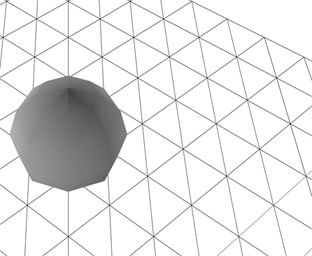
This snippet shows XML that the mini-library AsXML can read and run – in this case AsXML is set up to run with Papervision

A few days ago I had the idea to write some code that would run ActionScript based on XML. I spent some time getting rid of a few bugs and setting up some demos with TweenLite, Papervision and QuickBox2D. I wrapped everything up into a mini-library called AsXML.

Check out the demos here.


Download AsXML and demo files here.

AsXML Features:
1) call methods of the main timeline
2) read and write properties on the main timeline
3) instantiate classes on the main timeline
4) call methods on these classes
5) read and write properties on these classes
6) store references to return values from functions

Read snippet: XML to ActionScript #3 (AsXML)

Distance Between Point and Line (optimized)


/**
Original function by Pieter Iserbyt:
http://local.wasp.uwa.edu.au/~pbourke/geometry/pointline/DistancePoint.java
from Paul Bourke's website:
http://local.wasp.uwa.edu.au/~pbourke/geometry/pointline/
*/
function pointToLineDist(x1:Number, y1:Number, x2:Number, y2:Number,x3:Number, y3:Number):Number {
	var dx:Number=x2-x1;
	var dy:Number=y2-y1;
	if (dx==0&&dy==0) {
		x2+=1;
		y2+=1;
		dx=dy=1;
	}
	var u:Number = ((x3 - x1) * dx + (y3 - y1) * dy) / (dx * dx + dy * dy);

	var closestX:Number;
	var closestY:Number;
	if (u<0) {
		closestX=x1;
		closestY=y1;
	} else if (u > 1) {
		closestX=x2;
		closestY=y2;
	} else {
		closestX=x1+u*dx;
		closestY=y1+u*dy;
	}
	dx=closestX-x3;
	dy=closestY-y3;
	return Math.sqrt(dx * dx +  dy * dy);
}

/**
Test out the function
*/

var dotA:Sprite = dot(100, 100);
var dotB:Sprite = dot(200, 200);
var dotC:Sprite = dot(150, 100, 0x0000FF);
var txt:TextField = TextField(dotC.addChild(new TextField()));
with(txt) x = 5, y = 5, autoSize = "left", selectable = false, mouseEnabled = false;

addEventListener(Event.ENTER_FRAME, onLoop);
function onLoop(evt:Event):void {
	graphics.clear();
	graphics.lineStyle(0,0x000000);
	graphics.moveTo(dotA.x, dotA.y);
    graphics.lineTo(dotB.x, dotB.y);
	txt.text = pointToLineDist(dotA.x, dotA.y, dotB.x, dotB.y, dotC.x, dotC.y).toFixed(2);
}

// draggable dot
function dot(xp:Number, yp:Number, col:uint = 0xFF0000, rad:Number=4):Sprite {
    var s:Sprite = Sprite(addChild(new Sprite));
    s.x = xp;
    s.y = yp;
    with(s.graphics) beginFill(col), drawCircle(0,0,rad);
    s.buttonMode = true;
    s.addEventListener(MouseEvent.MOUSE_DOWN, onDrag);
    return s;
}
function onDrag(evt:MouseEvent):void { evt.currentTarget.startDrag() }
stage.addEventListener(MouseEvent.MOUSE_UP, onUp);
function onUp(evt:MouseEvent):void{stopDrag() }

This is the same as yesterdays post about the distance between a point and a line segment. I just took a few minutes to optimize the function – it runs close to 3X faster now. For more info see yesterdays post.

Read snippet: Distance Between Point and Line (optimized)

Distance Between Point and Line Segment

/**
Original function by Pieter Iserbyt:
http://local.wasp.uwa.edu.au/~pbourke/geometry/pointline/DistancePoint.java
from Paul Bourke's website:
http://local.wasp.uwa.edu.au/~pbourke/geometry/pointline/
*/
function pointToLineDistance(p1:Sprite, p2:Sprite, p3:Sprite):Number {
	var xDelta:Number = p2.x - p1.x;
	var yDelta:Number = p2.y - p1.y;
	if ((xDelta == 0) && (yDelta == 0)) {
		// p1 and p2 cannot be the same point
		p2.x += 1;
		p2.y += 1;
		xDelta = 1;
	        yDelta = 1;
	}
	var u:Number = ((p3.x - p1.x) * xDelta + (p3.y - p1.y) * yDelta) / (xDelta * xDelta + yDelta * yDelta);
	var closestPoint:Point;
	if (u < 0) {
	    closestPoint = new Point(p1.x, p1.y);
	} else if (u > 1) {
	    closestPoint = new Point(p2.x, p2.y);
	} else {
	    closestPoint = new Point(p1.x + u * xDelta, p1.y + u * yDelta);
	}
	return Point.distance(closestPoint, new Point(p3.x, p3.y));
}

/**
Test out the function
*/

var dotA:Sprite = dot(100, 100);
var dotB:Sprite = dot(200, 200);
var dotC:Sprite = dot(150, 100, 0x0000FF);
var txt:TextField = TextField(dotC.addChild(new TextField()));
with(txt) x = 5, y = 5, autoSize = "left", selectable = false, mouseEnabled = false;

addEventListener(Event.ENTER_FRAME, onLoop);
function onLoop(evt:Event):void {
	graphics.clear();
	graphics.lineStyle(0,0x000000);
	graphics.moveTo(dotA.x, dotA.y);
    graphics.lineTo(dotB.x, dotB.y);
	txt.text = pointToLineDistance(dotA, dotB, dotC).toFixed(2);
}

// draggable dot
function dot(xp:Number, yp:Number, col:uint = 0xFF0000, rad:Number=4):Sprite {
    var s:Sprite = Sprite(addChild(new Sprite));
    s.x = xp;
    s.y = yp;
    with(s.graphics) beginFill(col), drawCircle(0,0,rad);
    s.buttonMode = true;
    s.addEventListener(MouseEvent.MOUSE_DOWN, onDrag);
    return s;
}
function onDrag(evt:MouseEvent):void { evt.currentTarget.startDrag() }
stage.addEventListener(MouseEvent.MOUSE_UP, onUp);
function onUp(evt:MouseEvent):void{stopDrag() }

Last night I was working late and found myself in need of a way to calculate the distance between a point and a line. After a quick google search I found myself once again on Paul Bourke’s extremely useful website. I was in a rush, so I just quickly ported the java code (by Pieter Iserbyt) and wrote this test snippet to make sure it works.

This code could be optimized a bit, but it works nicely.

I needed this for a commercial project, but as I was porting the code I thought of an interesting way to use this code to draw a gradient – may write and post that tomorrow.

Read snippet: Distance Between Point and Line Segment

Calculate Slope of a Line

// calculate the slope of a line
function calculateSlope(x1:Number, y1:Number, x2:Number, y2:Number):Number {
        // rise over run
	var s:Number = (y1 - y2) / (x1 - x2);
	/*if (x1==x2) {
		// slope is Infinity or -Infinity
	}*/
	return s;
}

/**
 Test it out
*/
function draw(x1:Number, y1:Number, x2:Number, y2:Number):void {
	graphics.moveTo(x1, y1);
	graphics.lineTo(x2, y2)
	var txt:TextField =TextField(addChild(new TextField()));
	txt.text = calculateSlope(x1, y1, x2, y2).toFixed(2);
	txt.x = x2, txt.y = y2;
}

graphics.lineStyle(0,0xFF0000);
draw (100, 100, 200, 200);

draw(100, 100, 200, 150);

draw(100, 100, 200, 100);

draw(100, 100, 99, 200);

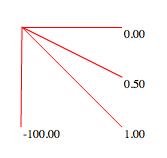
This snippet shows how to calculate the slope of a line … It demos the function by drawing a few lines and showing the corresponding slope of each.

It will draw this:

If (x1 == x2), the slope will be -Infinity or Infinity… depending on where you’re using this calculation you may want to reset the s variable to something else, return null etc… I commented it out for simplicity.

Read snippet: Calculate Slope of a Line

for loop Fun

var leng:int = 10;
for (var i:int = 0, j:int = leng;  i < leng; i++, j = leng - i){
	trace(i, j);
}

/*outputs
0 10
1 9
2 8
3 7
4 6
5 5
6 4
7 3
8 2
9 1
*/

Looping backwards and forwards.

Read snippet: for loop Fun

Polygon Triangulation

var triangulate:Triangulate = new Triangulate();

var poly:Array=[];

stage.addEventListener(MouseEvent.MOUSE_DOWN, onDown);
function onDown(evt:MouseEvent):void {
	poly.push(new Pnt(mouseX, mouseY));
}

addEventListener(Event.ENTER_FRAME, onLoop);
function onLoop(evt:Event):void {
	var i:int;
	graphics.clear();
	var verts:Array=triangulate.process(poly);

	if (verts==null) {
		// draw a red polygon if there is some kind of error,
		// or if there are too few points on the poly
		if (poly.length>1) {
			graphics.lineStyle(0,0xFF0000);
			graphics.moveTo(poly[0].x, poly[0].y);
			for (i = 1; i<poly.length; i++) {
				graphics.lineTo(poly[i].x, poly[i].y);
			}
		}
	}else{
		// draw the triangulated polygon
		var tcount:int = verts.length / 3;
		graphics.lineStyle(0,0x000000);
		for (i = 0; i<tcount; i++) {
			var index:int = i * 3;
			var p1:Pnt=verts[index];
			var p2:Pnt=verts[index+1];
			var p3:Pnt=verts[index+2];
			graphics.moveTo(p1.x,p1.y);
			graphics.lineTo(p2.x,p2.y);
			graphics.lineTo(p3.x,p3.y);
			graphics.lineTo(p1.x,p1.y);
		}
	}
}

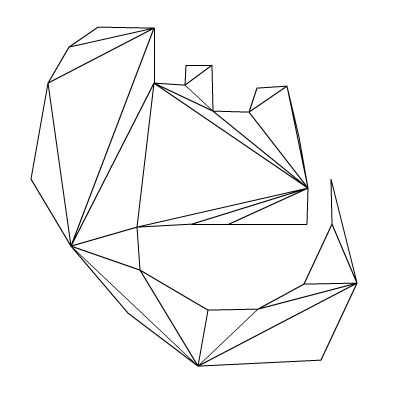
The above demo’s a class that triangulates a polygon given a list of points. To test this snippet you’ll need the Pnt and Triangulate Classes, which you can download or copy from below.

Polygon triangulation is useful for lots of things… I first found that I needed it back in my Director days. I wanted to be able to draw a polygon and then extrude it into 3D space – in order to do this I needed to triangulate the polygon that was drawn. Luckily there was an undocumented feature in Lingo that did the triangulation. I’ll probably do an extrusion demo soon. I’ve been looking into this to make the QuickBox2D polygon stuff a little easier.


Take a look at the swf here

Download all source and fla here….

Here is the Triangulate class:

/**
This code is a quick port of code written in C++ which was submitted to 
flipcode.com by John W. Ratcliff  // July 22, 2000 
See original code and more information here:
http://www.flipcode.com/archives/Efficient_Polygon_Triangulation.shtml

ported to actionscript by Zevan Rosser
www.actionsnippet.com
*/

package {
	
	public class Triangulate {
		
		private const EPSILON:Number = 0.0000000001;
		
		public function Triangulate(){}
		
		public function process(contour:Array):Array{
			var result:Array = [];
			var n:int = contour.length
			if ( n < 3 ) return null
			
			var verts:Array = [];
			
			  /* we want a counter-clockwise polygon in verts */
			var v:int
			
			  if ( 0.0 < area(contour) ){
				for (v=0; v<n; v++) verts[v] = v;
			  }else{
				for(v=0; v<n; v++) verts[v] = (n-1)-v;
			  }
			
			  var nv:int = n;
			
			  /*  remove nv-2 vertsertices, creating 1 triangle every time */
			  var count:int = 2*nv;   /* error detection */
			 var m:int;
			  for(m=0, v=nv-1; nv>2; )
			  {
				/* if we loop, it is probably a non-simple polygon */
				if (0 >= (count--)){
				  //** Triangulate: ERROR - probable bad polygon!
				 // trace("bad poly");
				  return null;
				}
			
				/* three consecutive vertices in current polygon, <u,v,w> */
				var u:int = v; if (nv <= u) u = 0;     /* previous */
				v = u+1; if (nv <= v) v = 0;     /* new v    */
				var w:int = v+1; if (nv <= w) w = 0;     /* next     */
			
				if ( snip(contour,u,v,w,nv,verts)){
				  var a:int,b:int,c:int,s:int,t:int;
			
				  /* true names of the vertices */
				  a = verts[u]; b = verts[v]; c = verts[w];
			
				  /* output Triangle */
				  result.push( contour[a] );
				  result.push( contour[b] );
				  result.push( contour[c] );
			
				  m++;
			
				  /* remove v from remaining polygon */
				  for(s=v,t=v+1;t<nv;s++,t++) verts[s] = verts[t]; nv--;
			
				  /* resest error detection counter */
				  count = 2 * nv;
				}
			  }
			
			  return result;
		}
		
		// calculate area of the contour polygon
		public function area(contour:Array):Number{
			var n:int = contour.length;
			var a:Number  = 0.0;
			
			for(var p:int=n-1, q:int=0; q<n; p=q++){
				a += contour[p].x * contour[q].y - contour[q].x * contour[p].y;
			}
			return a * 0.5;
		}
		
		// see if p is inside triangle abc
		public function insideTriangle(ax:Number, ay:Number, bx:Number, by:Number, cx:Number, cy:Number,px:Number,py:Number):Boolean{
											               
			  var aX:Number, aY:Number, bX:Number, bY:Number
			  var cX:Number, cY:Number, apx:Number, apy:Number;
			  var bpx:Number, bpy:Number, cpx:Number, cpy:Number;
			  var cCROSSap:Number, bCROSScp:Number, aCROSSbp:Number;
			
			  aX = cx - bx;  aY = cy - by;
			  bX = ax - cx;  bY = ay - cy;
			  cX = bx - ax;  cY = by - ay;
			  apx= px  -ax;  apy= py - ay;
			  bpx= px - bx;  bpy= py - by;
			  cpx= px - cx;  cpy= py - cy;
			
			  aCROSSbp = aX*bpy - aY*bpx;
			  cCROSSap = cX*apy - cY*apx;
			  bCROSScp = bX*cpy - bY*cpx;
			
			  return ((aCROSSbp >= 0.0) && (bCROSScp >= 0.0) && (cCROSSap >= 0.0));
		}
		
		private function snip(contour:Array, u:int, v:int, w:int, n:int, verts:Array):Boolean{
			  var p:int;
			  var ax:Number, ay:Number, bx:Number, by:Number;
			  var cx:Number, cy:Number, px:Number, py:Number;
			
				  ax = contour[verts[u]].x;
				  ay = contour[verts[u]].y;
				
				  bx = contour[verts[v]].x;
				  by = contour[verts[v]].y;
				
				  cx = contour[verts[w]].x;
				  cy = contour[verts[w]].y;
			
	      if ( EPSILON > (((bx-ax)*(cy-ay)) - ((by-ay)*(cx-ax))) ) return false;
			
			  for (p=0;p<n;p++){
					if( (p == u) || (p == v) || (p == w) ) continue;
					px = contour[verts[p]].x
					py = contour[verts[p]].y
					if (insideTriangle(ax,ay,bx,by,cx,cy,px,py)) return false;
			  }
			  return true;
		}
	}
}

… and the Pnt class:

// Point class, no reason to use AS3's build in Point
package{
	public class Pnt {
		public var x:Number;
		public var y:Number;
		public function Pnt(x:Number, y:Number){
			this.x = x;
			this.y = y;
		}
	}
}

I also found a nice description of the basic technique being employed here.

UPDATE:
This should be obvious, but I was targeting fp9 with this… thus the use of Array instead of Vector.

Read snippet: Polygon Triangulation

Odd Even Classic

// from http://www.bit-101.com/blog/?p=729
var number:Number = 10.5;

// for numbers
var isEven:Boolean = (number % 2) == 0;
trace(isEven);

// for ints
var integer:int = 10;
isEven = (integer & 1) == 0;
trace(isEven);

This is a classic that I’ve seen all over the place online… found myself needing it today and figured I should post it. It just an easy way to determine if a number is odd or even… I remember originally reading it over at Bit-101.com a few years back…

Two posts today because I think I missed a post recently…

Read snippet: Odd Even Classic

Difference Between Two Angles

// from http://codebase.dbp-site.com/code/find-difference-between-two-angles-25
function angleDifference(angle0:Number, angle1:Number):Number{
	return Math.abs((angle0 + 180 -  angle1) % 360 - 180);
}

trace("get the angle between:");
trace("350 and 10 =", angleDifference(350, 10));
trace("180 and -1 =", angleDifference(180, -1));
trace("-10 and 5 =", angleDifference(-10, 5));
trace("725 and -45 =", angleDifference(725, -45));
/* outputs:
get the angle between:
350 and 10 =  20
180 and -1 =  179
-10 and 5 =  15
725 and -45 =  50
*/

This snippet shows an easy way to find the difference between two angles. The tricky part about doing this is finding the difference between something like 350 and 1 (which should be 11).

Over the years I have done this a few different ways – I needed it for something today and realized that my way was a tad clunky (had a little redundant logic) – So with a quick google search I found a more elegant solution.

Read snippet: Difference Between Two Angles