[SWF(width = 800, height= 600)]
var sw:Number = 800;
var sh:Number = 600;
var pixelNum:int = sw * sh;
var blurAmount:Number = 10;
var pnt:Point = new Point(0,0);
var rect:Rectangle = new Rectangle(0,0,sw,sh);

var canvas:BitmapData = new BitmapData(sw, sh, false, 0x000000);
var buffer:BitmapData = new BitmapData(sw, sh, false, 0x000000);
var feed  :BitmapData = new BitmapData(sw, sh, false, 0x000000);
var prev  :BitmapData = new BitmapData(sw, sh, false, 0x000000);

var frame:Bitmap = new Bitmap(canvas, "auto", true);
addChild(frame);

var cam:Camera =  Camera.getCamera();
cam.setMode(sw,sh,12);
var video:Video = new Video(sw, sh);
video.attachCamera(cam);

cam.addEventListener(ActivityEvent.ACTIVITY, onActivityStart);

function onActivityStart(evt:ActivityEvent):void {
	addEventListener(Event.ENTER_FRAME, onRun);
	cam.removeEventListener(ActivityEvent.ACTIVITY, onActivityStart);
}

function onRun(evt:Event):void{
	buffer.draw(video);
	feed.copyPixels(buffer, rect, pnt);
	buffer.draw(prev, null, null, BlendMode.DIFFERENCE);
	prev.draw(video);
	canvas.copyPixels(buffer, rect, pnt);
}
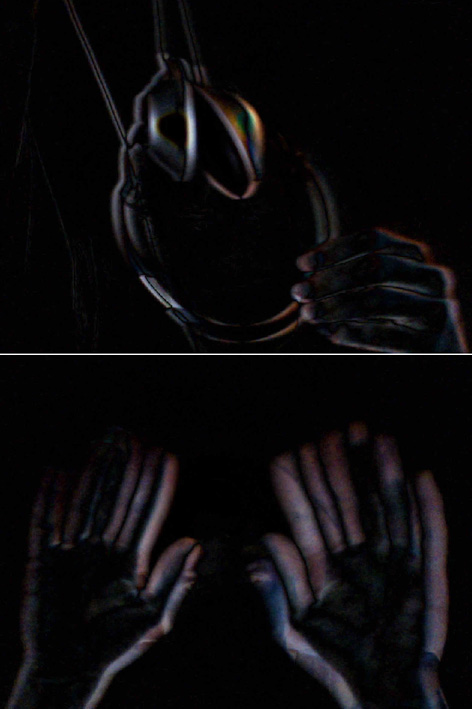
This snippet shows a simple method to do frame differencing with a web cam. This is useful for detecting which areas of the screen have change from frame to frame. This post assumes you pretty much know what frame differencing is.
This is one of those things I do a good deal but never wrapped up into a library… it’s easy (for me at least) to forget exactly how to set it up from scratch.
I added an extra buffer because it’s pretty common that you’ll want to other things aside from just frame differencing alone, so it’s nice to have it all wrapped up in a buffer BitmapData that you can use elsewhere. If speed is a real concern, you can do away with the buffer and just use the canvas instead – depending on what kind of analysis your doing on the frame differenced image it may be trickier without the buffer.
[SWF(width = 500, height = 500, frameRate = 30)]

var canvas:BitmapData = new BitmapData(stage.stageWidth,stage.stageHeight,false, 0xFFFFFF);

var indexCanvas:BitmapData = new BitmapData(stage.stage.stageWidth, stage.stageHeight, false,
										    0xFFFFFF);
addChild(new Bitmap(canvas));

var s:Shape = new Shape();

var lineData:Array = [];
var dataIndex:int = 0;

trace(0xFFFFFF - 1)
var totalLines:int = 20000;
var iterations:int = 9;
var linesPerIter:int = totalLines / iterations;

var xp:int = stage.stageWidth / 2;
var yp:int = stage.stageHeight / 2;

var stepAmt:Number = 60;
var halfStepAmt:Number = stepAmt / 2;

addEventListener(Event.ENTER_FRAME, onDraw);
function onDraw(evt:Event):void {
     if (lineData.length < totalLines){
		generateData(linesPerIter);
	 }else{
		stage.quality = "high";
		addChild(s);
		s.x = 0;
		s.y = 0;

		removeEventListener(Event.ENTER_FRAME, onDraw);
		addEventListener(Event.ENTER_FRAME, onRun);
	 }
}

function onRun(evt:Event):void {
   var currentIndex:int = indexCanvas.getPixel(mouseX, mouseY);
   var currentLine:Array = lineData[currentIndex];

   s.graphics.clear();
   if (currentIndex != 0xFFFFFF){
		  s.graphics.lineStyle(3, 0xFF0000);
		  s.graphics.moveTo(currentLine[0], currentLine[1]);
		  s.graphics.lineTo(currentLine[2], currentLine[3]);
   }
}

function generateData(num:int):void{
	var rxA:int, rxB:int, ryA:int, ryB:int;
	var g:Graphics = s.graphics;
	for (var i:int = 0; i<num; i++){
		rxA = xp;
		ryA = yp;

		xp += Math.round(Math.random() * stepAmt) - halfStepAmt;
		yp += Math.round(Math.random() * stepAmt) - halfStepAmt;

		if (xp > stage.stageWidth){
			xp = stage.stageWidth - halfStepAmt;
		}else
		if (xp < 0){
			xp = halfStepAmt;
		}
		if (yp > stage.stageHeight){
			yp = stage.stageHeight - halfStepAmt;
		}else
		if (yp < 0){
			yp = halfStepAmt;
		}

		rxB = xp;
		ryB = yp;

		lineData[dataIndex] = [rxA, ryA, rxB, ryB];
	    s.x = rxA;
		s.y = ryA;
		var endX:Number = rxB - rxA;
		var endY:Number = ryB - ryA;
		var m:Matrix = s.transform.matrix;
		g.clear();
		g.lineStyle(1, 0x000000, 0.3);

		g.lineTo(endX, endY);
		stage.quality = "high";
		canvas.draw(s, m);

		g.clear();
		g.lineStyle(3, dataIndex);

		g.lineTo(endX, endY);
		stage.quality = "low";
		indexCanvas.draw(s, m);

		dataIndex++
	}
}
I’m working on a data visualization that contains a long path made up of approximately one million points. There is some information associated with every two sets of coordinates that needs to be displayed when the user rolls their mouse over any part of the line.
I took a little time to think about the best way to do this and came up with a few techniques. The first one I tried seems to work nicely – this snippet is the proof of concept for that first technique. I tested this snippet with 1,000,000 xy coordinates and it works nicely. It takes a little while to draw though, so for the purposes of this demo I’ve just included 20,000 coordinates.
The way this works is by drawing lines to two different BitmapData instances. I draw anti-aliased slightly transparent lines to a BitmapData instance called “canvas” (this is added to the display list) – I then draw aliased lines to a BitmapData called “indexCanvas” (this is never added to the display list) – each aliased line uses an incremental value for its color – this incremental value is also the index for a two dimensional array containing the coordinate information for the aliased line. I use getPixel() on the “indexCanvas” and use the return value as the index for the 2D array. The data from the 2D array is used to draw a red line with the graphics class. This technique enables you to have many many rollovers and all you ever have to do is call getPixel() and use the returned color value to look up info about what you’re mouse is touching.
There are a few cool ways this could be repurposed and this is really only one solution to the problem of having many many things that you need to be able to rollover… there are others that don’t use BitmapData at all… I may write those up in the next couple of days.
[SWF(width = 500, height = 500, backgroundColor = 0x000000)]
var halfWidth:Number = stage.stageWidth / 2;
var halfHeight:Number = stage.stageHeight / 2;
var loc:Vector.<Number>;

graphics.lineStyle(0, 0xFF0000);
graphics.moveTo(halfWidth, 0);
graphics.lineTo(halfWidth, stage.stageHeight);
graphics.moveTo(0, halfHeight);
graphics.lineTo(stage.stageWidth, halfHeight);

var line:Shape = Shape(addChild(new Shape()));
line.x = halfWidth;

var idle:Function = function(){};
var currentMode:Function = idle;
stage.addEventListener(MouseEvent.MOUSE_DOWN, onDown);
stage.addEventListener(MouseEvent.MOUSE_UP, onUp);
addEventListener(Event.ENTER_FRAME, onLoop);
function onDown(evt:MouseEvent):void{
	if (contains(frame)){
		removeChild(frame);
		currentMode = idle;
		line.graphics.clear();
		return;
	}
	loc = new Vector.<Number>();
	line.graphics.lineStyle(0,0xFFFFFF);
	line.x = halfWidth
	line.y = halfHeight;
	line.graphics.moveTo(line.mouseX, line.mouseY);
	currentMode = captureLocs;
	canvas.fillRect(canvas.rect, 0x000000);
}
function onUp(evt:MouseEvent):void{
	if (currentMode == idle) return;
	setupLathe();
	currentMode = showLathe;
}

function onLoop(evt:Event):void{
	currentMode();
}
function captureLocs():void{
	loc.push(line.mouseX);
	loc.push(line.mouseY);
	loc.push(0);
	line.graphics.lineTo(line.mouseX, line.mouseY);
}
/**
 -- Lathe Stuff:
*/
var canvas:BitmapData = new BitmapData(stage.stageWidth, stage.stageHeight,false, 0x000000);
var frame:Bitmap = new Bitmap(canvas);
var dx:Number=0;
var dy:Number=0;
 var matrix:Matrix3D = new Matrix3D();
var pVerts:Vector.<Number>;
var uvts:Vector.<Number>;
function setupLathe():void{
	addChild(frame);
	pVerts =  new Vector.<Number>();
	uvts = new Vector.<Number>();
	var nVerts:Vector.<Number> = new Vector.<Number>();
	var tVerts:Vector.<Number> = new Vector.<Number>();
	matrix.identity();
	var step:Number = 2;
	for (var i:int = 0; i <360; i+=step){
		matrix.appendRotation(step,Vector3D.Y_AXIS);
		matrix.transformVectors(loc, tVerts);
		nVerts = nVerts.concat(tVerts);
	}
	loc = nVerts.concat();
}
function showLathe():void{
	dx += (mouseX - dx)/4;
	dy += (mouseY - dy)/4;
	matrix.identity();
	matrix.appendRotation(dy,Vector3D.X_AXIS);
	matrix.appendRotation(dx,Vector3D.Y_AXIS);
	matrix.appendTranslation(halfWidth, halfHeight, 0);
	Utils3D.projectVectors(matrix, loc, pVerts, uvts);
	canvas.lock();
	canvas.fillRect(canvas.rect, 0x000000);
	var leng:int = pVerts.length;
	for (var i:int = 0; i<leng; i+=2){
		canvas.setPixel( pVerts[i], pVerts[i + 1], 0xFFFFFF);
	}
	canvas.unlock();
}
This snippet allows you to create 3D lathe shapes by drawing a 2D line. This is done using Utils3D.projectVectors() and Matrix.transformVectors().
Have a look at the swf here…
var canvasSize:int = 400;
var canvas:BitmapData = new BitmapData(canvasSize, canvasSize, false, 0xFFFFFF);
addChild(new Bitmap(canvas));
var size:int = canvas.width * canvas.height;
var pixels:Vector.<uint> = canvas.getVector(canvas.rect);

addEventListener(Event.ENTER_FRAME, onLoop);
function onLoop(evt:Event):void {
	 for (var i:int = 0; i<500; i++){
	  fillCircle(int(Math.random() * canvasSize),
					  int(Math.random() * canvasSize),
					  int(Math.random() * 5 + 3),
					  uint(Math.random() * 0xFFFF));
	 }
	 canvas.lock();
	 canvas.setVector(canvas.rect, pixels);
	 canvas.unlock();
}

function fillCircle(xp:int,yp:int, radius:int, col:uint = 0x000000):void {
	var xoff:int =0;
	var yoff:int = radius;
	var balance:int = -radius;
	while (xoff <= yoff) {
		 var p0:int = xp - xoff;
		 var p1:int = xp - yoff;
		 var w0:int = xoff + xoff;
		 var w1:int = yoff + yoff;
		 hLine(p0, yp + yoff, w0, col);
		 hLine(p0, yp - yoff, w0, col);
		 hLine(p1, yp + xoff, w1, col);
		 hLine(p1, yp - xoff, w1, col);
		if ((balance += xoff++ + xoff)>= 0) {
			balance-=--yoff+yoff;
		}
	}
}
function hLine(xp:int, yp:int, w:int, col:uint):void {
	var index:int = xp + yp * canvasSize;
	for (var i:int = 0; i <w; i++){
		index++;
		if (index > -1 && index < size){
		  pixels[index] = col;
		}
	}
}
In the past I’ve posted examples of Bresenham’s Circle (here and here). Both of those examples make use of setPixel(). Today’s snippet demos a version of Bresenham’s Circle that works with setVector().
[SWF(width=600,height=500,frameRate=30)]
var canvas:BitmapData=new BitmapData(400,400,false,0x000000);
addChild(new Bitmap(canvas));

var size:Number=canvas.width*canvas.height;
var w:Number=canvas.width;
var pix:Vector.<uint> = new Vector.<uint>(size);

addEventListener(Event.ENTER_FRAME, onLoop);
function onLoop(evt:Event):void {
	canvas.lock();

 	var i:int = size;
	var x1:Number=mouseX;
	var y1:Number=mouseY;
	var x2:Number=250;
	var y2:Number=250;
	var dx:Number=x2-x1;
	var dy:Number=y2-y1;
	var denom:Number =  1/(dx * dx + dy * dy);
	if (dx==0&&dy==0) {
			x2+=1;
			y2+=1;
			dx=dy=1;
	}

	while( --i > -1 ){
		var xp:int= i % w;
		var yp:int = i / w;
		var u:Number = ((xp - x1) * dx + (yp - y1) * dy) * denom;

		var closestX:Number;
		var closestY:Number;
		if (u<0) {
			closestX=x1;
			closestY=y1;
		} else if (u > 1) {
			closestX=x2;
			closestY=y2;
		} else {
			closestX=x1+u*dx;
			closestY=y1+u*dy;
		}
		var dfx:Number=closestX-xp;
		var dfy:Number=closestY-yp;
		var d:Number=255-Math.sqrt(dfx*dfx+dfy*dfy);
		if (d<0) d=0;
		 pix[i]=uint(d);
	}
	canvas.setVector(canvas.rect, pix);
	canvas.unlock();
}
This didn’t come out as interesting as I thought it would for some reason – just used the technique from the last two posts to draw a gradient. Event though it’s visually boring, it does show how I went about inlining the function from yesterday… so I figured I’d post it.
/**
Original function by Pieter Iserbyt:
http://local.wasp.uwa.edu.au/~pbourke/geometry/pointline/DistancePoint.java
from Paul Bourke's website:
http://local.wasp.uwa.edu.au/~pbourke/geometry/pointline/
*/
function pointToLineDist(x1:Number, y1:Number, x2:Number, y2:Number,x3:Number, y3:Number):Number {
	var dx:Number=x2-x1;
	var dy:Number=y2-y1;
	if (dx==0&&dy==0) {
		x2+=1;
		y2+=1;
		dx=dy=1;
	}
	var u:Number = ((x3 - x1) * dx + (y3 - y1) * dy) / (dx * dx + dy * dy);

	var closestX:Number;
	var closestY:Number;
	if (u<0) {
		closestX=x1;
		closestY=y1;
	} else if (u > 1) {
		closestX=x2;
		closestY=y2;
	} else {
		closestX=x1+u*dx;
		closestY=y1+u*dy;
	}
	dx=closestX-x3;
	dy=closestY-y3;
	return Math.sqrt(dx * dx +  dy * dy);
}

/**
Test out the function
*/

var dotA:Sprite = dot(100, 100);
var dotB:Sprite = dot(200, 200);
var dotC:Sprite = dot(150, 100, 0x0000FF);
var txt:TextField = TextField(dotC.addChild(new TextField()));
with(txt) x = 5, y = 5, autoSize = "left", selectable = false, mouseEnabled = false;

addEventListener(Event.ENTER_FRAME, onLoop);
function onLoop(evt:Event):void {
	graphics.clear();
	graphics.lineStyle(0,0x000000);
	graphics.moveTo(dotA.x, dotA.y);
    graphics.lineTo(dotB.x, dotB.y);
	txt.text = pointToLineDist(dotA.x, dotA.y, dotB.x, dotB.y, dotC.x, dotC.y).toFixed(2);
}

// draggable dot
function dot(xp:Number, yp:Number, col:uint = 0xFF0000, rad:Number=4):Sprite {
    var s:Sprite = Sprite(addChild(new Sprite));
    s.x = xp;
    s.y = yp;
    with(s.graphics) beginFill(col), drawCircle(0,0,rad);
    s.buttonMode = true;
    s.addEventListener(MouseEvent.MOUSE_DOWN, onDrag);
    return s;
}
function onDrag(evt:MouseEvent):void { evt.currentTarget.startDrag() }
stage.addEventListener(MouseEvent.MOUSE_UP, onUp);
function onUp(evt:MouseEvent):void{stopDrag() }
This is the same as yesterdays post about the distance between a point and a line segment. I just took a few minutes to optimize the function – it runs close to 3X faster now. For more info see yesterdays post.
/**
Original function by Pieter Iserbyt:
http://local.wasp.uwa.edu.au/~pbourke/geometry/pointline/DistancePoint.java
from Paul Bourke's website:
http://local.wasp.uwa.edu.au/~pbourke/geometry/pointline/
*/
function pointToLineDistance(p1:Sprite, p2:Sprite, p3:Sprite):Number {
	var xDelta:Number = p2.x - p1.x;
	var yDelta:Number = p2.y - p1.y;
	if ((xDelta == 0) && (yDelta == 0)) {
		// p1 and p2 cannot be the same point
		p2.x += 1;
		p2.y += 1;
		xDelta = 1;
	        yDelta = 1;
	}
	var u:Number = ((p3.x - p1.x) * xDelta + (p3.y - p1.y) * yDelta) / (xDelta * xDelta + yDelta * yDelta);
	var closestPoint:Point;
	if (u < 0) {
	    closestPoint = new Point(p1.x, p1.y);
	} else if (u > 1) {
	    closestPoint = new Point(p2.x, p2.y);
	} else {
	    closestPoint = new Point(p1.x + u * xDelta, p1.y + u * yDelta);
	}
	return Point.distance(closestPoint, new Point(p3.x, p3.y));
}

/**
Test out the function
*/

var dotA:Sprite = dot(100, 100);
var dotB:Sprite = dot(200, 200);
var dotC:Sprite = dot(150, 100, 0x0000FF);
var txt:TextField = TextField(dotC.addChild(new TextField()));
with(txt) x = 5, y = 5, autoSize = "left", selectable = false, mouseEnabled = false;

addEventListener(Event.ENTER_FRAME, onLoop);
function onLoop(evt:Event):void {
	graphics.clear();
	graphics.lineStyle(0,0x000000);
	graphics.moveTo(dotA.x, dotA.y);
    graphics.lineTo(dotB.x, dotB.y);
	txt.text = pointToLineDistance(dotA, dotB, dotC).toFixed(2);
}

// draggable dot
function dot(xp:Number, yp:Number, col:uint = 0xFF0000, rad:Number=4):Sprite {
    var s:Sprite = Sprite(addChild(new Sprite));
    s.x = xp;
    s.y = yp;
    with(s.graphics) beginFill(col), drawCircle(0,0,rad);
    s.buttonMode = true;
    s.addEventListener(MouseEvent.MOUSE_DOWN, onDrag);
    return s;
}
function onDrag(evt:MouseEvent):void { evt.currentTarget.startDrag() }
stage.addEventListener(MouseEvent.MOUSE_UP, onUp);
function onUp(evt:MouseEvent):void{stopDrag() }
Last night I was working late and found myself in need of a way to calculate the distance between a point and a line. After a quick google search I found myself once again on Paul Bourke’s extremely useful website. I was in a rush, so I just quickly ported the java code (by Pieter Iserbyt) and wrote this test snippet to make sure it works.
This code could be optimized a bit, but it works nicely.
I needed this for a commercial project, but as I was porting the code I thought of an interesting way to use this code to draw a gradient – may write and post that tomorrow.
var triangulate:Triangulate = new Triangulate();

var poly:Array=[];

stage.addEventListener(MouseEvent.MOUSE_DOWN, onDown);
function onDown(evt:MouseEvent):void {
	poly.push(new Pnt(mouseX, mouseY));
}

addEventListener(Event.ENTER_FRAME, onLoop);
function onLoop(evt:Event):void {
	var i:int;
	graphics.clear();
	var verts:Array=triangulate.process(poly);

	if (verts==null) {
		// draw a red polygon if there is some kind of error,
		// or if there are too few points on the poly
		if (poly.length>1) {
			graphics.lineStyle(0,0xFF0000);
			graphics.moveTo(poly[0].x, poly[0].y);
			for (i = 1; i<poly.length; i++) {
				graphics.lineTo(poly[i].x, poly[i].y);
			}
		}
	}else{
		// draw the triangulated polygon
		var tcount:int = verts.length / 3;
		graphics.lineStyle(0,0x000000);
		for (i = 0; i<tcount; i++) {
			var index:int = i * 3;
			var p1:Pnt=verts[index];
			var p2:Pnt=verts[index+1];
			var p3:Pnt=verts[index+2];
			graphics.moveTo(p1.x,p1.y);
			graphics.lineTo(p2.x,p2.y);
			graphics.lineTo(p3.x,p3.y);
			graphics.lineTo(p1.x,p1.y);
		}
	}
}
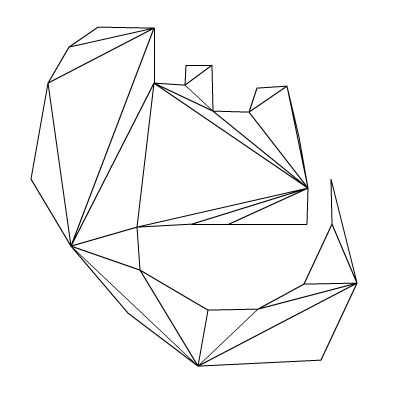
The above demo’s a class that triangulates a polygon given a list of points. To test this snippet you’ll need the Pnt and Triangulate Classes, which you can download or copy from below.
Polygon triangulation is useful for lots of things… I first found that I needed it back in my Director days. I wanted to be able to draw a polygon and then extrude it into 3D space – in order to do this I needed to triangulate the polygon that was drawn. Luckily there was an undocumented feature in Lingo that did the triangulation. I’ll probably do an extrusion demo soon. I’ve been looking into this to make the QuickBox2D polygon stuff a little easier.
/**
This code is a quick port of code written in C++ which was submitted to
flipcode.com by John W. Ratcliff  // July 22, 2000
See original code and more information here:
http://www.flipcode.com/archives/Efficient_Polygon_Triangulation.shtml

ported to actionscript by Zevan Rosser
www.actionsnippet.com
*/

package {

	public class Triangulate {

		private const EPSILON:Number = 0.0000000001;

		public function Triangulate(){}

		public function process(contour:Array):Array{
			var result:Array = [];
			var n:int = contour.length
			if ( n < 3 ) return null

			var verts:Array = [];

			  /* we want a counter-clockwise polygon in verts */
			var v:int

			  if ( 0.0 < area(contour) ){
				for (v=0; v<n; v++) verts[v] = v;
			  }else{
				for(v=0; v<n; v++) verts[v] = (n-1)-v;
			  }

			  var nv:int = n;

			  /*  remove nv-2 vertsertices, creating 1 triangle every time */
			  var count:int = 2*nv;   /* error detection */
			 var m:int;
			  for(m=0, v=nv-1; nv>2; )
			  {
				/* if we loop, it is probably a non-simple polygon */
				if (0 >= (count--)){
				  //** Triangulate: ERROR - probable bad polygon!
				 // trace("bad poly");
				  return null;
				}

				/* three consecutive vertices in current polygon, <u,v,w> */
				var u:int = v; if (nv <= u) u = 0;     /* previous */
				v = u+1; if (nv <= v) v = 0;     /* new v    */
				var w:int = v+1; if (nv <= w) w = 0;     /* next     */

				if ( snip(contour,u,v,w,nv,verts)){
				  var a:int,b:int,c:int,s:int,t:int;

				  /* true names of the vertices */
				  a = verts[u]; b = verts[v]; c = verts[w];

				  /* output Triangle */
				  result.push( contour[a] );
				  result.push( contour[b] );
				  result.push( contour[c] );

				  m++;

				  /* remove v from remaining polygon */
				  for(s=v,t=v+1;t<nv;s++,t++) verts[s] = verts[t]; nv--;

				  /* resest error detection counter */
				  count = 2 * nv;
				}
			  }

			  return result;
		}

		// calculate area of the contour polygon
		public function area(contour:Array):Number{
			var n:int = contour.length;
			var a:Number  = 0.0;

			for(var p:int=n-1, q:int=0; q<n; p=q++){
				a += contour[p].x * contour[q].y - contour[q].x * contour[p].y;
			}
			return a * 0.5;
		}

		// see if p is inside triangle abc
		public function insideTriangle(ax:Number, ay:Number, bx:Number, by:Number, cx:Number, cy:Number,px:Number,py:Number):Boolean{

			  var aX:Number, aY:Number, bX:Number, bY:Number
			  var cX:Number, cY:Number, apx:Number, apy:Number;
			  var bpx:Number, bpy:Number, cpx:Number, cpy:Number;
			  var cCROSSap:Number, bCROSScp:Number, aCROSSbp:Number;

			  aX = cx - bx;  aY = cy - by;
			  bX = ax - cx;  bY = ay - cy;
			  cX = bx - ax;  cY = by - ay;
			  apx= px  -ax;  apy= py - ay;
			  bpx= px - bx;  bpy= py - by;
			  cpx= px - cx;  cpy= py - cy;

			  aCROSSbp = aX*bpy - aY*bpx;
			  cCROSSap = cX*apy - cY*apx;
			  bCROSScp = bX*cpy - bY*cpx;

			  return ((aCROSSbp >= 0.0) && (bCROSScp >= 0.0) && (cCROSSap >= 0.0));
		}

		private function snip(contour:Array, u:int, v:int, w:int, n:int, verts:Array):Boolean{
			  var p:int;
			  var ax:Number, ay:Number, bx:Number, by:Number;
			  var cx:Number, cy:Number, px:Number, py:Number;

				  ax = contour[verts[u]].x;
				  ay = contour[verts[u]].y;

				  bx = contour[verts[v]].x;
				  by = contour[verts[v]].y;

				  cx = contour[verts[w]].x;
				  cy = contour[verts[w]].y;

	      if ( EPSILON > (((bx-ax)*(cy-ay)) - ((by-ay)*(cx-ax))) ) return false;

			  for (p=0;p<n;p++){
					if( (p == u) || (p == v) || (p == w) ) continue;
					px = contour[verts[p]].x
					py = contour[verts[p]].y
					if (insideTriangle(ax,ay,bx,by,cx,cy,px,py)) return false;
			  }
			  return true;
		}
	}
}
… and the Pnt class:
// Point class, no reason to use AS3's build in Point
package{
	public class Pnt {
		public var x:Number;
		public var y:Number;
		public function Pnt(x:Number, y:Number){
			this.x = x;
			this.y = y;
		}
	}
}
[SWF(width=600,height=500,frameRate=30)]
var canvas:BitmapData=new BitmapData(600,500,false,0x000000);
addChild(new Bitmap(canvas));
var size:Number=canvas.width*canvas.height;
var w:Number=canvas.width;
var wd:Number=1/w;
var pix:Vector.<uint> = new Vector.<uint>();
var sin:Number;
var cos:Number;
var dx:Number=110;
var dy:Number=52;
addEventListener(Event.ENTER_FRAME, onLoop);
function onLoop(evt:Event):void {
	dx+=0.001;
	canvas.lock();
	for (var i:int = 0; i<size; i++) {
		var xp:Number=i%w;
		var yp:Number=int(i*wd);
		var xx:Number=xp*0.05+dx;
		var yy:Number=yp*0.05+dy;
		var t:Number= (xx * yy) % 3.14159265;
		//compute sine
		// technique from http://lab.polygonal.de/2007/07/18/fast-and-accurate-sinecosine-approximation/
		// by Michael Baczynski
		if (t<0) {
			sin=1.27323954*t+.405284735*t*t;
		} else {
			sin=1.27323954*t-0.405284735*t*t;
		}
		//compute cosine: sin(t + PI/2) = cos(t)
		t+=1.57079632;
		if (t>3.14159265) {
			t-=6.28318531;
		}
		if (t<0) {
			cos=1.27323954*t+0.405284735*t*t;
		} else {
			cos=1.27323954*t-0.405284735*t*t;
		}
		var c:Number=sin+cos*cos*cos;
		// fast math abs
		c=c<0? -c:c;
		c=c*140;
		// math max 255
		c=c>255?255:c;
		pix[i]=c<<16|c<<8|c;
	}
	canvas.setVector(canvas.rect, pix);
	canvas.unlock();
}
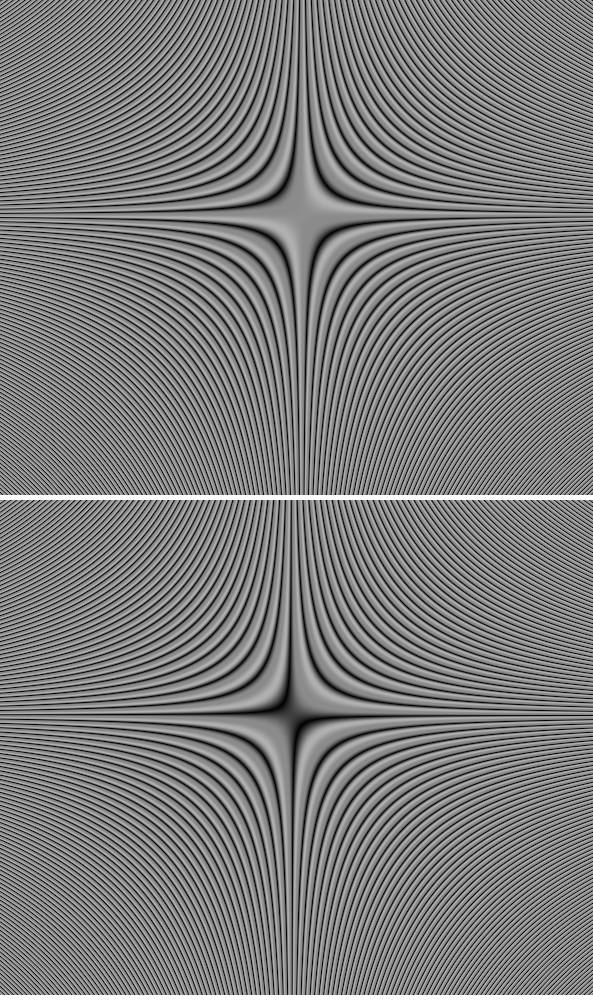
The above snippet will animate a gradient that looks like this: