Browse the notebook

Category: Data Structures

~20,000 Rollovers

[SWF(width = 500, height = 500, frameRate = 30)]

var canvas:BitmapData = new BitmapData(stage.stageWidth,stage.stageHeight,false, 0xFFFFFF);

var indexCanvas:BitmapData = new BitmapData(stage.stage.stageWidth, stage.stageHeight, false,
										    0xFFFFFF);
addChild(new Bitmap(canvas));

var s:Shape = new Shape();

var lineData:Array = [];
var dataIndex:int = 0;

trace(0xFFFFFF - 1)
var totalLines:int = 20000;
var iterations:int = 9;
var linesPerIter:int = totalLines / iterations;

var xp:int = stage.stageWidth / 2;
var yp:int = stage.stageHeight / 2;

var stepAmt:Number = 60;
var halfStepAmt:Number = stepAmt / 2;

addEventListener(Event.ENTER_FRAME, onDraw);
function onDraw(evt:Event):void {
     if (lineData.length < totalLines){
		generateData(linesPerIter); 
	 }else{
		stage.quality = "high";
		addChild(s);
		s.x = 0;
		s.y = 0;
		 
		removeEventListener(Event.ENTER_FRAME, onDraw);
		addEventListener(Event.ENTER_FRAME, onRun);
	 }
}

function onRun(evt:Event):void {
   var currentIndex:int = indexCanvas.getPixel(mouseX, mouseY);	
   var currentLine:Array = lineData[currentIndex];
   
   s.graphics.clear();
   if (currentIndex != 0xFFFFFF){
		  s.graphics.lineStyle(3, 0xFF0000);
		  s.graphics.moveTo(currentLine[0], currentLine[1]);
		  s.graphics.lineTo(currentLine[2], currentLine[3]);  
   }
}

function generateData(num:int):void{
	var rxA:int, rxB:int, ryA:int, ryB:int;	
	var g:Graphics = s.graphics;
	for (var i:int = 0; i<num; i++){
		rxA = xp;
		ryA = yp;
		
		xp += Math.round(Math.random() * stepAmt) - halfStepAmt;
		yp += Math.round(Math.random() * stepAmt) - halfStepAmt;
		
		if (xp > stage.stageWidth){
			xp = stage.stageWidth - halfStepAmt;
		}else
		if (xp < 0){
			xp = halfStepAmt;
		}
		if (yp > stage.stageHeight){
			yp = stage.stageHeight - halfStepAmt;
		}else
		if (yp < 0){
			yp = halfStepAmt;
		}
		
		rxB = xp;
		ryB = yp;
		 
		lineData[dataIndex] = [rxA, ryA, rxB, ryB];        		
	    s.x = rxA;
		s.y = ryA;
		var endX:Number = rxB - rxA;
		var endY:Number = ryB - ryA;
		var m:Matrix = s.transform.matrix;
		g.clear();
		g.lineStyle(1, 0x000000, 0.3);

		g.lineTo(endX, endY);
		stage.quality = "high";
		canvas.draw(s, m);
		
		g.clear();
		g.lineStyle(3, dataIndex);
		
		g.lineTo(endX, endY);
		stage.quality = "low";
		indexCanvas.draw(s, m);
		
		dataIndex++
	}
}

I’m working on a data visualization that contains a long path made up of approximately one million points. There is some information associated with every two sets of coordinates that needs to be displayed when the user rolls their mouse over any part of the line.

I took a little time to think about the best way to do this and came up with a few techniques. The first one I tried seems to work nicely – this snippet is the proof of concept for that first technique. I tested this snippet with 1,000,000 xy coordinates and it works nicely. It takes a little while to draw though, so for the purposes of this demo I’ve just included 20,000 coordinates.

Have a look at the swf over at wonderfl.net

The way this works is by drawing lines to two different BitmapData instances. I draw anti-aliased slightly transparent lines to a BitmapData instance called “canvas” (this is added to the display list) – I then draw aliased lines to a BitmapData called “indexCanvas” (this is never added to the display list) – each aliased line uses an incremental value for its color – this incremental value is also the index for a two dimensional array containing the coordinate information for the aliased line. I use getPixel() on the “indexCanvas” and use the return value as the index for the 2D array. The data from the 2D array is used to draw a red line with the graphics class. This technique enables you to have many many rollovers and all you ever have to do is call getPixel() and use the returned color value to look up info about what you’re mouse is touching.

There are a few cool ways this could be repurposed and this is really only one solution to the problem of having many many things that you need to be able to rollover… there are others that don’t use BitmapData at all… I may write those up in the next couple of days.
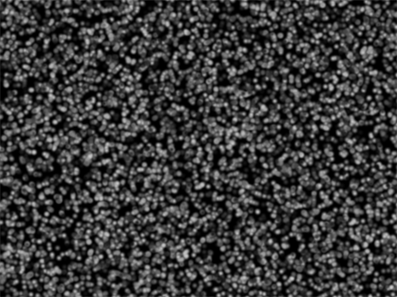
Read snippet: ~20,000 Rollovers

BitmapData Frame Texture

[SWF(width = 800, height = 600)]
var circle:Shape = new Shape();
var radius:Number = 4;
var diameter:Number = radius * 2;
var diam4:Number = diameter * 4;
with(circle.graphics) beginFill(0x000000), drawCircle(diameter,diameter,radius);
circle.filters = [new BlurFilter(5, 5, 2)];

var currFrame:Frame;

// populate the linked list
generateAnimation();

var animationNum:int = 8000;
var animation:Vector.<Frame> = new Vector.<Frame>();
var locs:Vector.<Point> = new Vector.<Point>();
// populate locs and animation
while(animation.length < animationNum){
       currFrame = currFrame.next;
       animation.push(currFrame);
       locs.push(new Point(Math.random() * stage.stageWidth - radius,
                           Math.random() * (stage.stageHeight+diam4) - diam4));
}

var rect:Rectangle = animation[0].bitmap.rect;
var bottom:Number = stage.stageHeight + rect.height;
var top:Number = -rect.height;

var canvas:BitmapData = new
BitmapData(stage.stageWidth,stage.stageHeight,false, 0x000000);
addChild(new Bitmap(canvas));

addEventListener(Event.ENTER_FRAME, onLoop);
function onLoop(evt:Event):void {
       // clear the canvas
       canvas.fillRect(canvas.rect, 0x222222);
       // draw the current frame
       for (var i:int = 0; i<animationNum; i++){
               var ani:Frame = animation[i];
			   var pnt:Point = locs[i];
               canvas.copyPixels(ani.bitmap, rect, pnt, null, null, true);
               // get the next frame of the animation
			   pnt.y += 1;
			   if (pnt.y > bottom){
				   pnt.y = top;
			   }
               animation[i] = ani.next;
       }

}

// generate and capture 40 bitmaps by altering the colorTransform of
 
function generateAnimation():void{
       var channel:uint = 0;
       var ct:ColorTransform = new ColorTransform();
       var increase:Boolean = true;
       var firstFrame:Frame;
       var pFrame:Frame;
       for (var i:int = 0; i<40; i++){
               if (increase){
                  channel += 10.25;
                  if (channel > 200){
                         increase = false;
                  }
               }else{
                  channel -= 10;
               }
               ct.color = channel << 16 | channel << 8 | channel;
               circle.transform.colorTransform = ct;
			   
               // populate linked list
               currFrame = capture(circle);
               if (pFrame){
                  pFrame.next = currFrame;
               }
               if (i == 0){
                  firstFrame = currFrame;
               }
               pFrame = currFrame;
       }
       // close the list
       currFrame.next = firstFrame;
       currFrame = firstFrame;
}

// create the Frame instance and draw the circle to it
// preserving the colorTransform information
function capture(target:Shape):Frame{
       var frame:Frame = new Frame();
       frame.bitmap = new BitmapData(target.width*2, target.height*2, true, 0x000000000);
       frame.bitmap.draw(target, target.transform.matrix, target.transform.colorTransform);
       return frame;
}

This is a variation on the last post. It captures 40 small bitmaps of a blurred circle fading in and out and then draws 8000 of them to the stage.


Have a look at the swf…

Read snippet: BitmapData Frame Texture

BitmapData Frame Animation (w/ linked list)

[SWF(width = 100, height = 100)]
var circle:Shape = new Shape();
with(circle.graphics) beginFill(0x000000), drawCircle(20,20,20);

var currFrame:Frame;

// populate the linked list
generateAnimation();

var canvas:BitmapData = new BitmapData(stage.stageWidth,stage.stageHeight,false, 0x000000);
addChild(new Bitmap(canvas));
var loc:Point = new Point(20, 20);

addEventListener(Event.ENTER_FRAME, onLoop);
function onLoop(evt:Event):void {
	// clear the canvas
	canvas.fillRect(canvas.rect, 0x000000);
	// draw the current frame
	canvas.copyPixels(currFrame.bitmap, currFrame.bitmap.rect, loc, null, null, true);
	// get the next frame of the animation
	currFrame = currFrame.next;
}

// generate and capture 40 bitmaps by altering the colorTransform of the circle shape
function generateAnimation():void{
	var channel:uint = 0;
	var ct:ColorTransform = new ColorTransform();
	var increase:Boolean = true;
	var firstFrame:Frame;
    var pFrame:Frame;
	for (var i:int = 0; i<40; i++){
		if (increase){
		   channel += 10;
		   if (channel == 200){
			  increase = false;   
		   }
		}else{
		   channel -= 10;
		}
		ct.color = channel << 16 | channel << 8 | channel;
		circle.transform.colorTransform = ct;
		// populate linked list
		currFrame = capture(circle); 
		if (pFrame){
		   pFrame.next = currFrame;
		}
		if (i == 0){
		   firstFrame = currFrame;
		}
		pFrame = currFrame;
	}
	// close the list
	currFrame.next = firstFrame;
	currFrame = firstFrame;
}

// create the Frame instance and draw the circle to it
// preserving the colorTransform information
function capture(target:Shape):Frame{
	var frame:Frame = new Frame();
	frame.bitmap = new BitmapData(target.width, target.height, true, 0x00000000);
	frame.bitmap.draw(target, null, target.transform.colorTransform);
	return frame;
}

Requires this little Frame class

package {
	import flash.display.*;
	final public class Frame{
		public var bitmap:BitmapData;
		public var next:Frame;
	}
}

This is a small test I did today to see how easy it would be to use a circular linked list to loop an animation of bitmaps. I did this because I was thinking about using some animated sprites in conjunction with Utils3D.projectVectors() to do an orthographic 3D demo with lots of animating sprites. In the past I’ve had up to 7,000 animated sprites running nicely using arrays and copyPixels… figured it would be interesting to try and do the same with a circular linked list.

When compiled, this test simply draws a circle that fades from black to gray and back again… Pretty boring, but I threw it up over at wonderfl anyway… check it out.

I recently saw a few tweets (forget who from) about using the final keyword on linked list nodes… haven’t tested it myself but it’s supposed to be faster…

Read snippet: BitmapData Frame Animation (w/ linked list)